CodePrettify
Format, inspect & repair JSON—locally.
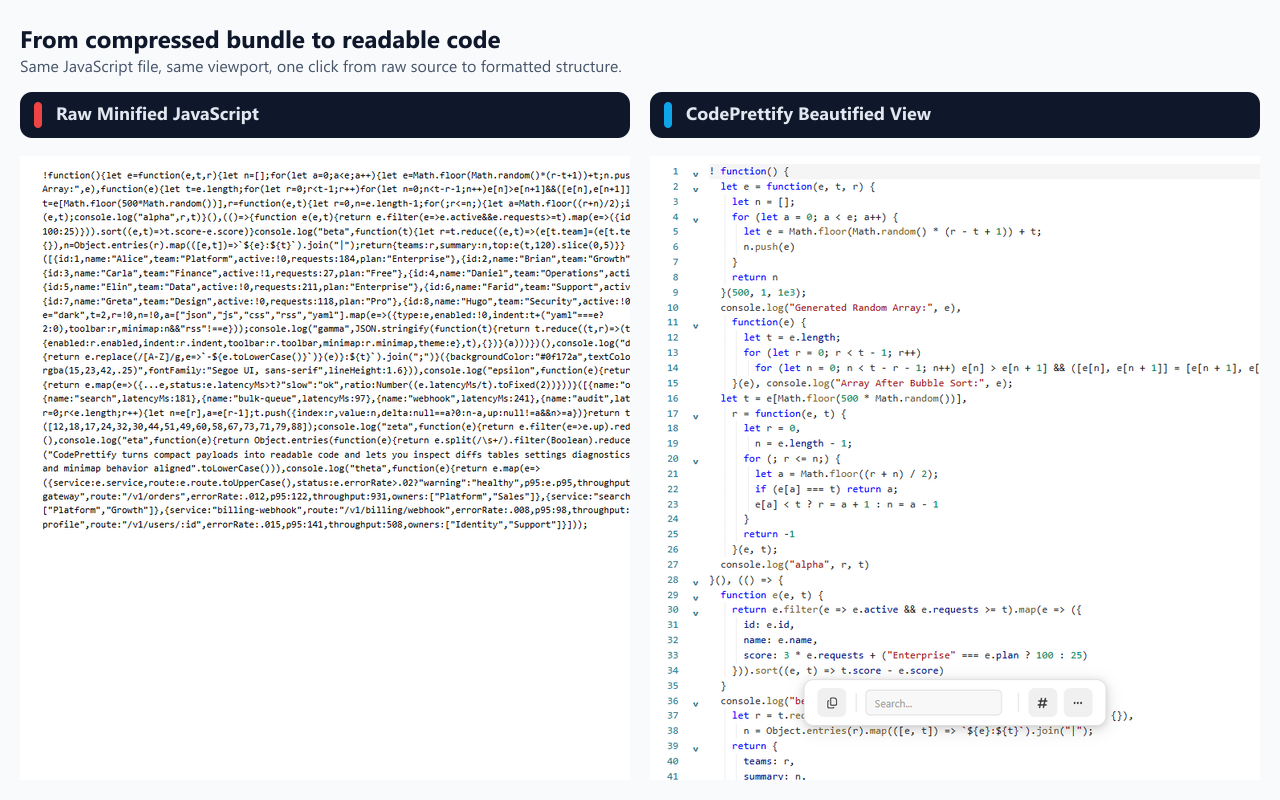
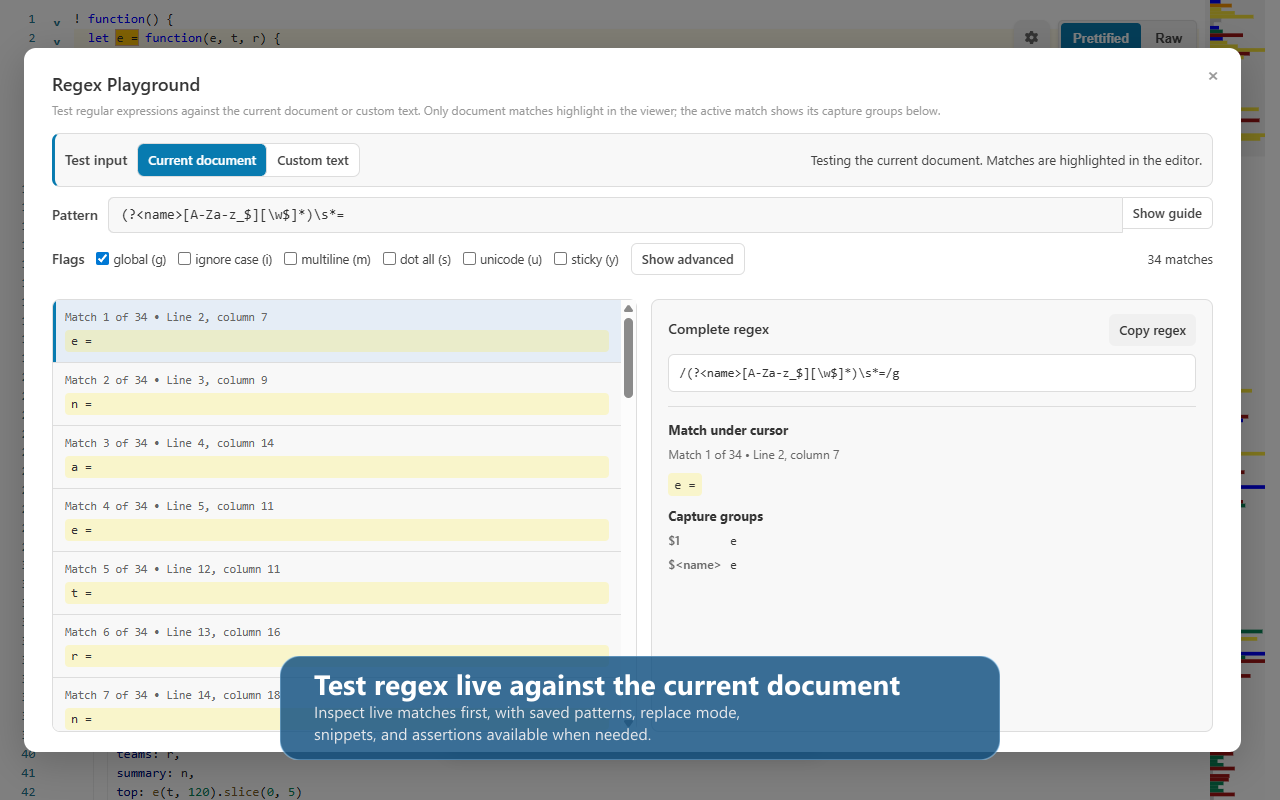
CodePrettify is a local-first developer workspace for raw JSON, code, configuration, and feed documents. Format, validate, query, repair, compare, and export JSON, JavaScript, Markdown, XML, YAML, TOML, and more—without sending file contents anywhere. Use it as a Chrome extension or native Windows app, with tools for JSON-to-code generation, diagrams, semantic diff, security scanning, and HTTP requests.
Features
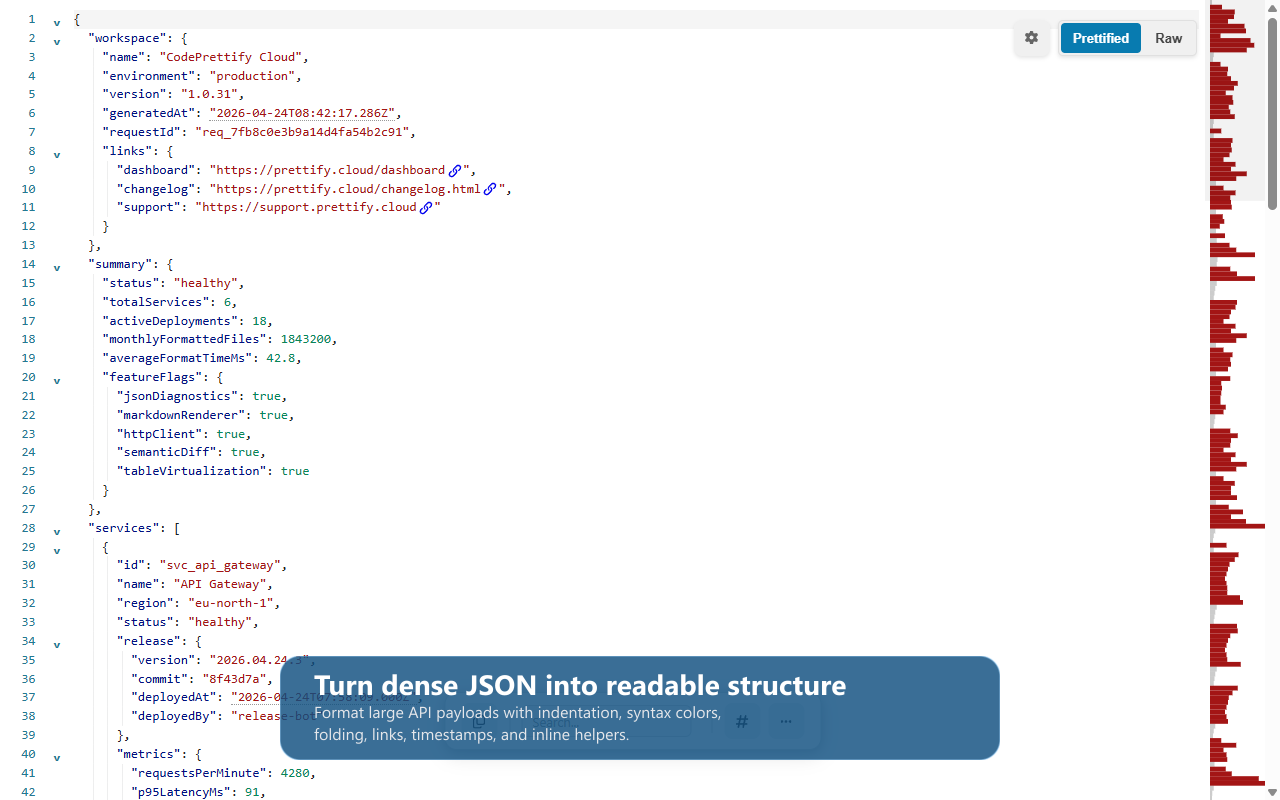
- Format, validate, and inspect JSON, JavaScript, Markdown, XML, YAML, TOML, and feeds
- Repair malformed JSON, query JSON paths, and render sortable tables
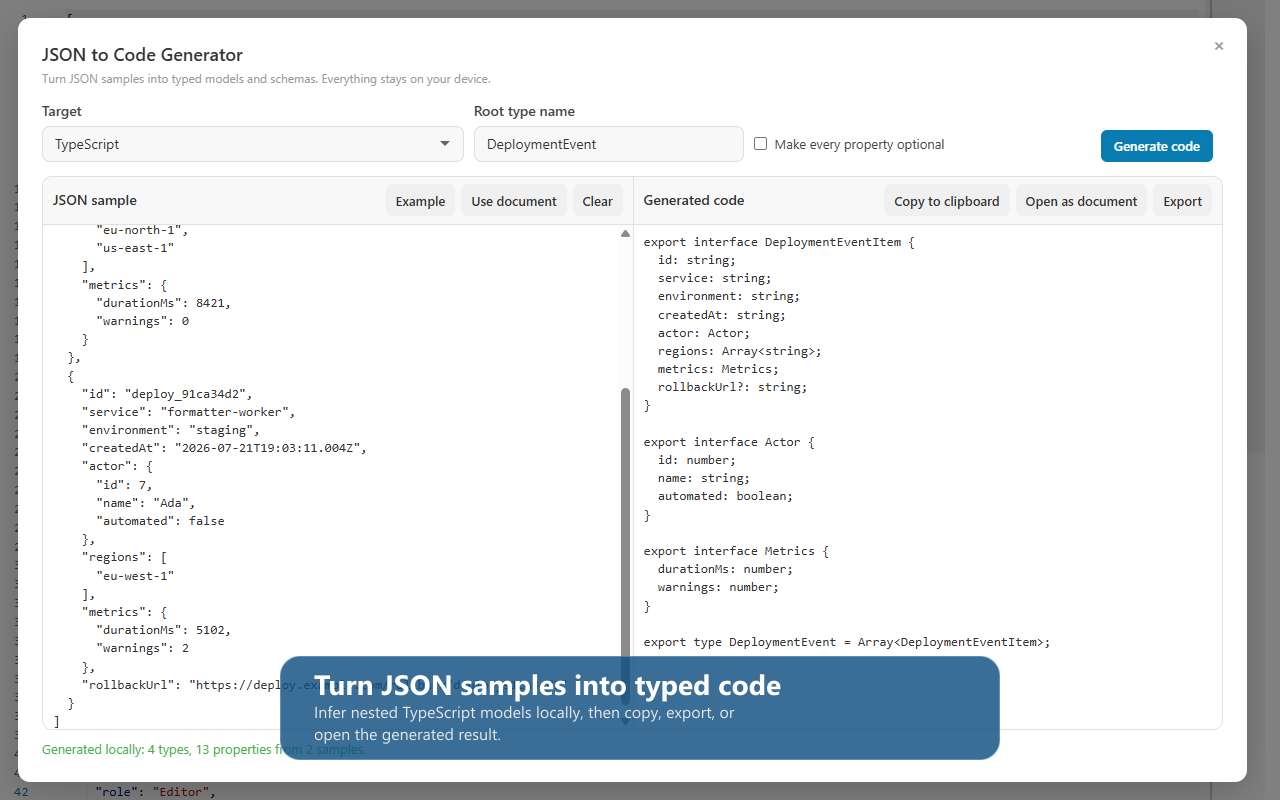
- Generate typed models for 11 languages and JSON Schema
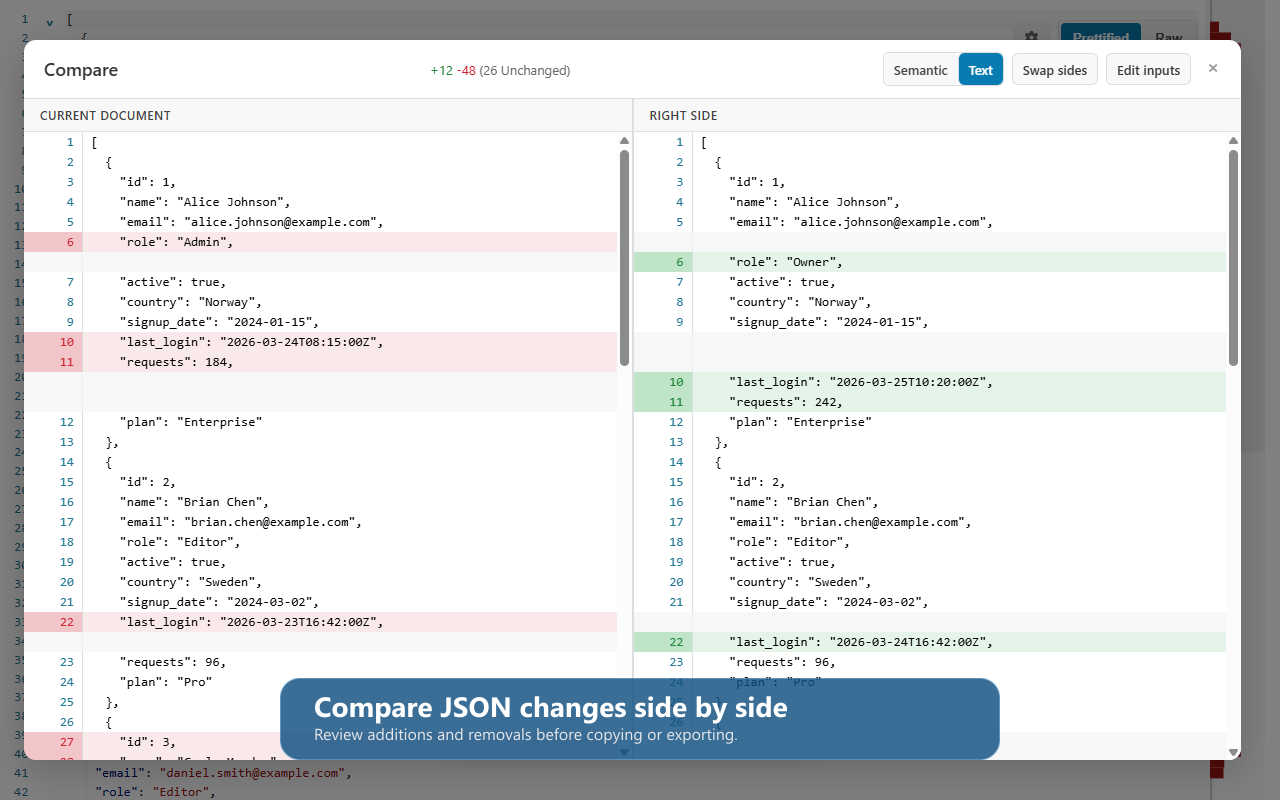
- Compare documents side by side with semantic diff
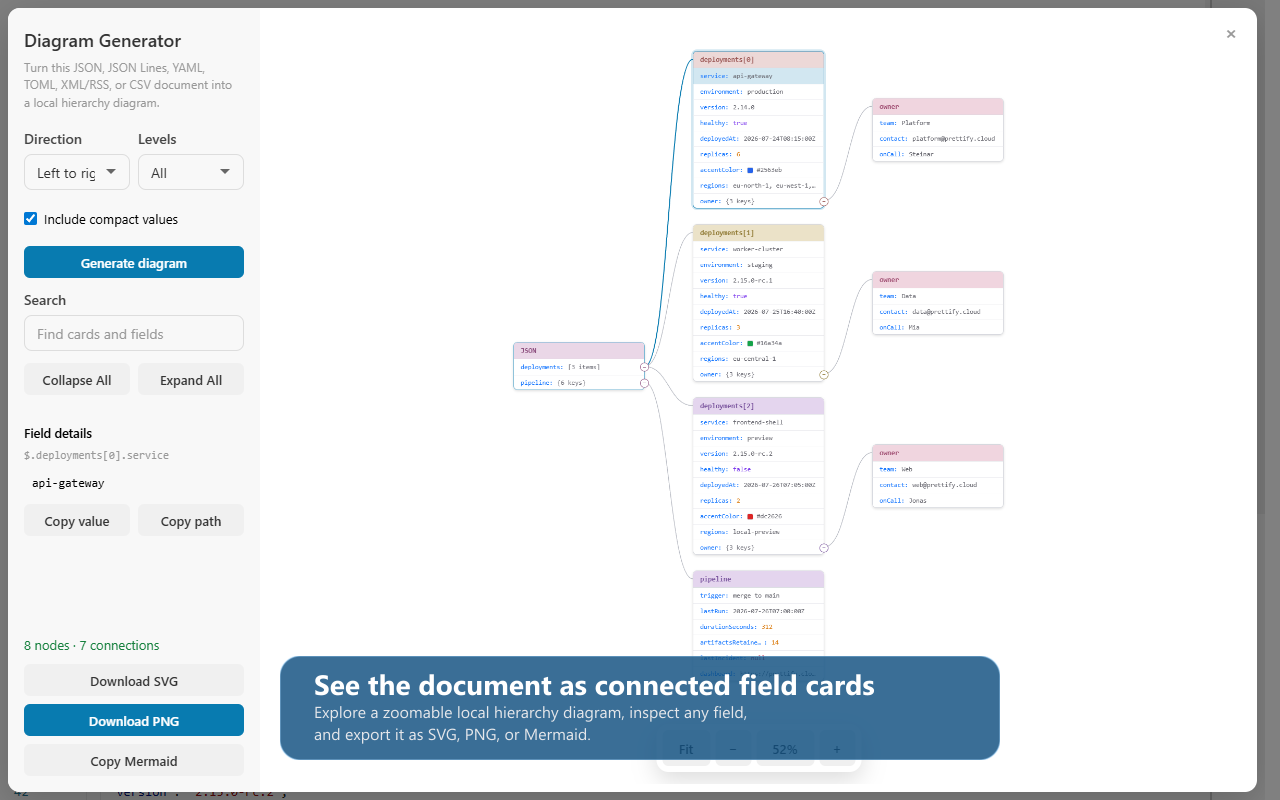
- Visualize structured data as diagrams; export SVG, PNG, or Mermaid
- Scan code for hardcoded secrets and inspect document diagnostics
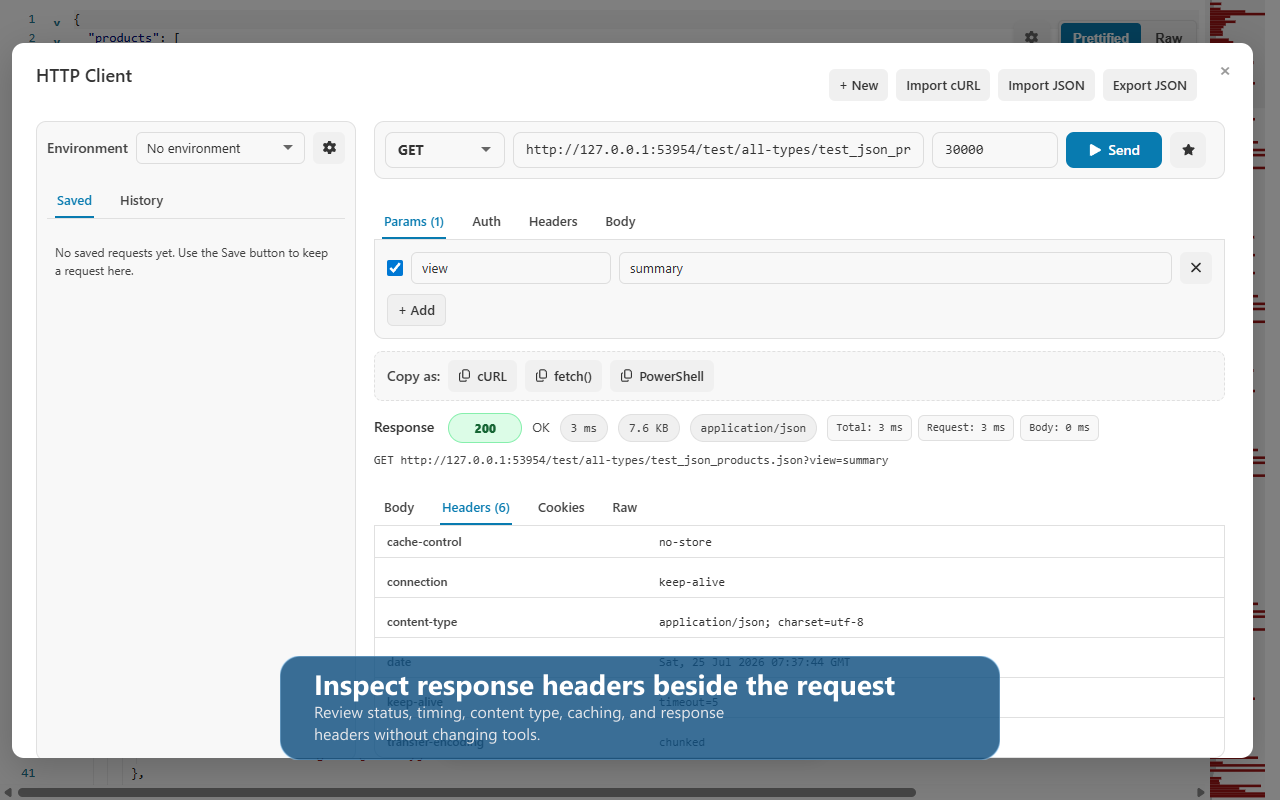
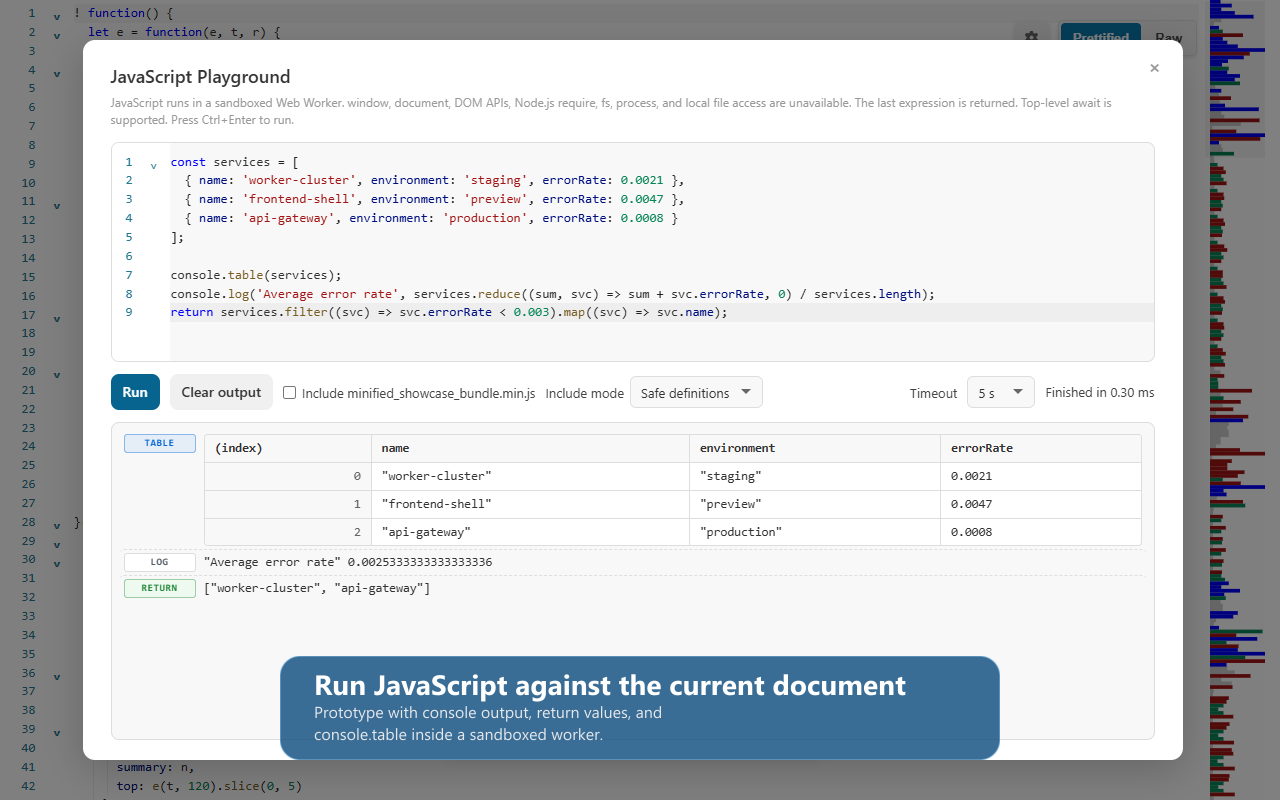
- Use a sandboxed JavaScript Playground and local HTTP Client
Use Cases
- Make a raw API response searchable, folded, and readable
- Generate typed models from a real JSON payload
- Compare JSON revisions without noise from formatting or key order
- Trace data structures visually and export a diagram
- Safely inspect a downloaded config, feed, or code bundle locally
- Test an HTTP request or small JavaScript snippet without leaving the workflow

Comments



Local-first tools for JSON debugging solve a real workflow pain. Most developers bounce between browser DevTools, their IDE, and online validators - that friction adds up. Having everything in one place where you can inspect, repair, and compare versions without leaving context is a huge UX win. The fact it runs entirely in the browser eliminates data exposure concerns too.

On what to make easier next: the case I keep hitting is JSON that is not a clean document. Worker log lines with a JSON blob sitting inside a string field, and newline delimited files where every line parses on its own but the whole file does not. A formatter fails on line one, so I end up writing a throwaway script instead. Dropping a log file in and having it find and fold the JSON inside each line would save me more time than anything else on the list.

CodePrettify started with a familiar interruption: a raw API response, minified script, or config file appears in the browser, and the useful tools live somewhere else. I wanted a local-first workspace that keeps the document in context—format it, validate it, repair it, inspect paths, compare revisions, visualize its shape, generate typed models, or run a small test without uploading the content. It grew from the browser extension into a native Windows app for local files. I’d love candid feedback: which data format or debugging workflow should it make easier next?

This is one of those tools that can save developers a surprising amount of time. No more switching between different apps just to check, clean up, or compare JSON. Everything you need is available in one workspace, making the whole process much faster. I also like that the data never needs to leave your browser, especially when working with sensitive projects.

The browser extension → native Windows app progression is interesting — was that driven by file-size/memory limits in the browser context? We've hit real ceilings running large operations purely client-side (a big PDF merge or an uncompressed TIFF pushes a browser tab's memory hard), and I'm curious whether that's what pushed the native app for local files, or something else — OS-level filesystem access for the secret-scanner, maybe?
The secret-scan on local configs is the feature I actually want next to the JSON repair. We handle webhook payloads that sometimes include tokens; pasting those into an online formatter is a non-starter. Semantic diff that ignores key order would also save time when comparing two monitor fingerprints that are logically the same document. Does the secret scanner flag high-entropy strings, or only known key names like AWS_SECRET_ACCESS_KEY?


Keeping document processing local is a meaningful design choice for configuration files and API responses that may contain sensitive data. Combining validation, repair and comparison in one workspace also reduces the need to move the same document between separate tools. Showing the exact changes made during repair would make that workflow easier to trust.
A local-first workspace that can format, validate, repair, query, and compare many data formats is very practical for debugging messy payloads. Keeping JSON and related files on-device is a strong privacy benefit. Is there a way to save reusable formatting or validation profiles for recurring API responses?
Premium Products
























































Sponsors
Buy

Makers
Makers
Comments
Local-first tools for JSON debugging solve a real workflow pain. Most developers bounce between browser DevTools, their IDE, and online validators - that friction adds up. Having everything in one place where you can inspect, repair, and compare versions without leaving context is a huge UX win. The fact it runs entirely in the browser eliminates data exposure concerns too.
On what to make easier next: the case I keep hitting is JSON that is not a clean document. Worker log lines with a JSON blob sitting inside a string field, and newline delimited files where every line parses on its own but the whole file does not. A formatter fails on line one, so I end up writing a throwaway script instead. Dropping a log file in and having it find and fold the JSON inside each line would save me more time than anything else on the list.
CodePrettify started with a familiar interruption: a raw API response, minified script, or config file appears in the browser, and the useful tools live somewhere else. I wanted a local-first workspace that keeps the document in context—format it, validate it, repair it, inspect paths, compare revisions, visualize its shape, generate typed models, or run a small test without uploading the content. It grew from the browser extension into a native Windows app for local files. I’d love candid feedback: which data format or debugging workflow should it make easier next?
This is one of those tools that can save developers a surprising amount of time. No more switching between different apps just to check, clean up, or compare JSON. Everything you need is available in one workspace, making the whole process much faster. I also like that the data never needs to leave your browser, especially when working with sensitive projects.
The browser extension → native Windows app progression is interesting — was that driven by file-size/memory limits in the browser context? We've hit real ceilings running large operations purely client-side (a big PDF merge or an uncompressed TIFF pushes a browser tab's memory hard), and I'm curious whether that's what pushed the native app for local files, or something else — OS-level filesystem access for the secret-scanner, maybe?
The secret-scan on local configs is the feature I actually want next to the JSON repair. We handle webhook payloads that sometimes include tokens; pasting those into an online formatter is a non-starter. Semantic diff that ignores key order would also save time when comparing two monitor fingerprints that are logically the same document. Does the secret scanner flag high-entropy strings, or only known key names like AWS_SECRET_ACCESS_KEY?
Keeping document processing local is a meaningful design choice for configuration files and API responses that may contain sensitive data. Combining validation, repair and comparison in one workspace also reduces the need to move the same document between separate tools. Showing the exact changes made during repair would make that workflow easier to trust.
A local-first workspace that can format, validate, repair, query, and compare many data formats is very practical for debugging messy payloads. Keeping JSON and related files on-device is a strong privacy benefit. Is there a way to save reusable formatting or validation profiles for recurring API responses?
Premium Products
New to Fazier?

Find your next favorite product or submit your own. Made by @FalakDigital.
Copyright ©2026. All Rights Reserved