
CodePic
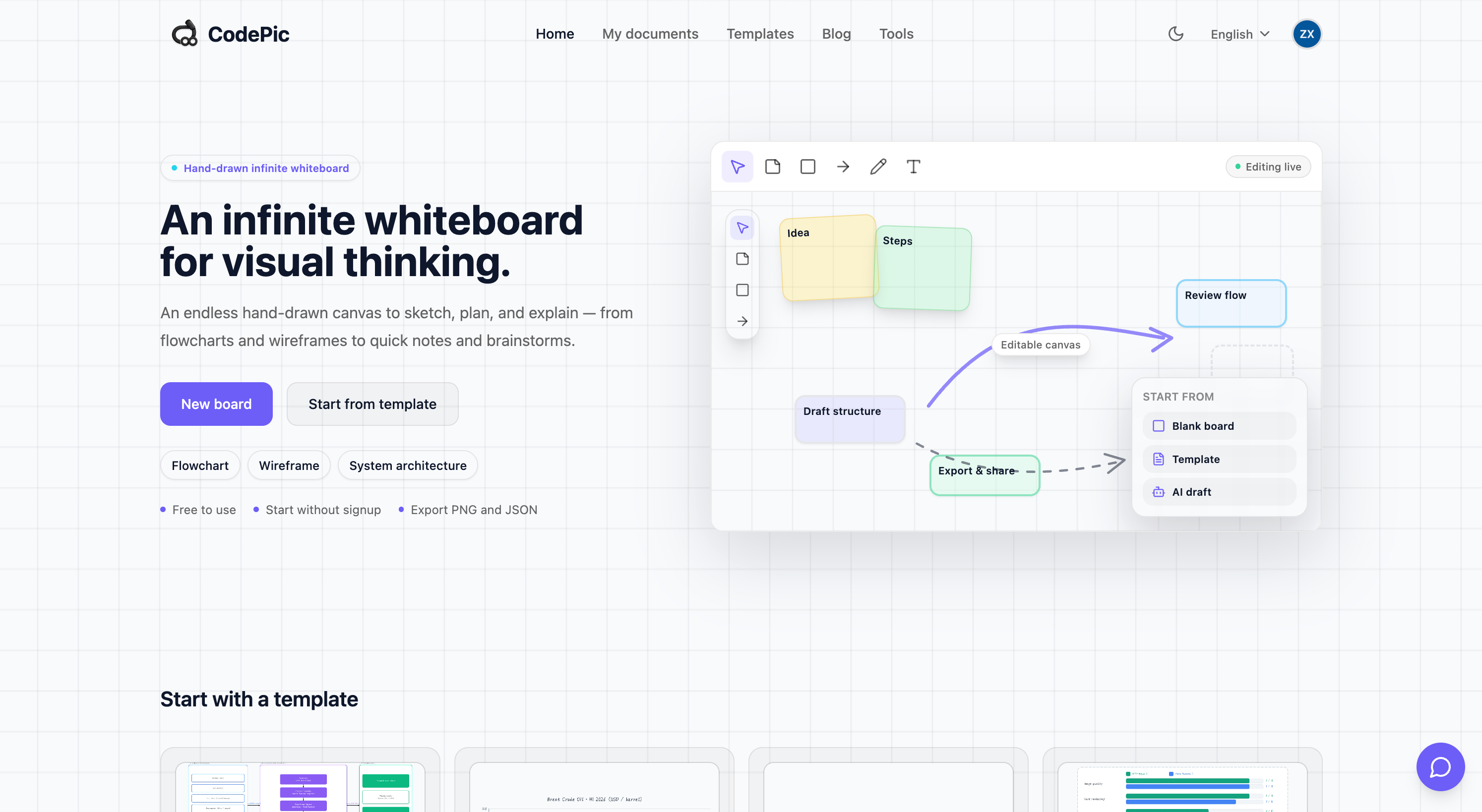
Hand-drawn style infinite whiteboard for diagrams, flowchart
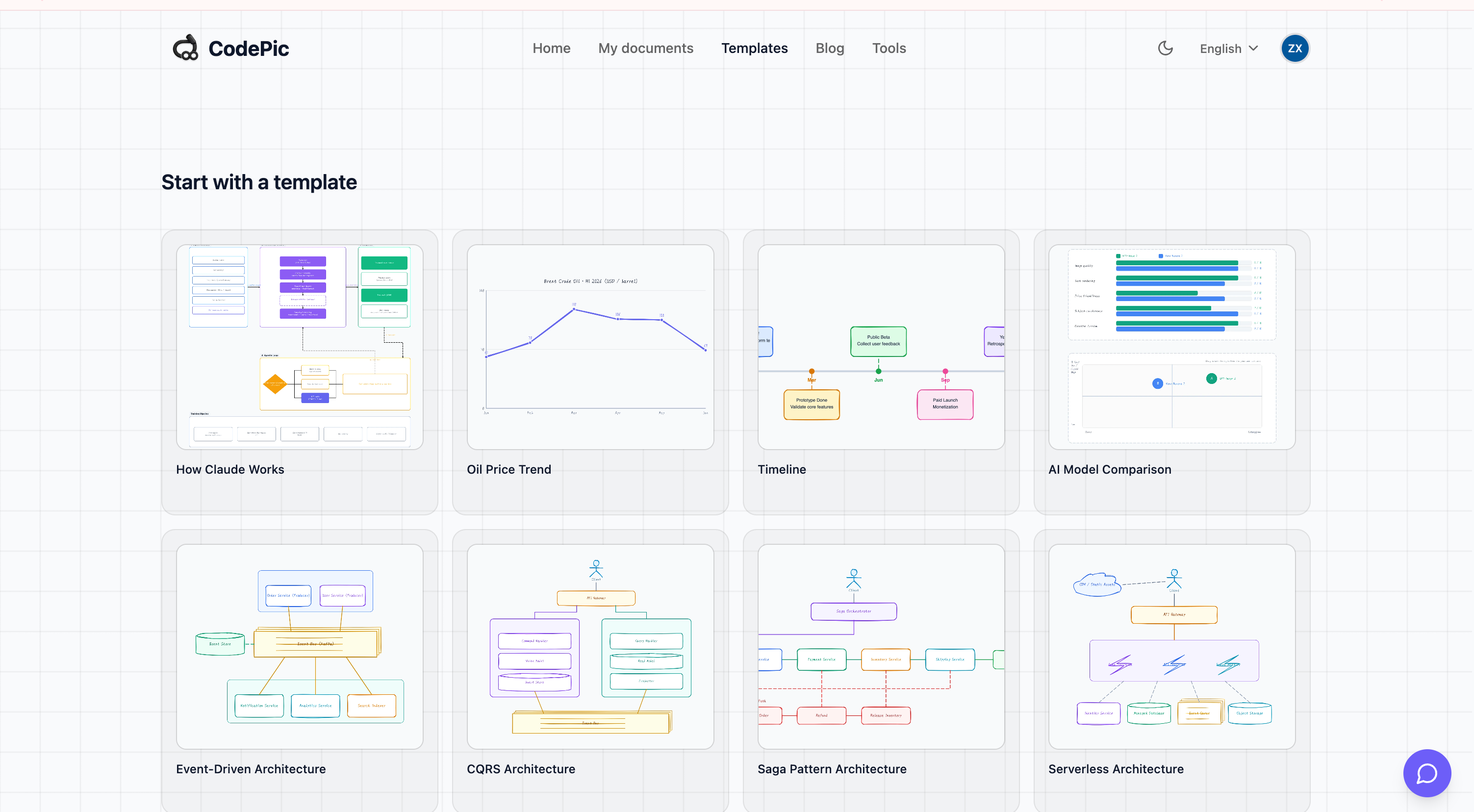
CodePic is a browser-based hand-drawn style infinite whiteboard — think Excalidraw meets tldraw, but with an AI-first workflow and 80+ ready-to-use templates.
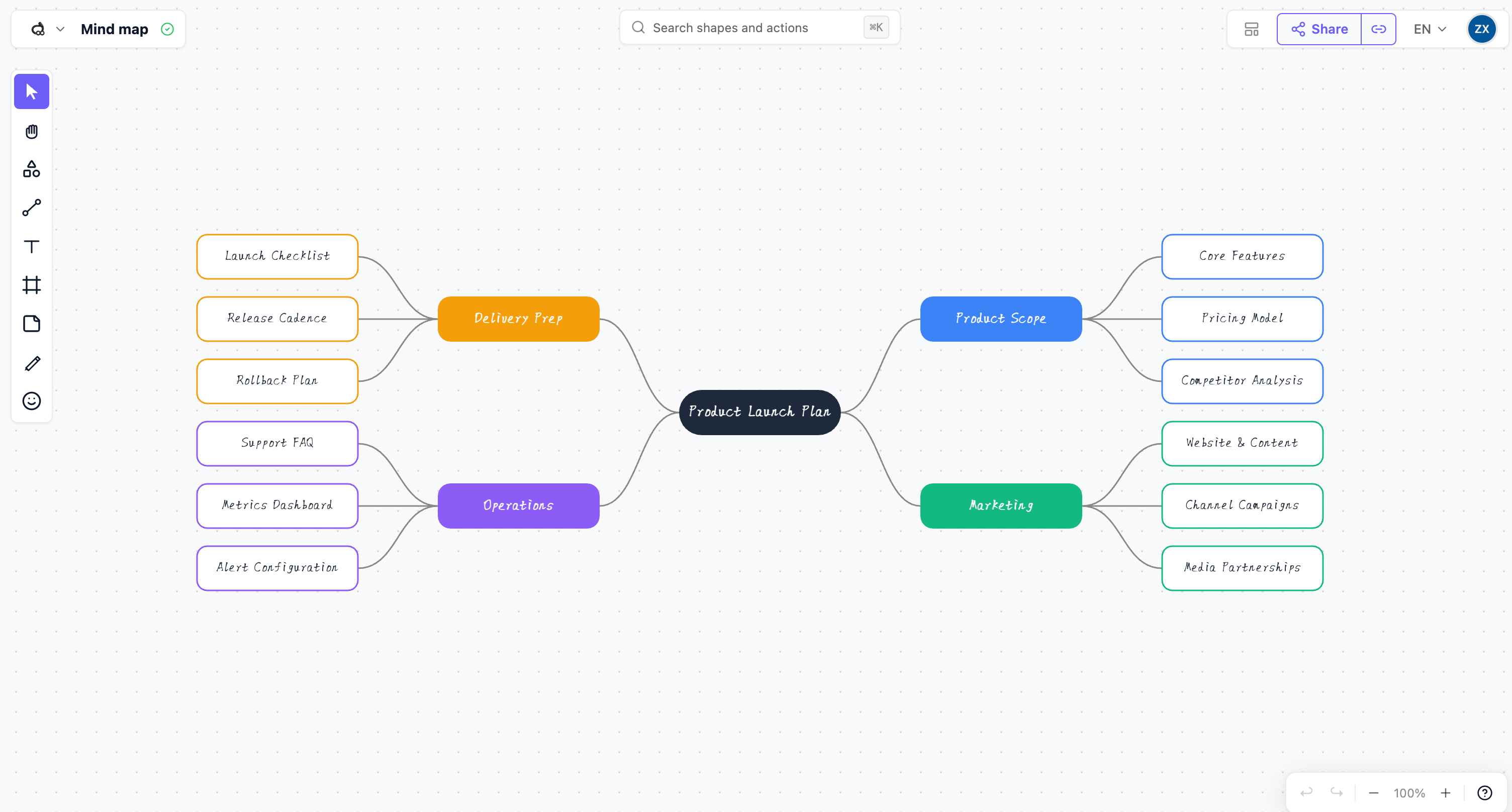
Draw freely on an unbounded canvas: flowcharts, system architecture, ER diagrams, wireframes, mind maps, sticky notes, timelines, sequence diagrams, and more. Everything renders in a warm hand-drawn style that makes even serious diagrams feel approachable.
Key features:
• Infinite canvas with pan, zoom, frames, and pages
• 80+ professional templates across flowcharts, diagrams, wireframes
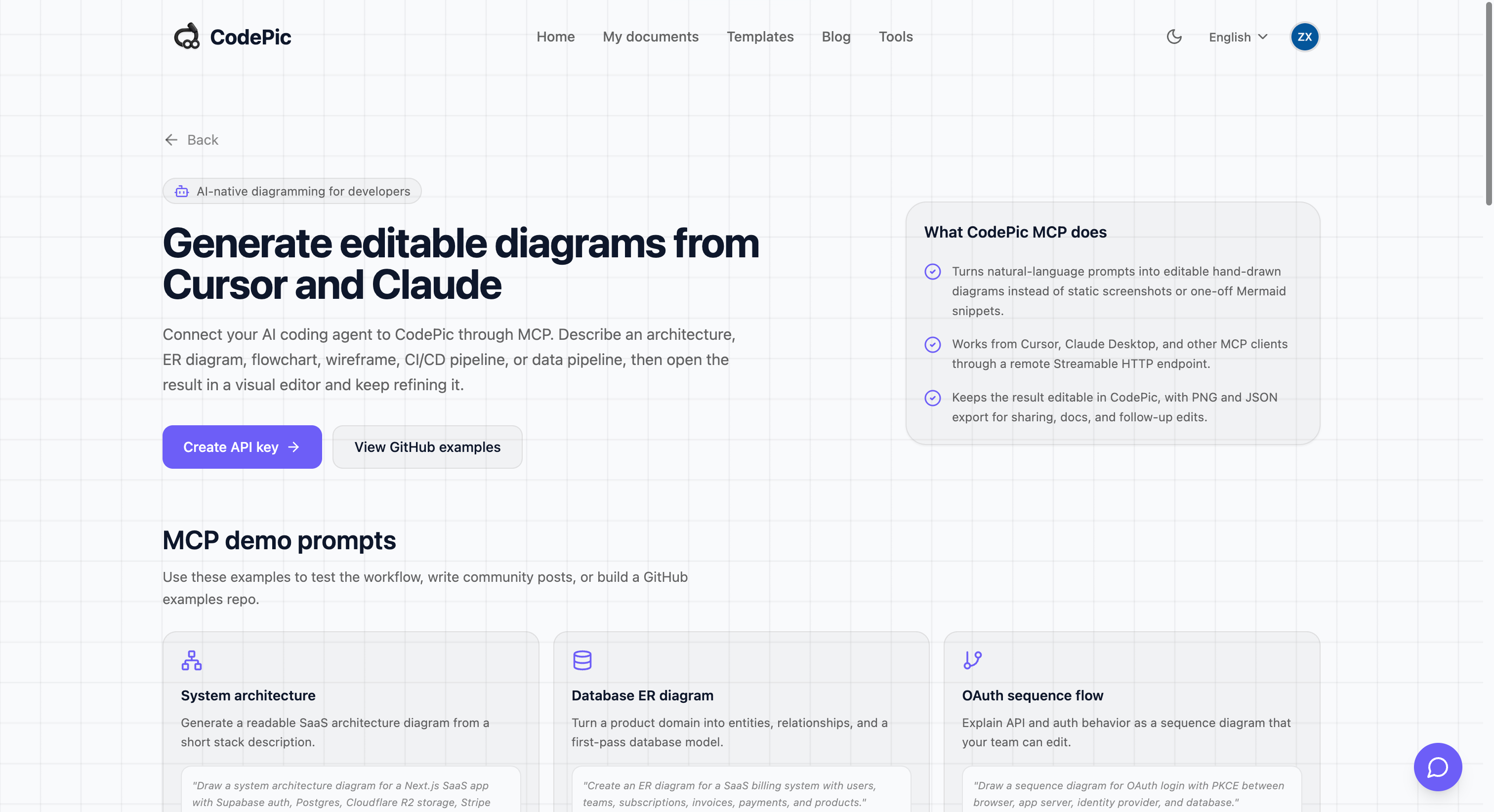
• AI diagram generation via MCP (works with Cursor, Claude Desktop, Windsurf)
• Freehand pencil, connectors with smart routing, sticky notes
• Import/export JSON, export PNG/SVG
• Shareable public view links — no signup required to view
• Free to use, no watermark
Built for developers, PMs, designers, and anyone who thinks visually.
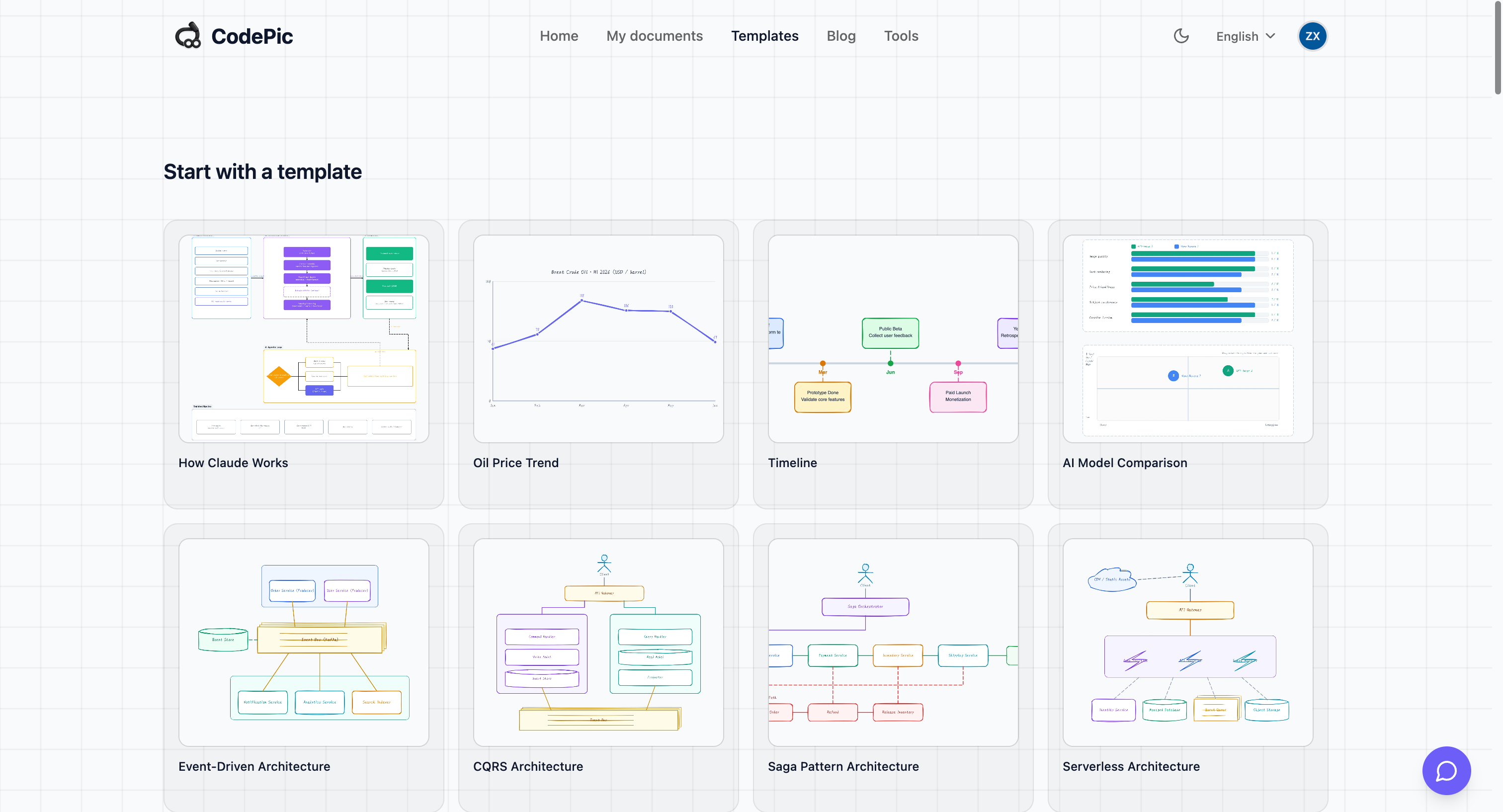
Features
• Infinite canvas — unbounded whiteboard with smooth pan & zoom
• Hand-drawn style — warm sketchy rendering (roughjs + perfect-freehand)
• 80+ templates — flowcharts, ER diagrams, wireframes, mind maps, timelines, kanban, gantt, and more
• AI diagram generation — create & edit diagrams via MCP from Cursor, Claude Desktop, Windsurf
• Smart connectors — auto-routing lines that stay attached when you move shapes
• Frames & pages — organize large boards into named sections and multi-page docs
• Freehand pencil & sticky notes — sketch and brainstorm naturally
• Import / Export — JSON round-trip, PNG & SVG export
• Public share links — anyone can view without signing up
• Fully free — no watermark, no per-seat pricing on core features
• Runs 100% in the browser — nothing to install
Use Cases
• System design & architecture diagrams — engineers sketching services, queues, databases
• Flowcharts & business processes — PMs and analysts mapping workflows
• ER diagrams & database schemas — backend developers designing data models
• Wireframes & UI mockups — designers and PMs sketching screens before Figma
• Mind maps & brainstorming — solo thinking or team ideation sessions
• Sequence & state diagrams — describing API interactions and state machines
• Kanban, timelines, gantt boards — lightweight project planning on a whiteboard
• Whiteboarding interviews — draw and share via public link
• AI-assisted diagramming — ask Cursor / Claude to generate a diagram, edit it visually
• Teaching & explaining — instructors sketching concepts with a friendly hand-drawn feel
• Documentation visuals — embed exported PNG/SVG in READMEs, blogs, wikis

Comments


Hey Fazier! 👋 I'm the maker of CodePic. I built it because every time I wanted to sketch a quick flowchart or system diagram, I'd either fight with heavyweight tools like Lucidchart / Miro, or open Excalidraw and miss having ready-made templates and AI generation. So CodePic is basically: an infinite whiteboard with Excalidraw-style hand-drawn rendering, but with 80+ templates baked in and an MCP server so you can ask Cursor / Claude to draw diagrams for you and then tweak them visually. A few things I care about: • Free with no watermark — the core canvas should just be free • No signup required to view a shared link • Fast — everything renders in Canvas 2D, no heavy framework on the canvas layer • AI is a helper, not the product — the whiteboard is the product Would love your feedback, especially on: 1. What templates are missing that you'd actually use? 2. How's the hand-drawn style on your screen — too rough / too clean? 3. Anything confusing in the first 60 seconds? Try it here: https://codepic.cc Templates gallery: https://codepic.cc/templates Thanks for checking it out 🙏
Premium Products











































Sponsors
Buy

Comments
Hey Fazier! 👋 I'm the maker of CodePic. I built it because every time I wanted to sketch a quick flowchart or system diagram, I'd either fight with heavyweight tools like Lucidchart / Miro, or open Excalidraw and miss having ready-made templates and AI generation. So CodePic is basically: an infinite whiteboard with Excalidraw-style hand-drawn rendering, but with 80+ templates baked in and an MCP server so you can ask Cursor / Claude to draw diagrams for you and then tweak them visually. A few things I care about: • Free with no watermark — the core canvas should just be free • No signup required to view a shared link • Fast — everything renders in Canvas 2D, no heavy framework on the canvas layer • AI is a helper, not the product — the whiteboard is the product Would love your feedback, especially on: 1. What templates are missing that you'd actually use? 2. How's the hand-drawn style on your screen — too rough / too clean? 3. Anything confusing in the first 60 seconds? Try it here: https://codepic.cc Templates gallery: https://codepic.cc/templates Thanks for checking it out 🙏
Premium Products
New to Fazier?

Find your next favorite product or submit your own. Made by @FalakDigital.
Copyright ©2025. All Rights Reserved