
CloveDesk
Simple client portal for freelancers and small Businesses.
CloveDesk is a simple client portal for freelancers and small businesses.
It gives every client their own workspace, so quotes, contracts, files, invoices and expenses live in one place instead of across email threads and five different tools.
Clients don’t need an account. They open a secure link sent to their email, view what you shared, and sign right there on any device.
Who it’s for:
Freelancers, consultants, and small agencies who want to look professional without learning a heavy tool. It also works for anyone who needs documents signed, such as contracts, agreements or job offers.
Why it’s different:
CloveDesk focuses on the core flow of quote, sign, share and invoice, so setup takes minutes, not days. Pricing is a flat monthly or yearly subscription with no per-client fees, and you can try it free without a card.
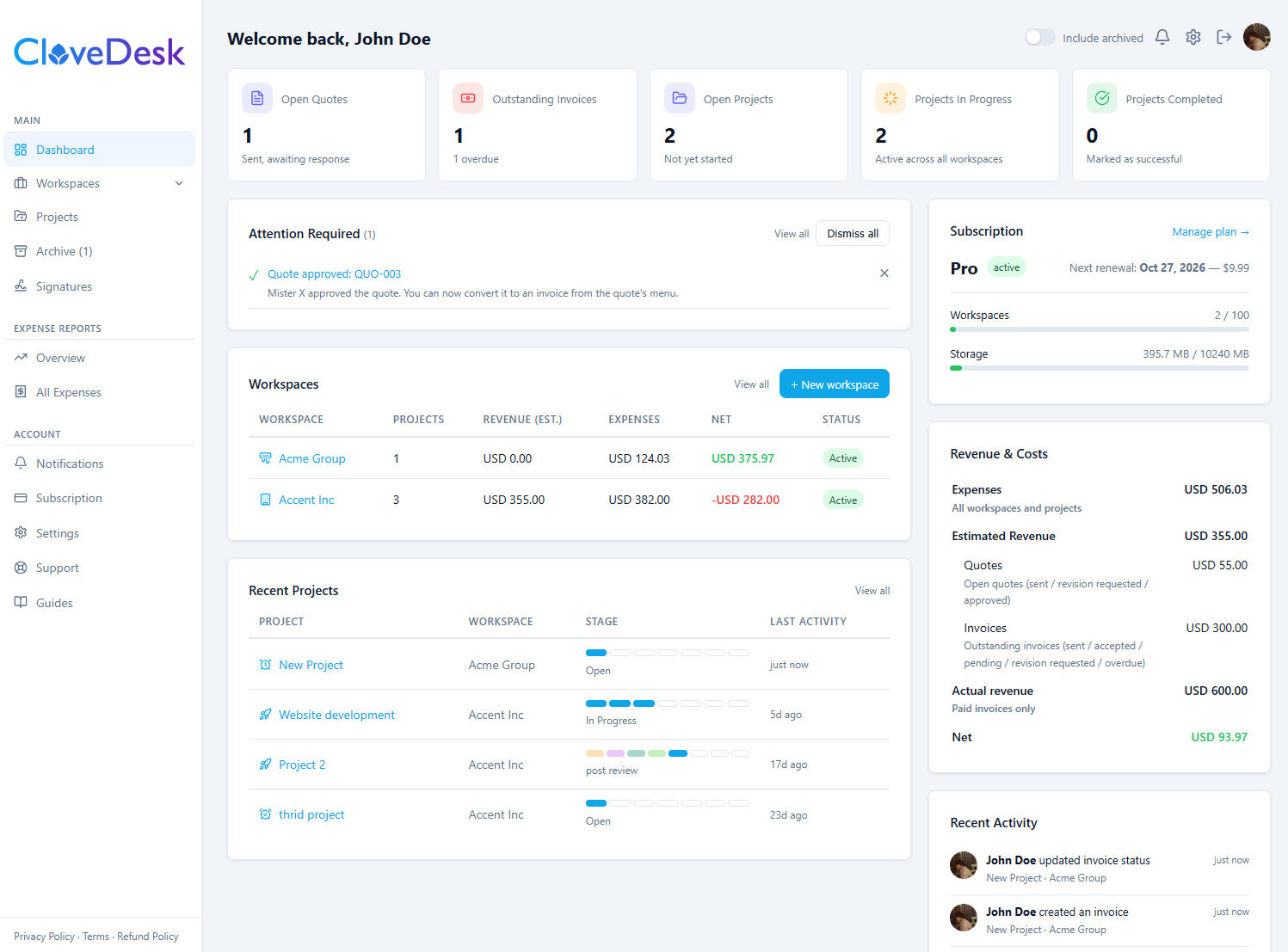
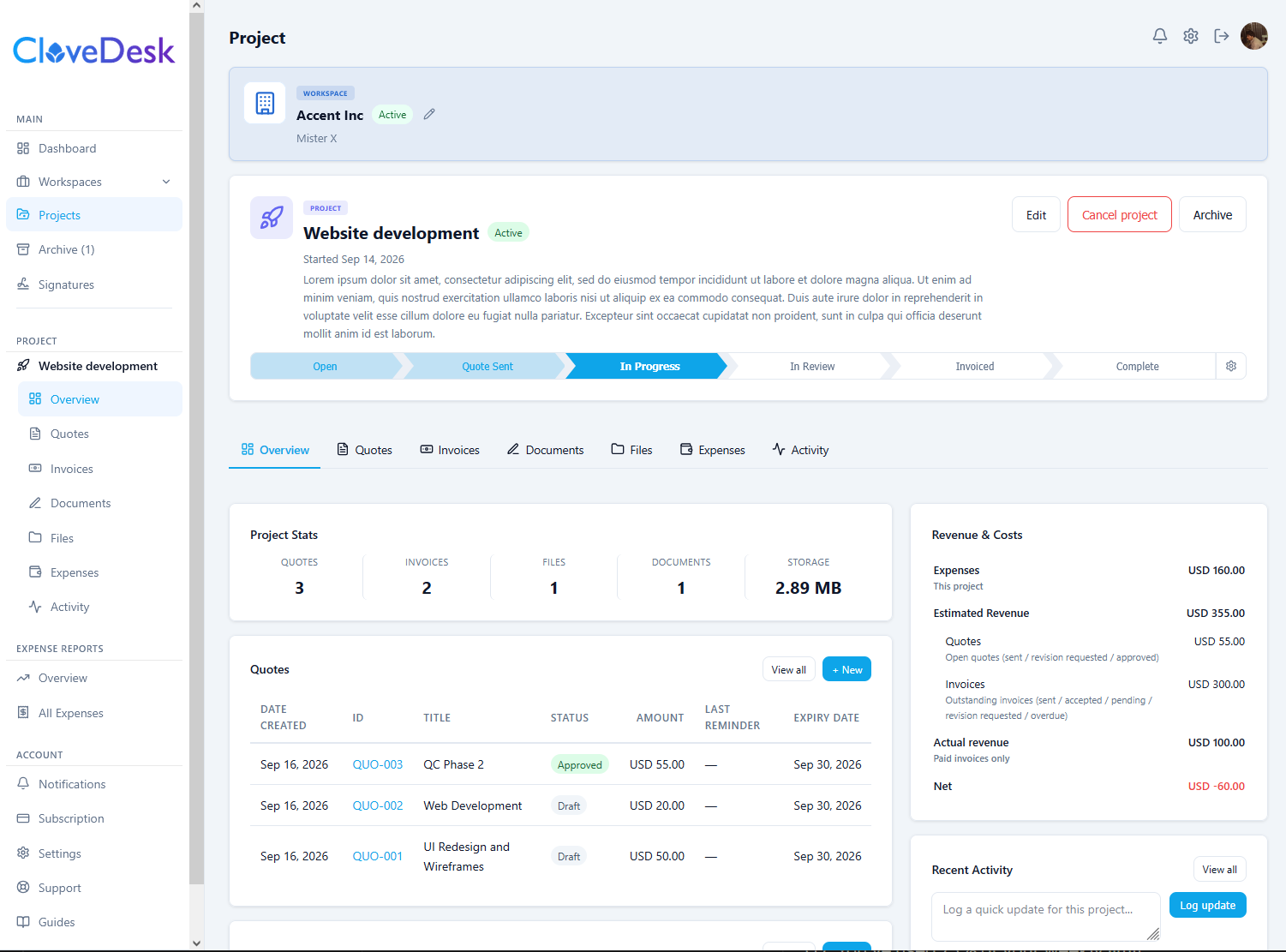
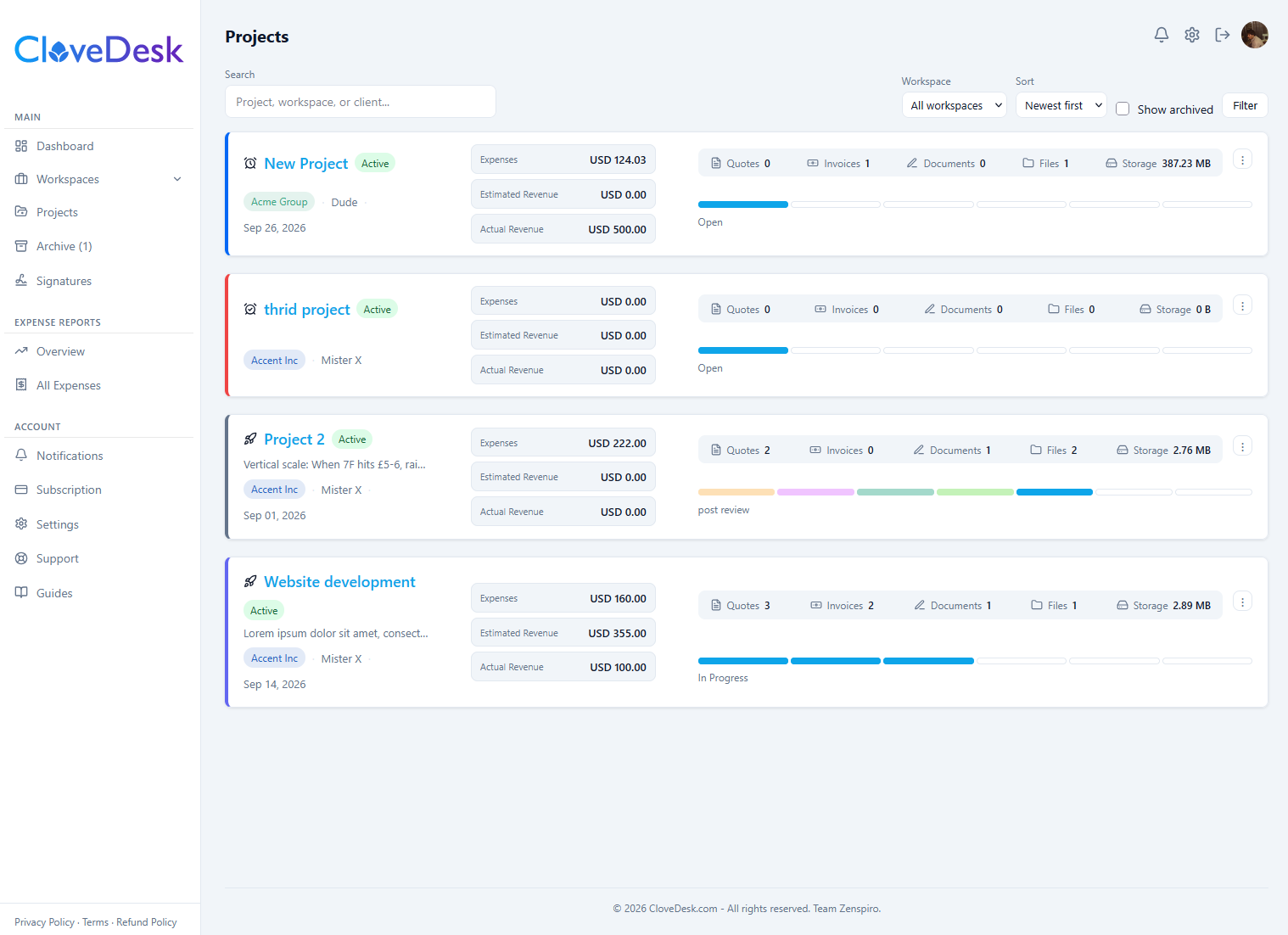
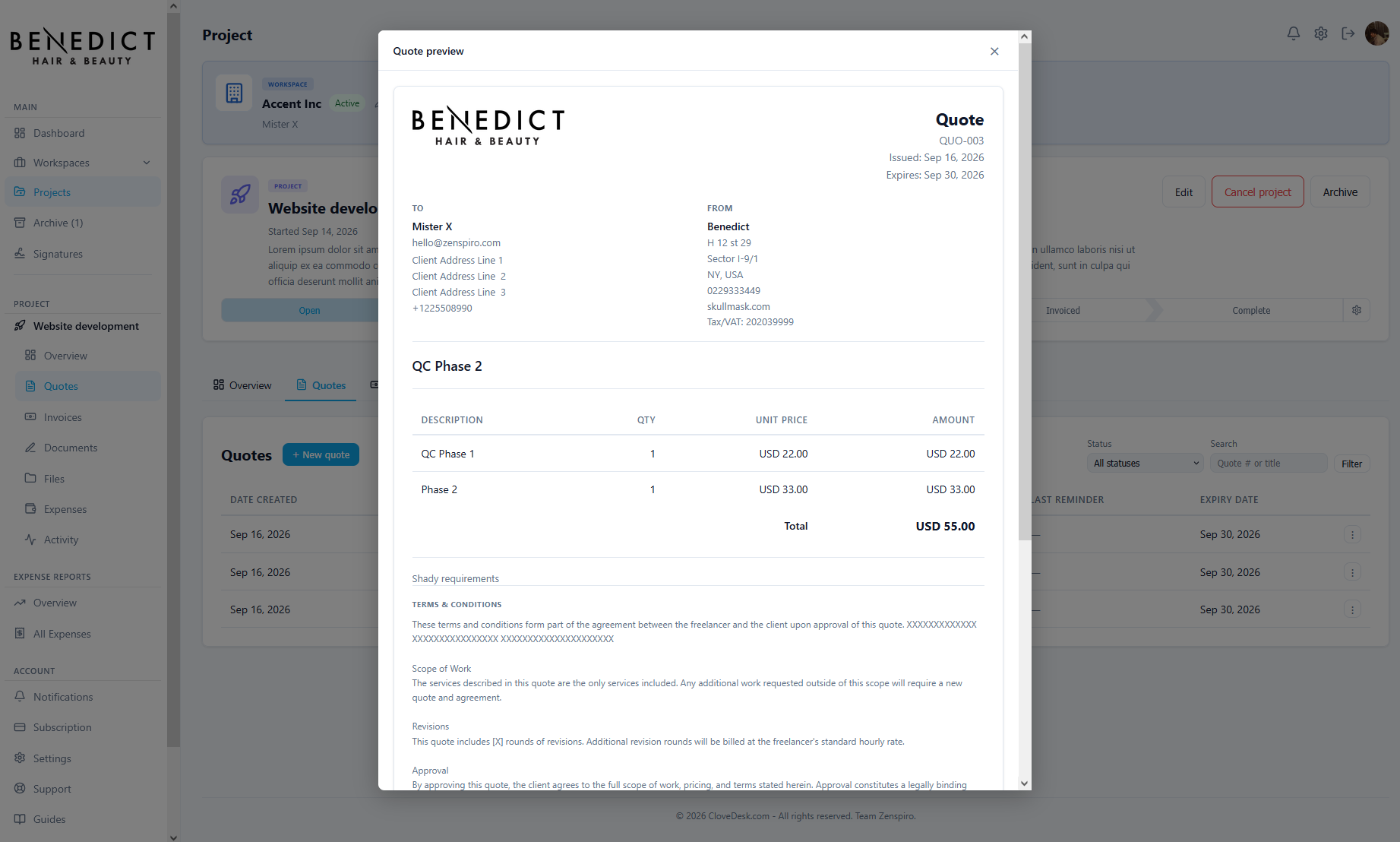
Features
- Create and send quotes and invoices
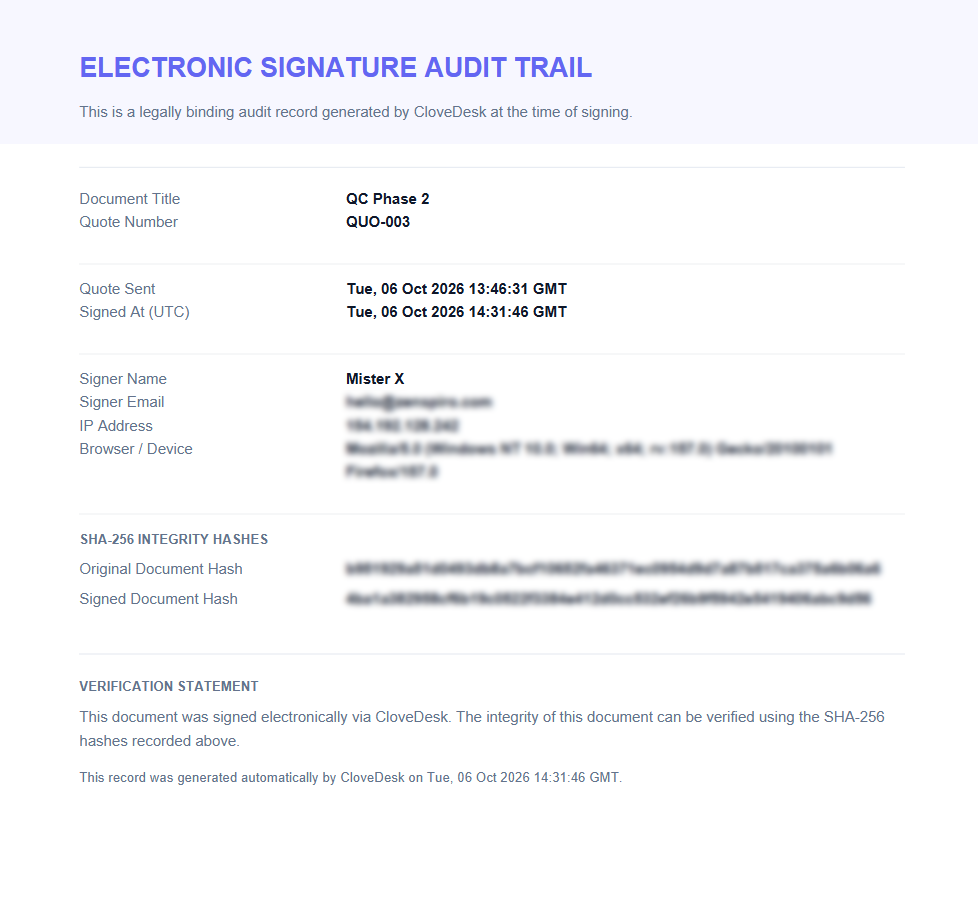
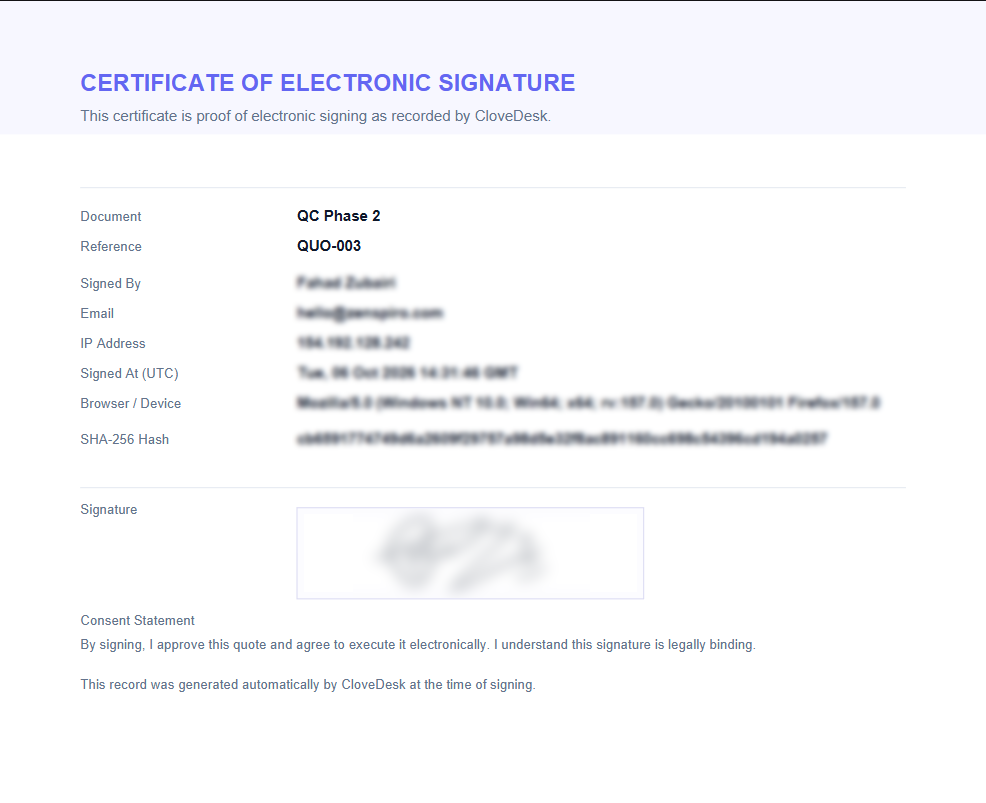
- Upload any document and get it signed online, with a signed PDF and audit trail sent to both sides
- Share files with clients in organized folders
- Track expenses in multiple currencies, per project or per client
- Manage projects inside each client workspace, with a stage pipeline to show progress
- Send payment reminders manually, or let CloveDesk chase late invoices automatically
- Set default or custom terms for your quotes and documents
- Add your own logo, colors and business details so everything looks like yours
- Keep an activity log of what happened and when
Use Cases
Freelance designers, Web developers, and branding studios
Manage the entire client journey, from the initial quote to the final invoice.
- Send proposals and contracts for signature.
- Share brand assets and design deliverables in folders.
- Track project stages and expenses.
- Invoice clients without juggling separate tools.
Consultants and business coaches
Deliver a professional onboarding experience without requiring clients to learn another platform.
- Send consulting agreements and service quotes.
- Collect signatures before starting work.
- Share reports, recommendations, and resources.
- Track engagements, expenses, and outstanding payments.
Interior designers and decorators
Keep client approvals, design documentation, project costs, and billing together.
- Send project estimates and design agreements.
- Share plans, specifications, and documents.
- Track project progress.
- Record expenses in multiple currencies where needed.
Bookkeepers and independent accountants
Make client document collection and engagement administration easier.
- Send engagement letters and service agreements.
- Share reports and requested documents.
- Issue service quotes and invoices.
- Track client-specific expenses and payment status.
Independent contractors and renovation businesses
Keep estimates, signed agreements, job documents, and invoices together.
- Create quotes for jobs.
- Get contracts and approvals signed.
- Organize project files.
- Track job expenses and outstanding invoices.

Comments

Having client projects, documents, and payments organized in one place can make work much easier for freelancers and small businesses. Good organization also leaves more time for creative thinking. For a different kind of planning challenge, https://pokesurvivor.io/ lets Pokémon fans test their strategies, choose upgrades, and adapt to waves of enemies in a survival adventure.
Solid launch. I run a one-person site — a Pokémon survivor guide over at https://pokesurvivor.club — and take the occasional freelance gig around it, so the no-account link is the part that would actually save me: chasing clients to create yet another login is exactly where half my quotes die. Flat monthly with no per-client fee matters at that size too. Does the quote → invoice flow carry the client details across automatically, or do you re-enter them? Congrats on shipping.

Signing on a secure email link with no client account is the right call: most clients just won't create one. How do you handle the audit trail for signatures (timestamp, IP, a hash of the signed version), and can a client download a signed PDF with that certificate attached? That is usually the first thing a small agency gets asked when a contract is disputed.

Letting clients open a secure link and sign without creating an account is the right call. In consulting work, the client-side login is usually where portals like this stall. Two questions: can a client see a simple milestone or timeline view of the engagement next to the quote and contract? And does a signed contract keep an audit trail (timestamp, signer email) you could point to if scope is disputed later?


How does the audit trail for e-signatures handle timestamps and IPs, and does it integrate with your numerologia https://minumerologia.org/ approach to workflow structuring?

Nice launch. I run a small games site (https://suzysays.cc) and do freelance web work on the side — my quotes, contracts and invoices used to live in three different places. The no-account-for-clients flow is the part that won me over; sending one link and getting a signature on a phone is genuinely less friction than the tools I tried before. No per-client pricing is a smart call too.
Nice launch. I run a small games site (suzysays.cc) and do freelance web work on the side — my quotes, contracts and invoices used to live in three different places. The no-account-for-clients flow is the part that won me over; sending one link and getting a signature on a phone is genuinely less friction than the tools I tried before. No per-client pricing is a smart call too.
Premium Products








































Sponsors
Buy
Makers

Makers
Comments
Having client projects, documents, and payments organized in one place can make work much easier for freelancers and small businesses. Good organization also leaves more time for creative thinking. For a different kind of planning challenge, https://pokesurvivor.io/ lets Pokémon fans test their strategies, choose upgrades, and adapt to waves of enemies in a survival adventure.
Solid launch. I run a one-person site — a Pokémon survivor guide over at https://pokesurvivor.club — and take the occasional freelance gig around it, so the no-account link is the part that would actually save me: chasing clients to create yet another login is exactly where half my quotes die. Flat monthly with no per-client fee matters at that size too. Does the quote → invoice flow carry the client details across automatically, or do you re-enter them? Congrats on shipping.
Signing on a secure email link with no client account is the right call: most clients just won't create one. How do you handle the audit trail for signatures (timestamp, IP, a hash of the signed version), and can a client download a signed PDF with that certificate attached? That is usually the first thing a small agency gets asked when a contract is disputed.
Letting clients open a secure link and sign without creating an account is the right call. In consulting work, the client-side login is usually where portals like this stall. Two questions: can a client see a simple milestone or timeline view of the engagement next to the quote and contract? And does a signed contract keep an audit trail (timestamp, signer email) you could point to if scope is disputed later?
How does the audit trail for e-signatures handle timestamps and IPs, and does it integrate with your numerologia https://minumerologia.org/ approach to workflow structuring?
Nice launch. I run a small games site (https://suzysays.cc) and do freelance web work on the side — my quotes, contracts and invoices used to live in three different places. The no-account-for-clients flow is the part that won me over; sending one link and getting a signature on a phone is genuinely less friction than the tools I tried before. No per-client pricing is a smart call too.
Nice launch. I run a small games site (suzysays.cc) and do freelance web work on the side — my quotes, contracts and invoices used to live in three different places. The no-account-for-clients flow is the part that won me over; sending one link and getting a signature on a phone is genuinely less friction than the tools I tried before. No per-client pricing is a smart call too.
Premium Products
New to Fazier?

Find your next favorite product or submit your own. Made by @FalakDigital.
Copyright ©2026. All Rights Reserved