
Clipy
Free, no-watermark screen recorder with instant share links.
Clipy is a free, no-watermark screen recorder for Mac, Chrome, and the web. It was built by Codersera as the recorder its team wished existed: hit record, stop, paste a share link. No watermark, no five-minute cap, no signup wall for the person watching. The recording flow is free in the same way a tape measure is free: it's a tool, not a tier.
Clipy ships in three places, each tuned to where its users already work. The native Apple Silicon menu-bar app for macOS records to a hotkey and streams the upload as it captures, so the share link is ready the moment Stop is pressed. The Chrome extension records screen, tab, window, or webcam from inside the browser most users already have open, and it works on Windows, Linux, ChromeOS, and macOS. And the browser-based recorder at clipy.online runs without an install, useful when neither the Mac app nor an extension is appropriate.
Every recording produces an instantly shareable link. Viewers open the link in any browser, on any device, without creating an account or downloading software. Clipy's product position is that the recording itself should never be the friction. The friction is the watermark in the corner, the five-minute timer, the "sign up to watch" page in front of the video.
Clipy is built by Shubh and the team at Codersera. The project is small on purpose: no fundraising, no growth team, no roadmap pressure to gate the core. That choice keeps the surface area small and the product honest.
The free-ness extends to the share experience. Viewers don't get an upsell, an interstitial, or a "sign up to watch the next clip" wall. The link opens, the video plays, the page is the player. Slack and other tools unfurl the link as a card; the recording itself stays on Clipy's CDN.
Built with Next.js on the web and Tauri (Rust) on macOS, Clipy uses Backblaze B2 for video storage and serves recordings through a global CDN.
Find Clipy at https://clipy.online. Press inquiries: [email protected].
Features
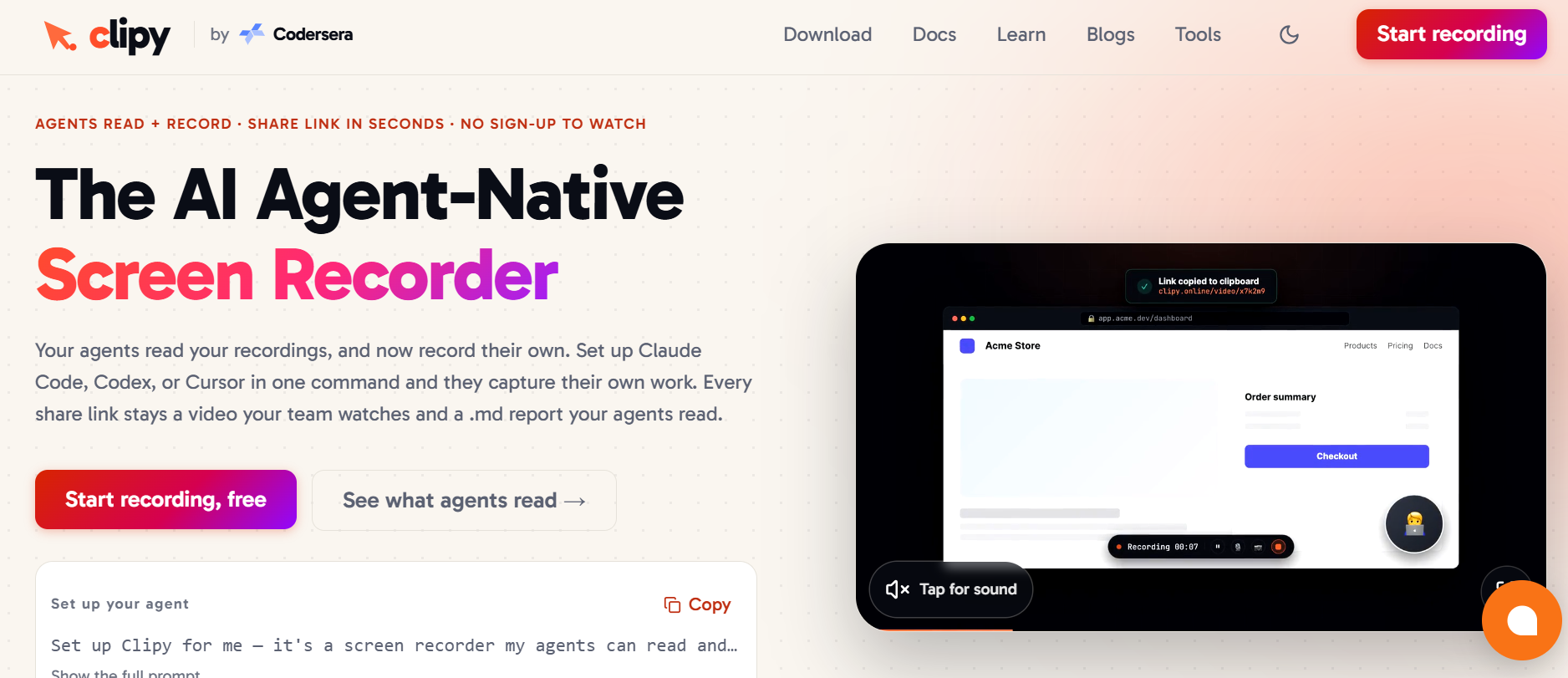
AI Agent-Native Recording — Lets AI agents like Claude Code, Codex, and Cursor record their own work.
One-Command Setup — Connect AI coding agents and start recording with minimal configuration.
AI-Readable Recording Reports — Generates structured Markdown context alongside the video so AI agents can understand what happened.
Use Cases
AI Agent Workflow Recording — Let Claude Code, Codex, Cursor, and other AI agents record their own work for transparent workflow documentation.
Bug Reporting & Debugging — Record a bug visually and provide the recording and structured context to AI coding agents for faster debugging.
Developer Documentation — Capture coding workflows, technical processes, and completed tasks as reusable video documentation.
AI Coding Workflow Tracking — Monitor what AI coding agents actually do while working on development tasks.

Comments


The Clipy launch highlights how thoughtful tools can simplify everyday digital workflows through clean design and a focus on removing unnecessary friction. That same appreciation for considered details can be found in Gui Gui, a curated collection of caps and accessories where distinctive silhouettes, honest materials, and quiet craftsmanship give every piece its own character. Visit now https://myguigui.com/accessories-what-is-gui-cap/








No-watermark recording with instant shareable links is exactly what people need for quick async updates. The "tape measure" framing really captures it — a utility tool, not a platform. How does the recording quality hold up with browser tabs that have a lot of motion or video? And is there a mobile recording option planned?





Streaming the upload while you record, so the link is ready the moment you press Stop, is a small detail that saves a lot of waiting. The AI-readable Markdown report next to the video is a clever idea for coding agents. Do the share links stay live forever on the free plan, or do older recordings expire after a while? That would matter if we link recordings inside task comments.

We built Clipy to solve a simple problem: AI agents can write and execute code, but they often lack visual context about what actually happened on screen. Clipy lets AI agents record their own work and turns each session into both a human-friendly video and AI-readable context. We’re building Clipy to make AI development workflows easier to understand, debug, share, and collaborate on.

Clipy is indeed a user-friendly, no-watermark screen recorder that prioritizes instant sharing and ease of use. It offers versions for Mac, Chrome, and the web, making it accessible across various platforms. A notable feature is its "AI Agent-Native Recording," which allows AI agents to record their own work, generating structured Markdown context alongside the video for better AI understanding.

Streaming the upload during recording raises an important question for bug reports: can a recording remain private until the creator reviews it, and can access be revoked immediately afterward? A review-before-sharing step would be useful when a demo accidentally captures a notification or a customer name.



Clipy’s share experience is unusually well thought out: the viewer gets a browser link with no account or download, while the creator can choose the Mac app, extension, or no-install web recorder. The no-watermark and no five-minute cap choices make it much more useful for bug reports and client walkthroughs than a typical “free” recorder.

The Chrome extension being able to capture tab/window/webcam without a native install is the part I'd reach for most — running one of our own extensions, keeping a recorder purely in the browser (no separate menu-bar app to remember) is a real convenience for Windows/Linux users especially. Does the extension capture tab audio alongside the mic by default, or is that an opt-in toggle? That combo is usually the trickiest part to get right in a browser-only recorder.

Premium Products



















































Sponsors
Buy

Awards
View all
Awards
View allMakers
Makers
Comments
The Clipy launch highlights how thoughtful tools can simplify everyday digital workflows through clean design and a focus on removing unnecessary friction. That same appreciation for considered details can be found in Gui Gui, a curated collection of caps and accessories where distinctive silhouettes, honest materials, and quiet craftsmanship give every piece its own character. Visit now https://myguigui.com/accessories-what-is-gui-cap/
No-watermark recording with instant shareable links is exactly what people need for quick async updates. The "tape measure" framing really captures it — a utility tool, not a platform. How does the recording quality hold up with browser tabs that have a lot of motion or video? And is there a mobile recording option planned?
Streaming the upload while you record, so the link is ready the moment you press Stop, is a small detail that saves a lot of waiting. The AI-readable Markdown report next to the video is a clever idea for coding agents. Do the share links stay live forever on the free plan, or do older recordings expire after a while? That would matter if we link recordings inside task comments.
We built Clipy to solve a simple problem: AI agents can write and execute code, but they often lack visual context about what actually happened on screen. Clipy lets AI agents record their own work and turns each session into both a human-friendly video and AI-readable context. We’re building Clipy to make AI development workflows easier to understand, debug, share, and collaborate on.
Clipy is indeed a user-friendly, no-watermark screen recorder that prioritizes instant sharing and ease of use. It offers versions for Mac, Chrome, and the web, making it accessible across various platforms. A notable feature is its "AI Agent-Native Recording," which allows AI agents to record their own work, generating structured Markdown context alongside the video for better AI understanding.
Streaming the upload during recording raises an important question for bug reports: can a recording remain private until the creator reviews it, and can access be revoked immediately afterward? A review-before-sharing step would be useful when a demo accidentally captures a notification or a customer name.
Clipy’s share experience is unusually well thought out: the viewer gets a browser link with no account or download, while the creator can choose the Mac app, extension, or no-install web recorder. The no-watermark and no five-minute cap choices make it much more useful for bug reports and client walkthroughs than a typical “free” recorder.
The Chrome extension being able to capture tab/window/webcam without a native install is the part I'd reach for most — running one of our own extensions, keeping a recorder purely in the browser (no separate menu-bar app to remember) is a real convenience for Windows/Linux users especially. Does the extension capture tab audio alongside the mic by default, or is that an opt-in toggle? That combo is usually the trickiest part to get right in a browser-only recorder.
Premium Products
New to Fazier?

Find your next favorite product or submit your own. Made by @FalakDigital.
Copyright ©2026. All Rights Reserved