
ClearMakes Inbox
Workflows on new emails, set up in one sentence
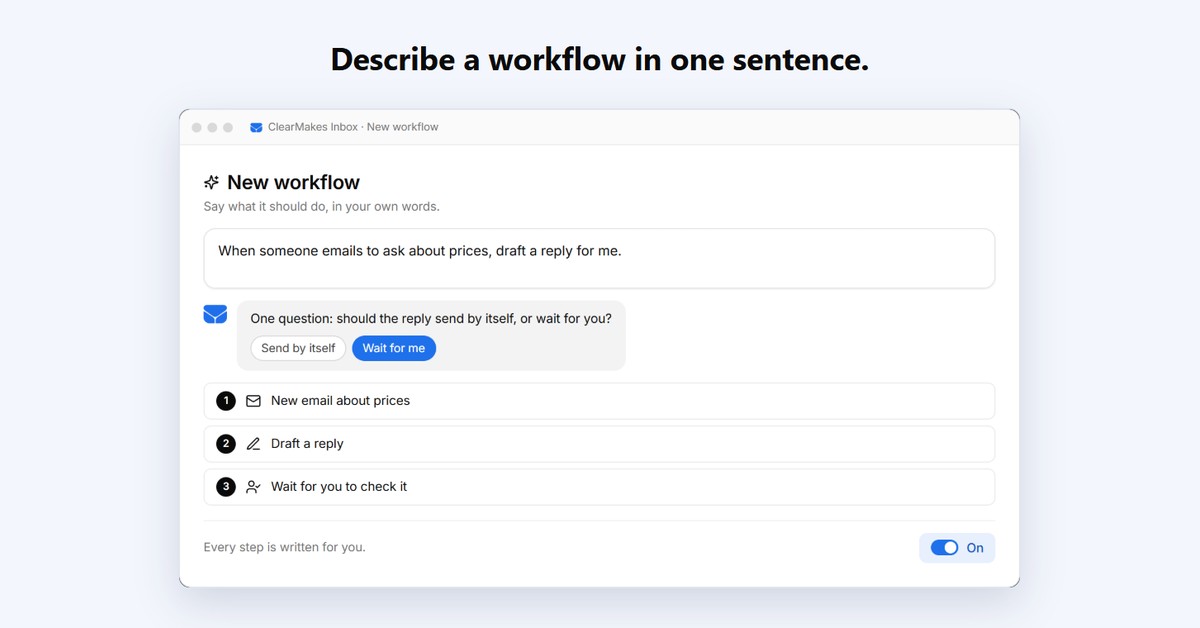
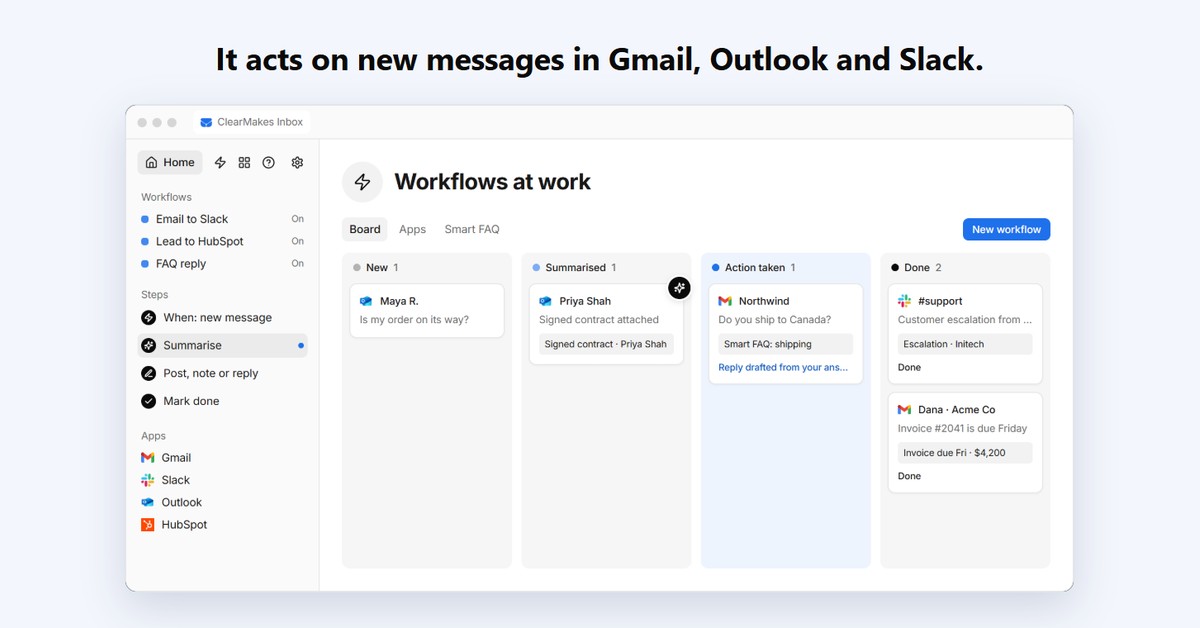
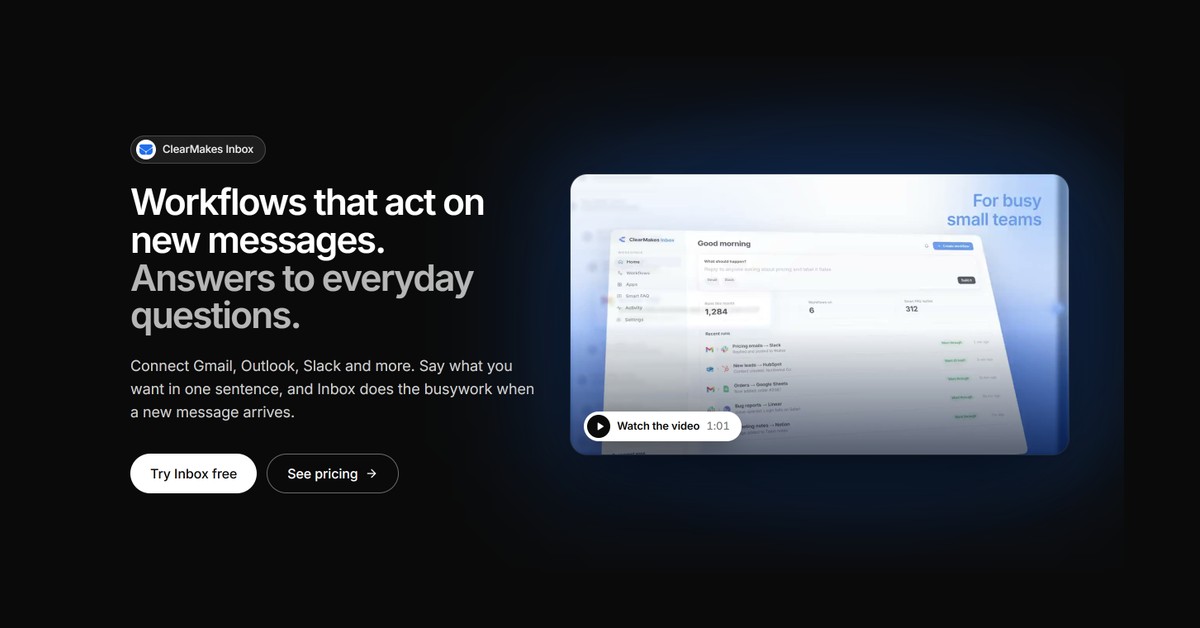
ClearMakes Inbox runs workflows on new messages in Gmail, Outlook and Slack. Say what you want in one sentence, like "when someone asks about prices, draft a reply for me". It asks at most one question, writes the steps, and you turn it on. Steps can post to Slack, add a note in HubSpot, draft a reply, or call your own MCP server. Smart FAQ replies to everyday questions from answers you write once. Free plan: 3 apps, 100 runs a month. Paid plans from $29 a month.
Features
Set up a workflow in one sentence; it asks one question at most. Works on new messages in Gmail, Outlook and Slack. Steps post to Slack, add a note in HubSpot, draft a reply, or call your own MCP server. Smart FAQ answers everyday questions from answers you write once. Every run is listed step by step, so you can see what it did.
Use Cases
Post new invoices to #finance in Slack. Draft a reply when someone asks about prices, for you to check and send. Put new leads from email into HubSpot. Answer the same everyday question without typing it again. For small teams whose work arrives by email.

Comments


Hi Fazier, I'm Aryan, the maker of ClearMakes Inbox. I made it for small teams whose work arrives by email. Each new message needs the same few steps: read it, tell someone in Slack, put the lead in the CRM, answer the same question again. Automation tools can do this, but you build every step by hand and pay for every action. So Inbox works from one sentence. You connect Gmail, Outlook or Slack, and type something like "post new invoices to #finance". It asks one question at most, like whether a reply should send by itself or wait for you, then writes the steps. You check them and turn it on. Every run is listed step by step, so you can see what it did. Honest limits: it only does work that starts from a new message. A new Teams message can't start a workflow yet. A "wait for a reply" step carries on after the wait whether or not they replied, so it isn't a true "follow up only if no reply" yet. The Free plan is enough to try it with your own accounts. I'd love to hear where it gets things wrong, and which workflow you'd want first.
Premium Products












































Sponsors
Buy

Makers
Makers
Comments
Hi Fazier, I'm Aryan, the maker of ClearMakes Inbox. I made it for small teams whose work arrives by email. Each new message needs the same few steps: read it, tell someone in Slack, put the lead in the CRM, answer the same question again. Automation tools can do this, but you build every step by hand and pay for every action. So Inbox works from one sentence. You connect Gmail, Outlook or Slack, and type something like "post new invoices to #finance". It asks one question at most, like whether a reply should send by itself or wait for you, then writes the steps. You check them and turn it on. Every run is listed step by step, so you can see what it did. Honest limits: it only does work that starts from a new message. A new Teams message can't start a workflow yet. A "wait for a reply" step carries on after the wait whether or not they replied, so it isn't a true "follow up only if no reply" yet. The Free plan is enough to try it with your own accounts. I'd love to hear where it gets things wrong, and which workflow you'd want first.
Premium Products
New to Fazier?

Find your next favorite product or submit your own. Made by @FalakDigital.
Copyright ©2026. All Rights Reserved