Clausery
Free Word templates and private document automation
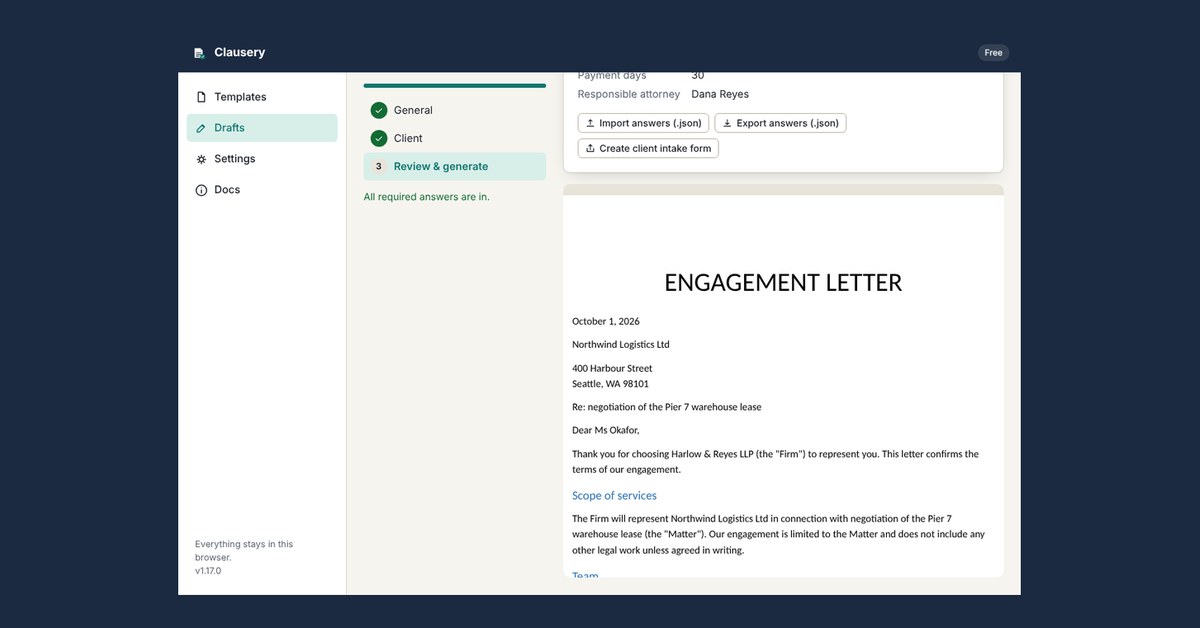
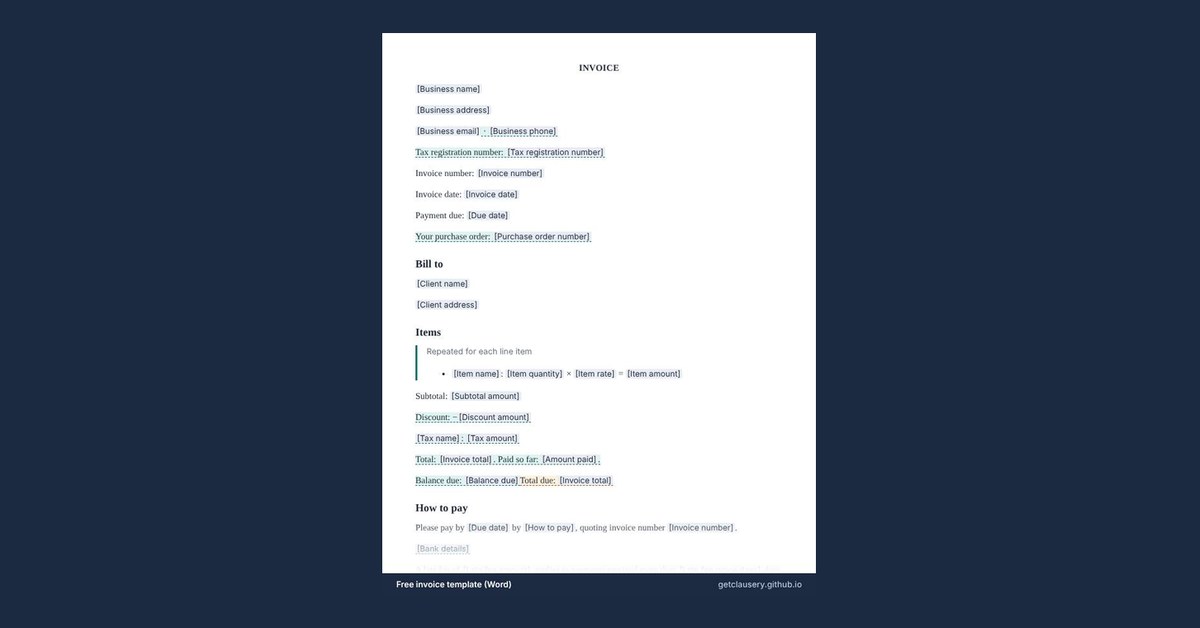
Clausery turns the Word templates you already use into guided questionnaires. Answer the questions and it assembles the finished .docx in your browser. Nothing is uploaded, no account is needed, and it works with the Wi-Fi off. The library has 87 free templates (NDAs, leases, offer letters, invoices and more), plus free calculators and plain-English guides.
Features
- 87 free Word templates, filled in online with no sign-up
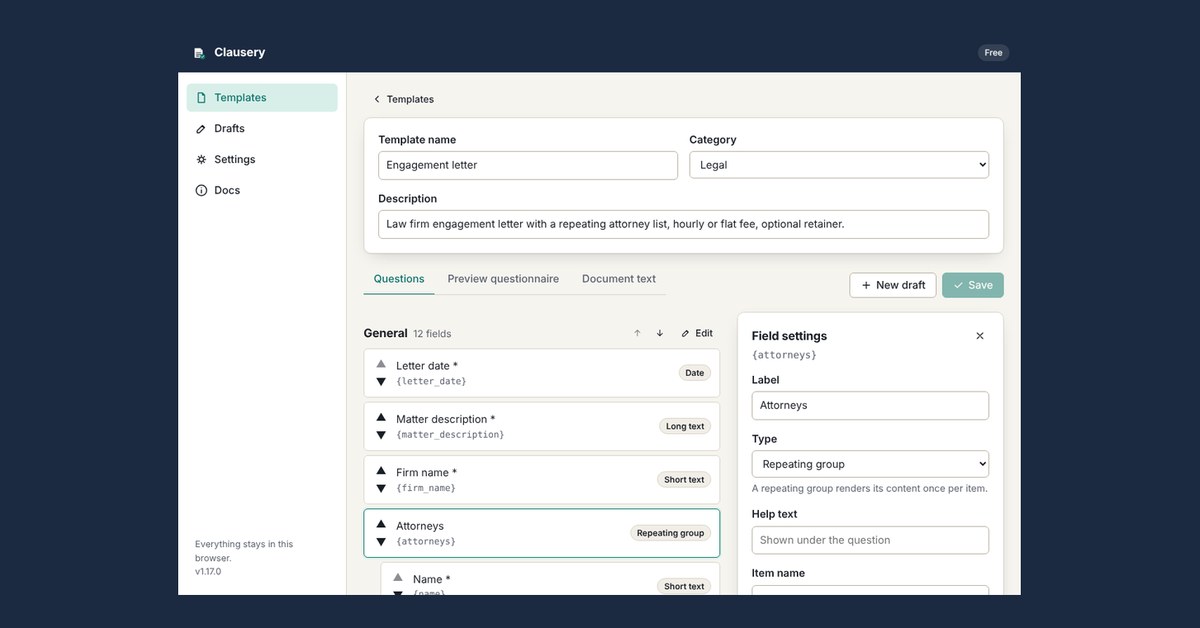
- Turn your own .docx into a guided questionnaire
- Conditional clauses, repeating lists and table rows
- Runs in your browser: documents are never uploaded
- Works offline once loaded
- Client intake forms you can send by email
Use Cases
- Freelancers and agencies drafting contracts, SOWs and invoices
- Small law firms automating engagement letters without uploading client files
- HR teams producing offer, warning and termination letters
- Landlords preparing leases, notices and rent letters

Comments




Hi Fazier! Clausery started from a simple question: why should filling in a Word template mean uploading a client's details to someone else's server? It turns a Word template into a short questionnaire and assembles the finished .docx in your browser, with no upload and no account. The 87 library templates are free, along with the calculators and guides. I'd love feedback on which templates you'd want next, and on anything in the questionnaire flow that feels clunky.

Love the principle — filling a template shouldn't mean sending a client's details to someone else's server, and "works with the Wi-Fi off" is the easiest way to prove it. On your question about which templates next: from India, I'd ask for Indian-format versions of the common ones — 11-month rent/leave-and-licence agreement, offer and relieving letters, a simple affidavit and a GST invoice. US-style leases and NDAs don't map well here. One question: can the finished .docx also be exported as a PDF in the browser? Most forms here ask for a PDF upload, often with a size limit.
Running the .docx assembly fully in the browser and offline is a strong answer for small law firms that can't upload client files. How do you handle conditional clauses and repeating table rows when someone imports their own existing Word template, do they need special placeholder syntax? A short validation step that flags unmatched or misspelled fields before the questionnaire is generated would save a lot of trial and error.

Turning an existing .docx into a guided questionnaire with conditional clauses and repeating table rows, all assembled offline in the browser, is a thoughtful fit for small law firms that cannot upload client files. If you are looking to spend less on AI around the office, take a look at PZERO on pzero.studio.

Assembling the .docx in the browser with nothing uploaded is a good answer for client files. A question from an Arabic-language site: does the generated document keep right-to-left paragraph direction and mixed Arabic and English text intact? Many templating tools break bidirectional text, and it matters for contracts and offer letters in the Gulf. If it works, Arabic templates would be a natural next addition to the library.

Turning a .docx you already use into a guided questionnaire is the right framing — nobody wants to rebuild their templates in a proprietary editor. Running everything in the browser with nothing uploaded is a genuine differentiator for freelancers handling client contracts. One suggestion: a version-history view for filled documents would help agencies track revisions during negotiations. A plain-language summary of which clauses were triggered by the conditional answers would also make it easier for non-lawyers to review before sending.

Keeping the document in the browser with nothing uploaded is the detail that will matter most to people handling client information. Turning a Word template into a questionnaire also seems like a good way to get the wording right before anything goes out. Do you plan to let people turn their own templates into questionnaires, or is the library the focus?
Premium Products













































Sponsors
Buy

Makers
Makers
Comments
Hi Fazier! Clausery started from a simple question: why should filling in a Word template mean uploading a client's details to someone else's server? It turns a Word template into a short questionnaire and assembles the finished .docx in your browser, with no upload and no account. The 87 library templates are free, along with the calculators and guides. I'd love feedback on which templates you'd want next, and on anything in the questionnaire flow that feels clunky.
Love the principle — filling a template shouldn't mean sending a client's details to someone else's server, and "works with the Wi-Fi off" is the easiest way to prove it. On your question about which templates next: from India, I'd ask for Indian-format versions of the common ones — 11-month rent/leave-and-licence agreement, offer and relieving letters, a simple affidavit and a GST invoice. US-style leases and NDAs don't map well here. One question: can the finished .docx also be exported as a PDF in the browser? Most forms here ask for a PDF upload, often with a size limit.
Running the .docx assembly fully in the browser and offline is a strong answer for small law firms that can't upload client files. How do you handle conditional clauses and repeating table rows when someone imports their own existing Word template, do they need special placeholder syntax? A short validation step that flags unmatched or misspelled fields before the questionnaire is generated would save a lot of trial and error.
Turning an existing .docx into a guided questionnaire with conditional clauses and repeating table rows, all assembled offline in the browser, is a thoughtful fit for small law firms that cannot upload client files. If you are looking to spend less on AI around the office, take a look at PZERO on pzero.studio.
Assembling the .docx in the browser with nothing uploaded is a good answer for client files. A question from an Arabic-language site: does the generated document keep right-to-left paragraph direction and mixed Arabic and English text intact? Many templating tools break bidirectional text, and it matters for contracts and offer letters in the Gulf. If it works, Arabic templates would be a natural next addition to the library.
Turning a .docx you already use into a guided questionnaire is the right framing — nobody wants to rebuild their templates in a proprietary editor. Running everything in the browser with nothing uploaded is a genuine differentiator for freelancers handling client contracts. One suggestion: a version-history view for filled documents would help agencies track revisions during negotiations. A plain-language summary of which clauses were triggered by the conditional answers would also make it easier for non-lawyers to review before sending.
Keeping the document in the browser with nothing uploaded is the detail that will matter most to people handling client information. Turning a Word template into a questionnaire also seems like a good way to get the wording right before anything goes out. Do you plan to let people turn their own templates into questionnaires, or is the library the focus?
Premium Products
New to Fazier?

Find your next favorite product or submit your own. Made by @FalakDigital.
Copyright ©2026. All Rights Reserved