
Claude Monitor
Never get cut off by a Claude usage limit again
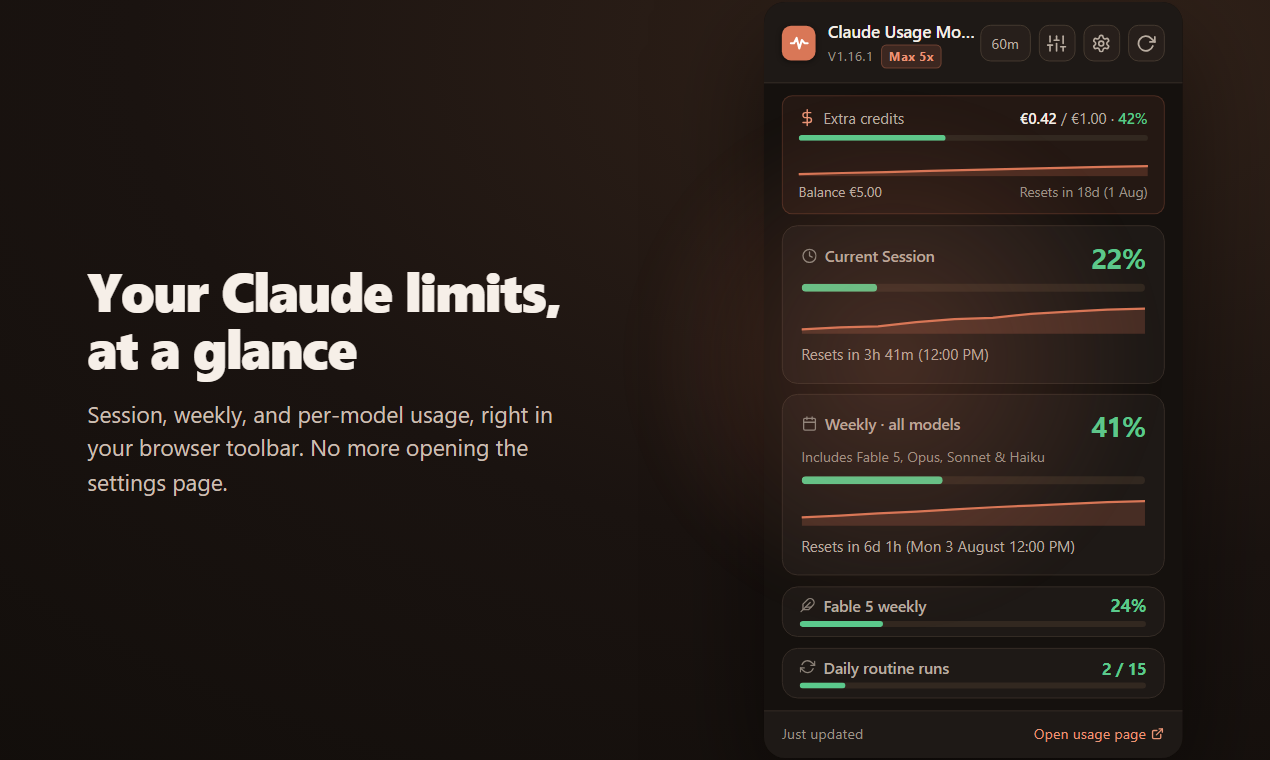
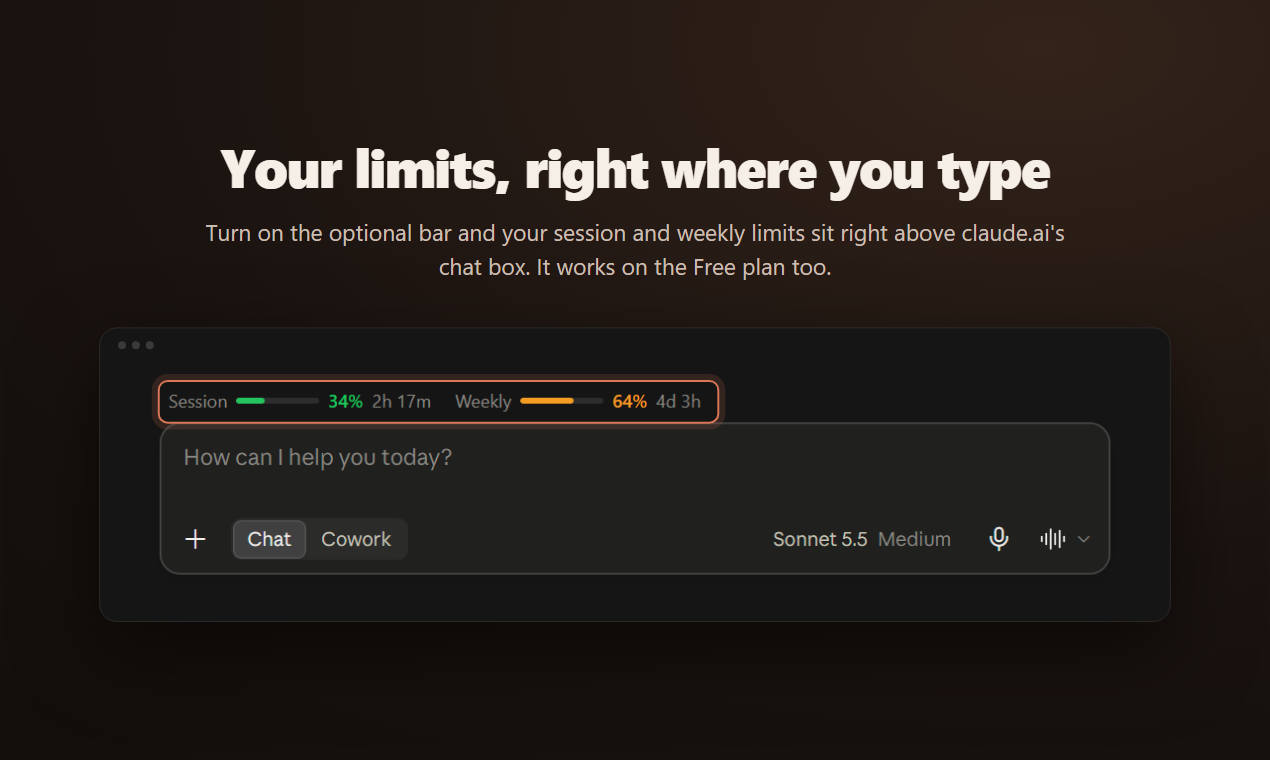
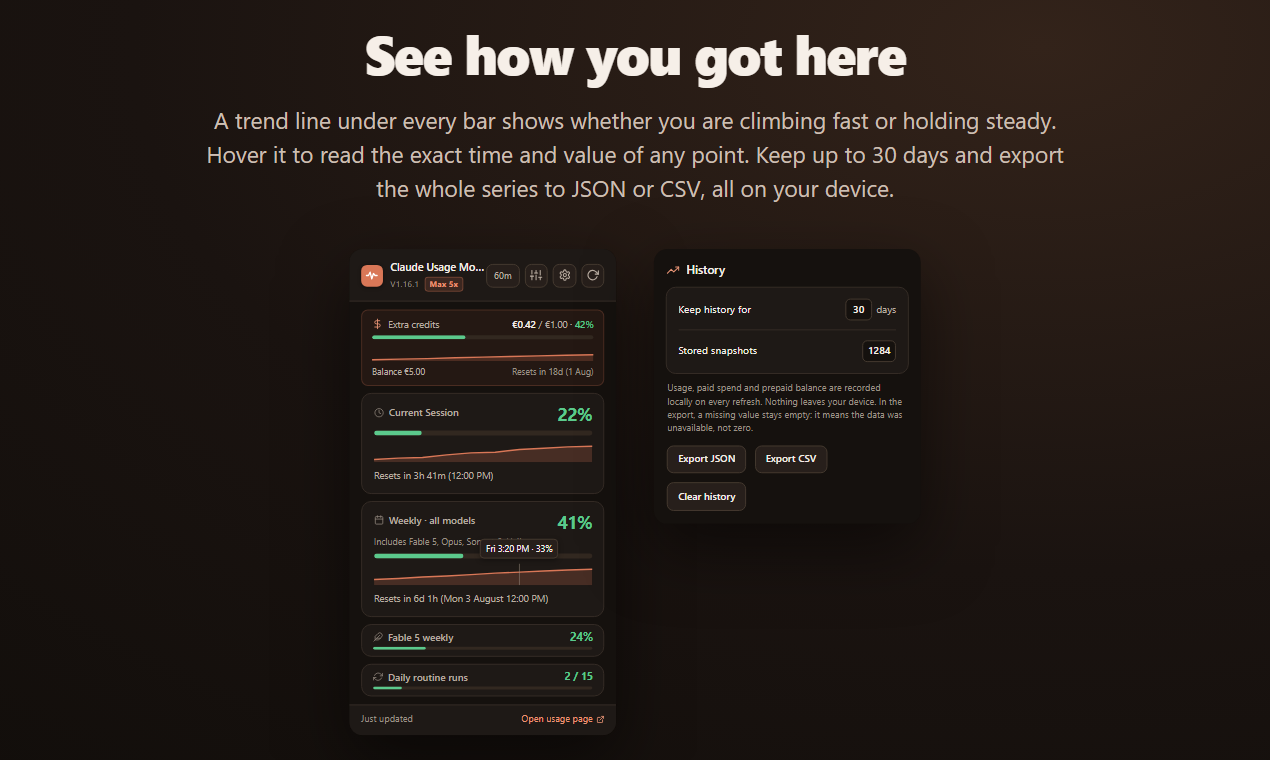
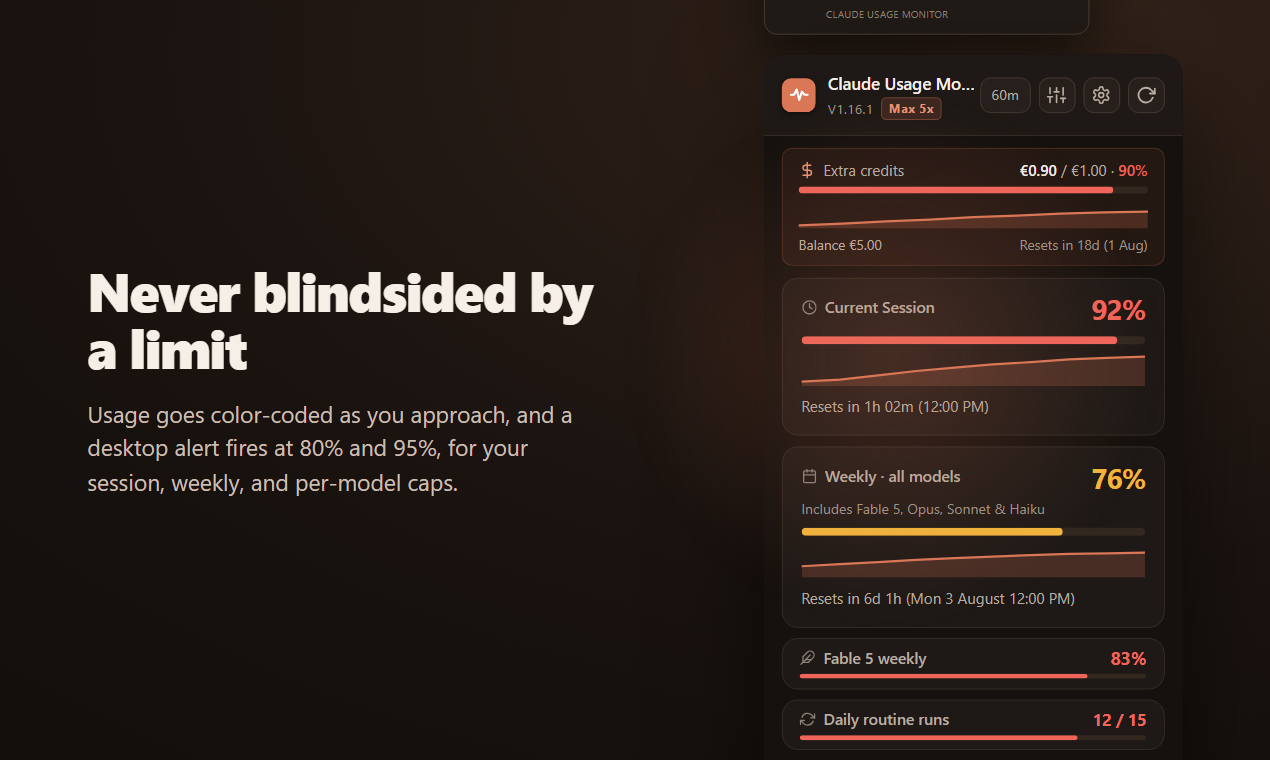
Claude Monitor shows how much Claude you have left before you hit a usage limit. A badge in your browser toolbar tracks your 5-hour session and weekly limit live, with a countdown to every reset and desktop alerts at 80% and 95%. One click opens the full picture: per-model weekly caps, extra-usage credits in real money, Claude Code routine runs and 30 days of history you can export. Turn on the optional bar and the limits sit right above claude.ai's chat box. It even works on the Free plan, where Claude stopped showing usage in August 2026. Free, open source (MIT), no account, and nothing leaves your browser.
Features
- Live 5-hour session and weekly limit in the toolbar badge
- Countdown to every reset
- Desktop alerts at 80% and 95% (configurable)
- Per-model weekly caps and extra-usage credits in real money
- Claude Code routine runs
- Optional usage bar above the claude.ai chat box
- Works on the Free plan
- 30 days of history with CSV/JSON export
- Open source (MIT), no account, no telemetry
Use Cases
- Pace a long coding session in Claude Code without hitting the 5-hour limit
- Know when your weekly limit resets before starting a big task
- See your limits on the Free plan, where claude.ai no longer shows them
- Track extra-usage spend so the credits do not surprise you

Comments


Hi Fazier, I'm Martín, the maker. I built Claude Monitor because I kept hitting Claude's 5-hour and weekly limits without warning, and the only way to check was reloading the settings page. It puts those numbers in the browser toolbar with a countdown to each reset and alerts before you run out. The latest version adds an optional bar right above the claude.ai chat box, and Free plan support: since August 2026 claude.ai shows no usage to Free accounts, so the extension reads the limits from each reply instead. It is free and open source (MIT), and nothing leaves your browser. I would love your feedback: what would make it more useful for how you use Claude?
Premium Products













































Sponsors
Buy

Makers
Makers
Comments
Hi Fazier, I'm Martín, the maker. I built Claude Monitor because I kept hitting Claude's 5-hour and weekly limits without warning, and the only way to check was reloading the settings page. It puts those numbers in the browser toolbar with a countdown to each reset and alerts before you run out. The latest version adds an optional bar right above the claude.ai chat box, and Free plan support: since August 2026 claude.ai shows no usage to Free accounts, so the extension reads the limits from each reply instead. It is free and open source (MIT), and nothing leaves your browser. I would love your feedback: what would make it more useful for how you use Claude?
Premium Products
New to Fazier?

Find your next favorite product or submit your own. Made by @FalakDigital.
Copyright ©2026. All Rights Reserved