ChocolateBar
Every menu bar app in one row, one shortcut away.
Let your notch eat no more!
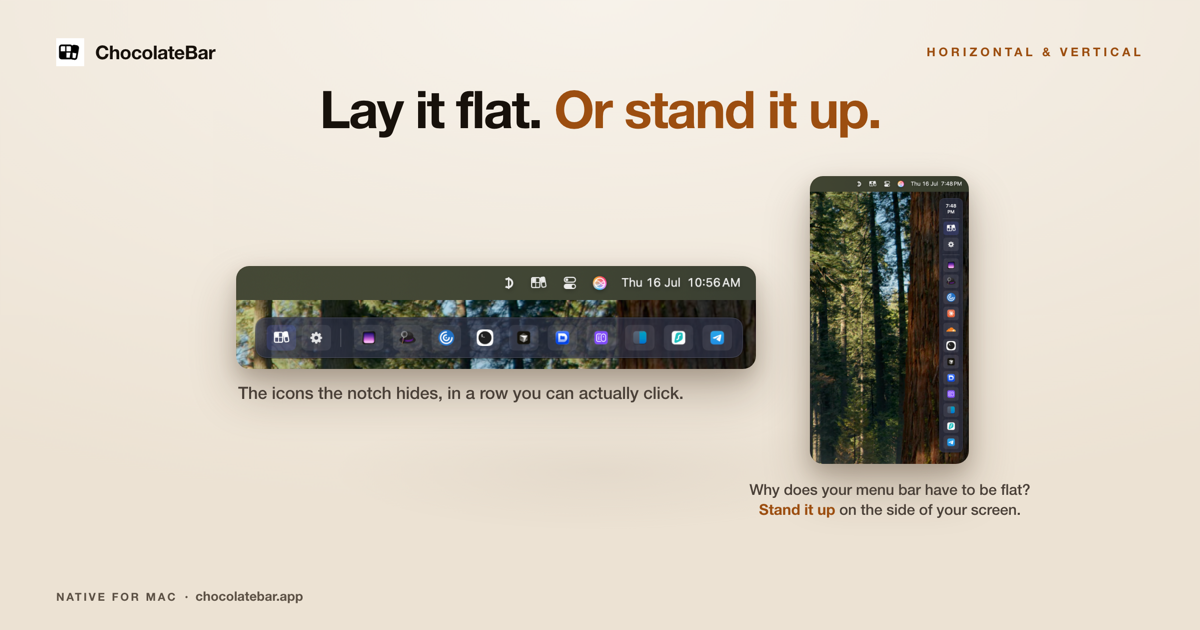
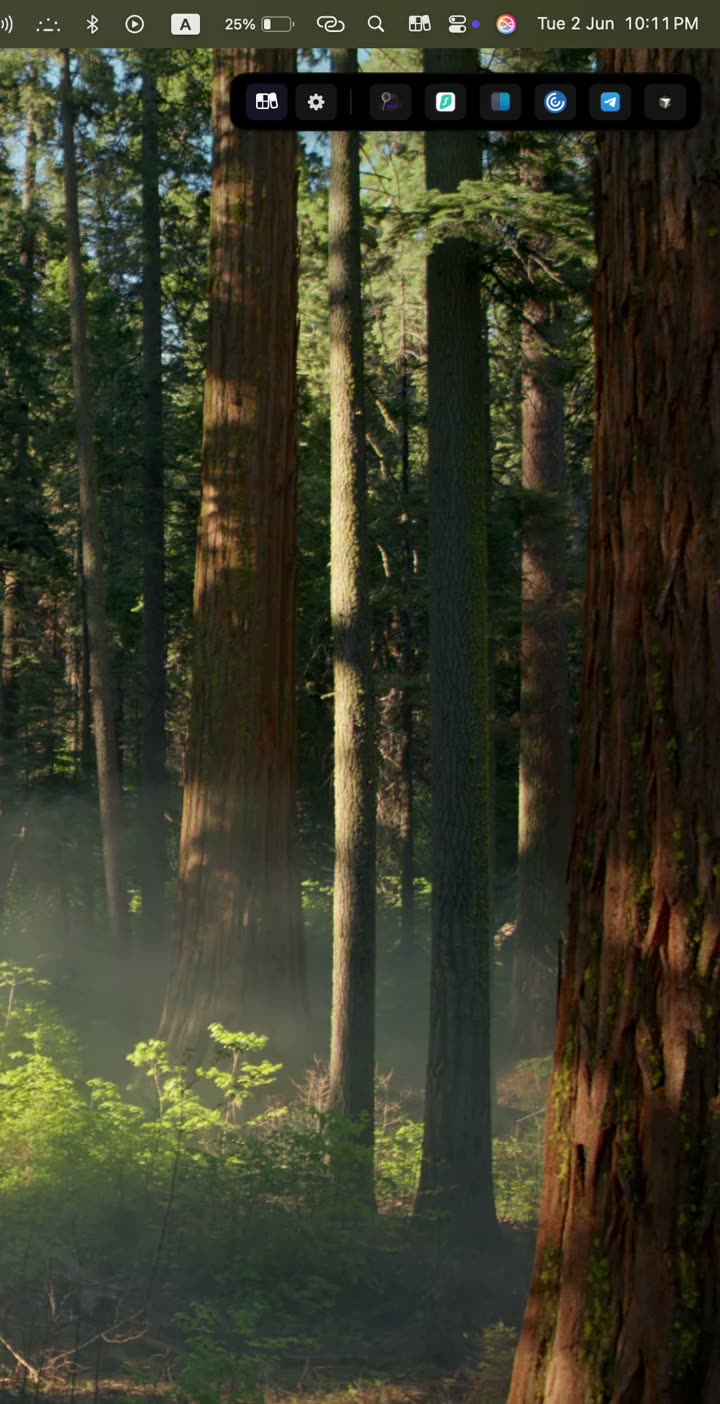
As you add menu bar apps (usage meters, trackers, productivity tools), the menu bar fills up, and at some point macOS just gives up and shoves icons behind the notch where you can't even click them. ChocolateBar brings them back. Press ⇧⌘B or click its icon, and every menu bar app shows at full size in a row right below the menu bar. Click one and you get that app's real menu. Prefer a tidy bar? Turn on hiding to tuck rarely used icons away. No notch? It clears a crowded bar just the same. Native, tiny, Accessibility access only, never Screen Recording.
Runs on macOS 12 Monterey through 15 Sequoia · macOS 26 Tahoe support coming soon. Universal binary for Apple Silicon and Intel. $15 one-time, 1 year of updates, 7-day refund, 48-hour free trial (no card).



Comments

Hi, I'm Aloysius, the maker of ChocolateBar for Mac. Let your notch eat no more! I kept adding menu bar apps (usage meters, trackers, a VPN) until macOS just gave up and shoved icons behind the notch, where I couldn't even click them. Hiding more icons didn't help, because I still needed them. So ChocolateBar adds a second row: press ⇧⌘B or click its icon and every menu bar app shows at full size below the menu bar. Click one and you get that app's real menu. It needs Accessibility access only and never records your screen, and it runs on older Macs too, back to Monterey. Runs on macOS 12 Monterey through 15 Sequoia · macOS 26 Tahoe support coming soon. Universal binary for Apple Silicon and Intel. $15 one-time, 1 year of updates, 7-day refund, 48-hour free trial (no card). Launch code LAUNCH30 takes $3 off for the next 20 buyers ($12). I'd love to hear which menu bar apps misbehave in the row.
Premium Products












































Sponsors
Buy

Makers
Makers
Comments
Hi, I'm Aloysius, the maker of ChocolateBar for Mac. Let your notch eat no more! I kept adding menu bar apps (usage meters, trackers, a VPN) until macOS just gave up and shoved icons behind the notch, where I couldn't even click them. Hiding more icons didn't help, because I still needed them. So ChocolateBar adds a second row: press ⇧⌘B or click its icon and every menu bar app shows at full size below the menu bar. Click one and you get that app's real menu. It needs Accessibility access only and never records your screen, and it runs on older Macs too, back to Monterey. Runs on macOS 12 Monterey through 15 Sequoia · macOS 26 Tahoe support coming soon. Universal binary for Apple Silicon and Intel. $15 one-time, 1 year of updates, 7-day refund, 48-hour free trial (no card). Launch code LAUNCH30 takes $3 off for the next 20 buyers ($12). I'd love to hear which menu bar apps misbehave in the row.
Premium Products
New to Fazier?

Find your next favorite product or submit your own. Made by @FalakDigital.
Copyright ©2026. All Rights Reserved