
Chilview SnapMatrix
Mac screenshots & screen recording that stay on your Mac
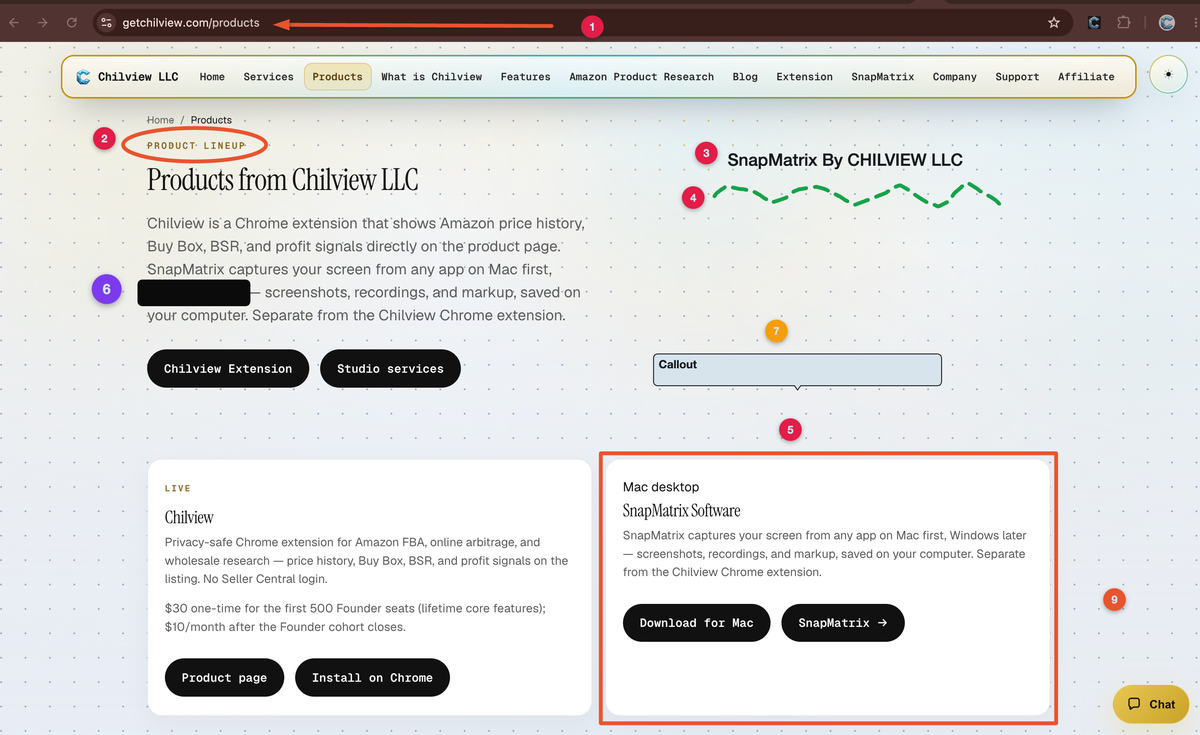
Mac screenshot and screen recording app from Chilview LLC. Free screenshots forever (display/region/window/full page, PNG/JPG/WebP). Paid yearly plan unlocks annotation with numbered steps and redact/blur, screen recording with mic + webcam bubble, trimming/zoom/framing review, MP4 and looping GIF export, an on-Mac Library, and org seats. Individual $34.99/year; Organization $37.99/user/year (1–100), $34.99 at 101+. No cloud: captures stay on your Mac.
Features
- Free screenshots forever: display, region, window, full page - PNG/JPG/WebP
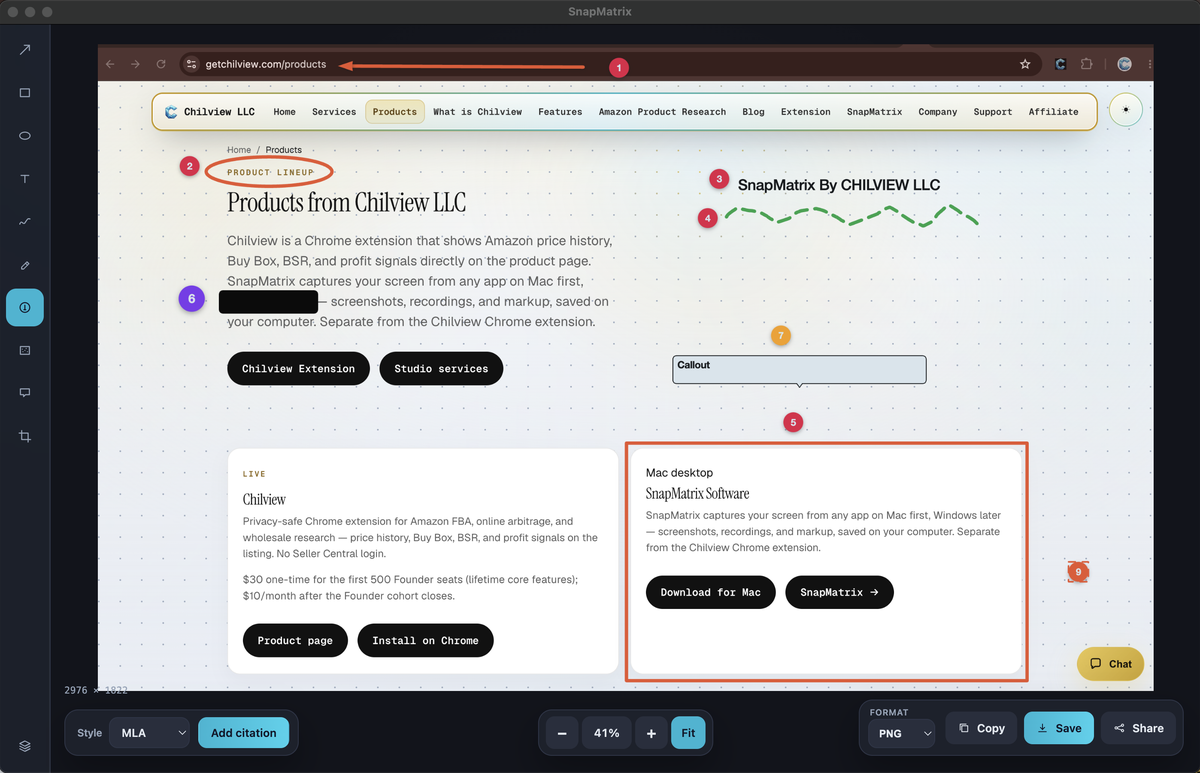
- Annotation editor: arrows, numbered steps, callouts, redact/blur
- Screen recording with mic and webcam bubble
- Trim, zoom and framing review; MP4 and 8-second looping GIF export
- On-Mac Library with search, projects and tags
- Guides and citations: Guide PDF, Bibliography PDF (MLA/APA/Chicago)
- Organization seats with per-person recording toggle
- Captures stay on your Mac - Chilview hosts nothing
Use Cases
Support and QA: clear, annotated bug reports and walkthroughs
Training and documentation: step-by-step guides with numbered callouts
Course creators: record lessons with mic and webcam bubble
Teams: shared brand kits and suggested redactions before anything is shared

Comments


Hi, I'm MD Alam, founder of Chilview LLC. I built SnapMatrix because screenshot tools kept asking for accounts, cloud uploads, and suite pricing for what should be a simple job. SnapMatrix keeps every capture on your Mac. Screenshots are free forever - the paid plan ($34.99/year) unlocks annotation, recording, and the on-Mac Library. No subscription traps, no monthly plan, no uploads to our servers (we don't have any for your captures). Happy to answer anything - features, pricing, or the privacy model.
Keeping captures fully on-device is a real differentiator - most screenshot tools quietly phone home with your screen contents. The redact/blur feature being paid makes sense, but consider a free redact-only tier: it is the one privacy feature users of a privacy-first app will expect before paying. The full-page capture plus WebP export combo covers most of what I usually need two apps for.
The org seats with a per-person recording toggle caught my eye from the IT side. Can that toggle and other settings be pushed through MDM (a configuration profile for Jamf, Kandji or JumpCloud), or are they only managed inside the app? For teams that pick this because captures stay local, being able to enforce "redact before share" or disable recording centrally would make rollout much easier.
Premium Products











































Sponsors
Buy
Comments
Hi, I'm MD Alam, founder of Chilview LLC. I built SnapMatrix because screenshot tools kept asking for accounts, cloud uploads, and suite pricing for what should be a simple job. SnapMatrix keeps every capture on your Mac. Screenshots are free forever - the paid plan ($34.99/year) unlocks annotation, recording, and the on-Mac Library. No subscription traps, no monthly plan, no uploads to our servers (we don't have any for your captures). Happy to answer anything - features, pricing, or the privacy model.
Keeping captures fully on-device is a real differentiator - most screenshot tools quietly phone home with your screen contents. The redact/blur feature being paid makes sense, but consider a free redact-only tier: it is the one privacy feature users of a privacy-first app will expect before paying. The full-page capture plus WebP export combo covers most of what I usually need two apps for.
The org seats with a per-person recording toggle caught my eye from the IT side. Can that toggle and other settings be pushed through MDM (a configuration profile for Jamf, Kandji or JumpCloud), or are they only managed inside the app? For teams that pick this because captures stay local, being able to enforce "redact before share" or disable recording centrally would make rollout much easier.
Premium Products
New to Fazier?

Find your next favorite product or submit your own. Made by @FalakDigital.
Copyright ©2026. All Rights Reserved