
ChatGPT Bulk Delete
ChatGPT Bulk Delete
ChatGPT Bulk Delete for Chrome lets you select loaded chats, review a batch, then delete or archive with care. Free, monthly, yearly and lifetime plans.
Features
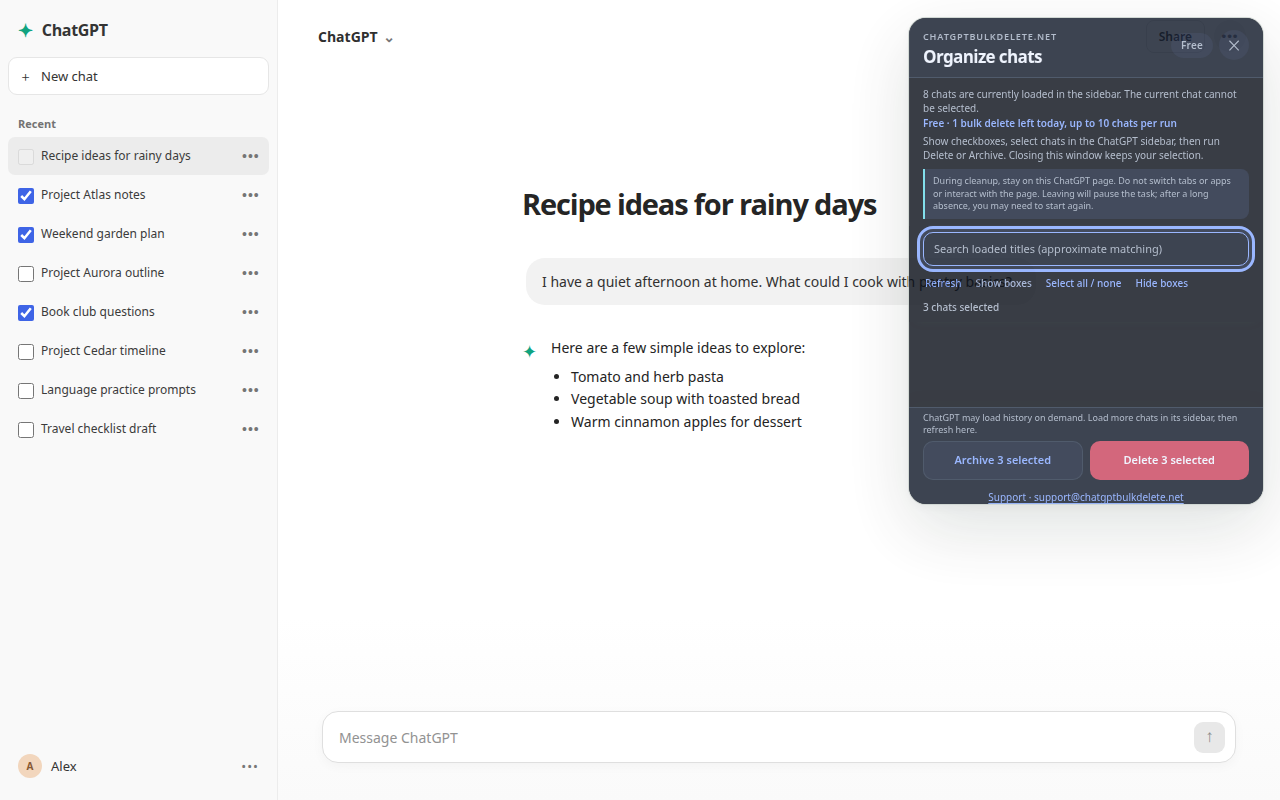
Bulk-select conversations that are currently loaded in your ChatGPT sidebar
Delete multiple chats in one guided workflow instead of opening menus one by one
Archive selected chats when you want to keep them without leaving them in your main sidebar
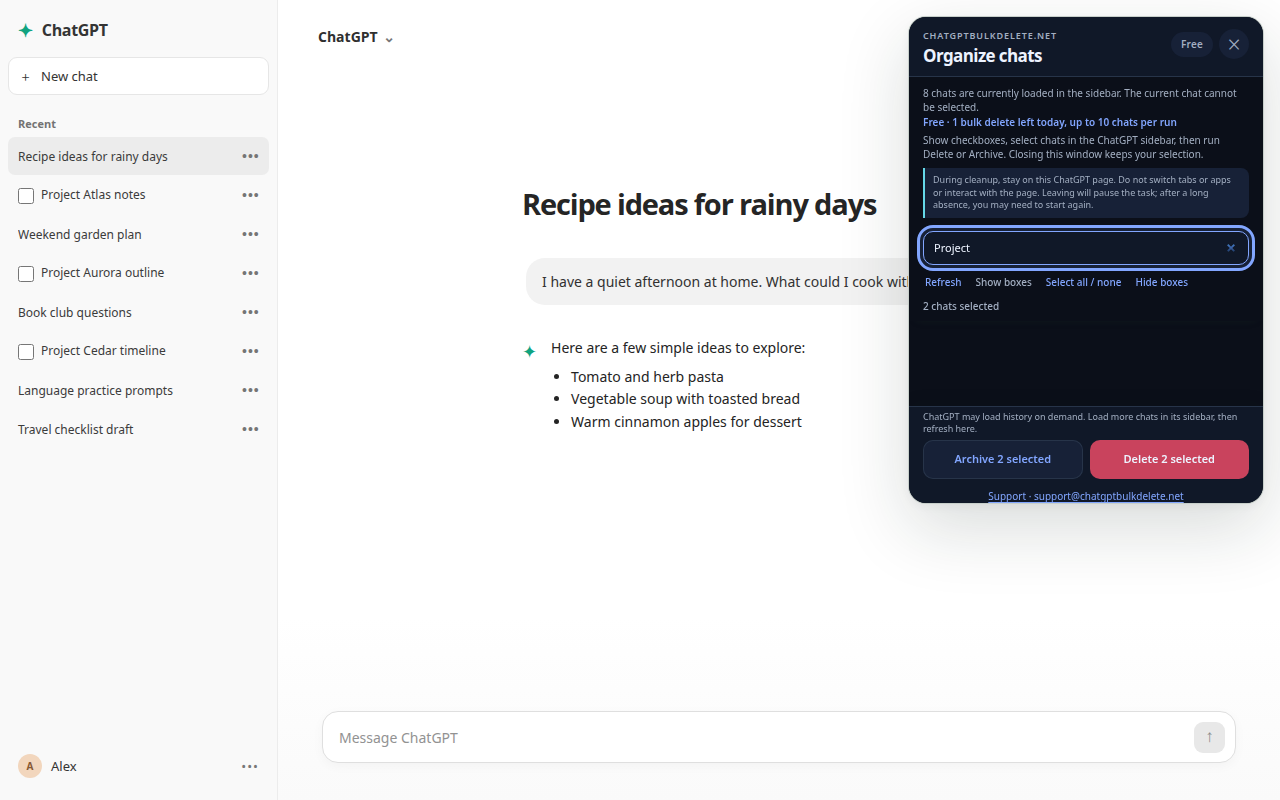
Filter loaded conversations by title to find a group of chats faster
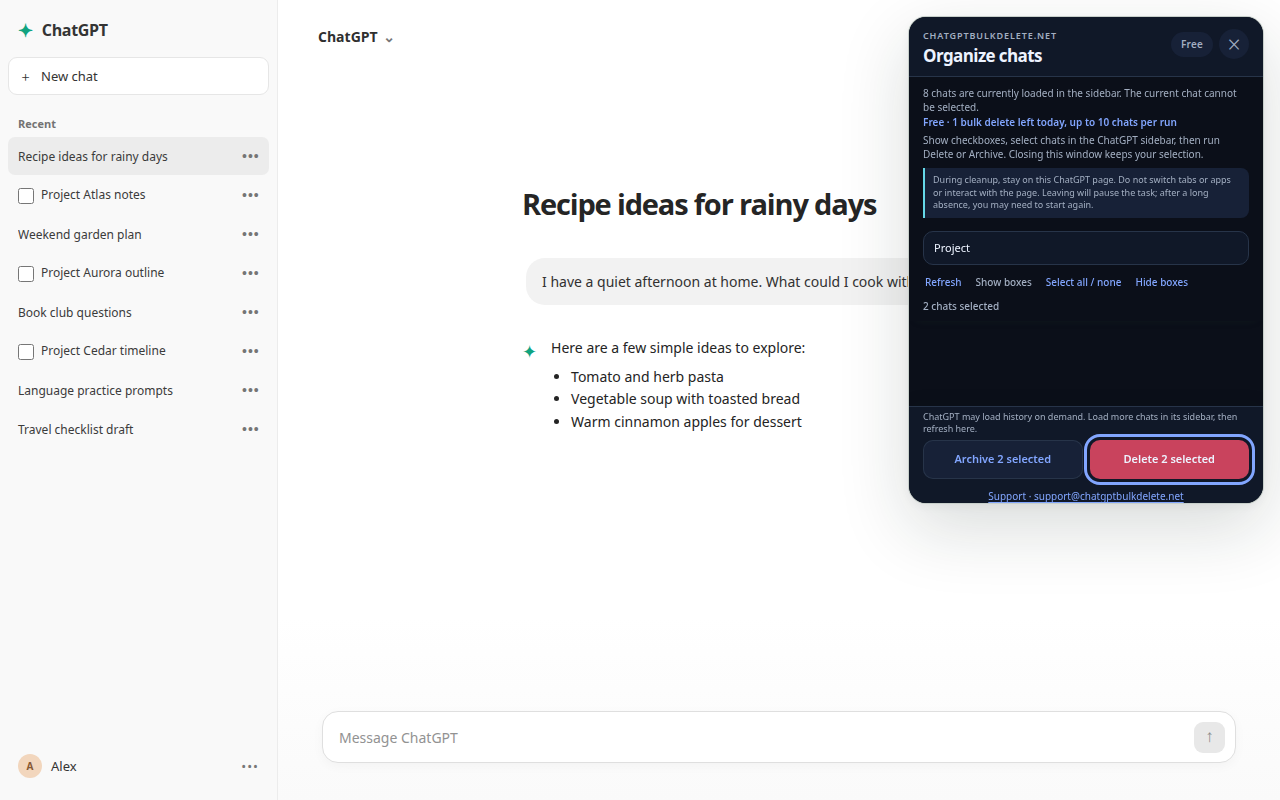
Review your selection before taking action, with clear delete and archive confirmations
Protect the conversation you are currently viewing to help prevent accidental removal
Show progress during long cleanup sessions and pause safely if the ChatGPT sidebar changes
Designed to work locally in the ChatGPT interface; ChatSweep does not need your chat content
Available in 25 interface languages, including RTL support for Arabic and Hebrew
Start with a free daily bulk-delete action, with optional Pro and Lifetime access for more frequent cleanup
Use Cases
Clean up an overcrowded sidebar: Remove old, no-longer-needed conversations after a busy week of prompts and experiments.
Reset after a project: Delete loaded chats related to a finished client project, class, research task, or personal goal.
Archive before organizing: Move conversations out of your main sidebar when you may want to revisit them later.
Review similar chats faster: Filter by a keyword in the title, select the loaded matches, and take one action for the group.
Keep your workspace focused: Regularly clear disposable brainstorming, test prompts, temporary translations, and duplicate chats.
Manage long-running ChatGPT use: Use ChatSweep as a careful, foreground cleanup tool when your sidebar has become difficult to navigate.
Delete with a final review: Select only the conversations you intend to remove, confirm the action, and keep your active chat protected.

Comments

Premium Products












































Find your next favorite product or submit your own. Made by @FalakDigital.
Copyright ©2026. All Rights Reserved