CameraCue
The Mac teleprompter that sits under your cameravideo
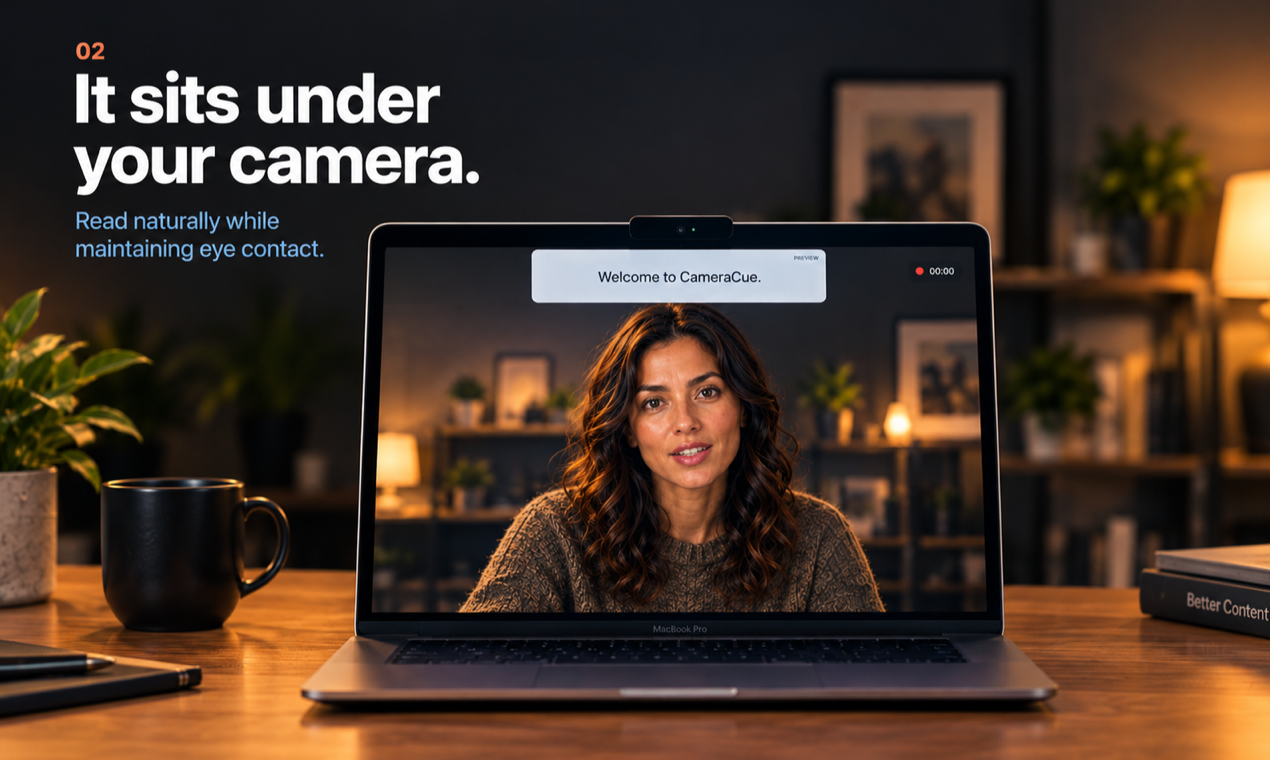
CameraCue is a translucent, click-through teleprompter for the Mac. It pins your script directly beneath the camera, so your eyeline stays on the lens instead of drifting to the middle of the screen - the difference between talking to your audience and reading at them.

Features
Translucent overlay that pins under your Mac camera, so your eyeline stays on the lens
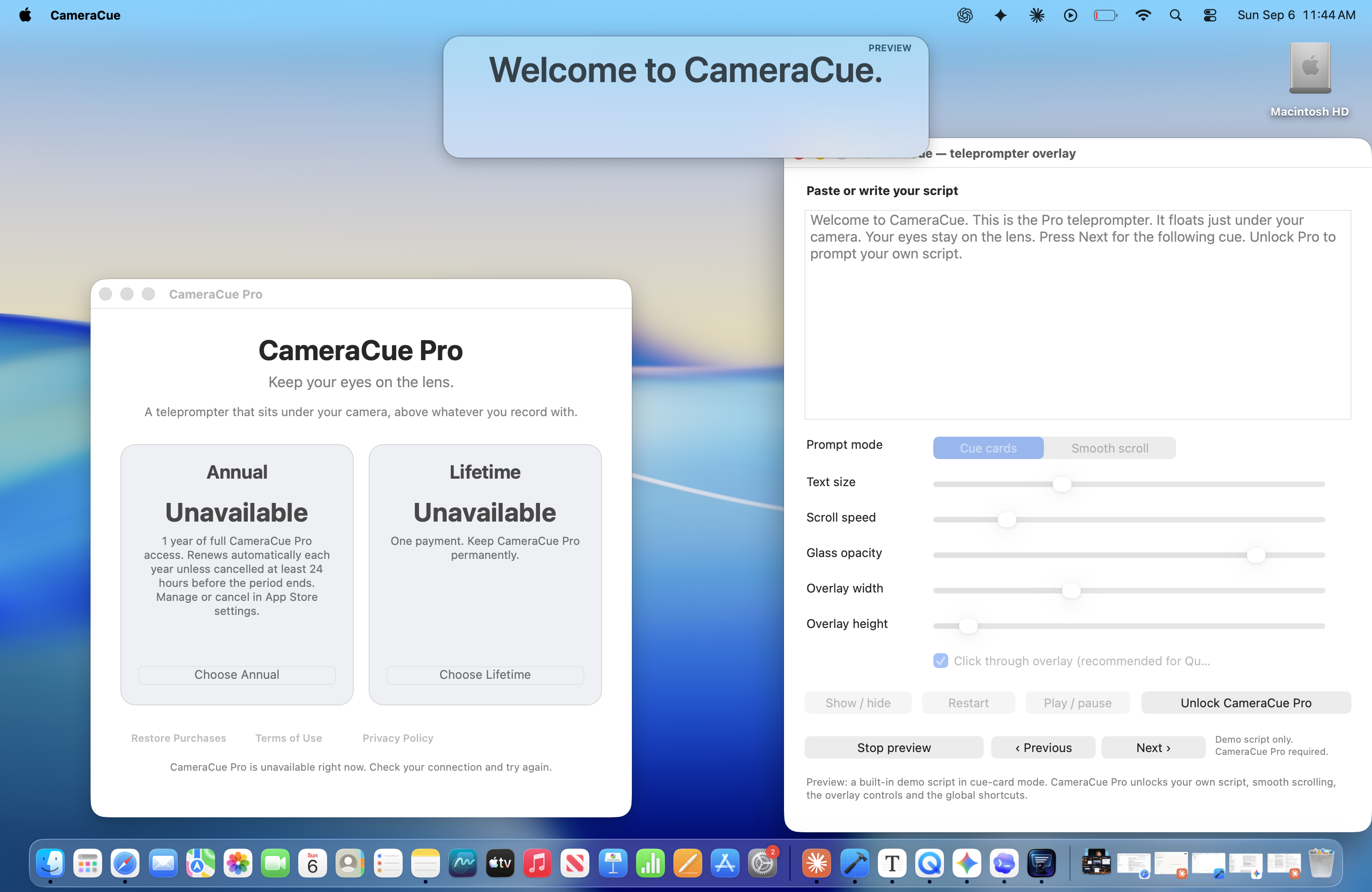
Click-through: every mouse click passes to the app underneath while you record
Floats above QuickTime, Zoom, Loom, OBS or any other recorder
Six global hotkeys to start, stop, advance and hide without leaving your recorder
Cue-card mode and smooth scroll, with adjustable speed, font size, opacity and width
No camera or microphone access, no account, no analytics - your script stays on your Mac
Use Cases
YouTubers and course creators recording straight to camera without losing eye contact
Founders recording demos and product walkthroughs over a screen share
Coaches and consultants on client calls who need their talking points in front of them
Podcasters and interviewers keeping questions on screen without shuffling notes
Anyone recording in a language they are still learning, who needs the words visible

Comments


I built CameraCue because every teleprompter I tried put the script in the middle of the screen, which is exactly where you should not be looking. Your eyes drift, and everyone watching can tell. So CameraCue pins a translucent panel right under the camera and stays click-through - you keep working in QuickTime, Zoom or OBS underneath while the words sit where your eyeline already is. It never touches the camera or the microphone and asks for no permission to; the script stays in local settings on your Mac and never leaves it. The part that took the longest was the global hotkeys. A sandboxed Mac App Store app cannot grab keys the usual way, so start, stop, advance and hide all run through RegisterEventHotKey. Six chords, working from inside whatever app you are recording in. Native AppKit, 1.6 MB, macOS 13 or later. Free to download, Pro unlock is $39.99 a year or $59.99 once. Happy to answer anything.
Pinning the script directly under the camera and keeping it click-through solves the eyeline problem most teleprompters ignore, and no camera or mic permission is a nice touch. On MacBooks with a notch, does the panel sit beside or below the notch, and can you nudge its position for external webcams mounted on a monitor? A mirrored or remote-control mode (e.g. advancing from an iPhone) could also help when presenting on calls.

Putting the script right under the lens is the detail most teleprompters miss. Eye contact is the first thing viewers notice in short clips. Does it remember a separate position and width per display? I record on a Mac Mini with an external monitor, and the camera isn't always centered above the screen.
Premium Products















































Sponsors
Buy

Makers
Makers
Comments
I built CameraCue because every teleprompter I tried put the script in the middle of the screen, which is exactly where you should not be looking. Your eyes drift, and everyone watching can tell. So CameraCue pins a translucent panel right under the camera and stays click-through - you keep working in QuickTime, Zoom or OBS underneath while the words sit where your eyeline already is. It never touches the camera or the microphone and asks for no permission to; the script stays in local settings on your Mac and never leaves it. The part that took the longest was the global hotkeys. A sandboxed Mac App Store app cannot grab keys the usual way, so start, stop, advance and hide all run through RegisterEventHotKey. Six chords, working from inside whatever app you are recording in. Native AppKit, 1.6 MB, macOS 13 or later. Free to download, Pro unlock is $39.99 a year or $59.99 once. Happy to answer anything.
Pinning the script directly under the camera and keeping it click-through solves the eyeline problem most teleprompters ignore, and no camera or mic permission is a nice touch. On MacBooks with a notch, does the panel sit beside or below the notch, and can you nudge its position for external webcams mounted on a monitor? A mirrored or remote-control mode (e.g. advancing from an iPhone) could also help when presenting on calls.
Putting the script right under the lens is the detail most teleprompters miss. Eye contact is the first thing viewers notice in short clips. Does it remember a separate position and width per display? I record on a Mac Mini with an external monitor, and the camera isn't always centered above the screen.
Premium Products
New to Fazier?

Find your next favorite product or submit your own. Made by @FalakDigital.
Copyright ©2026. All Rights Reserved