
Callirra
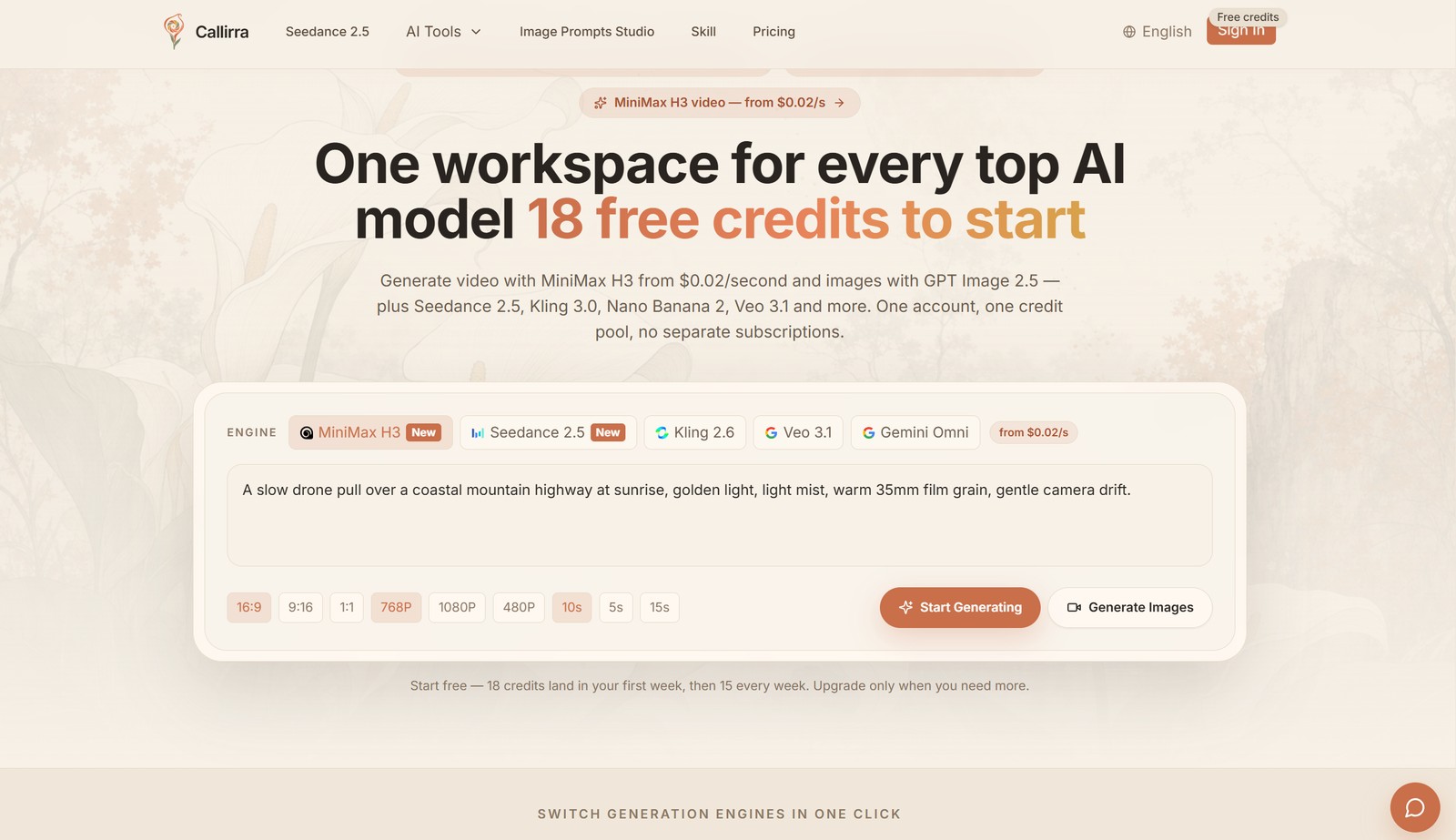
Most of the top AI image & video models, one credit pool
Features
Use Cases

Comments



The feature set here is incredibly comprehensive for developers. Having access to this entire model catalog via a single unified API key, CLI, or an MCP server makes prototyping multi-model workflows so much faster. Does the API documentation include webhooks for handling asynchronous video rendering statuses seamlessly?

The single credit pool across 40 models is genuinely useful — jumping between Veo, Sora, and Kling usually means juggling five subscriptions and leftover balances. One suggestion: since credit cost varies a lot by model, a quick cost-per-quality reference (e.g. typical cost of a 1080p 5-second clip on Veo 3.1 vs Kling 3.0 vs Seedance) would help people pick the cheapest model that clears their quality bar without trial-and-error. Also curious how failed jobs are handled — do credits get refunded automatically, and roughly how long does that take?
The single credit pool across 40 models is exactly what's been missing — juggling separate balances across Runway, Kling, and Luma is a real pain. Quick question: how are failed generations handled? If a job fails mid-render, are credits refunded automatically or is there a manual review step? Also, for video models, a cost-per-minute estimate next to the per-generation cost would make budgeting long-form projects much easier.
The single credit pool across 40 models is a smart answer to subscription fatigue, and showing the credit cost before each generation is the kind of transparency users actually notice. One thing that would make this even stronger is a side-by-side quality comparison view, so people can judge which model fits their prompt best without spending credits on trial generations. Do you have plans for an API or batch mode so studios can plug this into existing production pipelines?


The single credit pool across 40 models is a genuinely smart fix for subscription fatigue — comparing Veo, Sora, and Kling side by side without juggling balances would speed up model selection a lot. One suggestion: since credit costs differ per model, an upfront cost estimator per output type (e.g. a 5s 1080p clip) would help users budget before experimenting. Auto-refunding failed jobs is also great for trust. Curious to see how the catalog grows.

The unified credit pool is a really practical idea, especially for people who regularly compare different image and video models. I also like that the cost is shown before generation and failed jobs are credited back. How does the side-by-side model comparison work when testing the same prompt across different models?








40 models behind one credit pool is the strongest part of this. Showing the credit cost before each run (e.g. 6 credits per 1080p second on MiniMax H3) and settling failed jobs back to the balance removes most of the gamble in trying unfamiliar models. One question: does reference-image support work consistently across all 10 image models, or only a subset? That's usually where unified catalogs get uneven.


Putting Veo, Sora, Kling, and Seedance on one balance is the useful part if you already keep separate vendor accounts. Showing the price before the run, such as 6 credits per 1080p second on MiniMax H3, makes that pool predictable. I could not tell whether a job that fails after encoding starts is refunded the same way as one that fails before the first frame. That is the detail I would check before moving a production workflow over.



This is a useful reference for anyone who needs to convert AVI videos into MP4 format. Having an online conversion option makes the process more convenient: https://convert-online.net/avi-to-mp4
The single credit pool across 40 models is the real unlock here — the usual pain isn't the cost, it's re-plumbing auth and billing for every new vendor. Two questions from a developer angle: does the sk-cal- API surface per-model rate limits and concurrency caps in one place, and can I pin a specific model version (e.g. Veo 3.1 vs a future 3.2) so a production pipeline doesn't silently shift its output when you add newer models to the catalogue?



Callirra looks like a useful tool for streamlining communication and making business interactions more efficient. убрать задний фон The focus on simplifying everyday workflows is especially interesting.https://airbrush.com/ru/video-background-remover

Premium Products
























































Sponsors
Buy



Makers
Makers
Comments
The feature set here is incredibly comprehensive for developers. Having access to this entire model catalog via a single unified API key, CLI, or an MCP server makes prototyping multi-model workflows so much faster. Does the API documentation include webhooks for handling asynchronous video rendering statuses seamlessly?
The single credit pool across 40 models is genuinely useful — jumping between Veo, Sora, and Kling usually means juggling five subscriptions and leftover balances. One suggestion: since credit cost varies a lot by model, a quick cost-per-quality reference (e.g. typical cost of a 1080p 5-second clip on Veo 3.1 vs Kling 3.0 vs Seedance) would help people pick the cheapest model that clears their quality bar without trial-and-error. Also curious how failed jobs are handled — do credits get refunded automatically, and roughly how long does that take?
The single credit pool across 40 models is exactly what's been missing — juggling separate balances across Runway, Kling, and Luma is a real pain. Quick question: how are failed generations handled? If a job fails mid-render, are credits refunded automatically or is there a manual review step? Also, for video models, a cost-per-minute estimate next to the per-generation cost would make budgeting long-form projects much easier.
The single credit pool across 40 models is a smart answer to subscription fatigue, and showing the credit cost before each generation is the kind of transparency users actually notice. One thing that would make this even stronger is a side-by-side quality comparison view, so people can judge which model fits their prompt best without spending credits on trial generations. Do you have plans for an API or batch mode so studios can plug this into existing production pipelines?
The single credit pool across 40 models is a genuinely smart fix for subscription fatigue — comparing Veo, Sora, and Kling side by side without juggling balances would speed up model selection a lot. One suggestion: since credit costs differ per model, an upfront cost estimator per output type (e.g. a 5s 1080p clip) would help users budget before experimenting. Auto-refunding failed jobs is also great for trust. Curious to see how the catalog grows.
The unified credit pool is a really practical idea, especially for people who regularly compare different image and video models. I also like that the cost is shown before generation and failed jobs are credited back. How does the side-by-side model comparison work when testing the same prompt across different models?
40 models behind one credit pool is the strongest part of this. Showing the credit cost before each run (e.g. 6 credits per 1080p second on MiniMax H3) and settling failed jobs back to the balance removes most of the gamble in trying unfamiliar models. One question: does reference-image support work consistently across all 10 image models, or only a subset? That's usually where unified catalogs get uneven.
Putting Veo, Sora, Kling, and Seedance on one balance is the useful part if you already keep separate vendor accounts. Showing the price before the run, such as 6 credits per 1080p second on MiniMax H3, makes that pool predictable. I could not tell whether a job that fails after encoding starts is refunded the same way as one that fails before the first frame. That is the detail I would check before moving a production workflow over.
This is a useful reference for anyone who needs to convert AVI videos into MP4 format. Having an online conversion option makes the process more convenient: https://convert-online.net/avi-to-mp4
The single credit pool across 40 models is the real unlock here — the usual pain isn't the cost, it's re-plumbing auth and billing for every new vendor. Two questions from a developer angle: does the sk-cal- API surface per-model rate limits and concurrency caps in one place, and can I pin a specific model version (e.g. Veo 3.1 vs a future 3.2) so a production pipeline doesn't silently shift its output when you add newer models to the catalogue?
Callirra looks like a useful tool for streamlining communication and making business interactions more efficient. убрать задний фон The focus on simplifying everyday workflows is especially interesting.https://airbrush.com/ru/video-background-remover
Premium Products
New to Fazier?

Find your next favorite product or submit your own. Made by @FalakDigital.
Copyright ©2026. All Rights Reserved