
CalendarSync
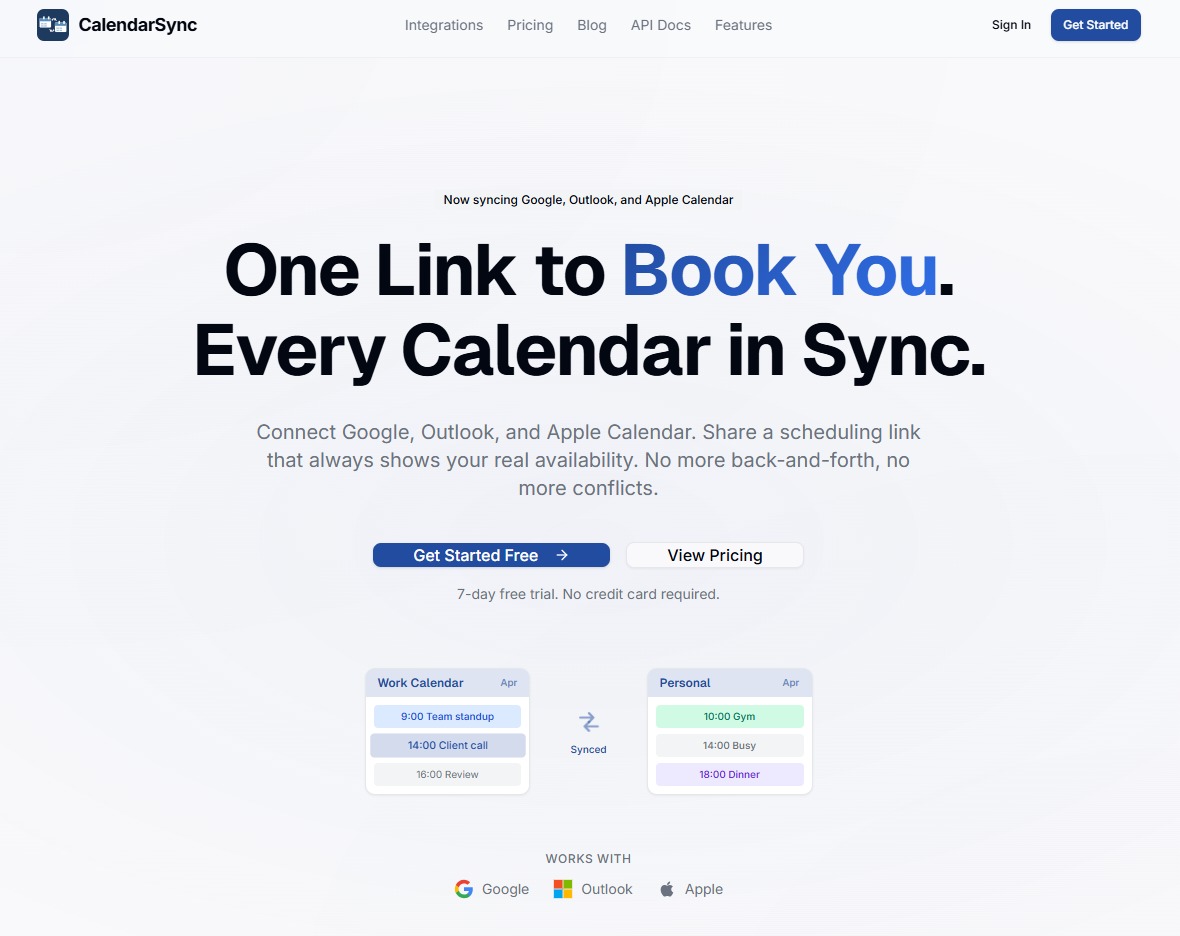
Book meetings, sync Google Calendar and Outlook in real time
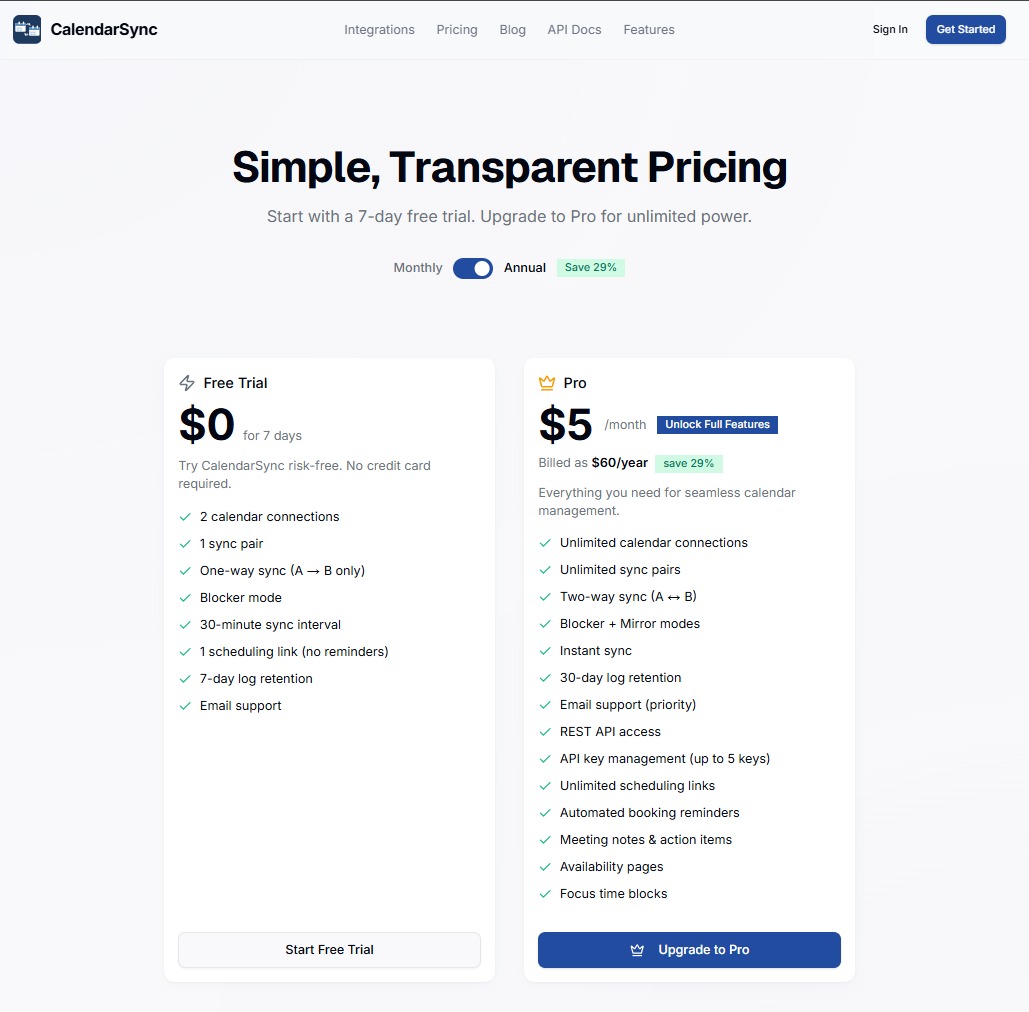
CalendarSync keeps your Google Calendar, Outlook, Apple, Yahoo, and Fastmail calendars in sync automatically. Events sync within seconds for pro users, and 30mins for free trial. Use Blocker mode to show "Busy" blocks without sharing personal details, or Mirror mode for full visibility. Create scheduling links so others can book time based on your real availability across all calendars. Set buffer time between meetings, filter events by keyword, and auto-create focus time blocks. Includes booking management with confirmations, reminders, and rescheduling. 7-day free trial, no credit card. Pro at $7/mo.
Features
- Real-time calendar sync across Google, Outlook, Apple, Yahoo, and Fastmail
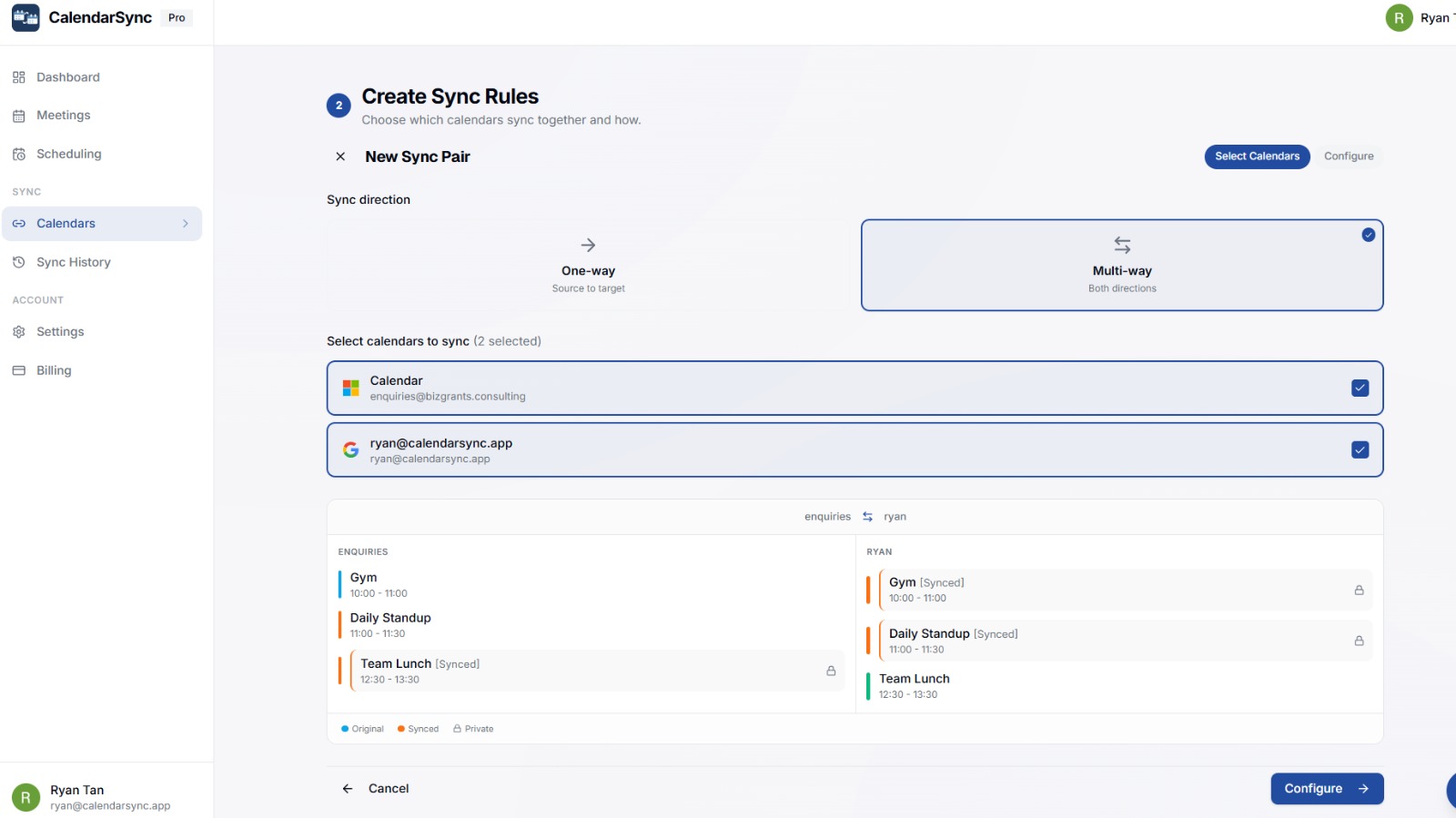
- Blocker mode - shows "Busy" blocks without sharing personal event details
- Mirror mode - copies full event details across calendars
- One-way or two-way sync
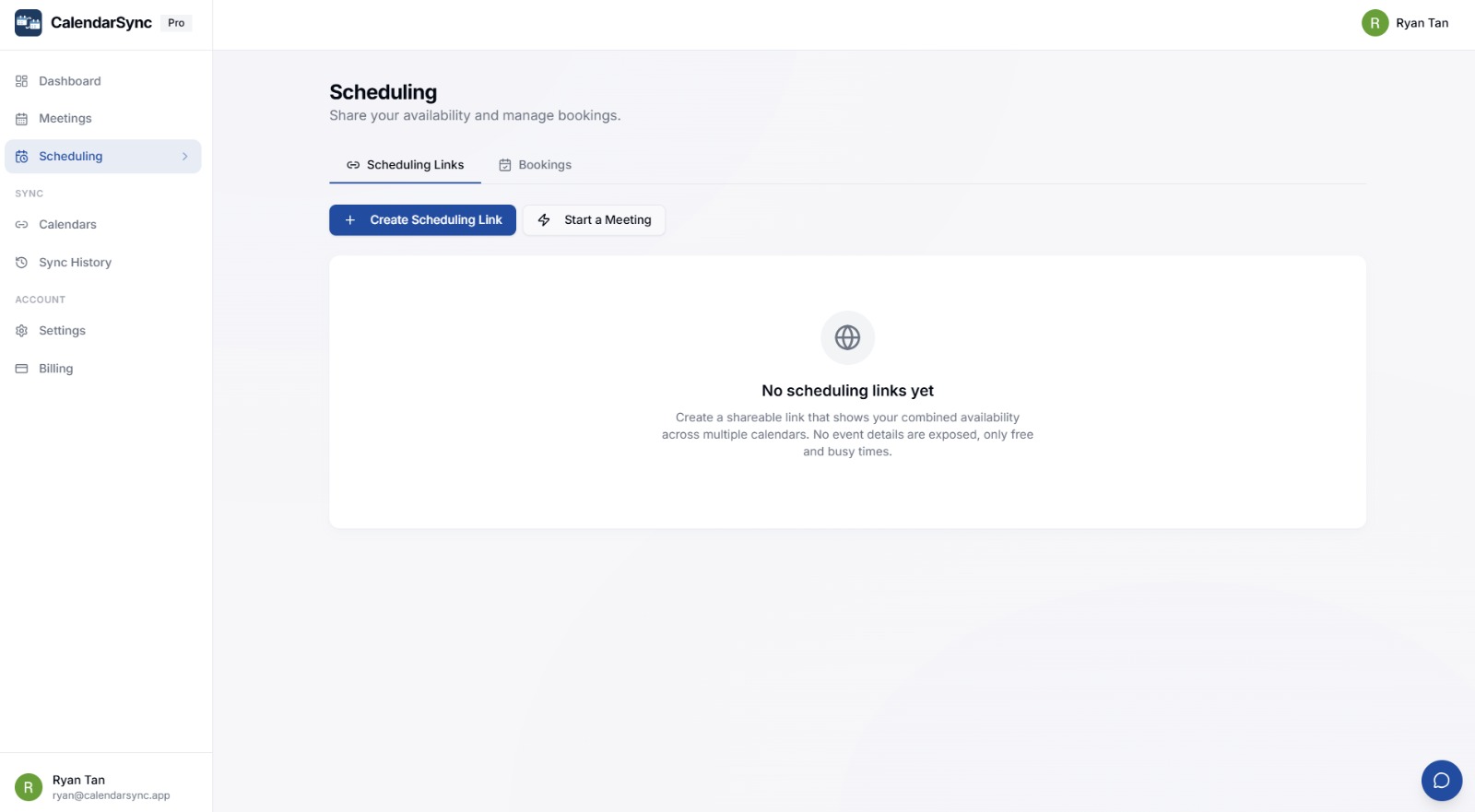
- Scheduling links - let others book time based on your real availability
- Buffer time between meetings
- Keyword filtering - sync or exclude specific events
- Booking management with confirmations, reminders, and rescheduling
- REST API for developers
- 90-second setup, no credit card for trial
Use Cases
- Employees syncing work Outlook with personal Google Calendar without sharing private details
- Freelancers managing multiple client calendars in one view
- Remote workers preventing double-bookings across different calendar platforms
- Managers sharing availability across team calendars
- Small businesses where half the team uses Google and the other half uses Outlook
- Anyone who wants to share a booking link that checks availability across all their calendars
- IT admins setting up calendar sync for the whole team via API

Comments


CalendarSync has been a huge upgrade for staying organized. I used to constantly juggle multiple calendars, but now everything just syncs seamlessly in the background. The real-time updates are super reliable, and I love how easy it is to share availability without exposing all the details—Blocker mode is a nice touch. Scheduling links also make booking meetings way less of a hassle, especially when coordinating across different calendars. It’s simple, efficient, and takes a lot of the stress out of planning. Definitely a solid tool if your schedule gets busy.

Hey! I'm Ryan. I consult for multiple companies and brands, each with their own email and calendar. I was constantly switching between Google Calendar and Outlook trying to make sure I wasn't double-booking client engagements. Missed a few calls before I decided to just build the fix myself. CalendarSync keeps all my calendars in sync in real time. The thing that makes it different is Blocker mode. When I'm booked with one client, my other calendars just show "Busy" without leaking who I'm meeting with. Privacy matters when you're working across competing brands. If you juggle multiple calendars for different clients or roles, give it a try. Would love to hear how you're currently dealing with this, always looking for feedback.

Blocker mode is a smart default. Most people want work to see "Busy" without seeing what the personal event actually is. Quick question: when an event is moved or deleted on the source calendar, does the mirrored block update in the same sync cycle, or can stale blocks linger for a while? That's usually where calendar sync tools trip up.
Premium Products




































Makers
Makers
Comments
CalendarSync has been a huge upgrade for staying organized. I used to constantly juggle multiple calendars, but now everything just syncs seamlessly in the background. The real-time updates are super reliable, and I love how easy it is to share availability without exposing all the details—Blocker mode is a nice touch. Scheduling links also make booking meetings way less of a hassle, especially when coordinating across different calendars. It’s simple, efficient, and takes a lot of the stress out of planning. Definitely a solid tool if your schedule gets busy.
Hey! I'm Ryan. I consult for multiple companies and brands, each with their own email and calendar. I was constantly switching between Google Calendar and Outlook trying to make sure I wasn't double-booking client engagements. Missed a few calls before I decided to just build the fix myself. CalendarSync keeps all my calendars in sync in real time. The thing that makes it different is Blocker mode. When I'm booked with one client, my other calendars just show "Busy" without leaking who I'm meeting with. Privacy matters when you're working across competing brands. If you juggle multiple calendars for different clients or roles, give it a try. Would love to hear how you're currently dealing with this, always looking for feedback.
Blocker mode is a smart default. Most people want work to see "Busy" without seeing what the personal event actually is. Quick question: when an event is moved or deleted on the source calendar, does the mirrored block update in the same sync cycle, or can stale blocks linger for a while? That's usually where calendar sync tools trip up.
Premium Products
New to Fazier?

Find your next favorite product or submit your own. Made by @FalakDigital.
Copyright ©2026. All Rights Reserved