
BulkPixel
🖼️ Convert more. Click less.
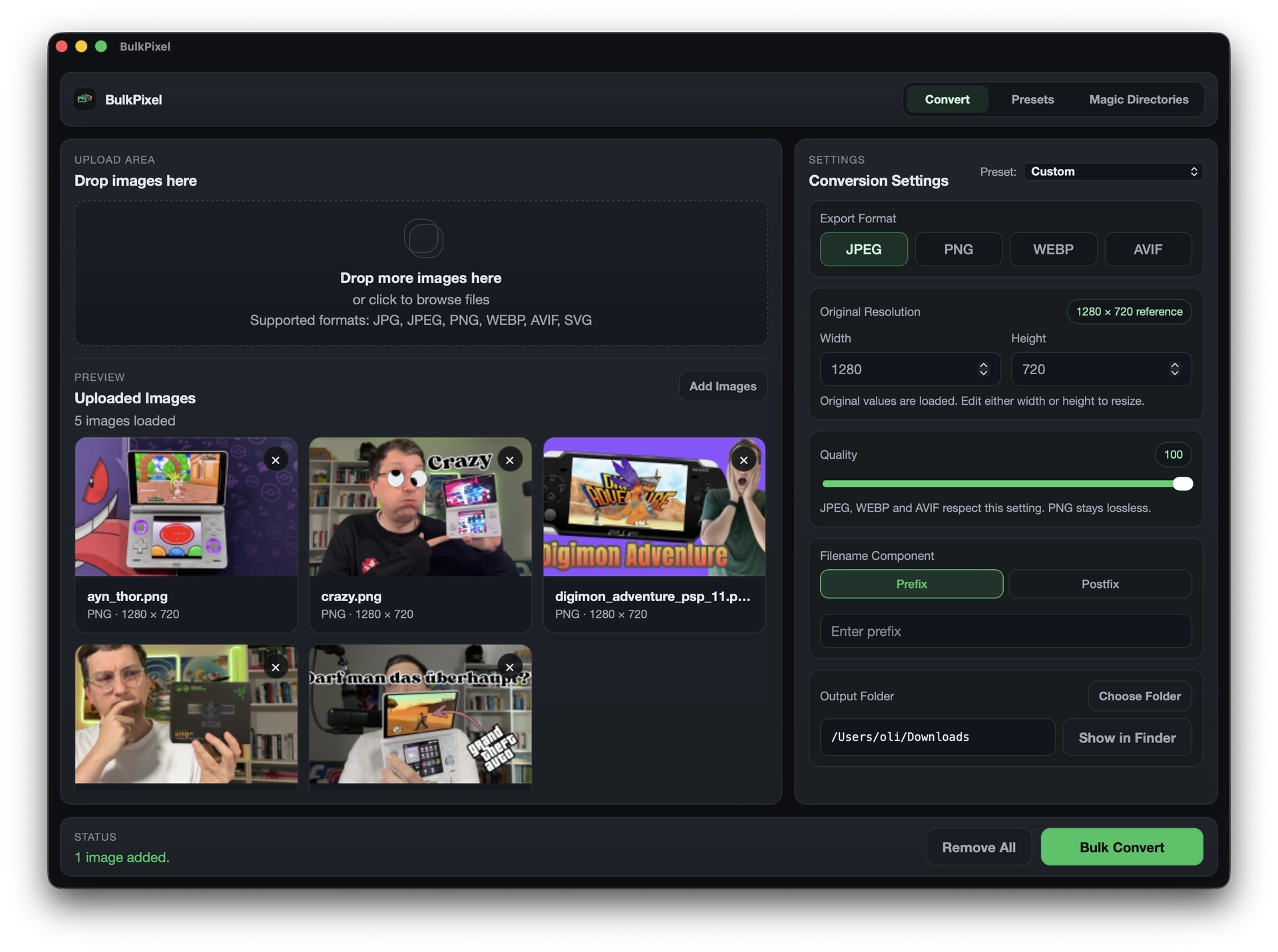
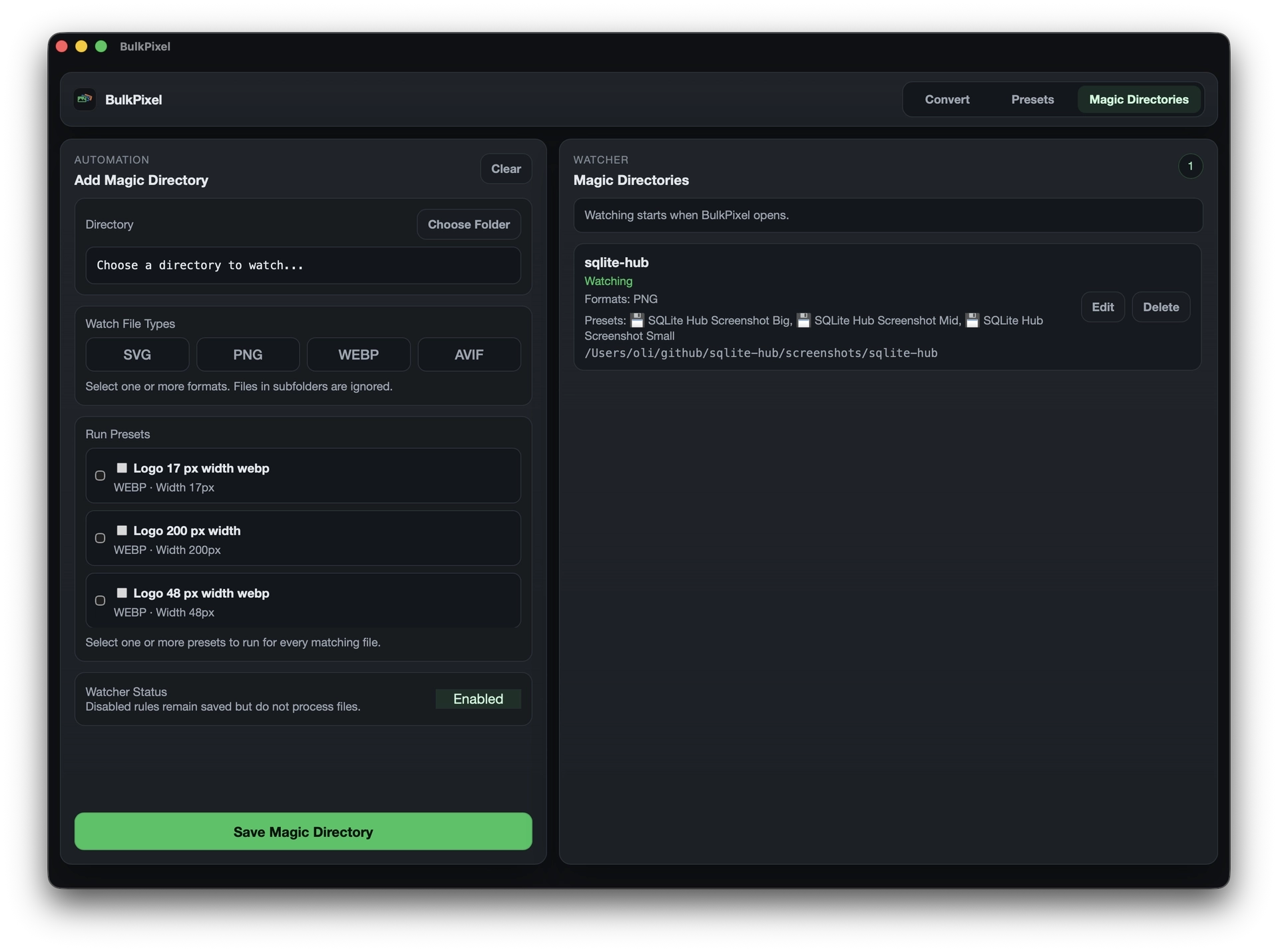
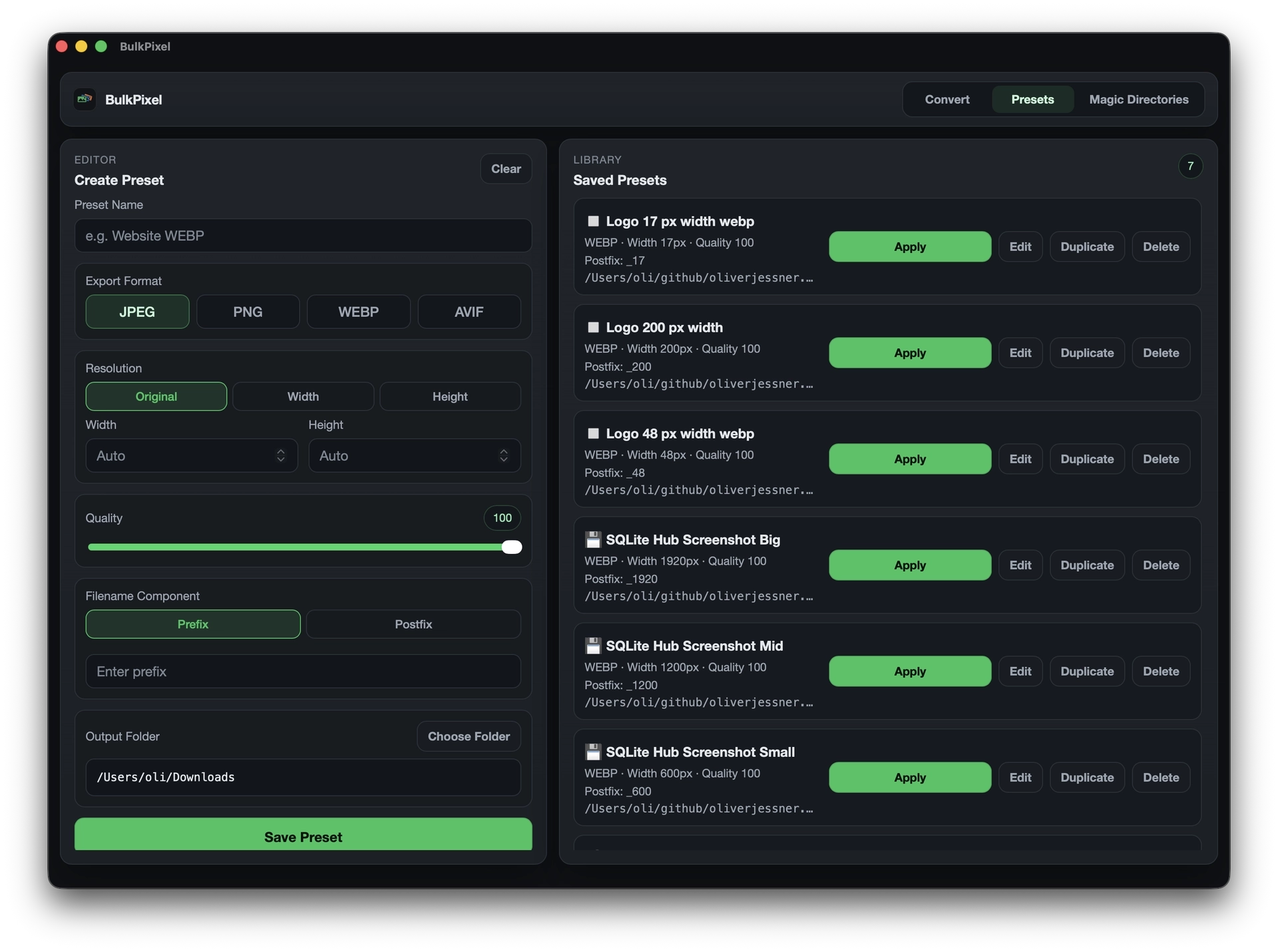
BulkPixel is a free, open-source macOS app for batch image conversion, resizing, and automation. Convert multiple images at once, save reusable presets, automate folders with Magic Directories, or use the CLI in scripts and developer workflows.
Everything runs locally on your Mac. No account, no cloud uploads, and no subscription.
Features
- Batch convert multiple images at once
- Resize by width or height
- Convert between JPEG, PNG, WebP, and AVIF
- Adjust image quality
- Rename files automatically
- Remove EXIF metadata
- Save reusable conversion presets
- Automatically process files with Magic Directories
- Use presets from the command line
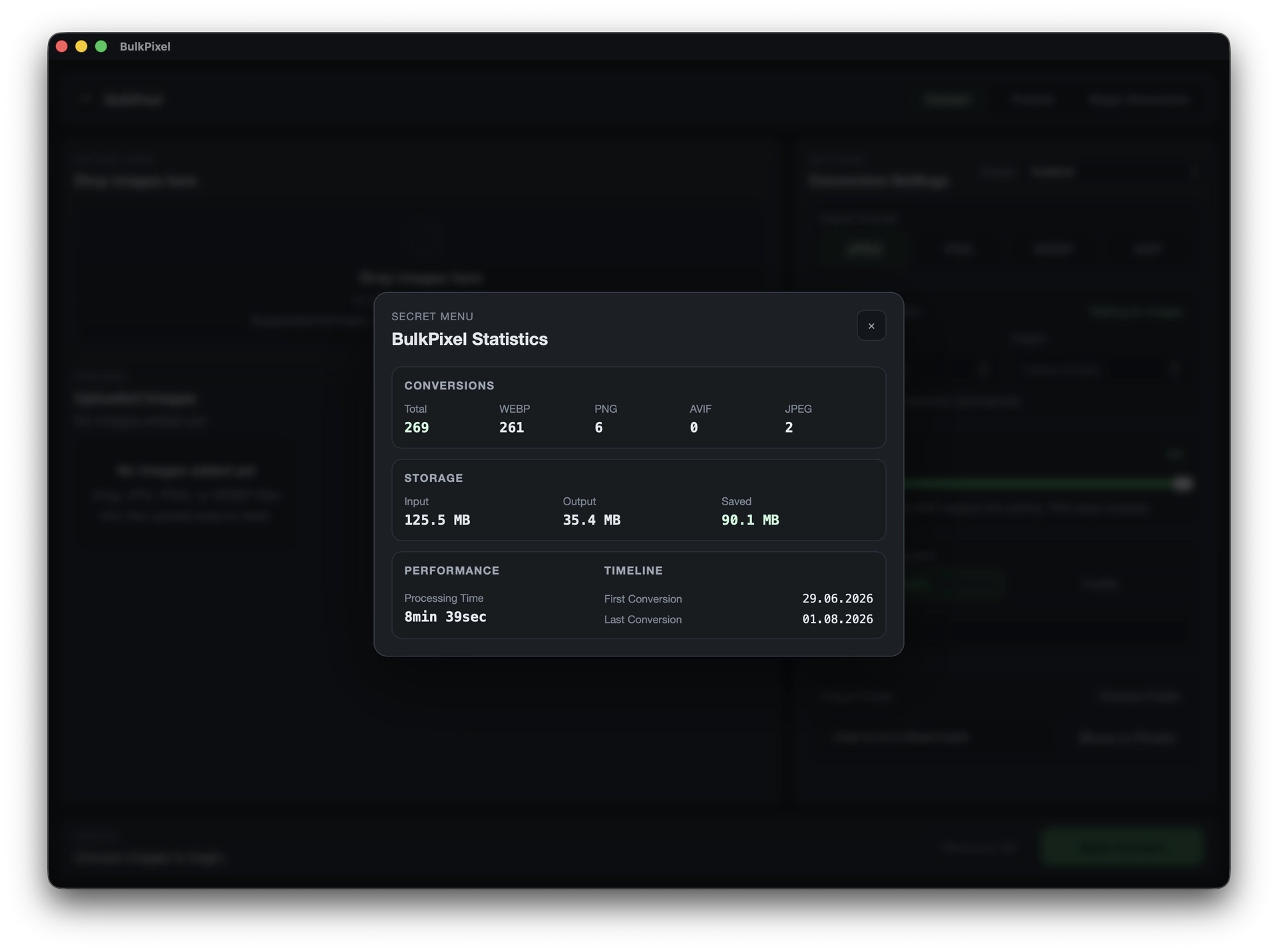
- Track local conversion statistics
- Fully local processing
- Free and open source
- Native macOS app
- Homebrew installation available
Use Cases
BulkPixel is designed for developers, designers, bloggers, journalists, and anyone who regularly works with large numbers of images.
Typical use cases include preparing screenshots for websites, converting PNGs to WebP or AVIF, creating standardized blog thumbnails, resizing image batches, removing metadata before publishing, automatically processing files dropped into a folder, and integrating image conversion into scripts or development workflows.
Instead of repeating the same export settings manually, you can save them once as a preset and reuse or automate the entire workflow.

Comments








The combination of reusable presets and local folder automation looks useful for preparing app screenshots. How do Magic Directories handle files that are still being copied into the watched folder? A clear policy for partial files and output-name collisions would make this easier to trust in an automated publishing workflow.

"No account, no cloud upload, no subscription" is a refreshing stance, and it matches a design choice we made too - keeping processing entirely local builds a kind of trust that's hard to fake. Free and open-source on top of that is a strong combo. For the batch renaming on export: can the naming pattern include the original folder name or a counter with custom padding (e.g. 001 vs 1), or is it limited to a fixed set of tokens?

Going native instead of browser-based for this is the right call once you're doing large batches — I run a browser-only bulk image tool (UtilsDock) and the tab memory ceiling is the first wall you hit past a few hundred files, something a native macOS app with Magic Directories just doesn't have to worry about. Does the CLI expose the same presets you build in the GUI 1:1, or is preset syntax different between the two?
Premium Products



















































Sponsors
Buy

Makers
Makers
Comments
The combination of reusable presets and local folder automation looks useful for preparing app screenshots. How do Magic Directories handle files that are still being copied into the watched folder? A clear policy for partial files and output-name collisions would make this easier to trust in an automated publishing workflow.
"No account, no cloud upload, no subscription" is a refreshing stance, and it matches a design choice we made too - keeping processing entirely local builds a kind of trust that's hard to fake. Free and open-source on top of that is a strong combo. For the batch renaming on export: can the naming pattern include the original folder name or a counter with custom padding (e.g. 001 vs 1), or is it limited to a fixed set of tokens?
Going native instead of browser-based for this is the right call once you're doing large batches — I run a browser-only bulk image tool (UtilsDock) and the tab memory ceiling is the first wall you hit past a few hundred files, something a native macOS app with Magic Directories just doesn't have to worry about. Does the CLI expose the same presets you build in the GUI 1:1, or is preset syntax different between the two?
Premium Products
New to Fazier?

Find your next favorite product or submit your own. Made by @FalakDigital.
Copyright ©2026. All Rights Reserved