
BugCompass
One-click bug reports with console and network, no account
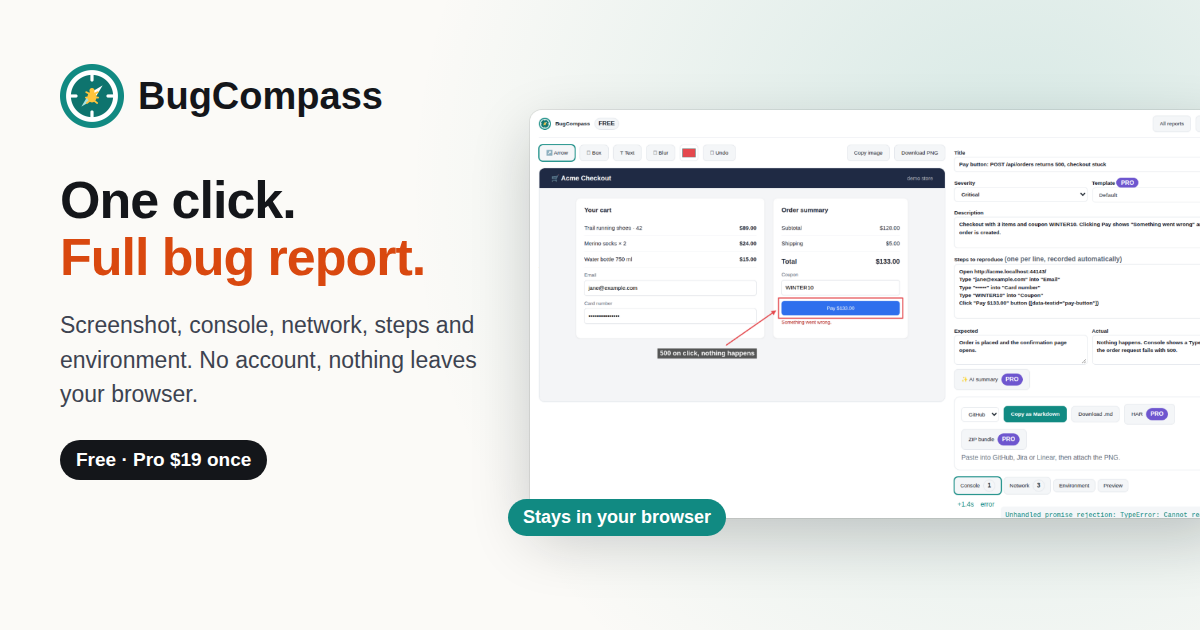
BugCompass turns "it's broken" into a bug report a developer can act on, in one click, with no account and nothing sent to a cloud.
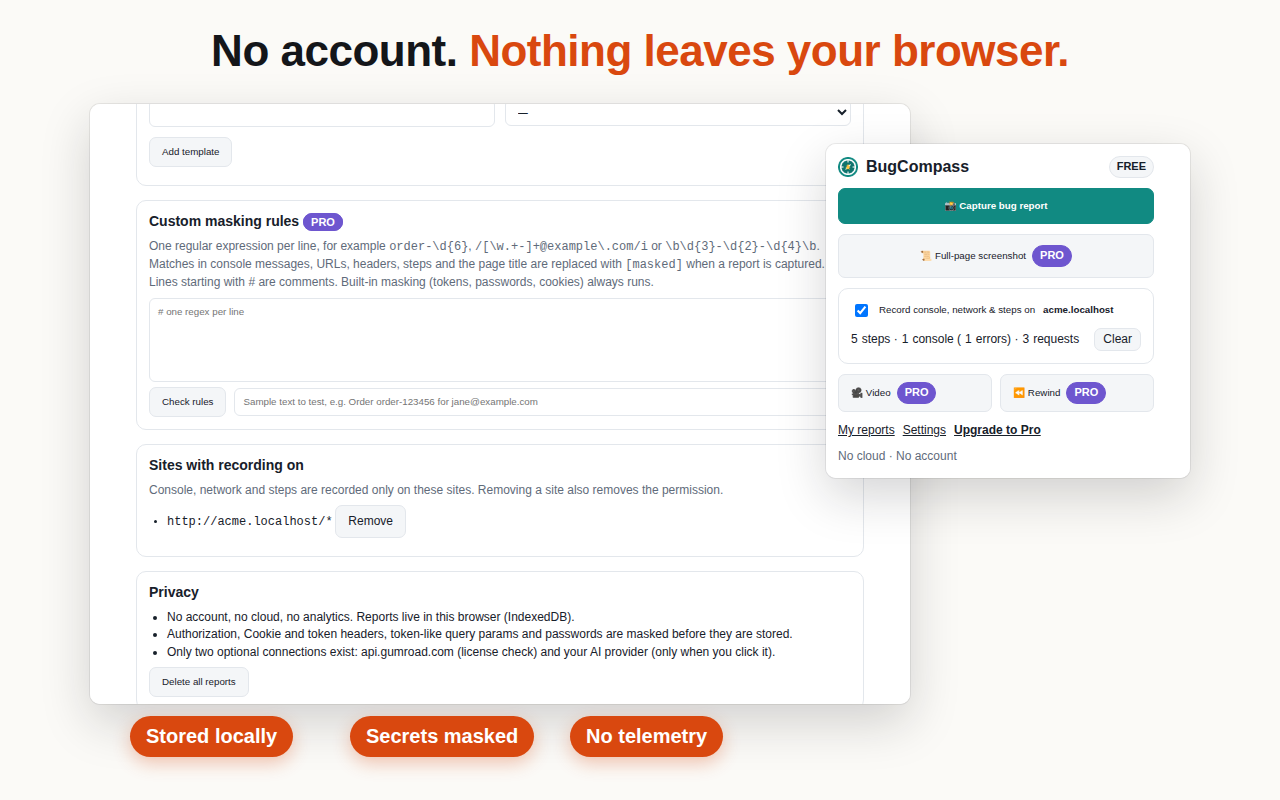
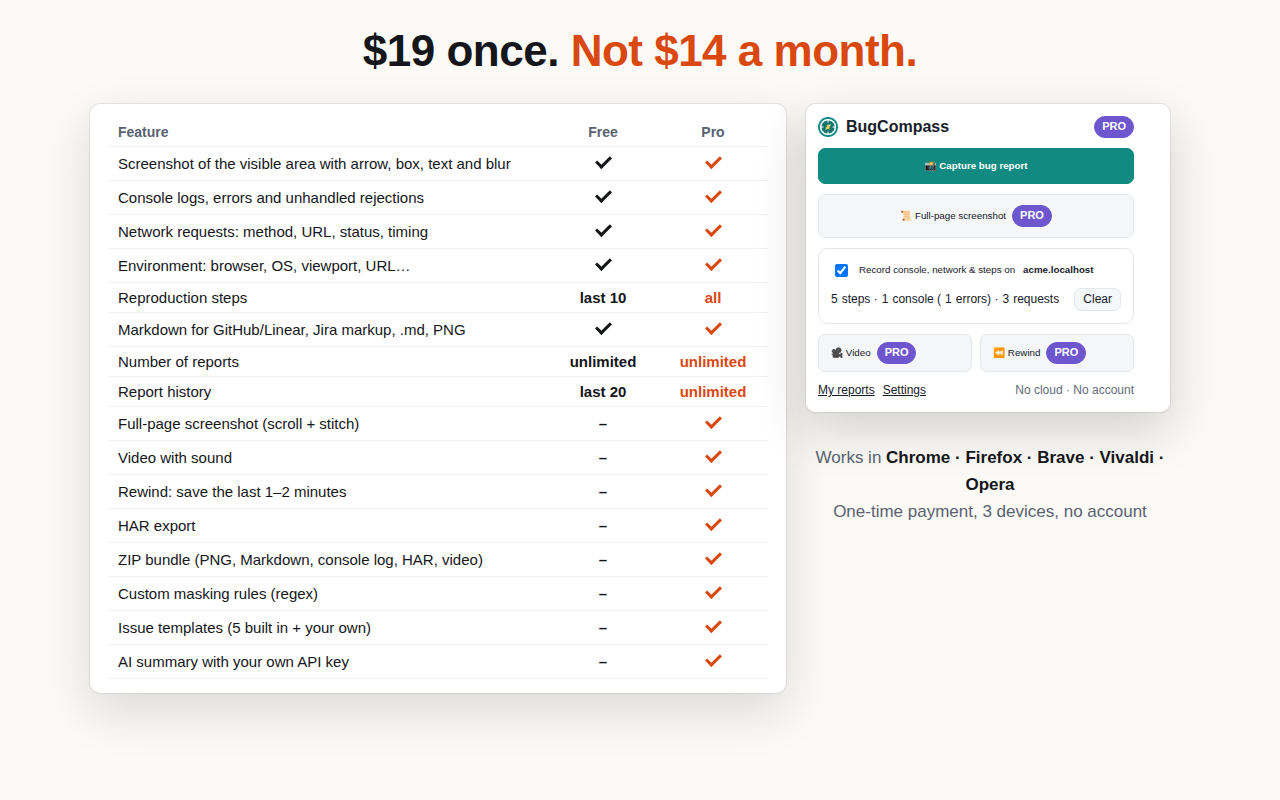
Most bug-reporting extensions want a sign-up, upload your screenshots to their servers and charge per seat every month. BugCompass keeps everything in your browser. Free has no report limit, and Pro is a one-time $19 license.
Install: Chrome Web Store (also Brave, Edge, Vivaldi) · Firefox Add-ons
Features
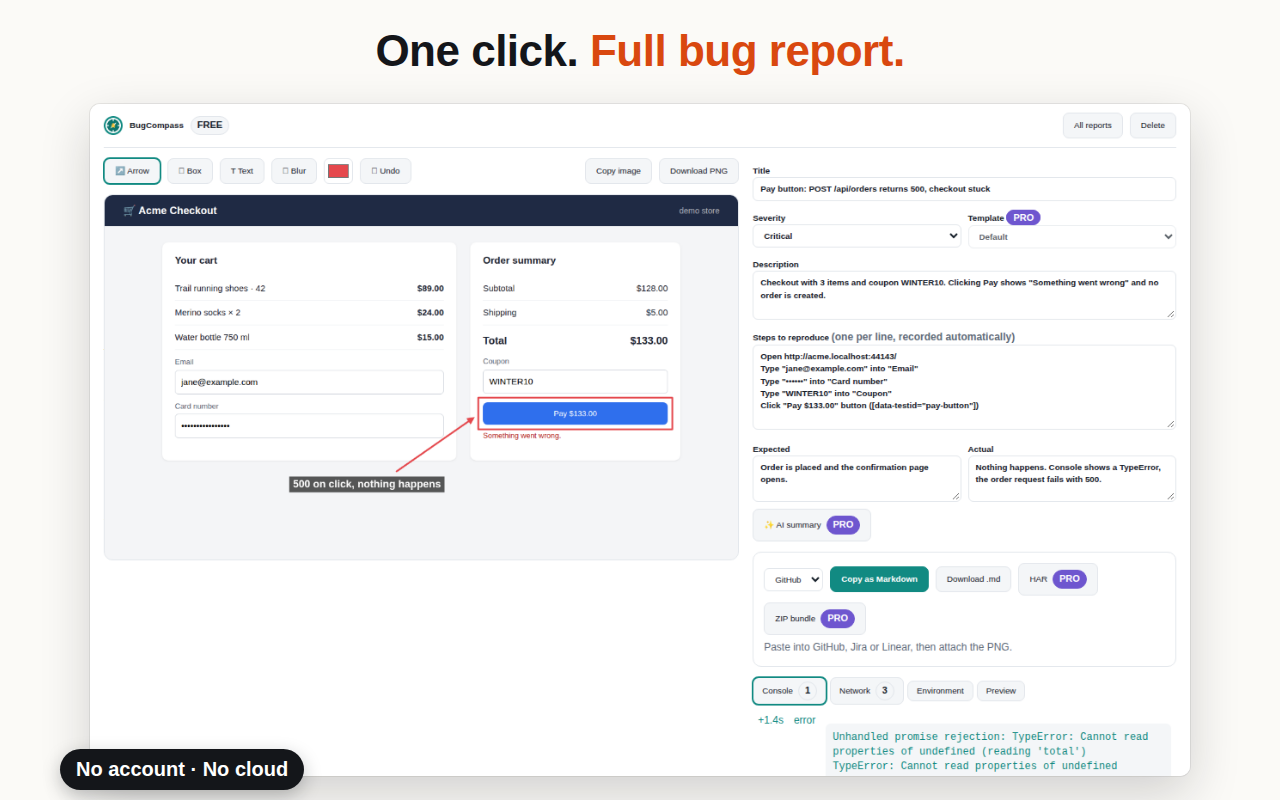
- Annotated screenshot: box, arrow, pen, text and blur that really removes the pixels
- Console logs, uncaught errors and unhandled promise rejections
- Network requests with status and timing, failed ones first
- Reproduction steps from your last clicks and inputs (passwords never recorded)
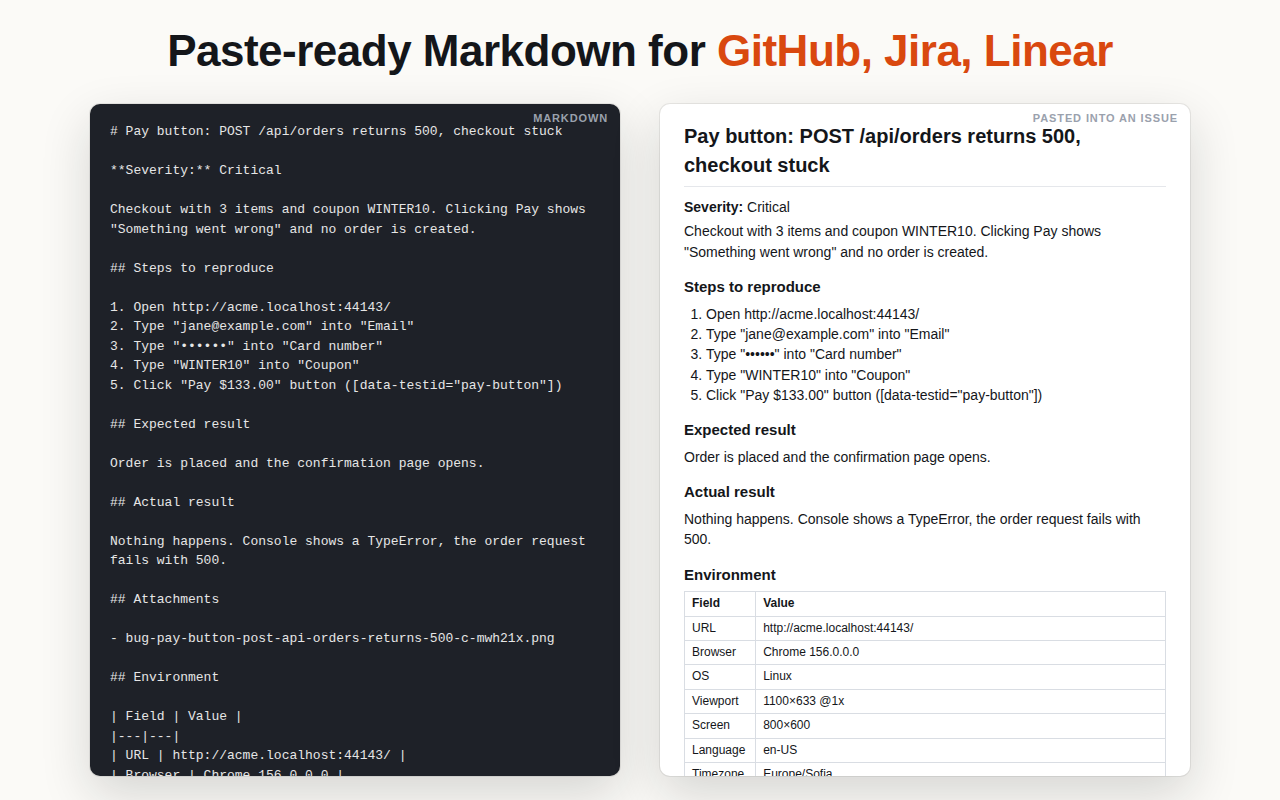
- Browser, OS, viewport, language, timezone and page URL
- Export as Markdown for GitHub, GitLab and Linear, Jira markup, .md or PNG
- Secrets masked before saving: auth and cookie headers, API keys, JWTs, password fields
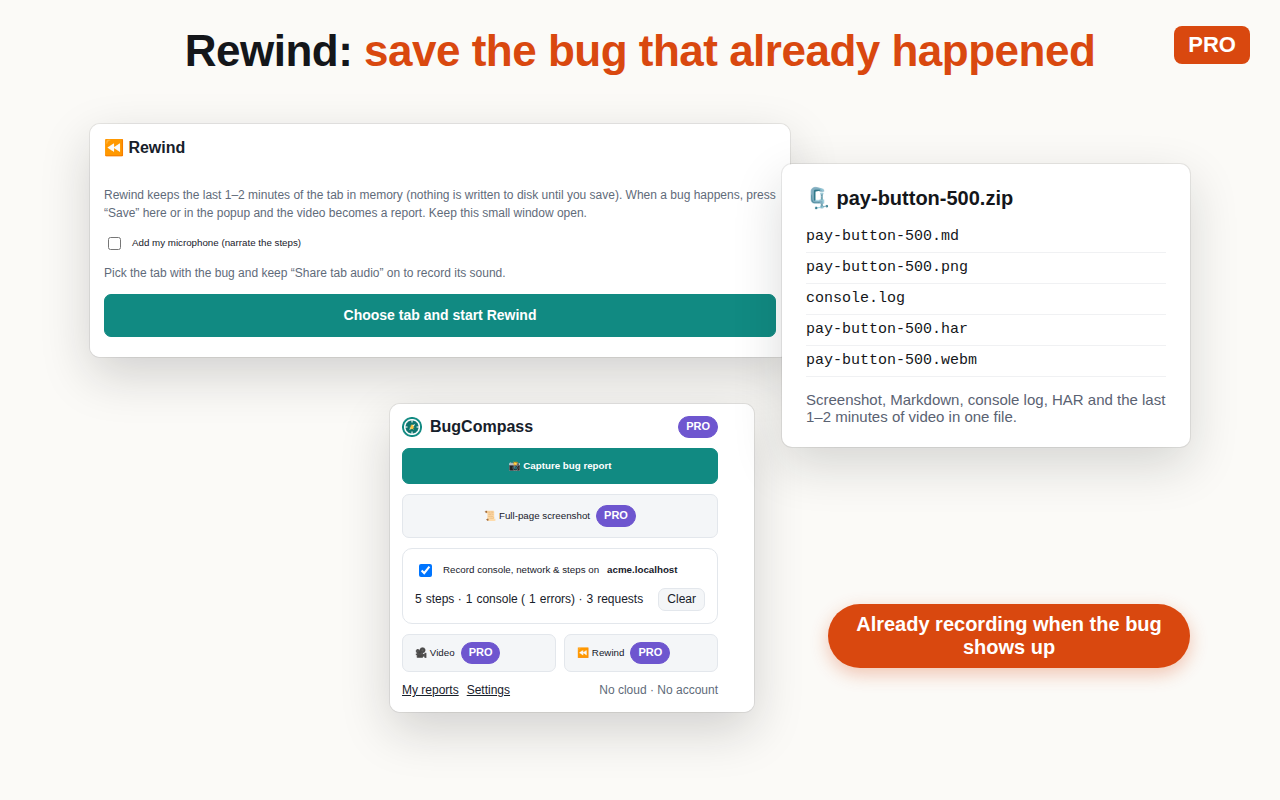
- Pro ($19 once): full-page screenshot, Rewind of the last 1-2 minutes, tab video to MP4, HAR export, ZIP bundle, issue templates, optional AI summary with your own key or local Ollama
Use Cases
- QA testers filing complete bug tickets without back-and-forth
- Developers capturing a bug with console and network context for a teammate
- Agencies and freelancers collecting client issues without another SaaS account
- Teams with strict privacy rules where screenshots must not leave the machine
- Saving a bug after it already happened with Rewind

Comments


Hi! I work in QA, and most bug tickets I see still say "it doesn't work" with one cropped screenshot. The tools that fix this all want an account, a cloud upload and a monthly seat price. So I built BugCompass: one click captures an annotated screenshot, console errors, network requests, the steps that led there and the environment, and exports it as Markdown for GitHub, GitLab, Linear or Jira. No account, nothing leaves your browser, and secrets like auth headers and tokens are masked before anything is saved. Free has no report limit. Pro is $19 once and adds full-page shots, Rewind (save a bug after it happened), tab video and HAR export. It's on Chrome and Firefox. I'd love feedback on what your team's bug tickets usually miss.
Premium Products








































Sponsors
Buy
Makers
Makers
Comments
Hi! I work in QA, and most bug tickets I see still say "it doesn't work" with one cropped screenshot. The tools that fix this all want an account, a cloud upload and a monthly seat price. So I built BugCompass: one click captures an annotated screenshot, console errors, network requests, the steps that led there and the environment, and exports it as Markdown for GitHub, GitLab, Linear or Jira. No account, nothing leaves your browser, and secrets like auth headers and tokens are masked before anything is saved. Free has no report limit. Pro is $19 once and adds full-page shots, Rewind (save a bug after it happened), tab video and HAR export. It's on Chrome and Firefox. I'd love feedback on what your team's bug tickets usually miss.
Premium Products
New to Fazier?

Find your next favorite product or submit your own. Made by @FalakDigital.
Copyright ©2026. All Rights Reserved