Bower
Free, open-source window manager for the Mac
Bower gives every project its own desk. Press ⌥2 and the windows you don't need step out of the way, on every display at once, with no Spaces animation.
- Nine named layouts (Mail, Design, Dev…), each remembering its windows on every display. Route an app, or one browser profile, to a layout.
- Snap to halves, quarters, thirds and two thirds, with a preview before you let go.
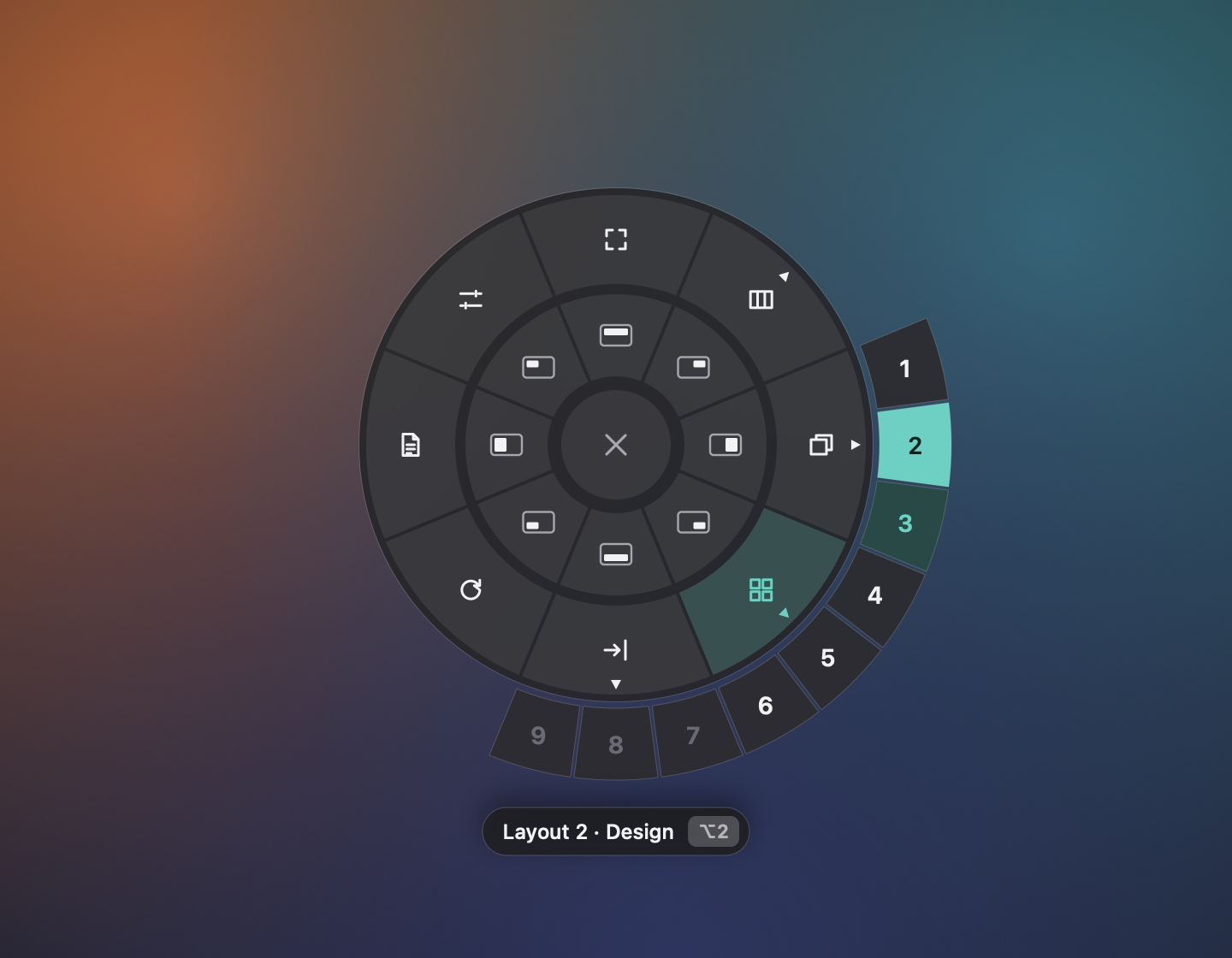
- The Snap Wheel: middle-click, tap with three fingers or press ⌃⌥Space and a wheel opens under the cursor.
- Four modes per display: free, Bento Box tiling, tabs, or docked side by side.
- It remembers: quit an app or restart the Mac and windows go back to their layouts.
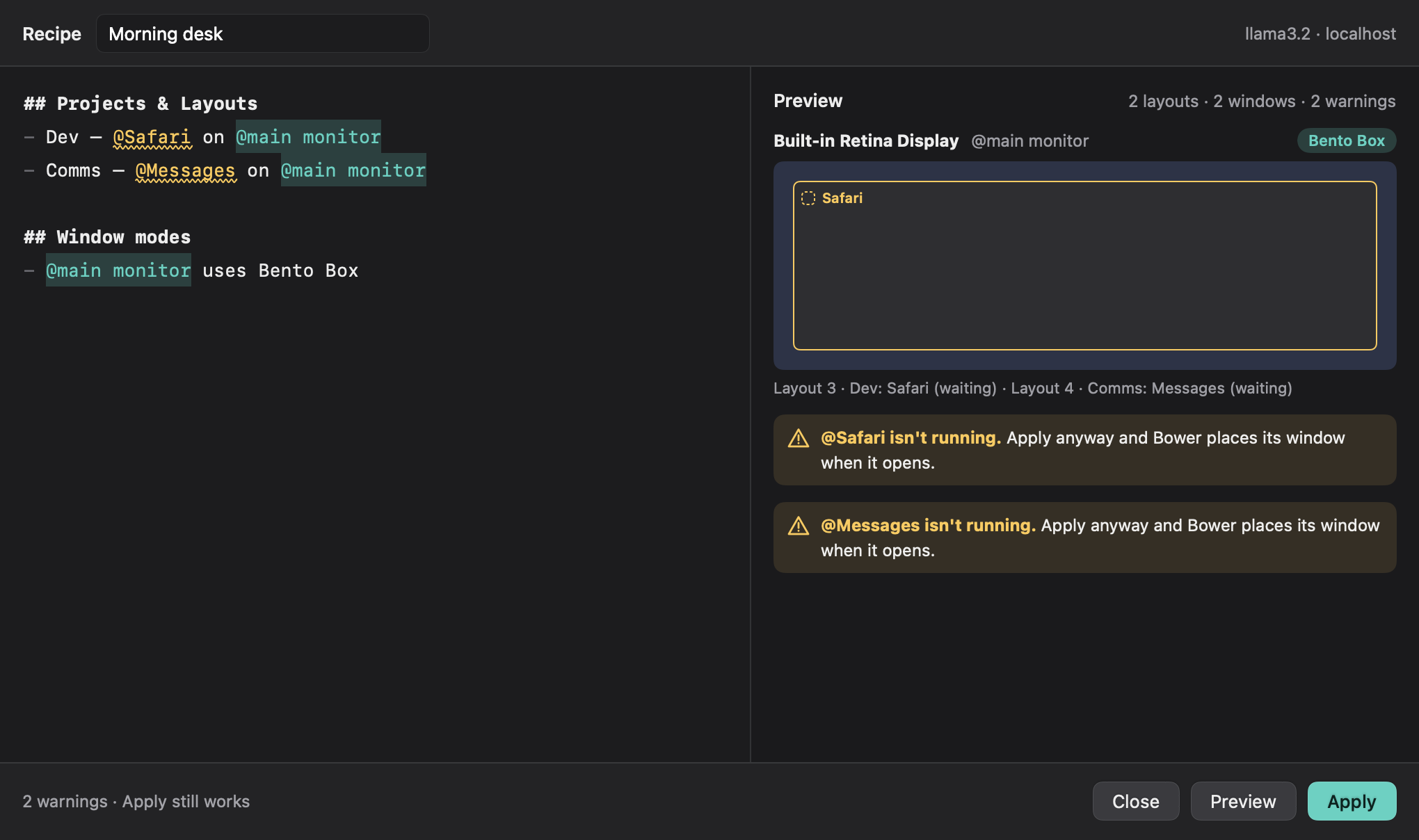
- AI Recipes: describe your desk in Markdown, preview the plan, and nothing moves until you press Apply.
Native Swift, macOS 14 or later. No account, no tracking. MIT licensed.

Features
Nine named layouts switched with Option 1 to 9 across every display
Snapping with a preview, and a Snap Wheel under the cursor
Bento Box tiling, tabs and docked modes per display
Free and open source under MIT

Comments


Premium Products











































Find your next favorite product or submit your own. Made by @FalakDigital.
Copyright ©2026. All Rights Reserved