
boomation
Manage Notion-style bookmarks synced to your Google Drive.
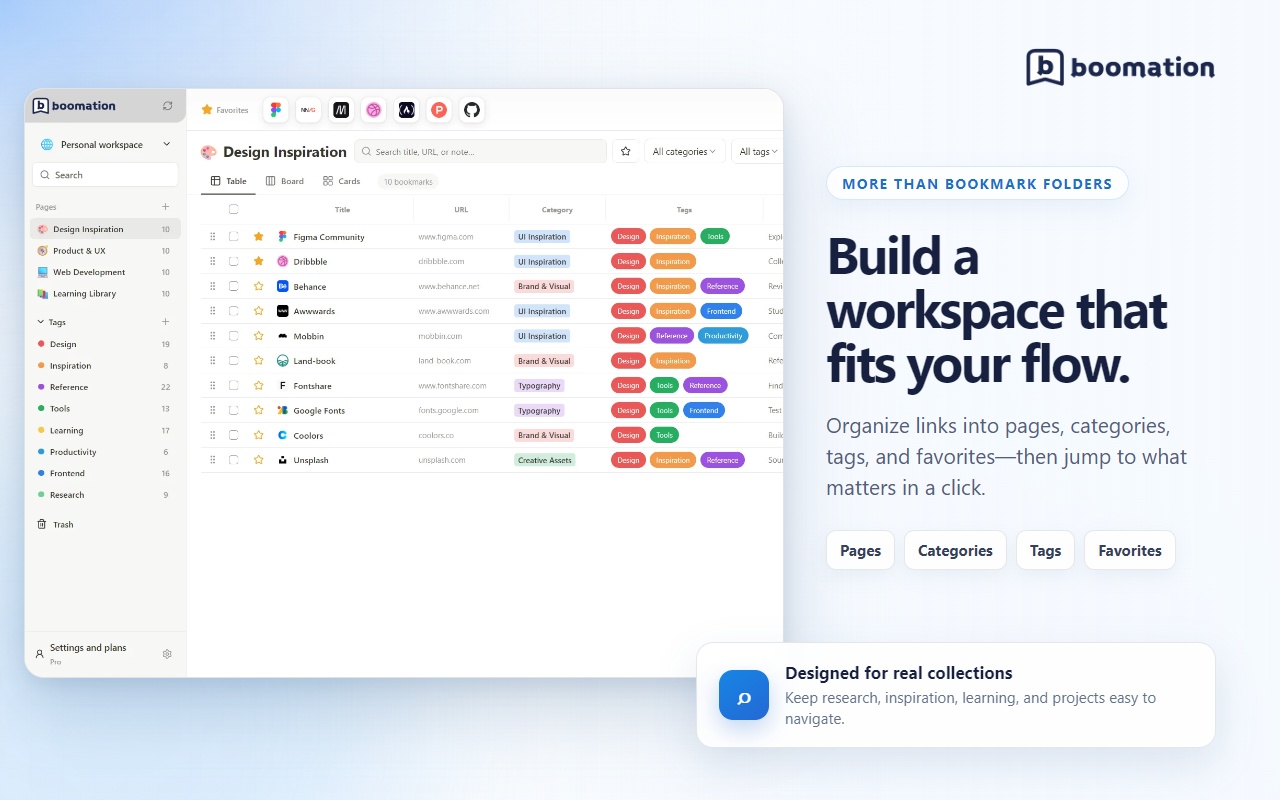
🔖 boomation is a privacy-first Chrome bookmark manager that helps you organize bookmarks with the flexibility of Notion.
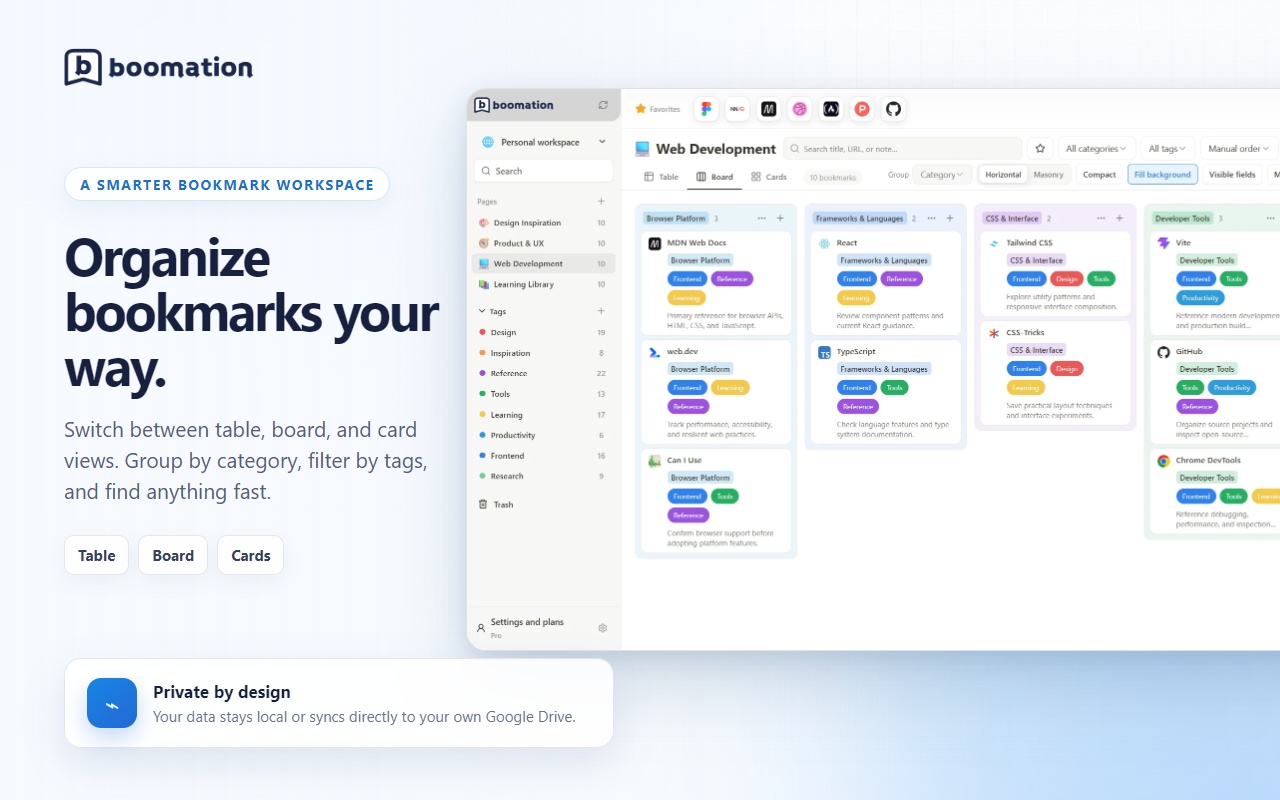
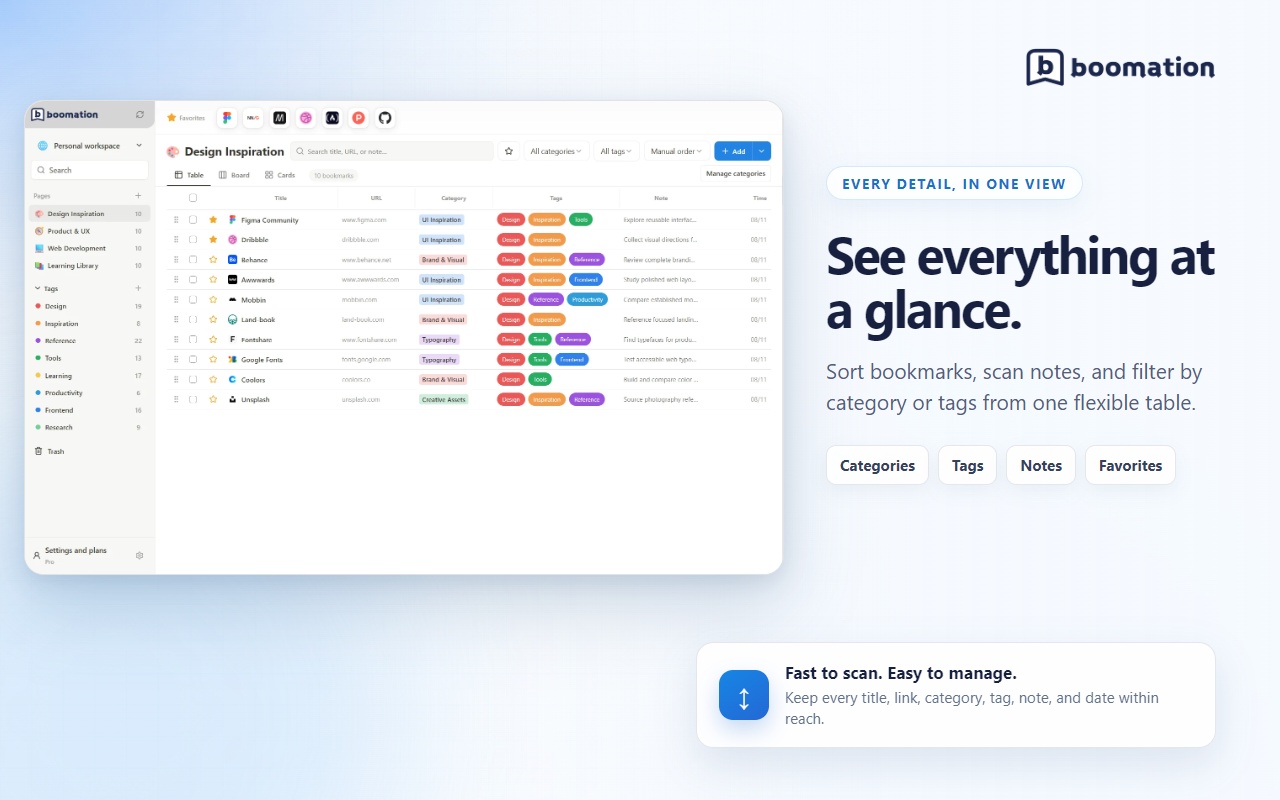
Create workspaces and pages for different projects, then manage your links in table, board, or card views. Add categories, tags, notes, favorites, and custom ordering to keep everything easy to find.
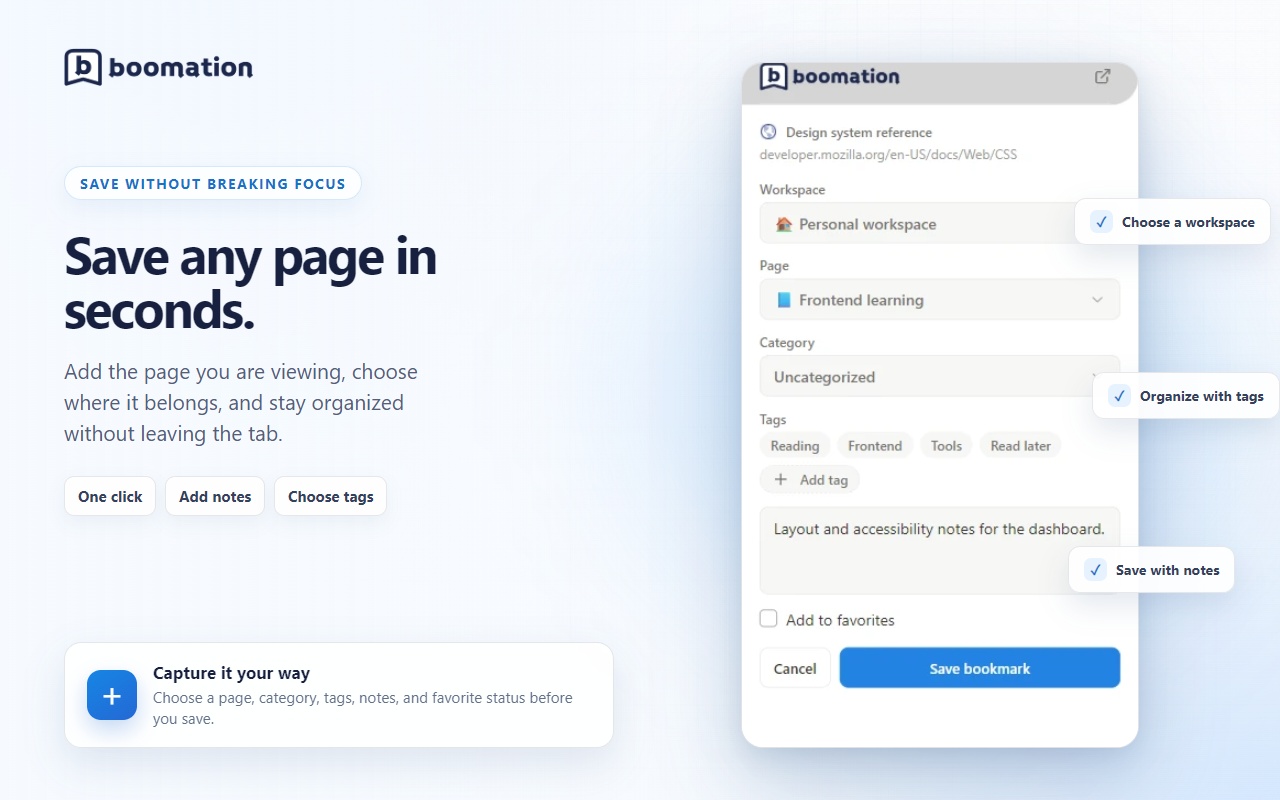
✨ Key features: • Notion-like bookmark workspaces • Table, board, and card views • Categories, tags, notes, and favorites • Drag-and-drop organization • Save the current page or multiple open tabs • Import/export support • Light and dark themes • Automatic Google Drive backups • Multilingual support
🔐 Your data stays under your control.
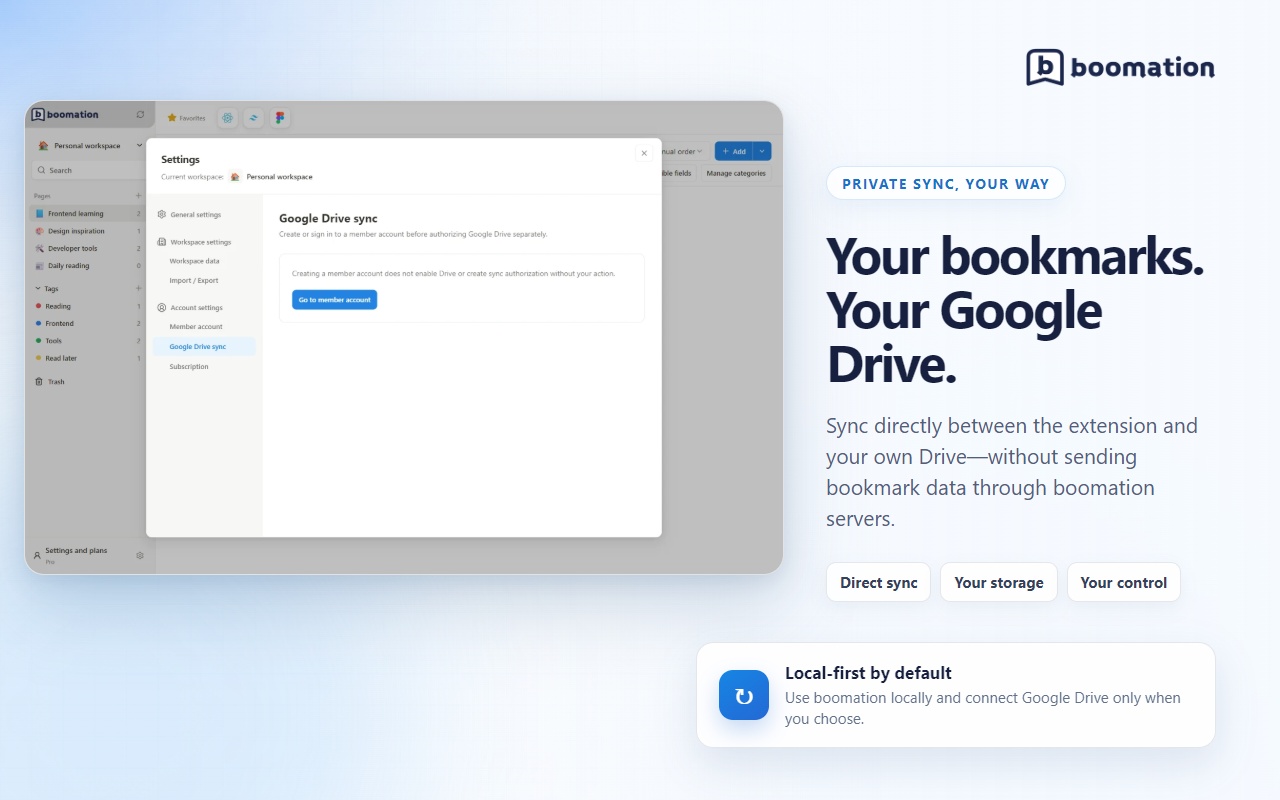
Bookmark data stays on your device by default. Optional cloud sync connects directly to your own Google Drive, so you can sync across devices without storing your bookmark library in boomation’s backend.
boomation’s backend is used for membership and subscription services only. It does not receive or store bookmarks, workspaces, tags, notes, trash contents, or Google Drive files and metadata.
🚀 Manage bookmarks your way — private, portable, and fully under your control.
Fazier Deal

Comments

The device-first storage with optional direct-to-Drive sync is a strong privacy boundary. How do you handle conflicts when the same workspace is edited on two devices before Drive finishes syncing—merge by item, keep both versions, or choose the newest file? A visible conflict/recovery history would make multi-device use feel safer.
Hi Fazier community! 👋 I built boomation because regular browser bookmark folders became difficult to browse and maintain as my collection grew. boomation gives bookmarks a more flexible, Notion-like workspace. You can organize them with multiple workspaces, pages, categories, and tags, then switch between table, board, and card views depending on how you prefer to work. Privacy was a core requirement from the beginning. Your bookmark data stays on your device, with optional synchronization through your own Google Drive. boomation’s backend never receives or stores your bookmarks, notes, tags, workspace data, or Google Drive files. You can import existing Chrome bookmarks, save pages from the toolbar or context menu, search and filter your collection, and create automatic backups in Google Drive. I would love to hear how you currently organize your bookmarks, what feels useful, and what could be improved. Thank you for checking out boomation!

Premium Products










































Fazier Deal
Sponsors
Buy

Makers
Makers
Comments
The device-first storage with optional direct-to-Drive sync is a strong privacy boundary. How do you handle conflicts when the same workspace is edited on two devices before Drive finishes syncing—merge by item, keep both versions, or choose the newest file? A visible conflict/recovery history would make multi-device use feel safer.
Hi Fazier community! 👋 I built boomation because regular browser bookmark folders became difficult to browse and maintain as my collection grew. boomation gives bookmarks a more flexible, Notion-like workspace. You can organize them with multiple workspaces, pages, categories, and tags, then switch between table, board, and card views depending on how you prefer to work. Privacy was a core requirement from the beginning. Your bookmark data stays on your device, with optional synchronization through your own Google Drive. boomation’s backend never receives or stores your bookmarks, notes, tags, workspace data, or Google Drive files. You can import existing Chrome bookmarks, save pages from the toolbar or context menu, search and filter your collection, and create automatic backups in Google Drive. I would love to hear how you currently organize your bookmarks, what feels useful, and what could be improved. Thank you for checking out boomation!
Premium Products
New to Fazier?

Find your next favorite product or submit your own. Made by @FalakDigital.
Copyright ©2026. All Rights Reserved