Blur Image Online
Precision blur, professional results.
Blur Image is a privacy-first online tool that blurs images directly in the browser, solving the risks of accidental privacy leaks, reversible blur filters, and inefficient manual redaction. It offers seven specialized tools—Selective Blur, Global Blur, Pixelate Blur, Blur Faces, Blur Text, Blur Sensitive Info, and Motion Blur—covering everything from precise local redaction to creative motion effects. Its core strength lies in a double privacy guarantee: AI cannot reverse its blur, and EXIF metadata is automatically removed on export. With one-click detection, real-time preview, non-destructive editing, a hybrid automated-plus-manual workflow, and full parameter customization, it delivers professional results in seconds. No installation or registration is required—just upload, edit, and export as JPG, PNG, or WebP.
Features
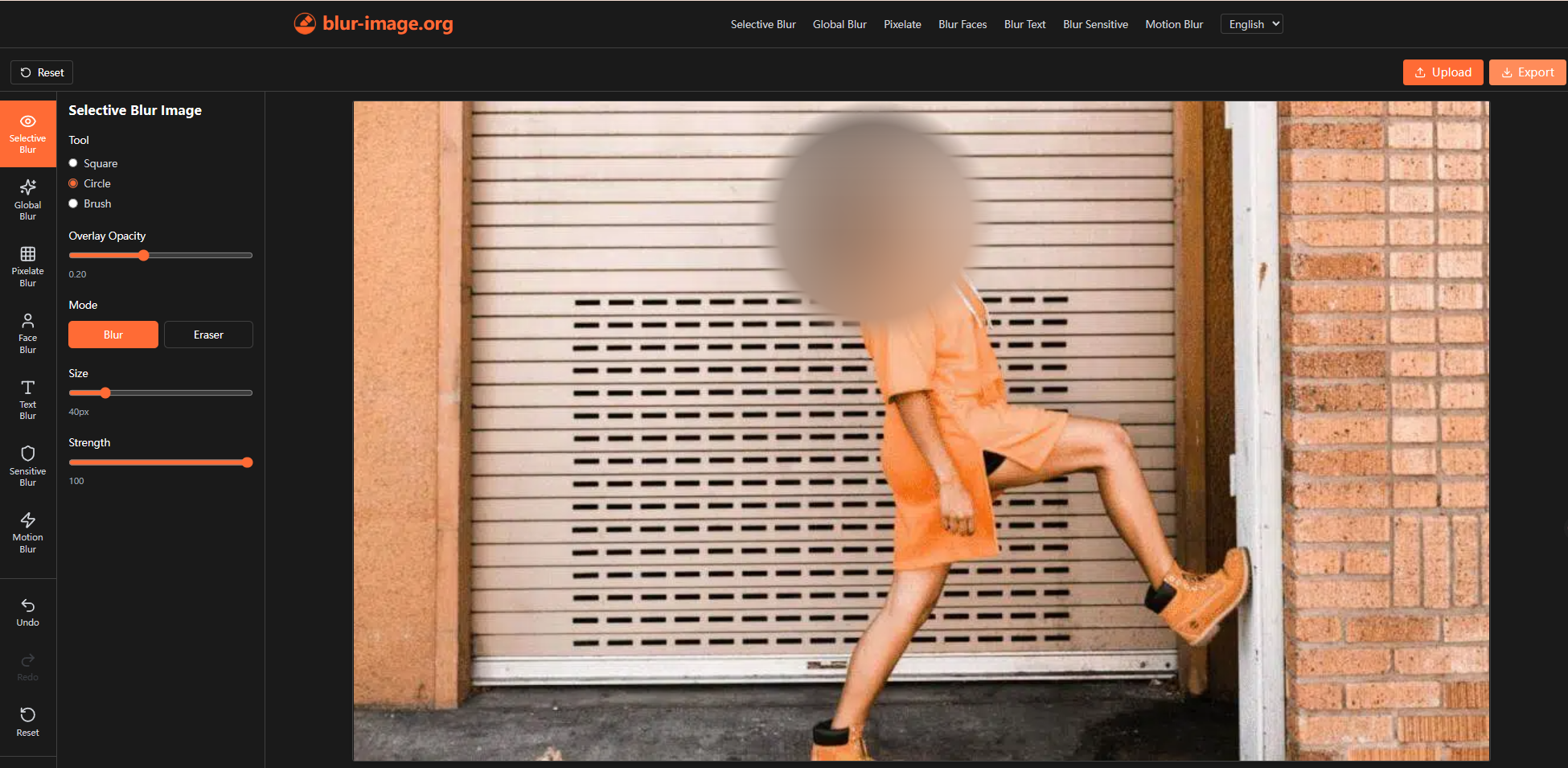
- Selective Blur — Manually control which areas stay sharp and which get blurred, with brush-based fine-tuning for depth-of-field effects and precise local redaction.
- Global Blur — Apply a unified blur across the entire image in one click, then use Eraser and Blur modes to restore clarity or add secondary blur.
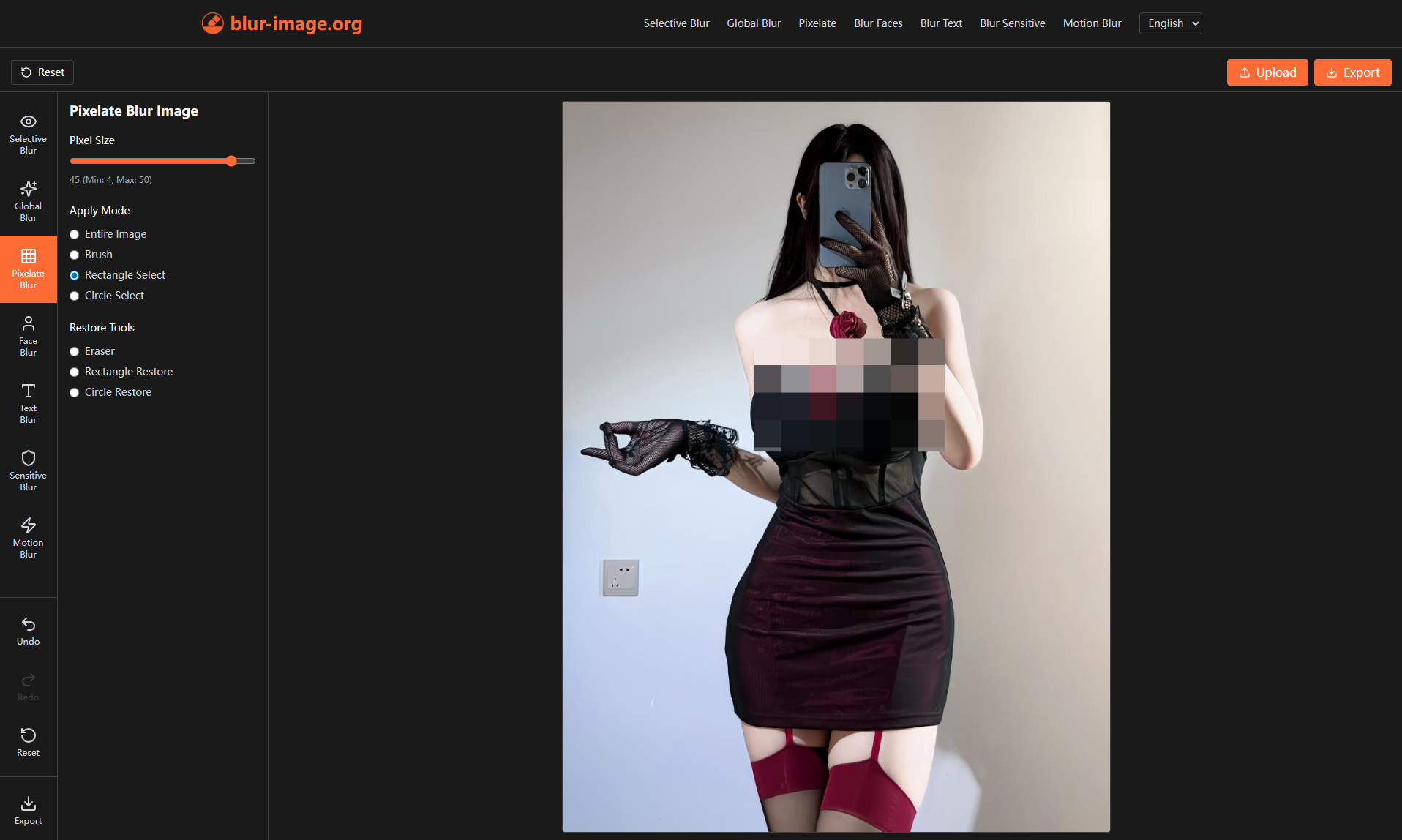
- Pixelate Blur — Turn selected areas into uniform blocks, with full-image, brush, or rectangular/circular selection modes and dedicated restore tools.
- Blur Faces — Automatically detect every face and blur them in one click, with manual drawing and erasing for extra precision.
- Blur Text — Automatically find and blur all text, offering three distinct blur styles with manual brush and eraser refinement.
- Blur Sensitive Info — Automatically detect and obscure credit card numbers, addresses, and personal identifiers, with Gaussian or Pixelate blur styles.
- Motion Blur — Adjust angle and distance to simulate movement, from subtle directional softening to high-speed streaking.
- Double Privacy Guarantee — AI cannot reverse the blur, and EXIF metadata is automatically removed on export.
- Non-Destructive Editing — Real-time preview with adjustable parameters; the original image is never altered.
- Full Customization — Control intensity, hardness, shape, iteration levels, overlay opacity, and more.
- Universal Access — Works in any modern browser (Chrome, Firefox, Safari, Edge) on desktop, tablet, or phone.
- Flexible Export — Save as JPG, PNG, or WebP, with EXIF removal on by default and optional retention.
Use Cases
- Everyday Users — Cover door numbers, license plates, faces, and chat records before posting to social media, second-hand marketplaces, or rental listings.
- Photographers & Creators — Create depth-of-field effects, emphasize subjects, add motion energy, or handle bystanders and sensitive elements in their work.
- Businesses & Professionals — Quickly redact contracts, financial reports, client data, and internal documents with batch processing and auto-detection.
- Legal & Medical Practitioners — Strictly obscure case materials, medical records, and evidence images; irreversible blur and EXIF removal support compliance.
- Media & Journalists — Protect interviewee identities, blur sensitive footage, and process on-site photos with face and text auto-detection.
- Education & Research — Anonymize questionnaires, transcripts, and interview records containing personal information for compliant data handling.
- Creative Design — Simulate movement and speed with Motion Blur for artistic and motion-graphic effects.

Comments

Premium Products













































Sponsors
Buy

Makers

Makers
Comments
Premium Products
New to Fazier?

Find your next favorite product or submit your own. Made by @FalakDigital.
Copyright ©2026. All Rights Reserved