
Block Dreamer
Describe a Minecraft build, get the blocks to place it
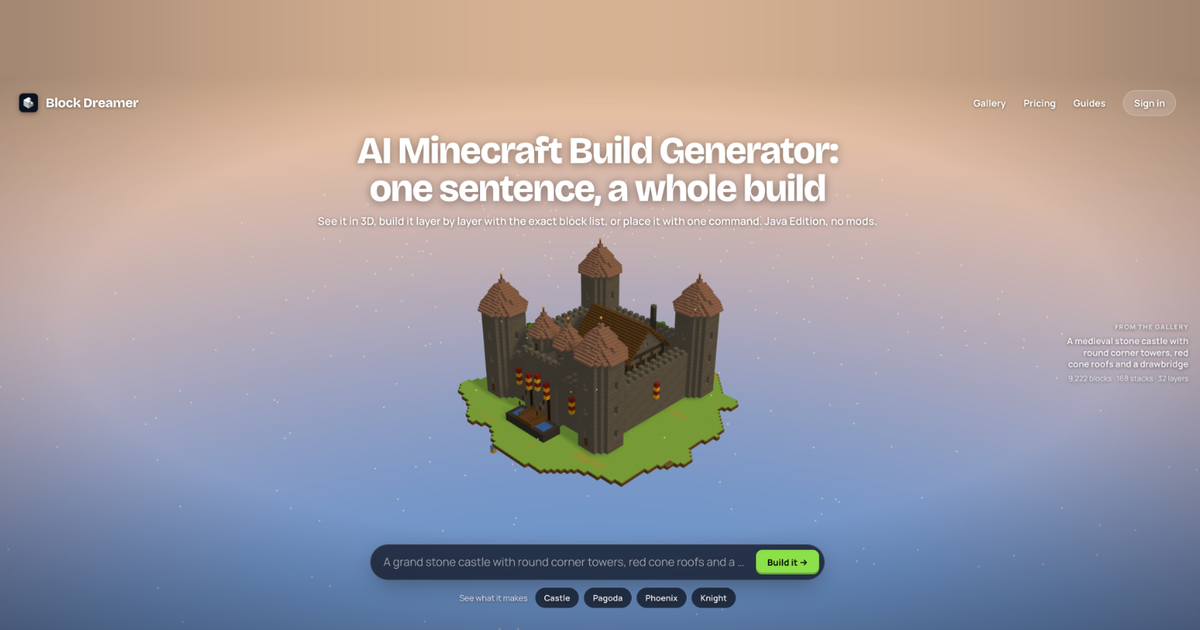
Block Dreamer is an AI Minecraft build generator. You describe one structure in plain words, such as a mossy stone castle, a Japanese pagoda or a kneeling knight, and it returns a Minecraft Java 1.21 build made of real blocks with their facing.
To put a build in your world, download the vanilla .mcfunction, drop it in a datapack and run one /function command: no mods or plugins, including on servers that don't allow them. The same build also downloads as a .litematic for Litematica and a .schem for WorldEdit. On Bedrock the files don't apply, so you build from the layer plan by hand.
It makes one structure per prompt. It does not make whole cities, terrain or redstone machines, and it can't build from an uploaded image yet.
A free account starts with free credits, and every gallery build is free to open with its prompt, blocks and downloads. After that, monthly plans and one-time credit packs pay for more builds.
Features
- Text to one Minecraft Java 1.21 structure
- Classic style: buildings with rooms, stairs and furniture, at the size you ask for
- Detailed 3D style: statues, creatures and landmarks carved from a 3D model
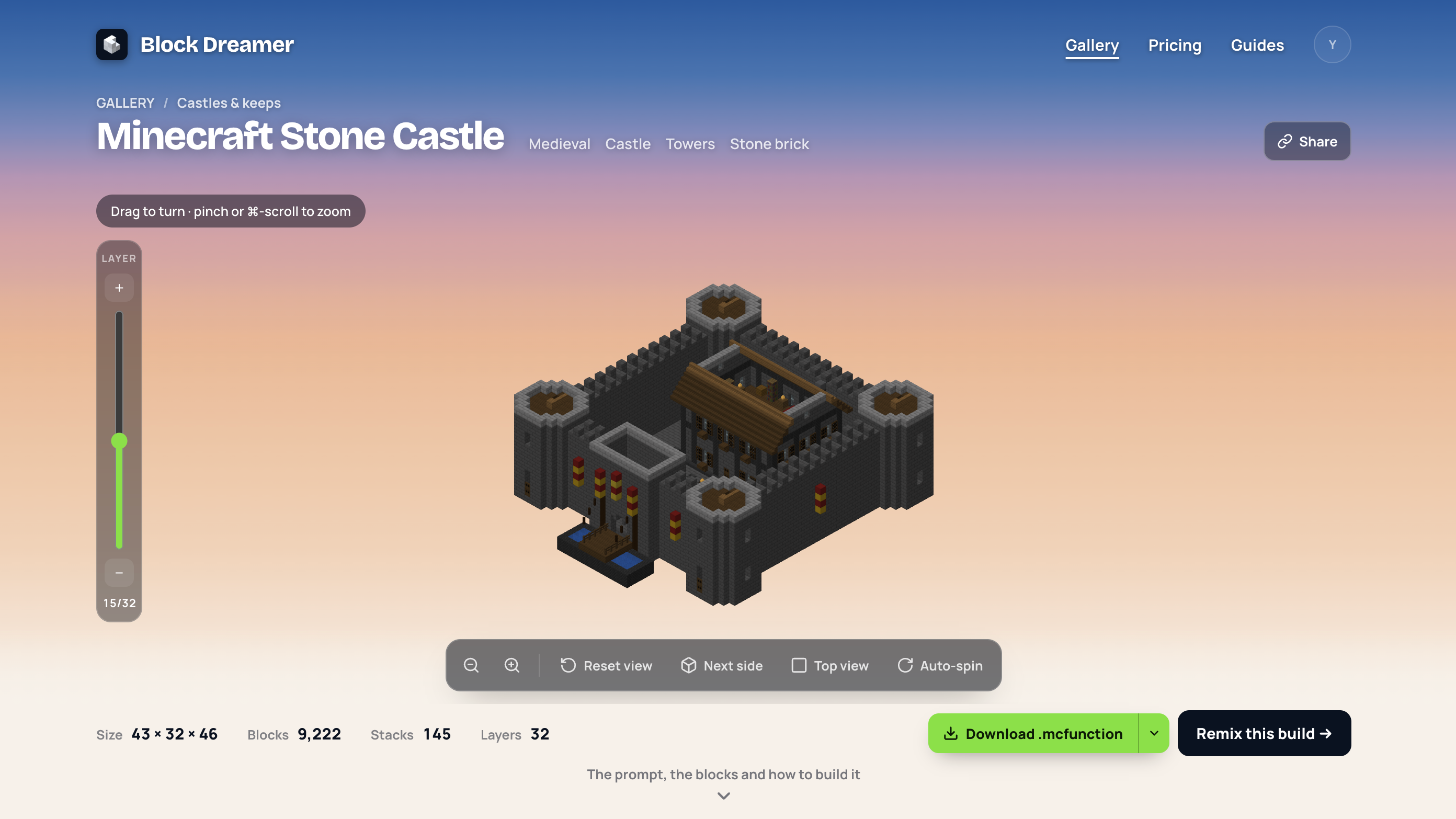
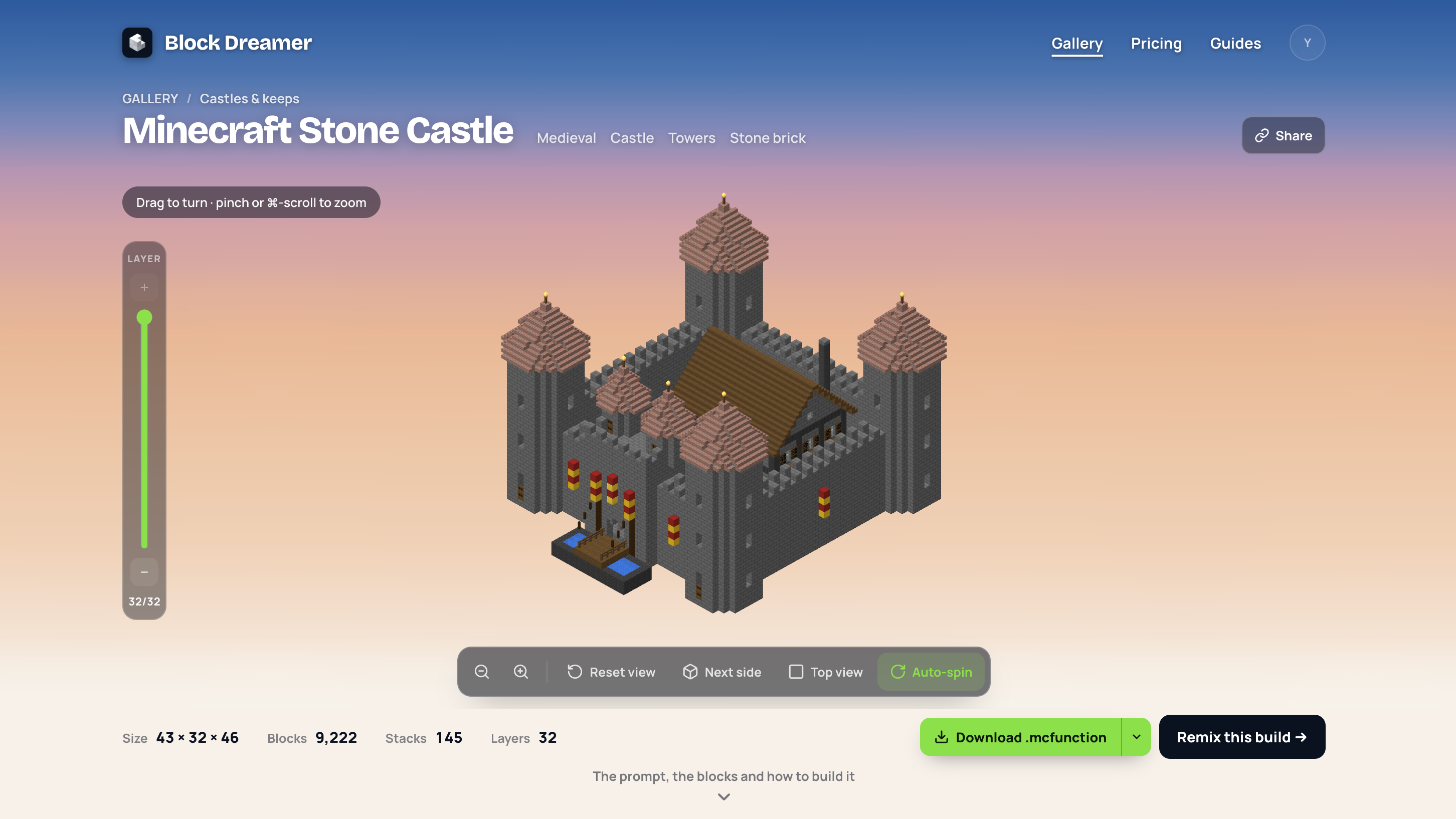
- Textured 3D preview you can turn, zoom and cut at any height
- Layer plan for building one level at a time
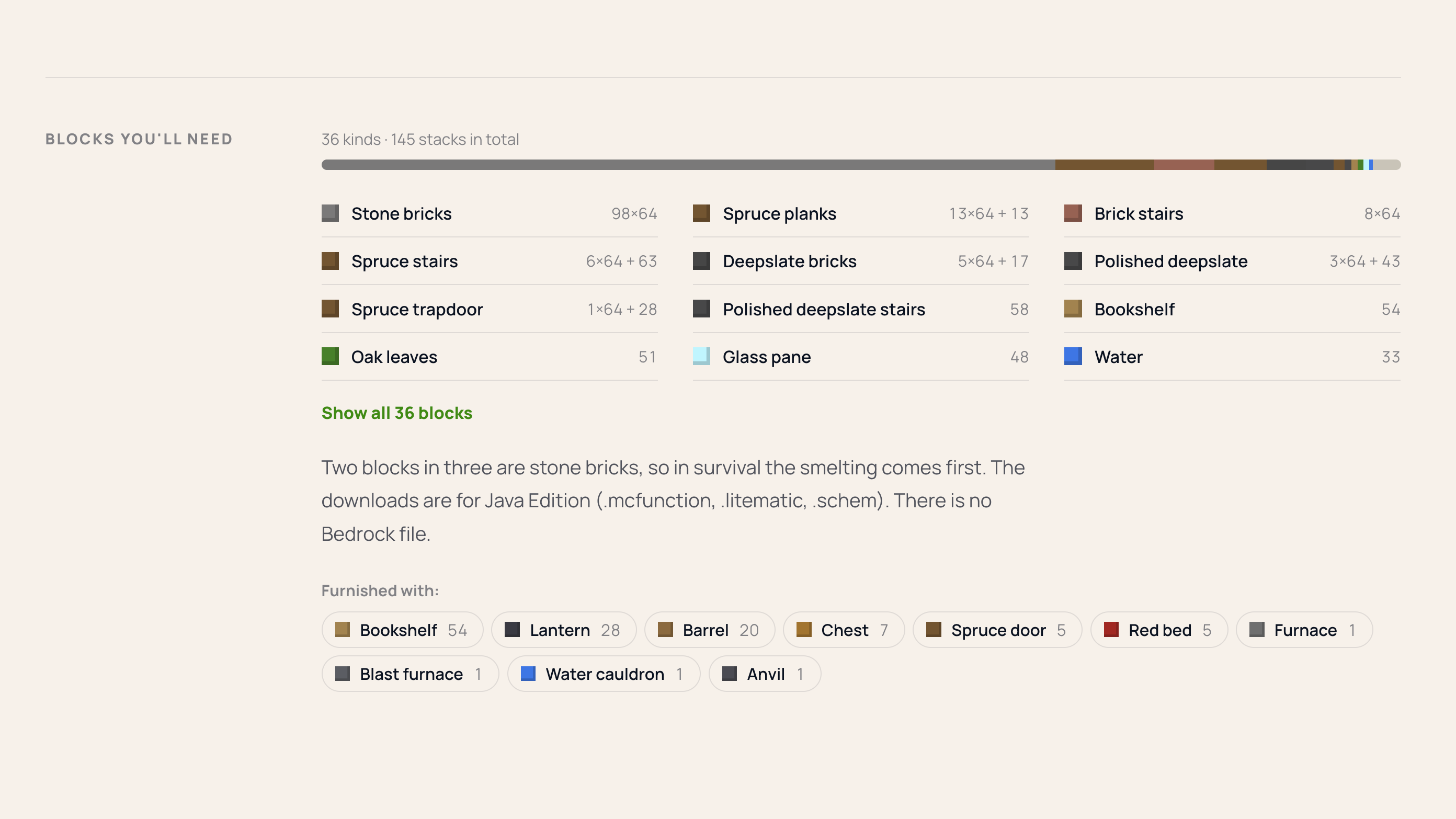
- Block list counted in stacks of 64
- Downloads: vanilla .mcfunction, .litematic and .schem
- Gallery builds free to open with their prompt, blocks and downloads
Use Cases
- Survival players: get a layer plan and a shopping list before gathering blocks
- Vanilla servers: place a build with one command where mods and plugins are not allowed
- Litematica and WorldEdit users: get a new design instead of a download from a library
- Statues and landmarks: carve a creature or monument from a 3D model
- Bedrock players: follow the layer plan by hand

Comments


Hi Fazier! Block Dreamer started from a simple gap: an AI picture of a castle looks great, but you can't place it in your world. So it turns one sentence into real blocks you can place in vanilla Minecraft Java with one command, plus a layer plan and a block list for building by hand. I'm a solo maker and it went live in September 2026. I'd love to hear what you would build first, and where the result falls short of what you pictured.


Being upfront that it makes one structure per prompt, and no terrain or redstone, sets expectations well. The vanilla .mcfunction route is the part I'd point people to: a lot of younger players are on servers or Realms where mods aren't allowed, so "one /function command" actually reaches them. Two questions: when you place a build, does it clear the space first, or merge with whatever terrain is there? And for Bedrock, have you looked at exporting a .mcstructure for a structure block? Many kids only play Bedrock, and that would save them building from the layer plan by hand.

This is a genuinely clever use of AI for gaming — describing a structure in plain words and getting a fully placeable Minecraft build is something that would have taken hours manually. The fact that it works as a vanilla .mcfunction with no mods or plugins, even on multiplayer servers, is a huge plus for accessibility. The Litematica and WorldEdit export support is also a nice touch for more advanced builders. Would love to see multi-structure support in a single prompt in future updates!
This is a genuinely clever use of AI for gaming — describing a structure in plain words and getting a fully placeable Minecraft build is something that would have taken hours manually. The fact that it works as a vanilla .mcfunction with no mods or plugins, even on multiplayer servers, is a huge plus for accessibility. The Litematica and WorldEdit export support is also a nice touch for more advanced builders. Would love to see multi-structure support in a single prompt in future updates!
This is a genuinely clever use of AI for gaming — describing a structure in plain words and getting a fully placeable Minecraft build is something that would have taken hours manually. The fact that it works as a vanilla .mcfunction with no mods or plugins, even on multiplayer servers, is a huge plus for accessibility. The Litematica and WorldEdit export support is also a nice touch for more advanced builders. Would love to see multi-structure support in a single prompt in future updates!
This is a genuinely clever use of AI for gaming — describing a structure in plain words and getting a fully placeable Minecraft build is something that would have taken hours manually. The fact that it works as a vanilla .mcfunction with no mods or plugins, even on multiplayer servers, is a huge plus for accessibility. The Litematica and WorldEdit export support is also a nice touch for more advanced builders. Would love to see multi-structure support in a single prompt in future updates!


The layer-by-layer breakdown paired with an exact block count in 64-item stacks is a lifesaver for survival mode. Usually, turning concept art or complex 3D statues into actual in-game blocks takes hours of trial and error. The 3D cut-preview feature definitely helps double-check interiors before building. Great job on shipping this!

Premium Products












































Sponsors
Buy
Makers
Makers
Comments
Hi Fazier! Block Dreamer started from a simple gap: an AI picture of a castle looks great, but you can't place it in your world. So it turns one sentence into real blocks you can place in vanilla Minecraft Java with one command, plus a layer plan and a block list for building by hand. I'm a solo maker and it went live in September 2026. I'd love to hear what you would build first, and where the result falls short of what you pictured.
Being upfront that it makes one structure per prompt, and no terrain or redstone, sets expectations well. The vanilla .mcfunction route is the part I'd point people to: a lot of younger players are on servers or Realms where mods aren't allowed, so "one /function command" actually reaches them. Two questions: when you place a build, does it clear the space first, or merge with whatever terrain is there? And for Bedrock, have you looked at exporting a .mcstructure for a structure block? Many kids only play Bedrock, and that would save them building from the layer plan by hand.
This is a genuinely clever use of AI for gaming — describing a structure in plain words and getting a fully placeable Minecraft build is something that would have taken hours manually. The fact that it works as a vanilla .mcfunction with no mods or plugins, even on multiplayer servers, is a huge plus for accessibility. The Litematica and WorldEdit export support is also a nice touch for more advanced builders. Would love to see multi-structure support in a single prompt in future updates!
This is a genuinely clever use of AI for gaming — describing a structure in plain words and getting a fully placeable Minecraft build is something that would have taken hours manually. The fact that it works as a vanilla .mcfunction with no mods or plugins, even on multiplayer servers, is a huge plus for accessibility. The Litematica and WorldEdit export support is also a nice touch for more advanced builders. Would love to see multi-structure support in a single prompt in future updates!
This is a genuinely clever use of AI for gaming — describing a structure in plain words and getting a fully placeable Minecraft build is something that would have taken hours manually. The fact that it works as a vanilla .mcfunction with no mods or plugins, even on multiplayer servers, is a huge plus for accessibility. The Litematica and WorldEdit export support is also a nice touch for more advanced builders. Would love to see multi-structure support in a single prompt in future updates!
This is a genuinely clever use of AI for gaming — describing a structure in plain words and getting a fully placeable Minecraft build is something that would have taken hours manually. The fact that it works as a vanilla .mcfunction with no mods or plugins, even on multiplayer servers, is a huge plus for accessibility. The Litematica and WorldEdit export support is also a nice touch for more advanced builders. Would love to see multi-structure support in a single prompt in future updates!
The layer-by-layer breakdown paired with an exact block count in 64-item stacks is a lifesaver for survival mode. Usually, turning concept art or complex 3D statues into actual in-game blocks takes hours of trial and error. The 3D cut-preview feature definitely helps double-check interiors before building. Great job on shipping this!
Premium Products
New to Fazier?

Find your next favorite product or submit your own. Made by @FalakDigital.
Copyright ©2026. All Rights Reserved