BillDesk
Offline invoicing & time tracking for freelancers. No Sub.
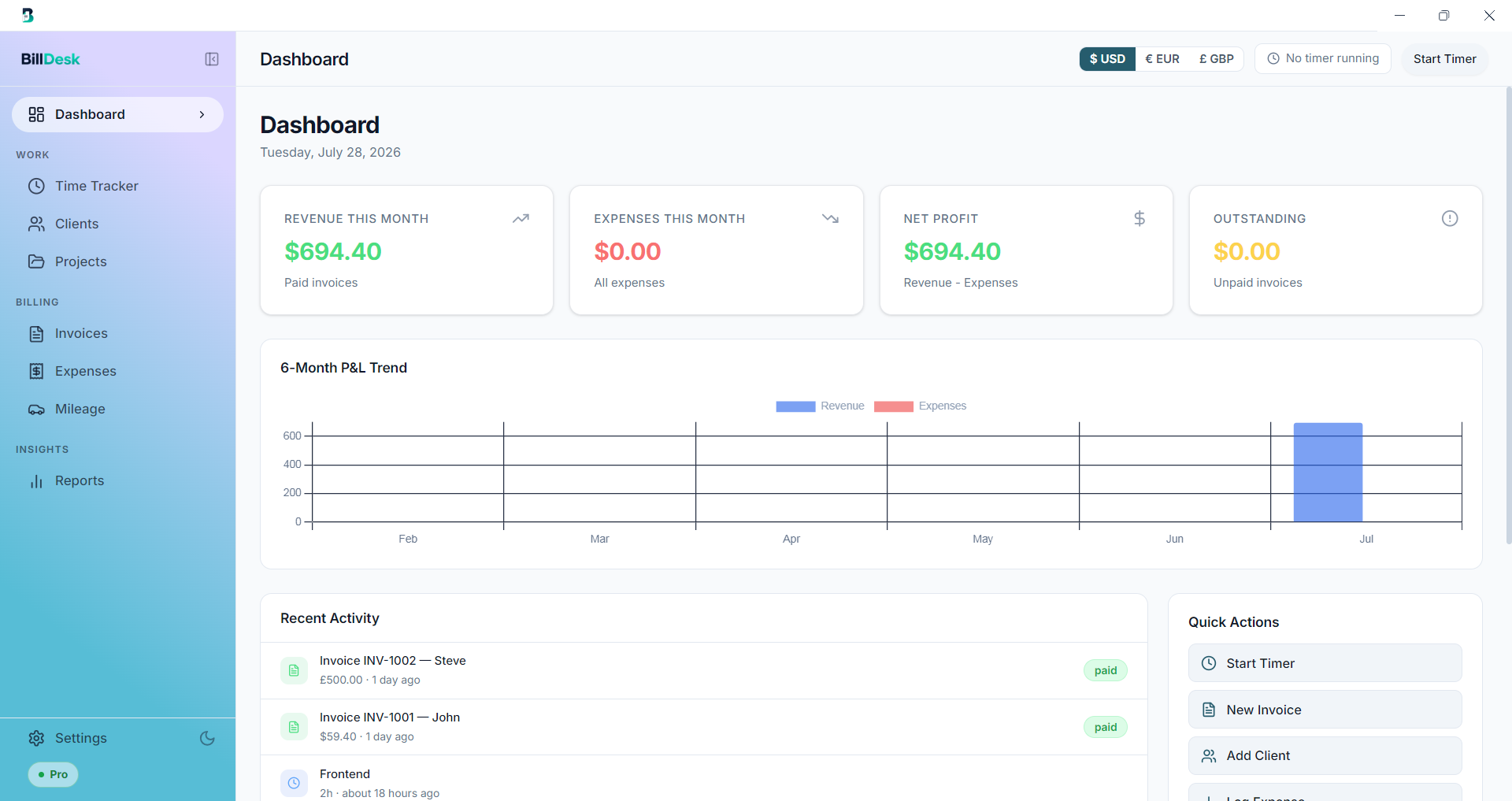
▎ BillDesk is an offline desktop app for freelancers to send professional invoices, track billable time, log expenses & mileage, and view reports — on Windows & Mac. One-time purchase, no subscription.
Features
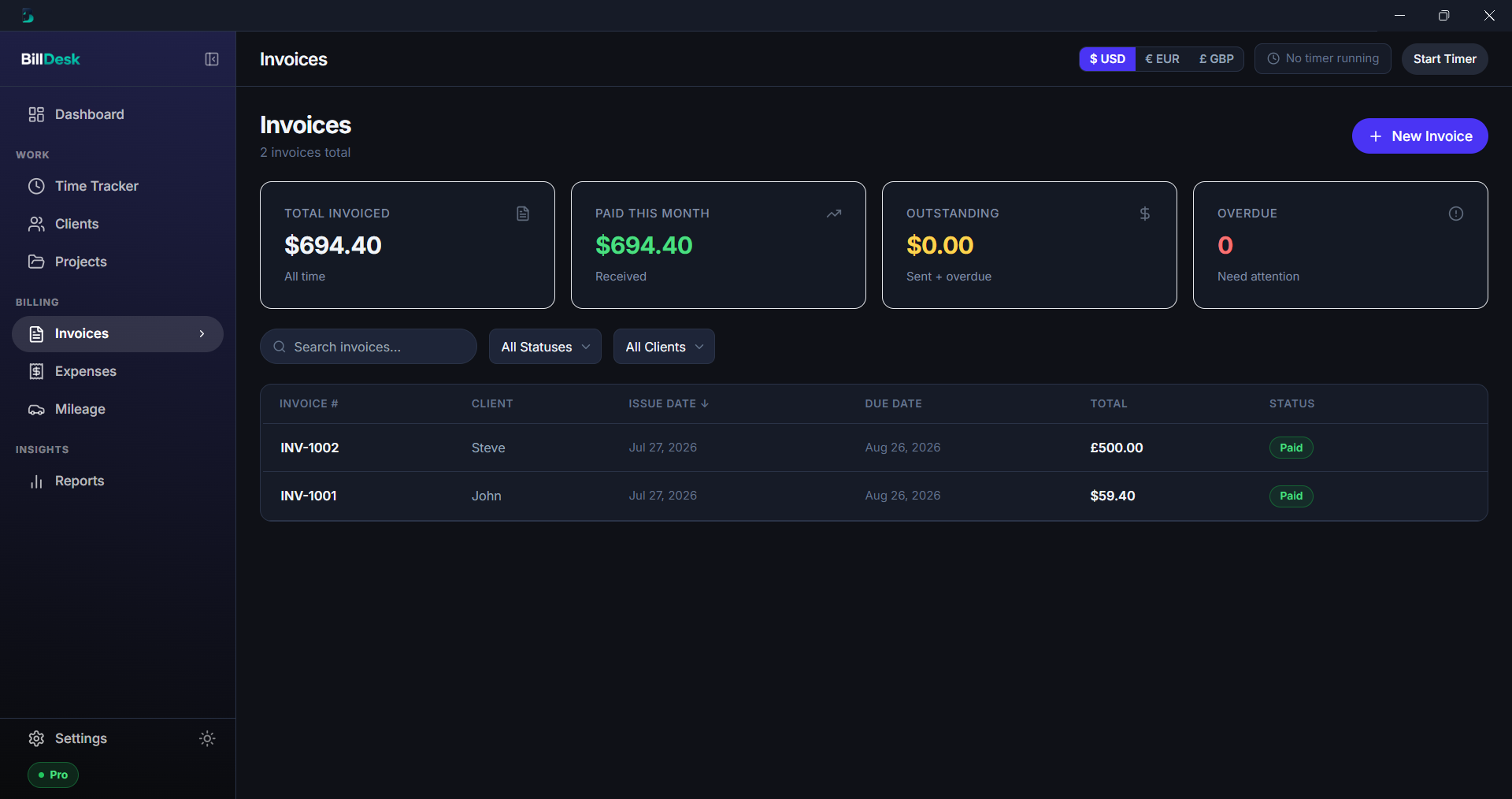
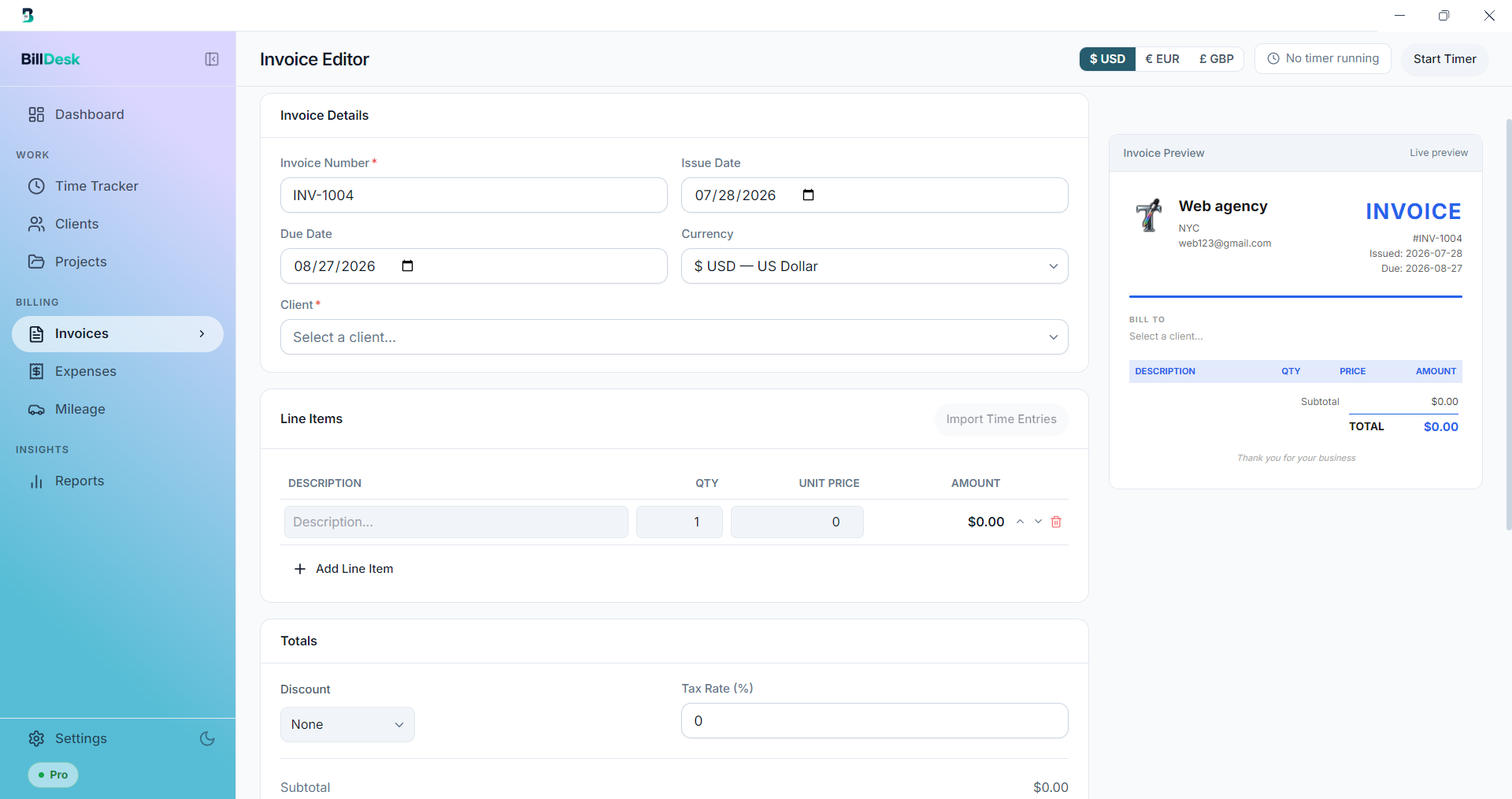
- Professional PDF invoices — create and export polished invoices in seconds
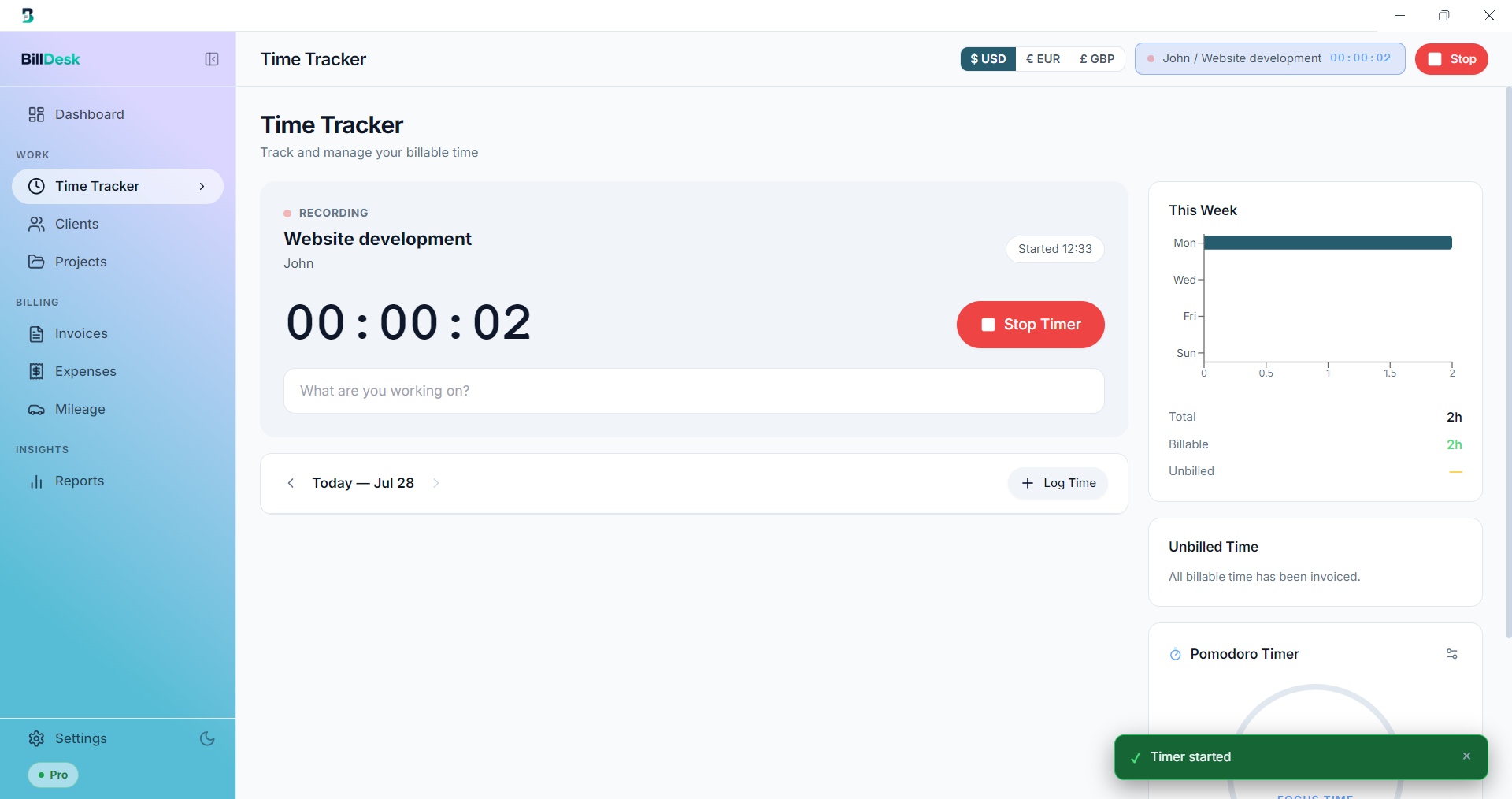
- Time tracking — log billable hours against clients and projects
- Hourly & fixed-price projects — bill either way, each in its own currency
- Expense & mileage tracking — with tax-deductible totals ready for tax season
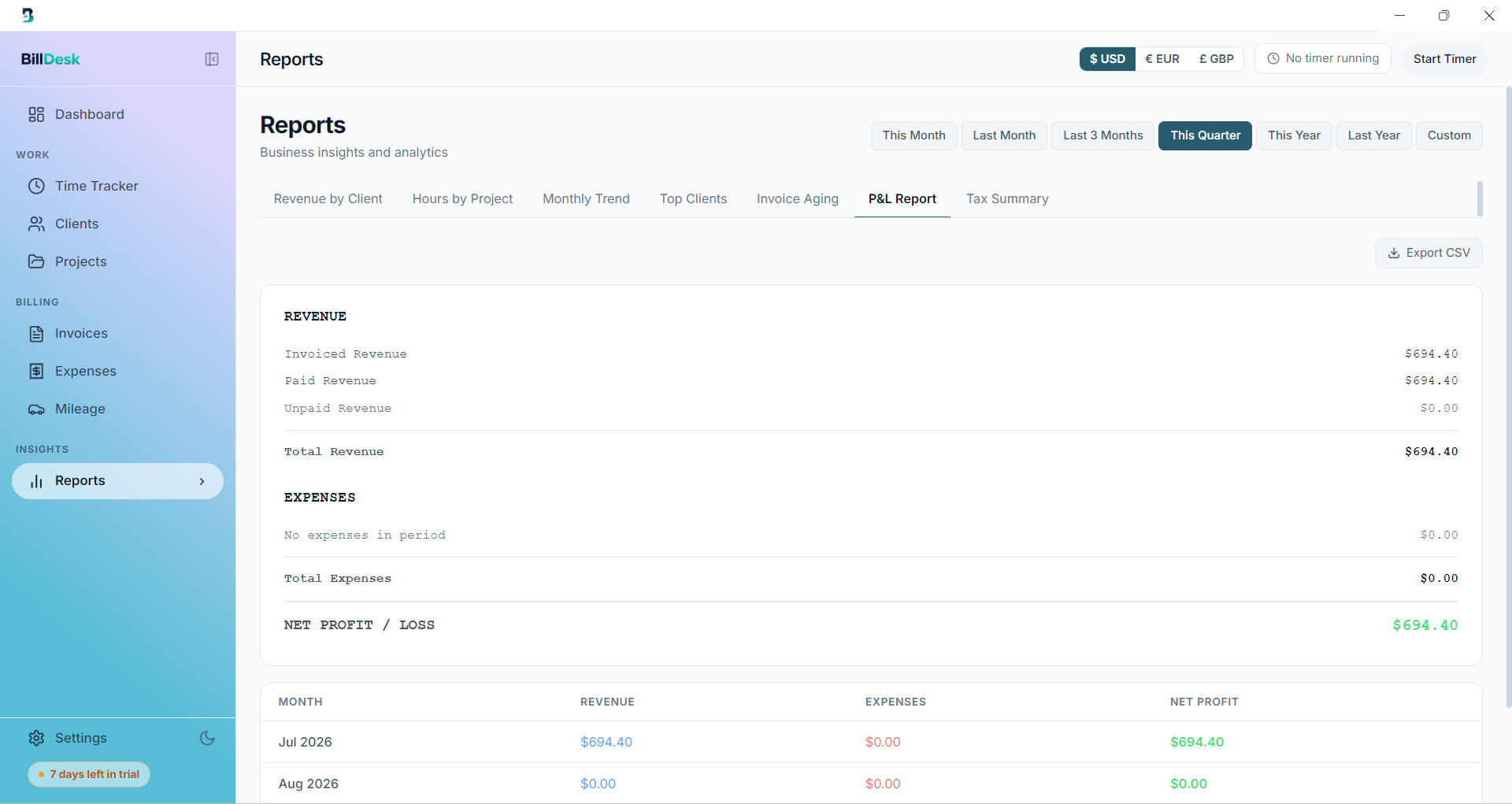
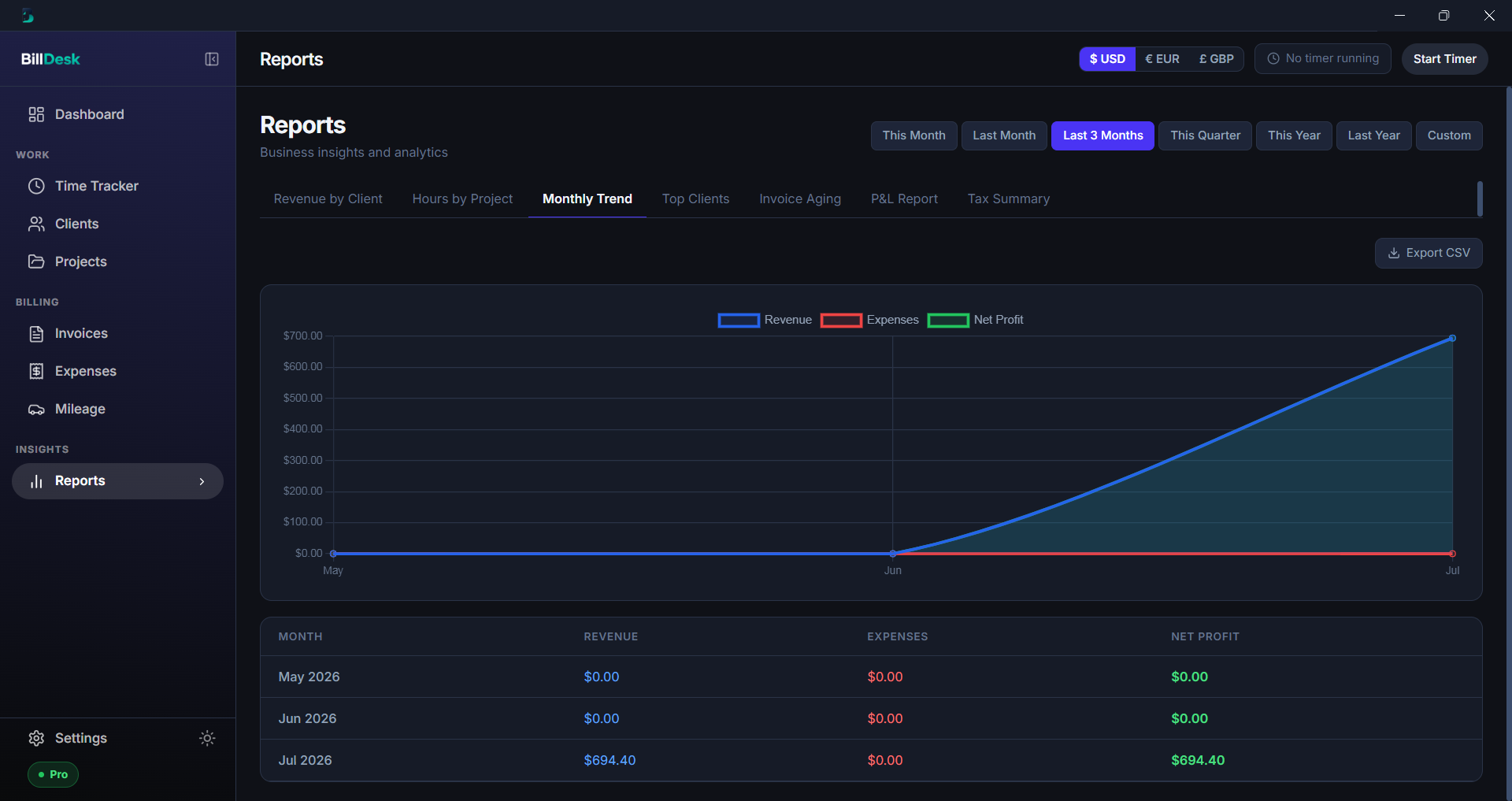
- Financial reports — profit & loss, revenue by client, and invoice aging at a glance
- Client management — all client details, rates, and billing history in one place
- Multi-currency support — work in USD, EUR, and GBP
- 100% offline & private — data stored locally in SQLite; nothing ever leaves your device
- Windows & macOS — native desktop app for both platforms
- One-time purchase — pay once, own it forever; no subscription (7-day free trial)
Use Cases
- Freelancers invoicing clients and getting paid without a monthly subscription
- Consultants & agencies tracking billable hours across multiple client projects
- Designers, developers & writers sending professional PDF invoices in their own currency
- Privacy-conscious professionals who want their financial data stored locally, never in the cloud
- Anyone billing internationally who needs USD, EUR, or GBP on their invoices
- Self-employed people logging expenses and mileage for tax-deductible totals at year-end
- Small businesses managing clients, invoices, and finances from one offline desktop app
- People switching from FreshBooks/Wave/QuickBooks who are tired of recurring fees and cloud lock-in

Comments


▎ Hey! 👋 I'm the maker of BillDesk. I built it because I was tired of invoicing tools that charge freelancers a monthly subscription forever and keep your financial data in the cloud. BillDesk is a 100% offline desktop app (Windows & Mac) for invoices, time tracking, expenses, and reports — you get to use full app for free for 7 days and then if you like it then, pay once, own it for life, and your data never leaves your machine. Would love your honest feedback, and happy to answer anything! 🙏


One-time purchase for invoicing is a genuinely differentiated position — a solo freelancer billing a handful of clients a month has no business paying a monthly SaaS fee forever, and that alone will win you switchers. Keeping it offline on Windows and Mac also removes the "where is my client data stored" conversation entirely. My only suggestion: make the mileage and expense logging visible earlier in the pitch, because that's the part most invoice tools make you bolt on separately.
The local SQLite store is the reason this is useful. Invoice tools that live in someone else's SaaS mean your client list and unpaid invoices disappear if you miss a month, which is a real problem for a freelancer who invoices in bursts. One-time desktop plus PDF export is the boring combination that actually survives a tax year. Would be even more useful if the aging report flagged invoices that have been sitting past the client's usual pay window, not just a calendar due date.

Time tracking — log billable hours against clients and projects https://www.epass.com.co

Offline plus one time purchase is a good fit for this audience, and the local SQLite detail will land with the privacy conscious crowd. One thing worth calling out on the page is how the PDF invoices actually get generated. If it's a bundled browser engine doing HTML to PDF, that shows up both as install size and as invoices that render slightly differently between app versions. A direct PDF writer keeps the binary small and the output stable, which matters the first time a client disputes an invoice and you regenerate it a year later and want the same document back. Related gotcha: embed the font that carries your currency glyphs. Unembedded currency symbols are a classic way for a PDF to look right on your machine and break on the client's.

The one-time-purchase-plus-local-SQLite angle is a strong pitch for freelancers tired of invoicing tools that are really subscription hostages. One workflow question: for a client you bill the same way every month (same rate structure, same line items), can you save an invoice as a reusable template, or does each one get rebuilt from the time log? That distinction is usually what decides whether people open an invoicing tool every month or only when a new client shows up.

The offline-first, one-time-purchase angle is the right call for this audience - I build job management software for tradies and the same "why am I paying monthly for something I use twice a week" resentment shows up constantly with invoicing tools. Question on the invoice-aging report: does it flag which specific invoices are overdue and by how long, or is it more of a totals view? For freelancers the actual money-maker feature is usually "who owes me and for how long", since that's what turns into an awkward follow-up text - a bit of a passive/active distinction that's easy to get wrong.
Premium Products












































Sponsors
Buy

Makers
Makers
Comments
▎ Hey! 👋 I'm the maker of BillDesk. I built it because I was tired of invoicing tools that charge freelancers a monthly subscription forever and keep your financial data in the cloud. BillDesk is a 100% offline desktop app (Windows & Mac) for invoices, time tracking, expenses, and reports — you get to use full app for free for 7 days and then if you like it then, pay once, own it for life, and your data never leaves your machine. Would love your honest feedback, and happy to answer anything! 🙏
One-time purchase for invoicing is a genuinely differentiated position — a solo freelancer billing a handful of clients a month has no business paying a monthly SaaS fee forever, and that alone will win you switchers. Keeping it offline on Windows and Mac also removes the "where is my client data stored" conversation entirely. My only suggestion: make the mileage and expense logging visible earlier in the pitch, because that's the part most invoice tools make you bolt on separately.
The local SQLite store is the reason this is useful. Invoice tools that live in someone else's SaaS mean your client list and unpaid invoices disappear if you miss a month, which is a real problem for a freelancer who invoices in bursts. One-time desktop plus PDF export is the boring combination that actually survives a tax year. Would be even more useful if the aging report flagged invoices that have been sitting past the client's usual pay window, not just a calendar due date.
Time tracking — log billable hours against clients and projects https://www.epass.com.co
Offline plus one time purchase is a good fit for this audience, and the local SQLite detail will land with the privacy conscious crowd. One thing worth calling out on the page is how the PDF invoices actually get generated. If it's a bundled browser engine doing HTML to PDF, that shows up both as install size and as invoices that render slightly differently between app versions. A direct PDF writer keeps the binary small and the output stable, which matters the first time a client disputes an invoice and you regenerate it a year later and want the same document back. Related gotcha: embed the font that carries your currency glyphs. Unembedded currency symbols are a classic way for a PDF to look right on your machine and break on the client's.
The one-time-purchase-plus-local-SQLite angle is a strong pitch for freelancers tired of invoicing tools that are really subscription hostages. One workflow question: for a client you bill the same way every month (same rate structure, same line items), can you save an invoice as a reusable template, or does each one get rebuilt from the time log? That distinction is usually what decides whether people open an invoicing tool every month or only when a new client shows up.
The offline-first, one-time-purchase angle is the right call for this audience - I build job management software for tradies and the same "why am I paying monthly for something I use twice a week" resentment shows up constantly with invoicing tools. Question on the invoice-aging report: does it flag which specific invoices are overdue and by how long, or is it more of a totals view? For freelancers the actual money-maker feature is usually "who owes me and for how long", since that's what turns into an awkward follow-up text - a bit of a passive/active distinction that's easy to get wrong.
Premium Products
New to Fazier?

Find your next favorite product or submit your own. Made by @FalakDigital.
Copyright ©2026. All Rights Reserved