
Battery Health Lab
Free Windows battery report checker, runs in your browser
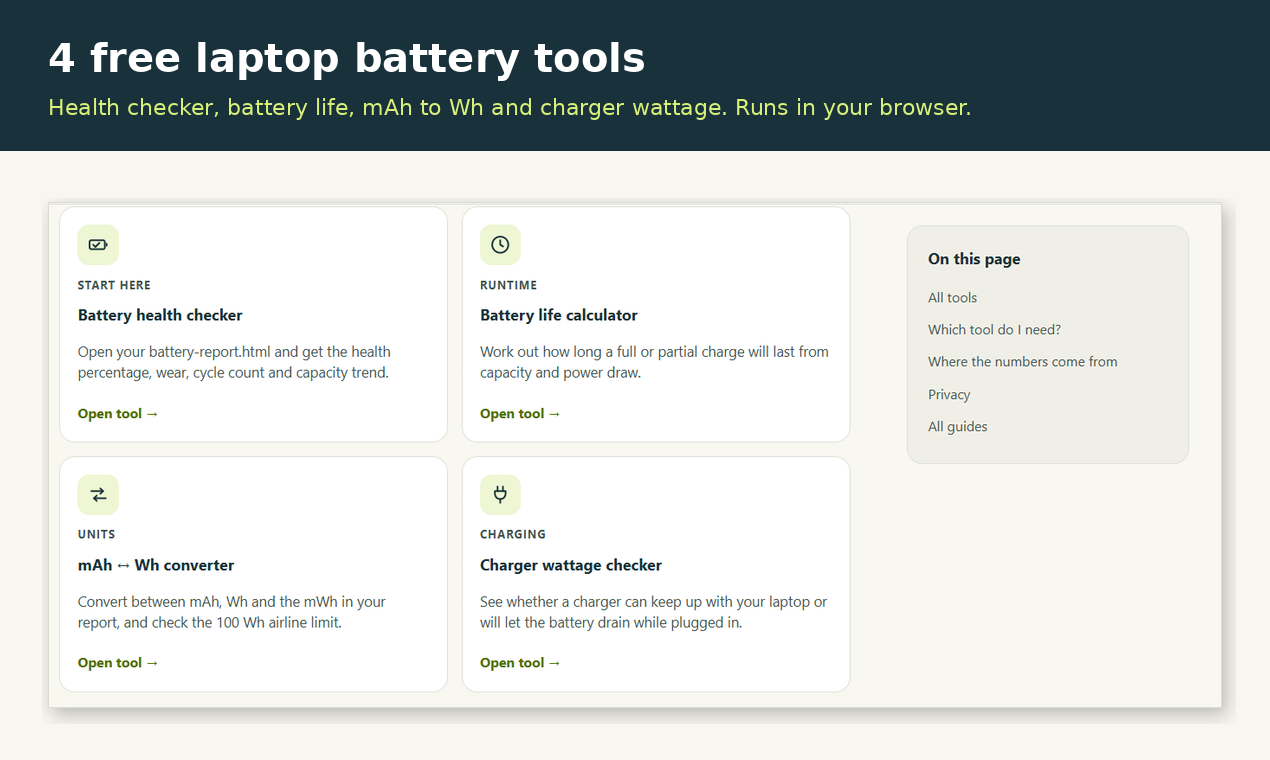
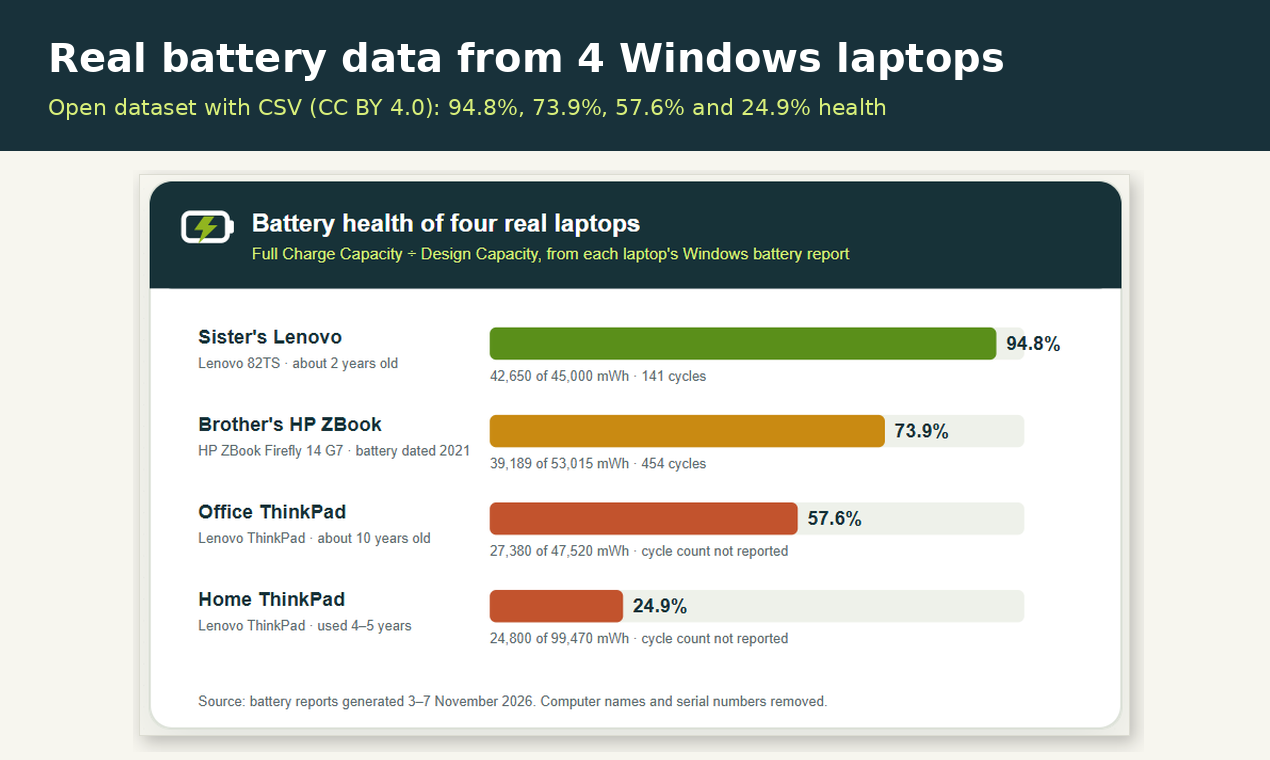
Windows can create a detailed battery report with one command (powercfg /batteryreport), but the HTML file is long and hard to read. Battery Health Lab parses it in your browser and shows battery health %, capacity wear, cycle count and the capacity history trend. Nothing is uploaded and there is no sign-up. It also includes three small calculators and real battery report data from four Windows laptops.
Features
- Reads battery-report.html locally in the browser, no upload
- Battery health %, capacity wear, cycle count and capacity history
- Manual mode: enter Design and Full Charge Capacity
- Battery life calculator from capacity and real power draw
- mAh to Wh converter with the 100 Wh airline check
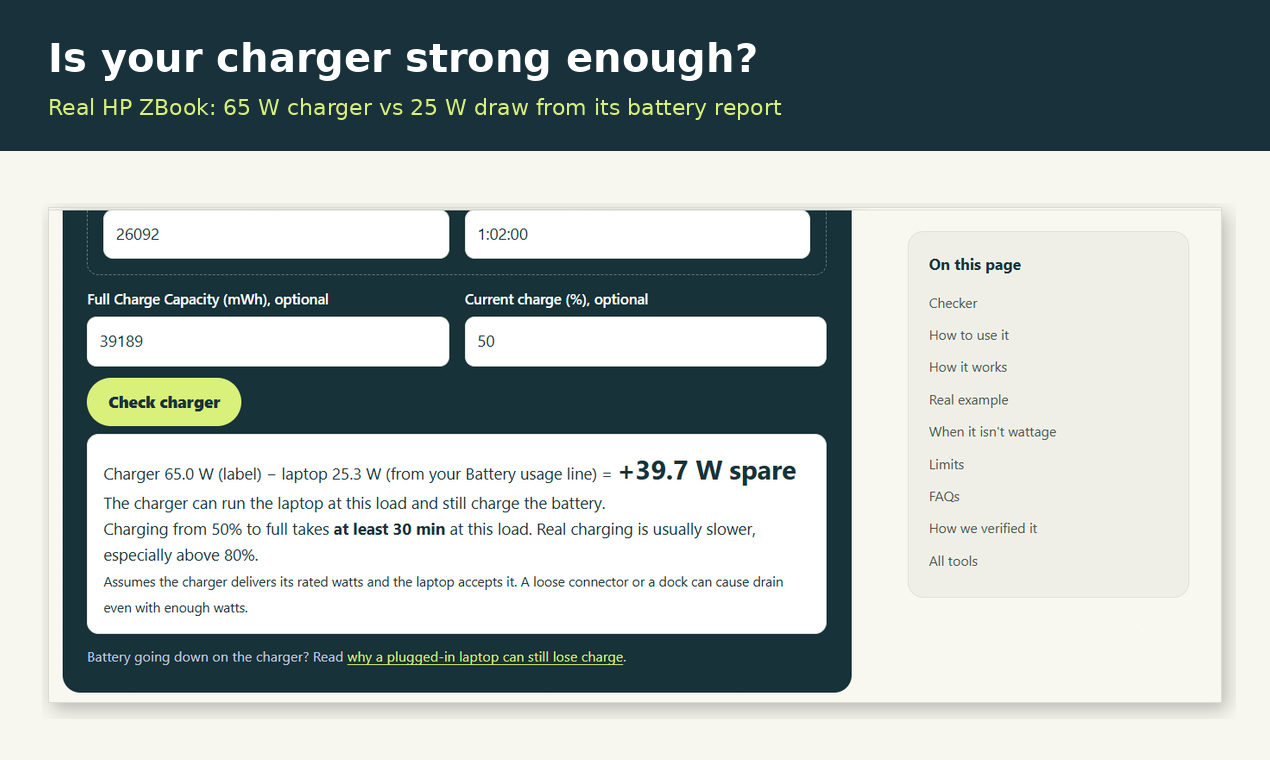
- Charger wattage checker for drain while plugged in
- Open data from four real laptops with a CSV (CC BY 4.0)
Use Cases
- Check if a laptop battery is worn out before replacing it
- Inspect a used laptop before buying it
- Compare a replacement battery with the original capacity
- Find out why a laptop loses charge while plugged in
- Check whether a spare battery is under the airline limit

Comments


Hi Fazier! I built Battery Health Lab after trying to read the battery-report.html that Windows creates with powercfg /batteryreport on my own laptops. The data is useful, but the page is long and some values are confusing or simply wrong. The checker reads the report in your browser (nothing is uploaded) and shows health %, wear, cycle count and the capacity trend. I also added three small calculators (battery life, mAh to Wh, charger wattage) and published the real numbers from four family laptops as a CSV. I'd love to hear where the parsing breaks on your laptop, especially on non-English Windows.
Premium Products






















































Sponsors
Buy

Makers
Makers
Comments
Hi Fazier! I built Battery Health Lab after trying to read the battery-report.html that Windows creates with powercfg /batteryreport on my own laptops. The data is useful, but the page is long and some values are confusing or simply wrong. The checker reads the report in your browser (nothing is uploaded) and shows health %, wear, cycle count and the capacity trend. I also added three small calculators (battery life, mAh to Wh, charger wattage) and published the real numbers from four family laptops as a CSV. I'd love to hear where the parsing breaks on your laptop, especially on non-English Windows.
Premium Products
New to Fazier?

Find your next favorite product or submit your own. Made by @FalakDigital.
Copyright ©2026. All Rights Reserved