Barside replaces a stack of paid apps with one free desktop app for Windows, Mac and Linux. Your library lives on your computer, and notes work without an account.
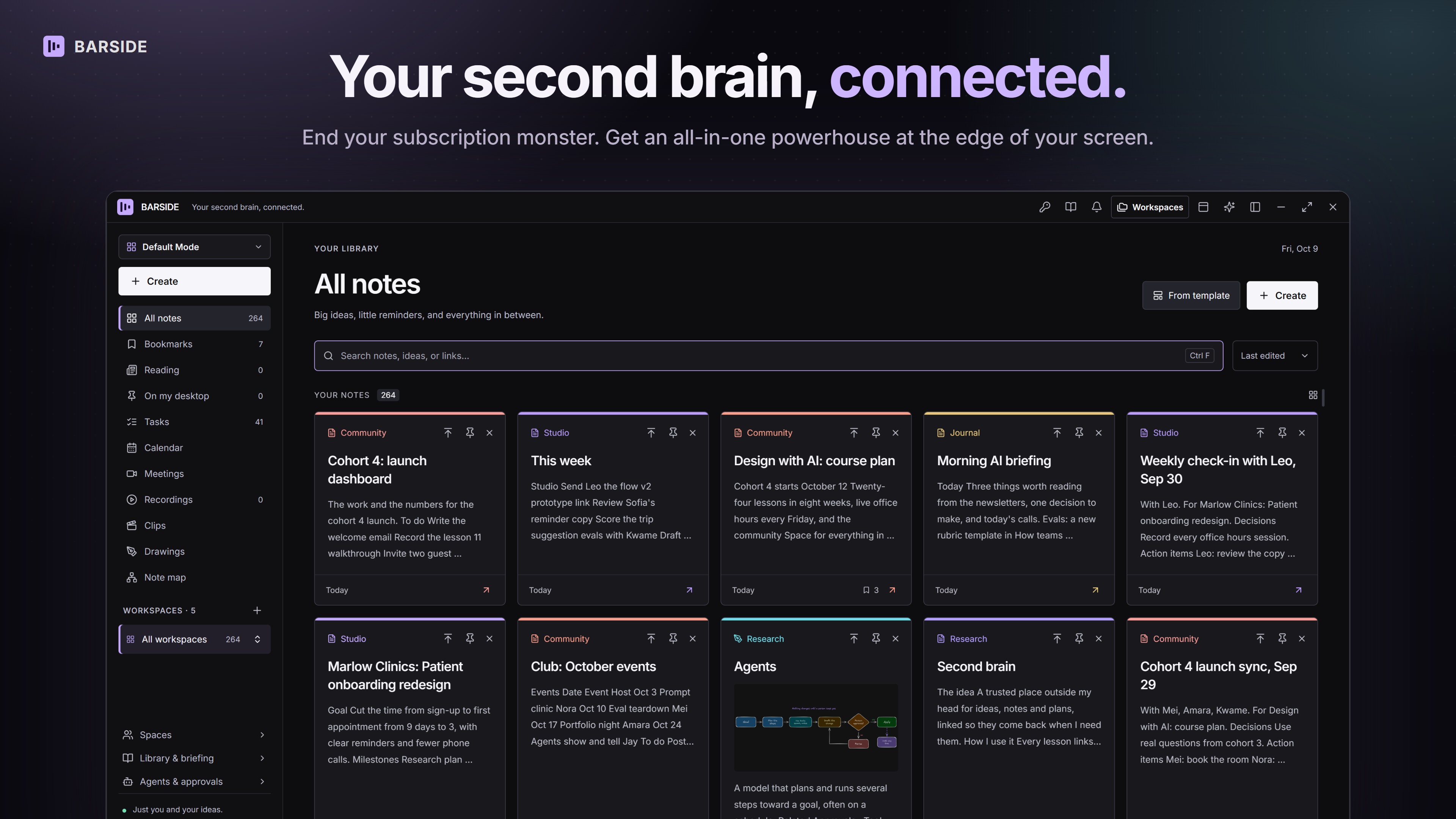
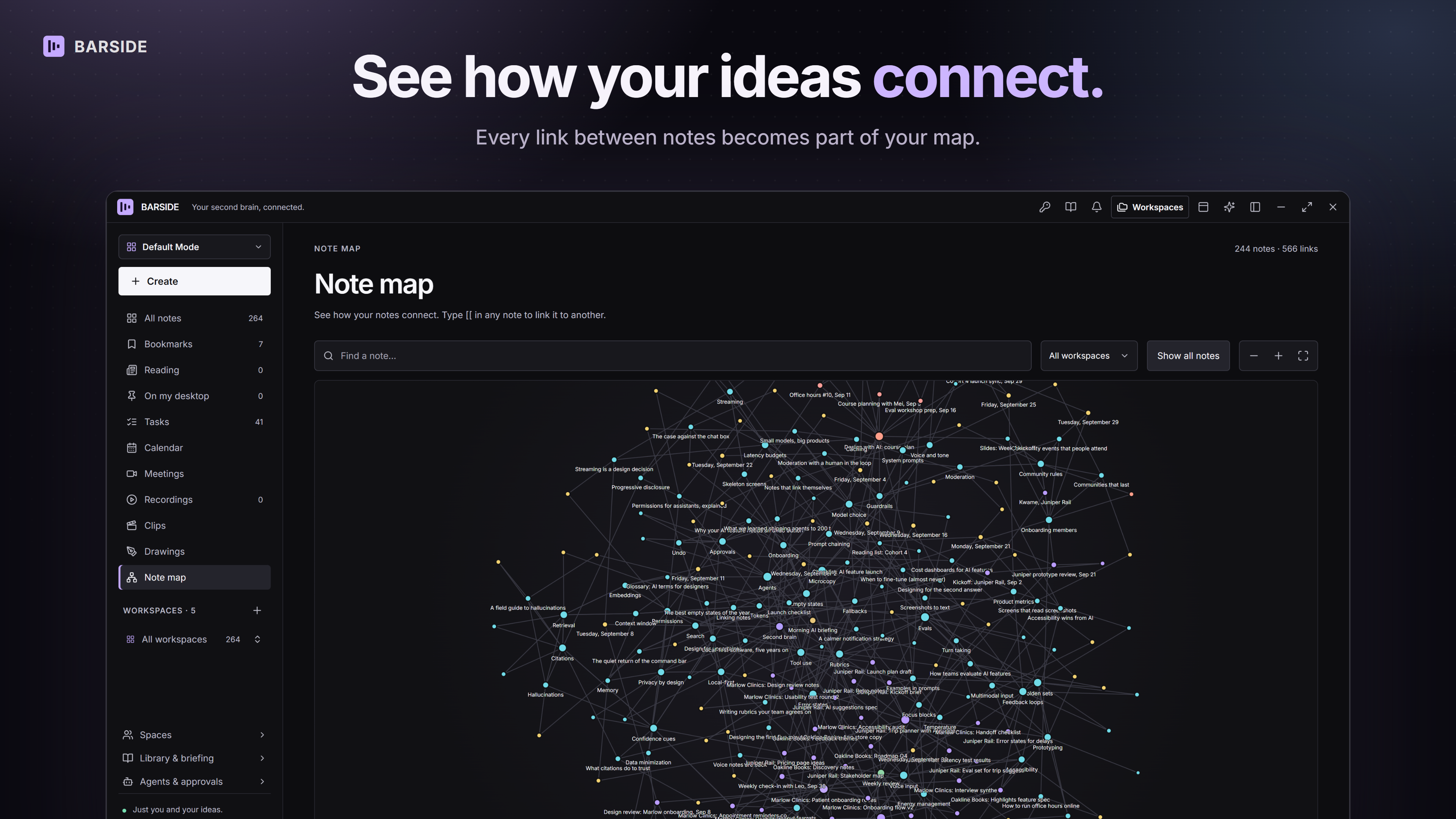
- Second brain: linked notes, a Note map, drawings, kanban boards, tables and charts. Import from Notion, Obsidian or Evernote.
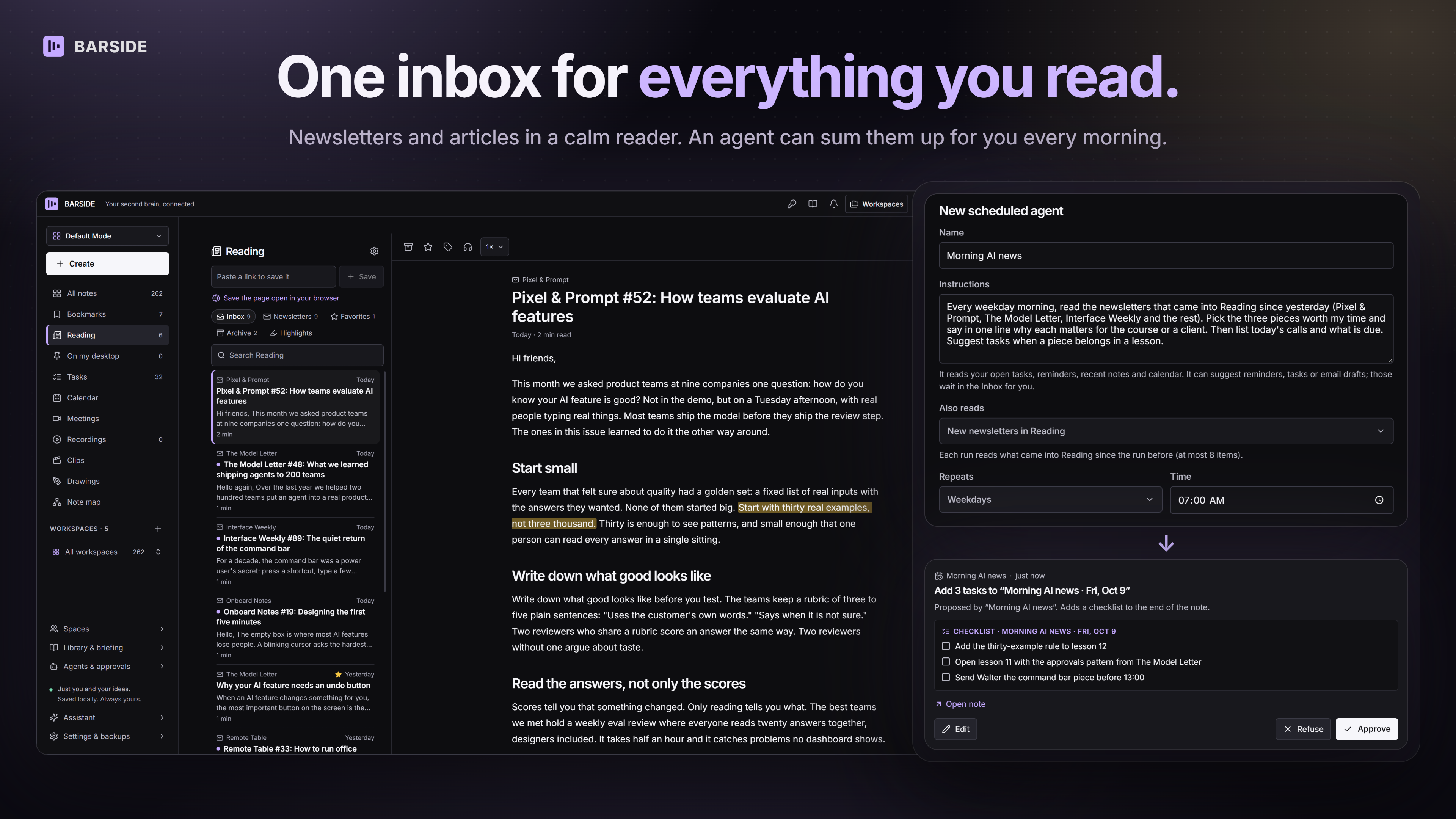
- Tasks and reading: every checklist on one board with reminders, plus one inbox for articles and newsletters.
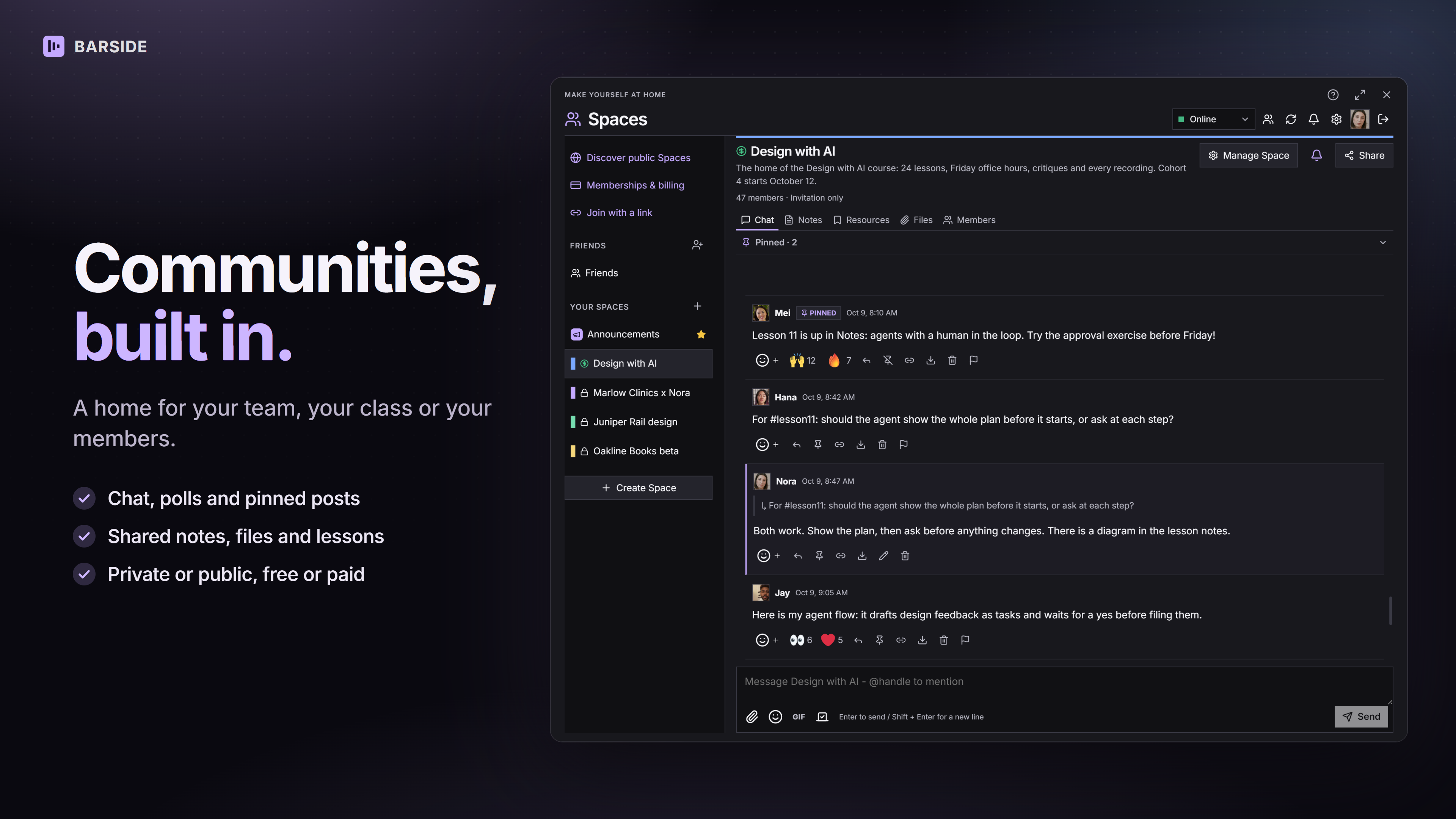
- Spaces: run a team room or a community with chat, polls, shared notes and files. Keep it free or charge for access.
- Meetings and recording: video calls with live captions, screen recording into notes, and short clips with captions.
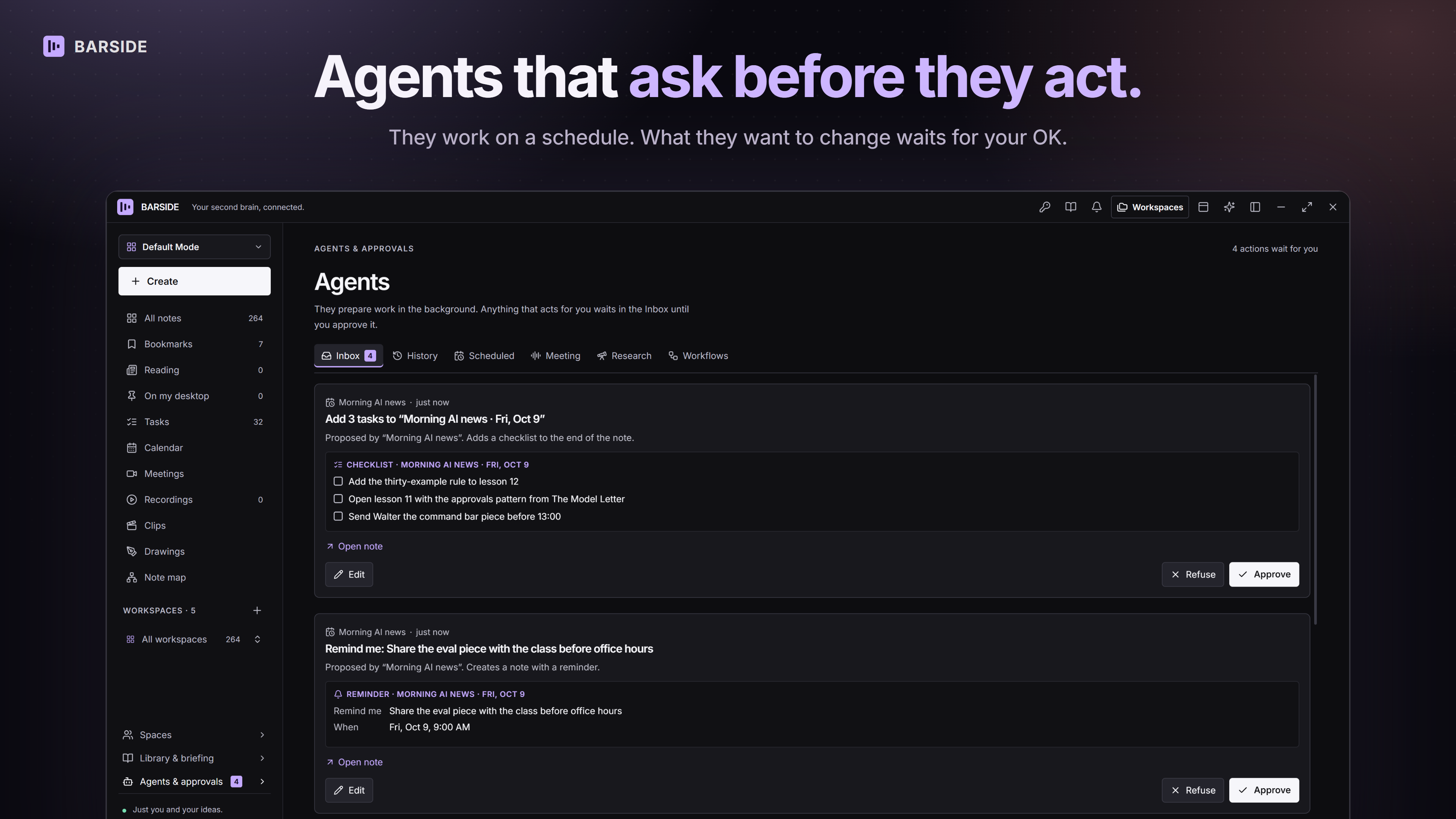
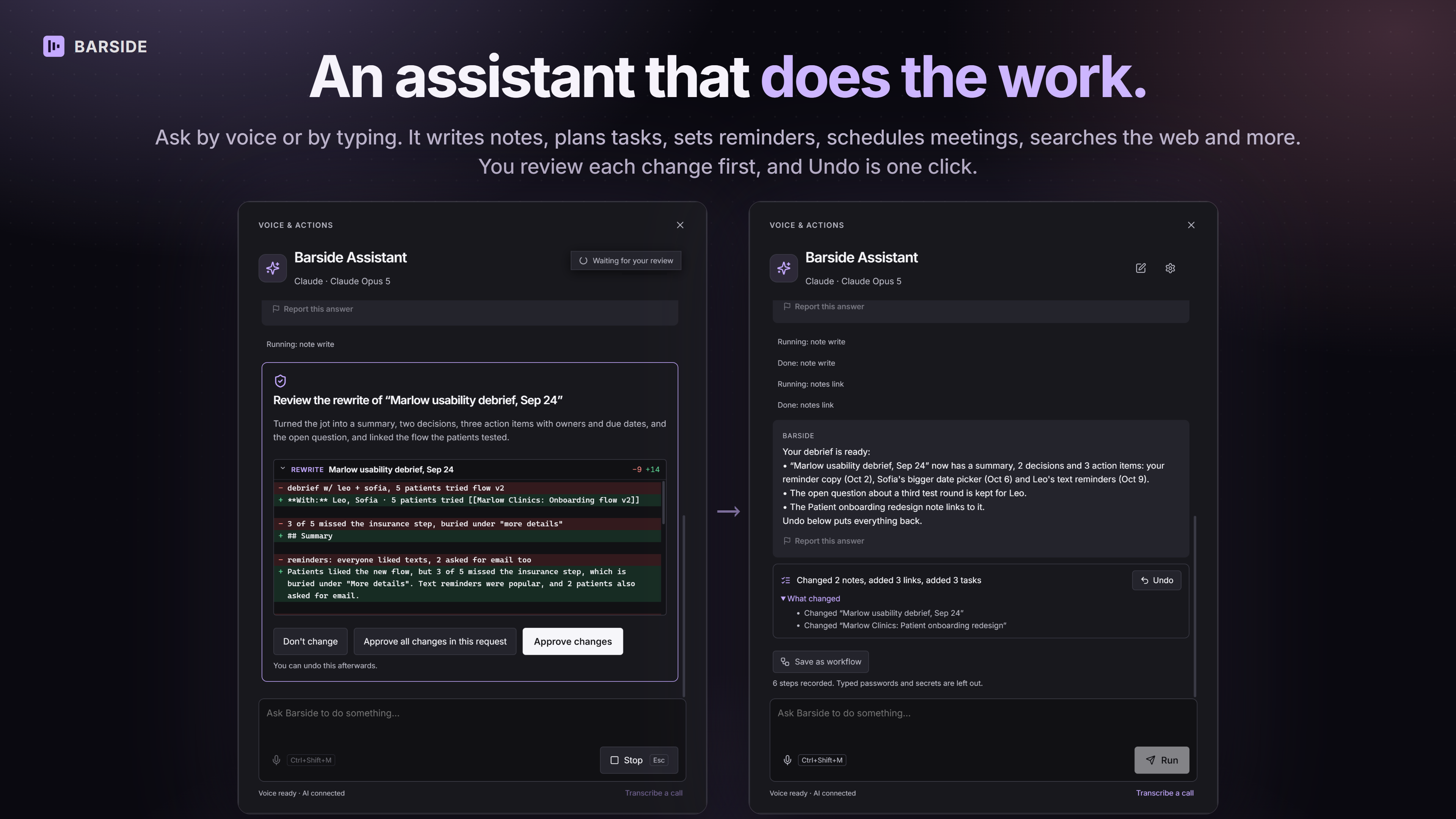
- AI agents and automation: an assistant that edits your notes, agents that run on a schedule or after a call, and meeting follow-ups with summaries, decisions and tasks. Actions wait for your approval, and every change can be undone.
- Bring your own AI: connect Claude, ChatGPT, Gemini or OpenRouter. Claude Code, Codex and Cursor can work with your notes through MCP.
- Also: a password vault, clipboard history, a search bar from any app, and 25 themes.
Barside Plus adds cloud sync, cloud backup and agents that run while your computer is off.
Features
- Linked notes with a Note map, drawings, kanban boards, tables and charts
- One task board built from every checklist, with due dates and reminders
- Reading inbox for articles and newsletters, with highlights
- Spaces: team rooms and communities with chat, polls, shared notes and files, free or paid
- Video meetings with screen sharing and live captions
- Screen recording into notes, plus short clips with captions
- AI assistant and agents that run on a schedule or after a call; actions wait for your approval
- Bring your own AI: Claude, ChatGPT, Gemini or OpenRouter
- Works with Claude Code, Codex and Cursor through MCP
- Password vault, clipboard history and a search bar that works from any app
- Local-first: your library lives on your computer, and notes work without an account
- Free on Windows, Mac and Linux
Use Cases
- Replace separate notes, to-do, read-later, recorder and password apps with one free app
- Turn calls into summaries, decisions and tasks
- Run a paid community or a private team room with chat, files and shared notes
- Build a second brain of notes, articles and recordings, and ask AI questions about it
- Record a quick screen walkthrough and share a link instead of booking a meeting
- Let Claude Code or Cursor read and update your project notes and tasks
- Start each day with one page of reminders, open tasks and today's events

Comments


Samer, "paying for six apps" is a story a lot of people will recognise, and keeping the library on your own computer is the part privacy-minded users actually switch for. Which of the six are people replacing first, the notes app or the password manager? I googled "free offline desktop app for notes tasks and passwords in one" (Google, US settings): page 1 includes TaskNote, Zoho Notebook, Joplin, Simplenote, a Reddit thread asking for a simple offline notes app, and two "best free note-taking apps 2026" lists. Barside isn't on it yet, and that Reddit thread is a good place to be found. I run AI Knows Us, so search checks are what I do all day.

Local first and notes without an account is what would make me try it. My worry with all-in-one apps is that if one part is weak, I end up keeping my old app for it anyway. Which part do you think is strongest right now, notes or tasks? And can I export everything as plain Markdown if I ever want to move?

Hi, I'm Sam, the maker of Barside. 👋 I was paying for a notes app, a to-do app, a read-later app, a screen recorder, a meeting tool and a password manager, and copying things between them all day. So I built one free desktop app that does all of it and keeps your library on your computer. A few things I'm proud of: • Spaces: run a team room or a paid community right inside the app. • AI agents that run on a schedule or after a call, and wait for your approval before they act. • Bring your own AI: connect Claude, ChatGPT, Gemini or OpenRouter, with no markup. Every change can be undone. It's free on Windows, Mac and Linux. I'd love to hear what you would cut or add!
Premium Products






















































Sponsors
Buy

Makers
Makers
Comments
Samer, "paying for six apps" is a story a lot of people will recognise, and keeping the library on your own computer is the part privacy-minded users actually switch for. Which of the six are people replacing first, the notes app or the password manager? I googled "free offline desktop app for notes tasks and passwords in one" (Google, US settings): page 1 includes TaskNote, Zoho Notebook, Joplin, Simplenote, a Reddit thread asking for a simple offline notes app, and two "best free note-taking apps 2026" lists. Barside isn't on it yet, and that Reddit thread is a good place to be found. I run AI Knows Us, so search checks are what I do all day.
Local first and notes without an account is what would make me try it. My worry with all-in-one apps is that if one part is weak, I end up keeping my old app for it anyway. Which part do you think is strongest right now, notes or tasks? And can I export everything as plain Markdown if I ever want to move?
Hi, I'm Sam, the maker of Barside. 👋 I was paying for a notes app, a to-do app, a read-later app, a screen recorder, a meeting tool and a password manager, and copying things between them all day. So I built one free desktop app that does all of it and keeps your library on your computer. A few things I'm proud of: • Spaces: run a team room or a paid community right inside the app. • AI agents that run on a schedule or after a call, and wait for your approval before they act. • Bring your own AI: connect Claude, ChatGPT, Gemini or OpenRouter, with no markup. Every change can be undone. It's free on Windows, Mac and Linux. I'd love to hear what you would cut or add!
Premium Products
New to Fazier?

Find your next favorite product or submit your own. Made by @FalakDigital.
Copyright ©2026. All Rights Reserved