
BankFlow
Turn any bank statement PDF into clean, categorized data
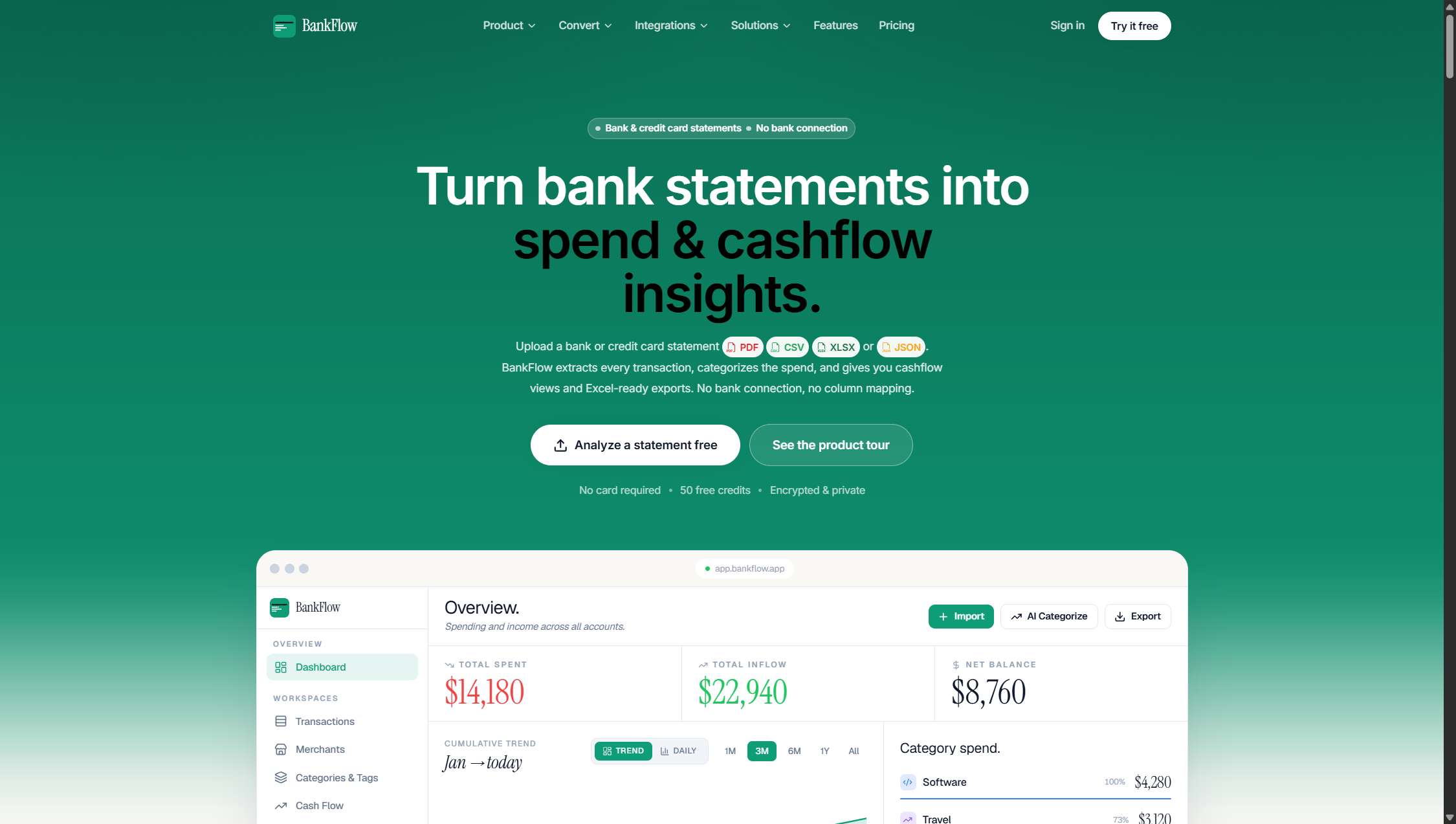
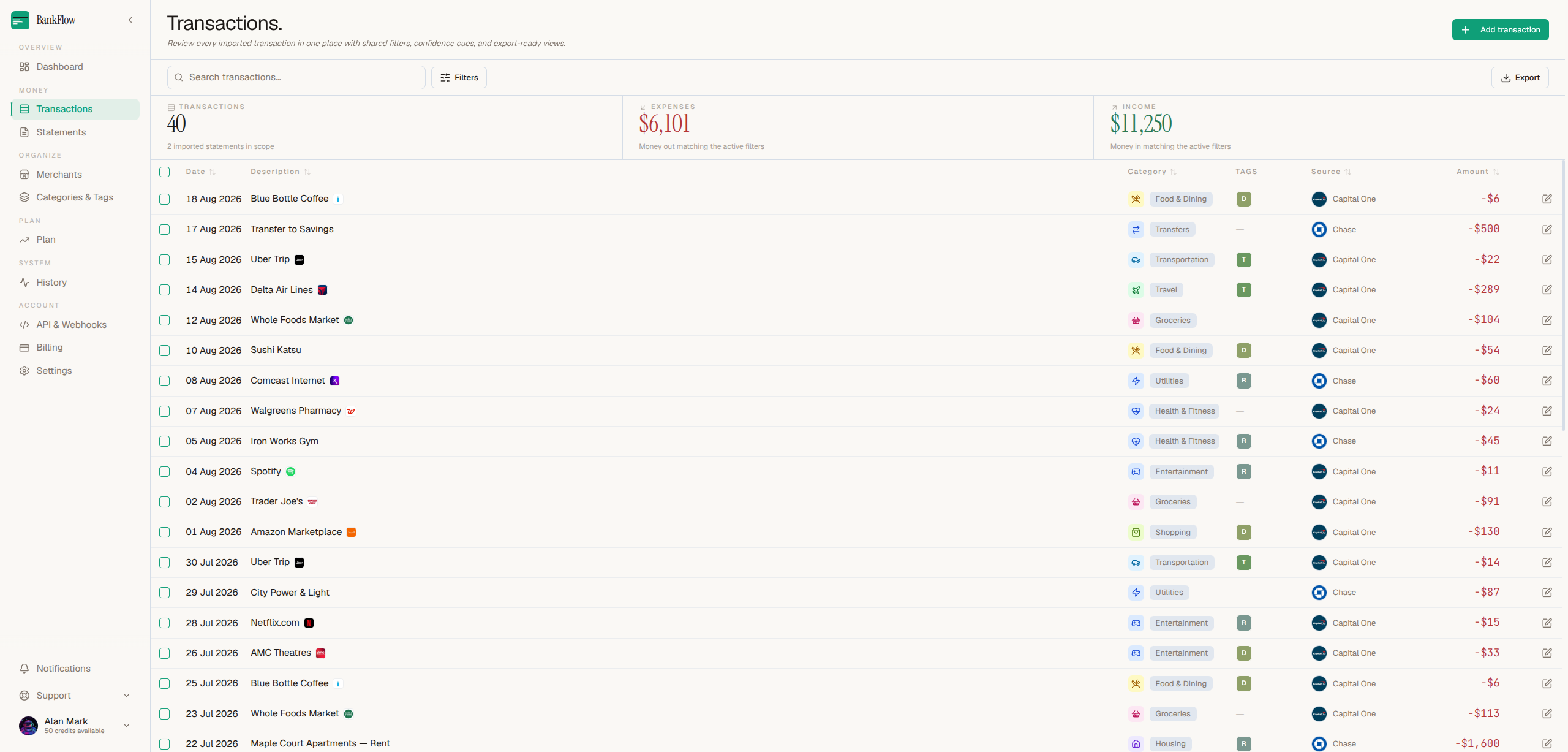
BankFlow turns the bank and credit card statements you already have into clean, categorized financial data. There's no bank account to link and no credentials to hand over — you upload a statement PDF, or forward it to your private import address, and every transaction on it comes back as structured data in seconds.
It reads the statements that usually break converters: scanned and rotated pages, multi-column layouts, watermarked and password-protected files, and hundred-page exports. You never pick a template or map a single field. Every balance is checked back against the statement so you can see the numbers add up, and anything that looks uncertain is flagged for you to review rather than quietly guessed. Upload the same statement twice and BankFlow catches it instead of doubling your totals.
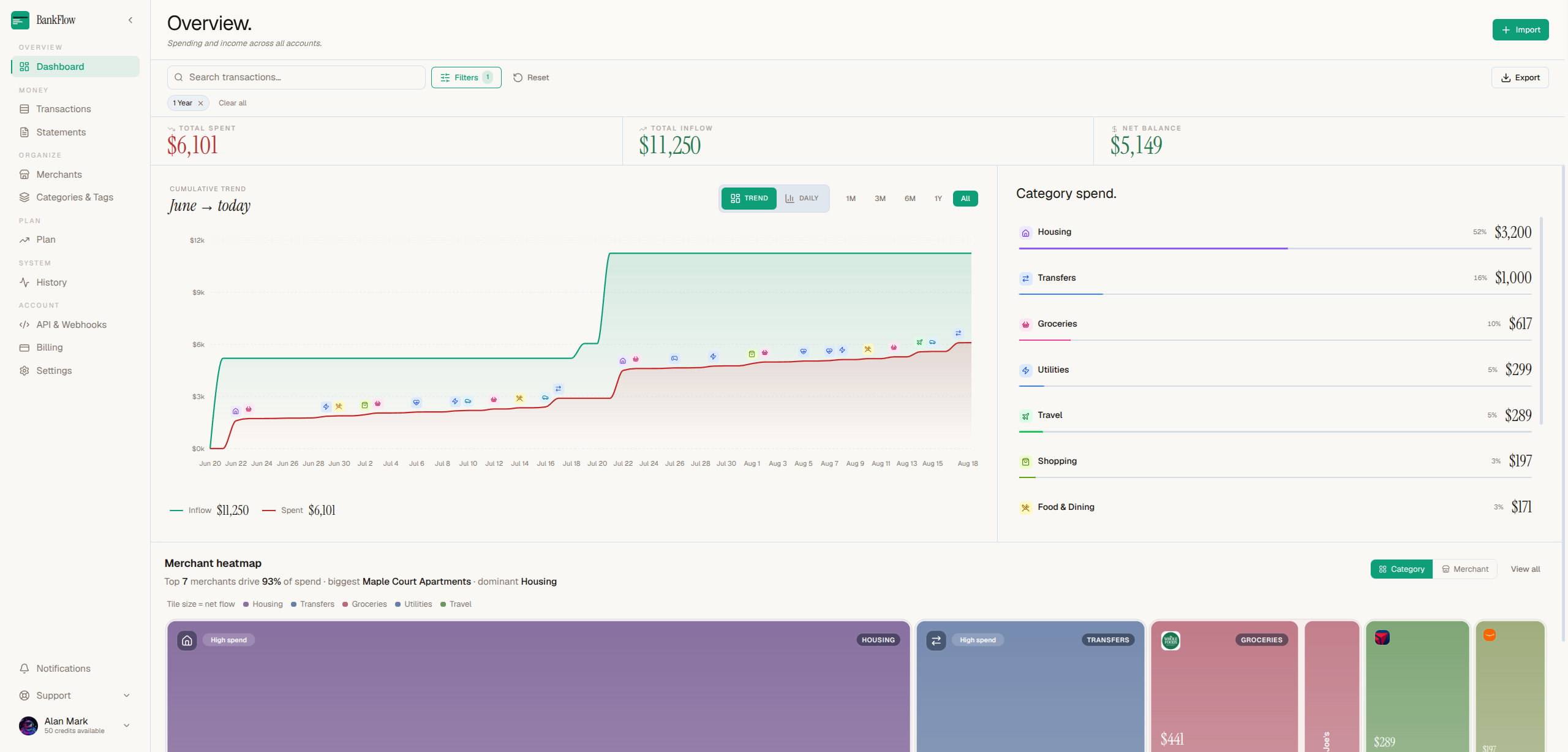
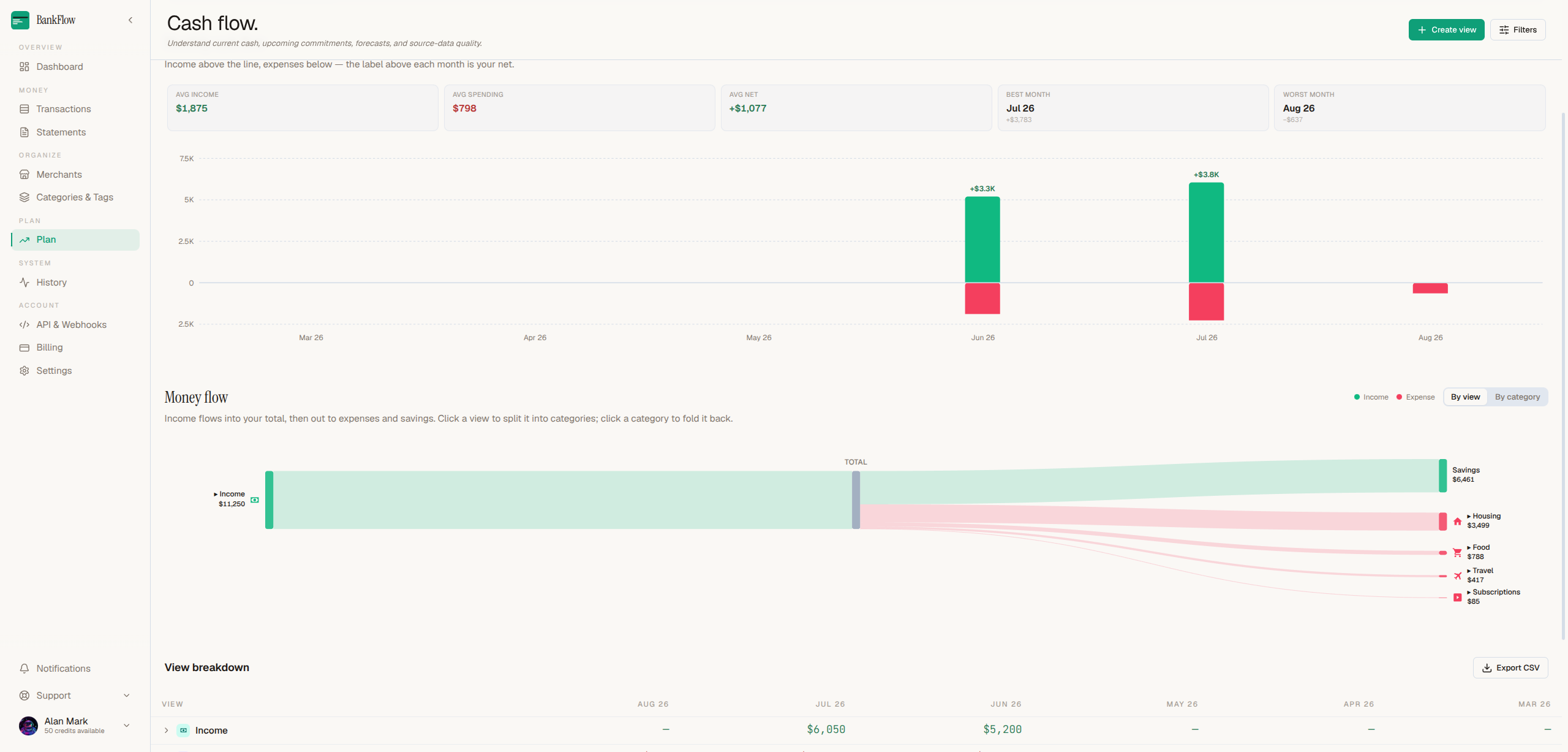
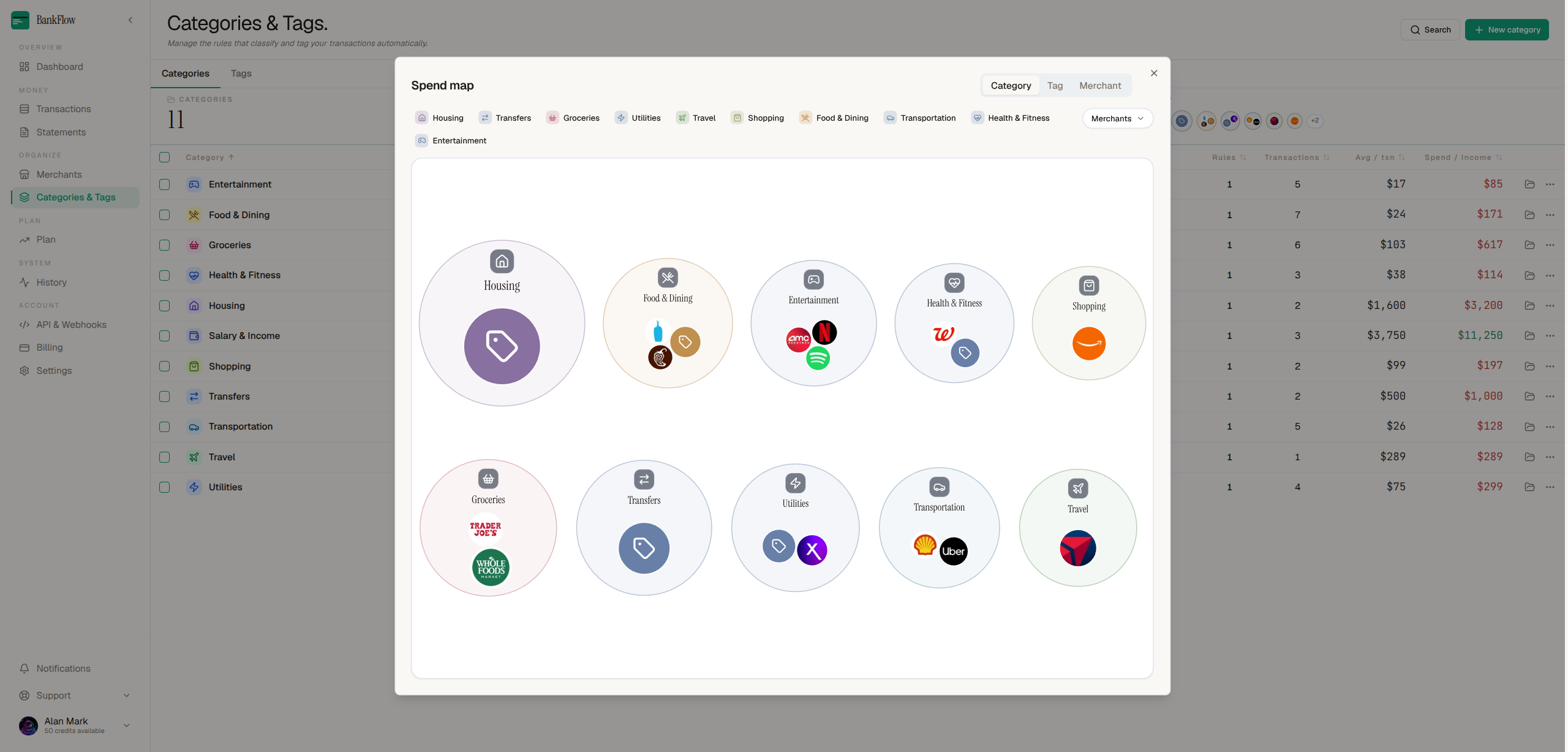
From there it categorizes each transaction, groups spending by merchant, and learns from your corrections, so the second month takes less work than the first. That gives you a picture of where the money actually goes: spending by category and month, the subscriptions and recurring charges you're paying for and when they renew next, how long your current balance lasts at your current rate, and alerts when a charge is duplicated, a subscription price rises, or the balance runs low.
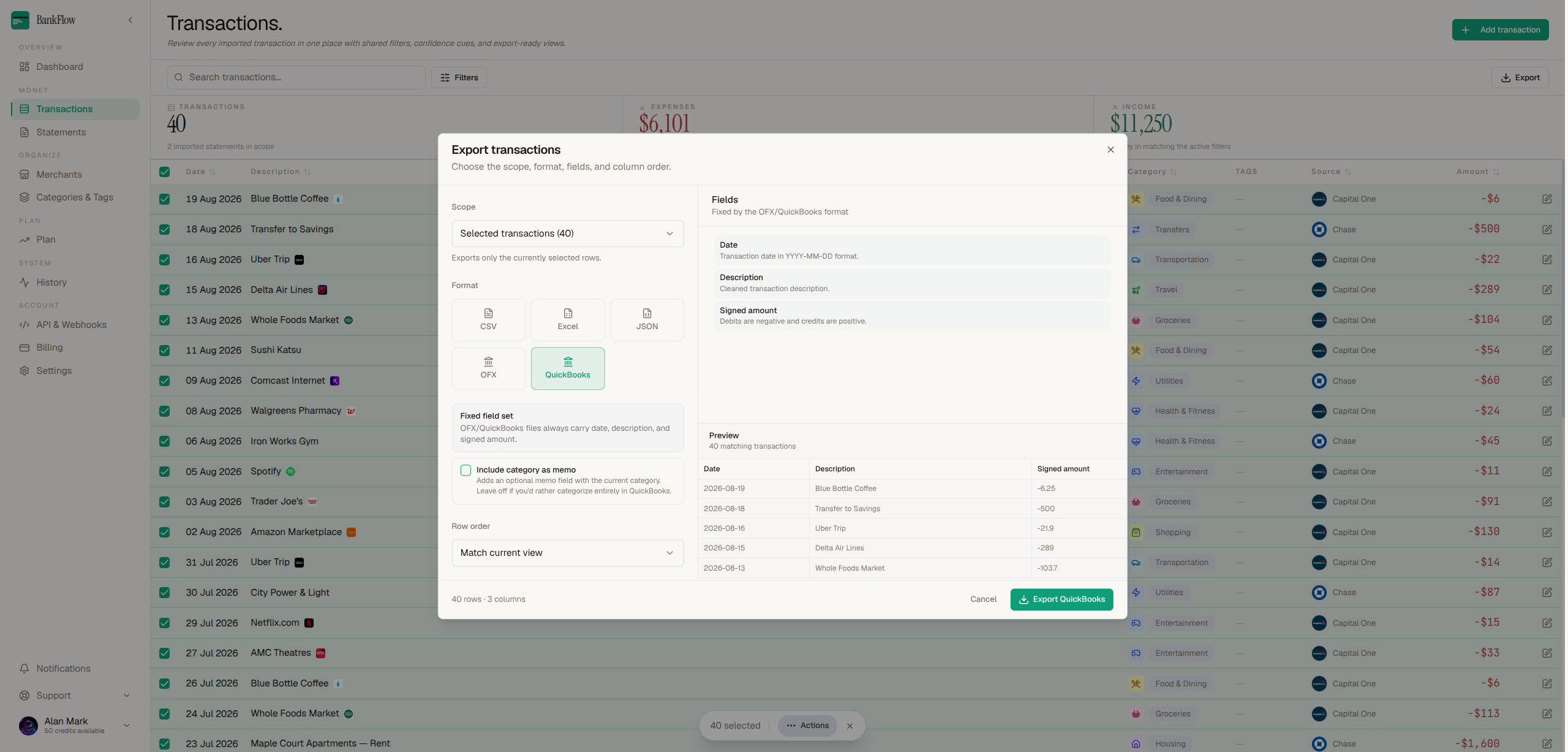
Your data stays yours and stays portable. Export every transaction to CSV, XLSX, JSON, OFX, or QBO for Excel, QuickBooks, or your accountant, or pull it through the API. Upload only the statements you choose, and delete everything whenever you want.
Features
- Any statement, no setup — scanned, rotated, multi-column, watermarked, or password-protected PDFs, plus CSV, XLSX, and JSON. No templates, no field mapping.
- Checked, not guessed — every balance is reconciled against the statement, and anything uncertain is flagged for review.
- Categorized automatically — transactions sorted and grouped by merchant, and the categories learn from your corrections.
- See where it goes — spending by category and month, subscription and recurring charge detection, and how long your balance lasts.
- Caught for you — duplicate charges, subscription price rises, and low-balance warnings surface on their own.
- Forward and forget — send statements to your private import address and they arrive ready to import.
- Yours to take — export to CSV, XLSX, JSON, OFX, or QBO, or use the API.
- No bank connection — nothing to link, upload only what you choose, delete anytime.

Comments


BankFlow's balance reconciliation and duplicate-statement detection address two easy-to-miss sources of bookkeeping errors, especially with recurring monthly exports. The private import address sounds convenient for scheduled statements; can users rotate it or restrict accepted senders if an address is exposed? It would also be useful to show which balance checkpoint failed when a transaction is flagged.
BankFlow's balance reconciliation and duplicate-statement detection address two easy-to-miss sources of bookkeeping errors, especially with recurring monthly exports. The private import address sounds convenient for scheduled statements; can users rotate it or restrict accepted senders if an address is exposed? It would also be useful to show which balance checkpoint failed when a transaction is flagged.

The way BankFlow learns from transaction corrections is a nice touch because categorization should get less repetitive over time. I also like that the data stays portable with QBO, OFX, CSV and XLSX exports instead of locking everything into the platform. How does the learning work when the same merchant appears with slightly different names across different statements?

The "no bank connection" approach is a genuine differentiator — for freelancers and accountants juggling client statements, not having to ask clients to link bank accounts removes a huge onboarding friction. The forward-and-forget import address is a smart workflow touch too; it turns email chaos into an automated pipeline. Question: does the categorization learning carry across statement batches, so categories improve month over month? And how does it handle multi-currency statements? That'd be the deciding factor for anyone dealing with international clients.


The balance reconciliation against the statement is a smart trust layer — most converters just guess. Curious about the privacy side: since these are full bank statements with sensitive data, is the parsing done server-side or locally in the browser? And when the categories "learn from corrections", does that learning stay per-account or feed a shared model?

The "no bank connection" positioning is smart — it sidesteps both the trust problem and the third-party aggregator dependency in one move. The reconciliation detail (every balance reconciled against the statement, uncertain items flagged rather than guessed) is what would make me trust this for real bookkeeping; most converters silently guess and you only find out at tax time. Question for the maker: how does learning from corrections work across statements — per user, per merchant, or shared across users? The "forward and forget" private import address is a lovely workflow touch for recurring monthly statements.

Nice work on flagging uncertain rows instead of guessing. One case worth testing since you asked for statements that break it: the big-box merchants. A single Walmart or Costco charge can be groceries, household goods and pharmacy in one line, so merchant-level categorization will file the whole amount under one bucket. For anyone tracking a food budget, that quietly inflates or shrinks the grocery category by a lot. Do you support splitting a transaction across categories, and will the learned rule apply to that merchant from then on, or only to the one charge you corrected?


Reconciling every balance against the statement is the feature that makes this trustworthy, since one missed row silently breaks every total after it. Two questions from someone in Europe: how do you handle local number and date formats (1.234,56 with comma decimals, DD.MM.YYYY dates) on non-English statements? And does the duplicate check also catch overlapping statements, like a monthly PDF plus a custom date-range export that covers some of the same days, or only the exact same file uploaded twice?


Hi everyone, I'm Alan, the maker of BankFlow. This started with a spreadsheet I kept redoing. Every month I'd download statement PDFs, retype transactions into Excel, fix the rows that came through as one mangled string, and still not really know where the money went. The converters I tried wanted a template for every bank, or fell over on a scanned page, or quietly dropped rows I only caught when the balance didn't add up. So I built the thing I wanted. You upload a statement PDF, or forward it to a private import address, and every transaction comes back structured, categorized, and ready to export. No bank login, no credentials handed over, no template to pick, no columns to map. The part I care most about is that it checks every balance back against the statement, and flags anything uncertain instead of guessing. A converter that silently gets one row wrong is worse than one that admits it. It also catches the same statement uploaded twice, so your totals don't quietly double. Once the data is in, it groups spending by merchant, shows where the money goes by category and month, surfaces the subscriptions you're paying for and when they renew, and tells you how long your balance lasts at your current rate. Categories learn from your corrections, so the second month is less work than the first. Everything exports to CSV, XLSX, JSON, OFX, or QBO, or comes through the API. Upload only the statements you choose, delete them whenever you want. I'd really like feedback, especially if you have a statement that breaks it. Those are the ones I want to see.

The balance re-check against the statement is the feature that actually matters here — most converters get the rows right and the totals wrong, and wrong totals are what silently corrupt bookkeeping. Question: how do you handle mixed decimal locales in one file (1.234,56 vs 1,234.56)? EU statements with both formats in the wild are where imports tend to break quietly. Flagging uncertain rows instead of guessing is the right design either way.

The "no bank connection, upload only what you choose" positioning is the smartest part of this — it removes both the trust barrier and the fragile third-party aggregator dependency most finance tools live or die on. One question on reconciliation: how does it handle statements where pending and posted amounts differ slightly (e.g., tip adjustments on restaurant charges)? That matching logic seems like the hardest part to get right. Congrats on the launch!

Reconciling every balance against the statement is the trust layer these converters usually skip — and surfacing uncertain transactions instead of guessing is exactly the right call, since one misread total can poison a whole tax filing. Genuine question for the maker: is there a bulk queue for dropping in a full year of statements at once, or is it strictly one file at a time?

Checking every balance back against the statement is the right call, silent guessing is what makes most converters unusable for accounting. Flagging uncertain lines instead of filling them in builds trust. How do you handle statements in other languages, for example Spanish or Portuguese bank exports?

The "no bank connection" approach really stands out — uploading only the statements you choose removes the biggest trust hurdle with finance tools. Reconciling every balance back against the statement instead of silently guessing is the right call too; silent errors are exactly what make people abandon converters. Curious how it handles multi-page statements where the running balance carries across pages — that seems like the hardest case to get right.
Premium Products
























































Sponsors
Buy

Makers
Makers
Comments
BankFlow's balance reconciliation and duplicate-statement detection address two easy-to-miss sources of bookkeeping errors, especially with recurring monthly exports. The private import address sounds convenient for scheduled statements; can users rotate it or restrict accepted senders if an address is exposed? It would also be useful to show which balance checkpoint failed when a transaction is flagged.
BankFlow's balance reconciliation and duplicate-statement detection address two easy-to-miss sources of bookkeeping errors, especially with recurring monthly exports. The private import address sounds convenient for scheduled statements; can users rotate it or restrict accepted senders if an address is exposed? It would also be useful to show which balance checkpoint failed when a transaction is flagged.
The way BankFlow learns from transaction corrections is a nice touch because categorization should get less repetitive over time. I also like that the data stays portable with QBO, OFX, CSV and XLSX exports instead of locking everything into the platform. How does the learning work when the same merchant appears with slightly different names across different statements?
The "no bank connection" approach is a genuine differentiator — for freelancers and accountants juggling client statements, not having to ask clients to link bank accounts removes a huge onboarding friction. The forward-and-forget import address is a smart workflow touch too; it turns email chaos into an automated pipeline. Question: does the categorization learning carry across statement batches, so categories improve month over month? And how does it handle multi-currency statements? That'd be the deciding factor for anyone dealing with international clients.
The balance reconciliation against the statement is a smart trust layer — most converters just guess. Curious about the privacy side: since these are full bank statements with sensitive data, is the parsing done server-side or locally in the browser? And when the categories "learn from corrections", does that learning stay per-account or feed a shared model?
The "no bank connection" positioning is smart — it sidesteps both the trust problem and the third-party aggregator dependency in one move. The reconciliation detail (every balance reconciled against the statement, uncertain items flagged rather than guessed) is what would make me trust this for real bookkeeping; most converters silently guess and you only find out at tax time. Question for the maker: how does learning from corrections work across statements — per user, per merchant, or shared across users? The "forward and forget" private import address is a lovely workflow touch for recurring monthly statements.
Nice work on flagging uncertain rows instead of guessing. One case worth testing since you asked for statements that break it: the big-box merchants. A single Walmart or Costco charge can be groceries, household goods and pharmacy in one line, so merchant-level categorization will file the whole amount under one bucket. For anyone tracking a food budget, that quietly inflates or shrinks the grocery category by a lot. Do you support splitting a transaction across categories, and will the learned rule apply to that merchant from then on, or only to the one charge you corrected?
Reconciling every balance against the statement is the feature that makes this trustworthy, since one missed row silently breaks every total after it. Two questions from someone in Europe: how do you handle local number and date formats (1.234,56 with comma decimals, DD.MM.YYYY dates) on non-English statements? And does the duplicate check also catch overlapping statements, like a monthly PDF plus a custom date-range export that covers some of the same days, or only the exact same file uploaded twice?
Hi everyone, I'm Alan, the maker of BankFlow. This started with a spreadsheet I kept redoing. Every month I'd download statement PDFs, retype transactions into Excel, fix the rows that came through as one mangled string, and still not really know where the money went. The converters I tried wanted a template for every bank, or fell over on a scanned page, or quietly dropped rows I only caught when the balance didn't add up. So I built the thing I wanted. You upload a statement PDF, or forward it to a private import address, and every transaction comes back structured, categorized, and ready to export. No bank login, no credentials handed over, no template to pick, no columns to map. The part I care most about is that it checks every balance back against the statement, and flags anything uncertain instead of guessing. A converter that silently gets one row wrong is worse than one that admits it. It also catches the same statement uploaded twice, so your totals don't quietly double. Once the data is in, it groups spending by merchant, shows where the money goes by category and month, surfaces the subscriptions you're paying for and when they renew, and tells you how long your balance lasts at your current rate. Categories learn from your corrections, so the second month is less work than the first. Everything exports to CSV, XLSX, JSON, OFX, or QBO, or comes through the API. Upload only the statements you choose, delete them whenever you want. I'd really like feedback, especially if you have a statement that breaks it. Those are the ones I want to see.
The balance re-check against the statement is the feature that actually matters here — most converters get the rows right and the totals wrong, and wrong totals are what silently corrupt bookkeeping. Question: how do you handle mixed decimal locales in one file (1.234,56 vs 1,234.56)? EU statements with both formats in the wild are where imports tend to break quietly. Flagging uncertain rows instead of guessing is the right design either way.
The "no bank connection, upload only what you choose" positioning is the smartest part of this — it removes both the trust barrier and the fragile third-party aggregator dependency most finance tools live or die on. One question on reconciliation: how does it handle statements where pending and posted amounts differ slightly (e.g., tip adjustments on restaurant charges)? That matching logic seems like the hardest part to get right. Congrats on the launch!
Reconciling every balance against the statement is the trust layer these converters usually skip — and surfacing uncertain transactions instead of guessing is exactly the right call, since one misread total can poison a whole tax filing. Genuine question for the maker: is there a bulk queue for dropping in a full year of statements at once, or is it strictly one file at a time?
Checking every balance back against the statement is the right call, silent guessing is what makes most converters unusable for accounting. Flagging uncertain lines instead of filling them in builds trust. How do you handle statements in other languages, for example Spanish or Portuguese bank exports?
The "no bank connection" approach really stands out — uploading only the statements you choose removes the biggest trust hurdle with finance tools. Reconciling every balance back against the statement instead of silently guessing is the right call too; silent errors are exactly what make people abandon converters. Curious how it handles multi-page statements where the running balance carries across pages — that seems like the hardest case to get right.
Premium Products
New to Fazier?

Find your next favorite product or submit your own. Made by @FalakDigital.
Copyright ©2026. All Rights Reserved