Backgroundcanvas
Backgroundcanvas | One-stop free online image background edi

Features
Background canvas - Key Features
- Precision AI Background Remover
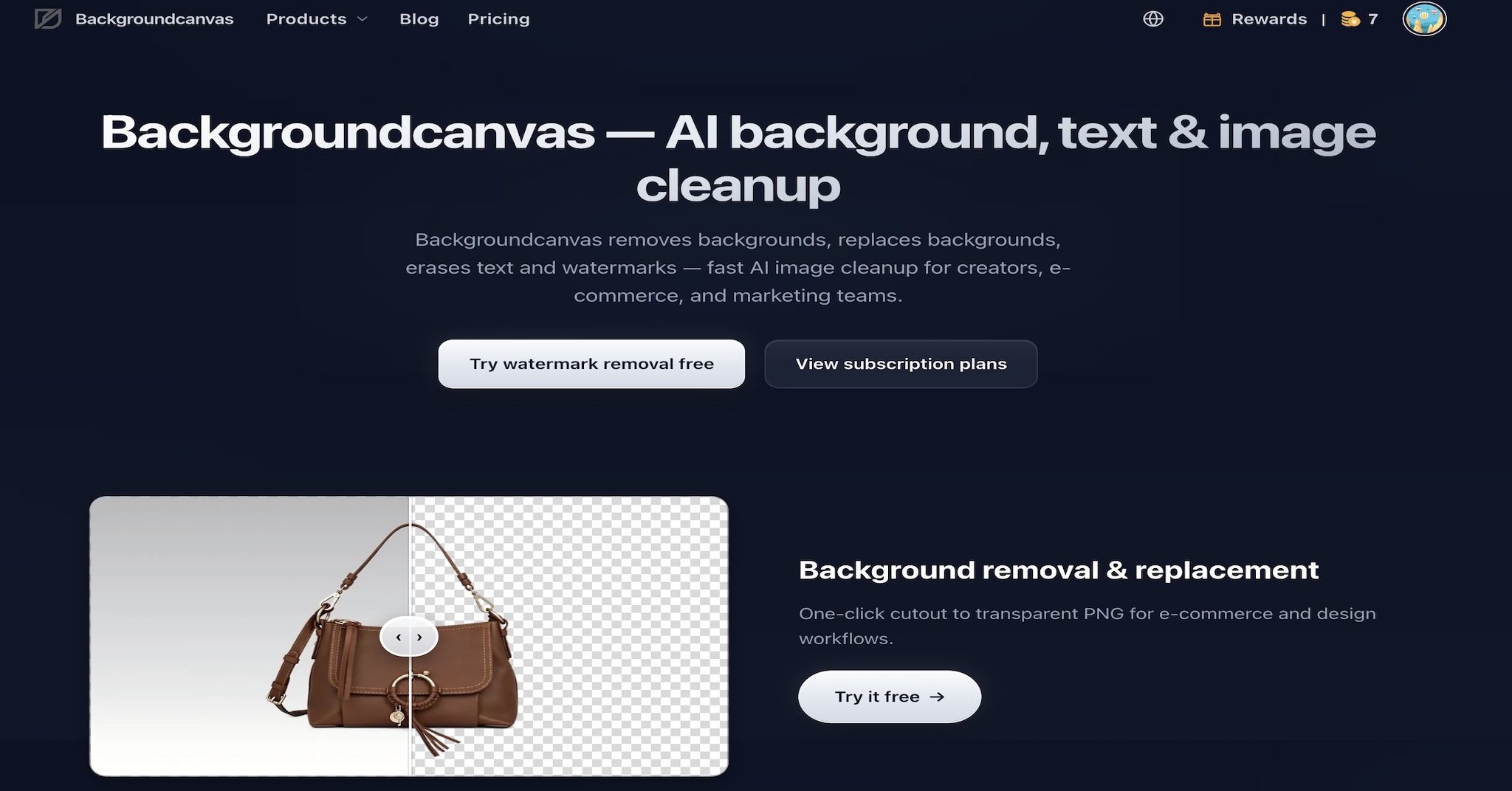
- Instantly isolate any subject from its surroundings with our advanced AI background remover. Whether you are editing complex portraits, intricate products, or pets with fur, our intelligent algorithms detect edges with pixel-perfect accuracy in seconds, eliminating the need for manual masking.
- Smart Background Cleanup & Object Eraser
- Go beyond simple extraction with our intelligent background cleanup tool. Effortlessly remove unwanted objects, blemishes, or distracting elements from your photos. The AI seamlessly reconstructs the underlying textures to leave behind a flawless, natural-looking canvas ready for your next project.
- Creative Background Swap & Generator
- Transform your isolated subjects by swapping their original backdrops for stunning new environments. Choose from a vast library of high-quality scenes, solid colors, or custom gradients, and let our AI automatically adjust lighting and shadows to ensure your subject blends perfectly into the new setting.
- Advanced Text & Watermark Remover
- Reclaim your visual assets with our dedicated text and watermark remover. Simply brush over unwanted logos, captions, timestamps, or stock watermarks, and watch as the AI intelligently fills in the hidden areas, restoring the original image quality without leaving blurry artifacts.
- All-in-One Free AI Image Editor
- Experience a comprehensive, user-friendly AI image editor completely free to use. From precise cutouts and smart cleanup to creative background swaps and watermark removal, BackgroundCanvas.app provides a complete suite of professional-grade editing tools accessible directly from your browser.
Use Cases
Background canvas - Key Features
- Precision AI Background Remover
- Instantly isolate any subject from its surroundings with our advanced AI background remover. Whether you are editing complex portraits, intricate products, or pets with fur, our intelligent algorithms detect edges with pixel-perfect accuracy in seconds, eliminating the need for manual masking.
- Smart Background Cleanup & Object Eraser
- Go beyond simple extraction with our intelligent background cleanup tool. Effortlessly remove unwanted objects, blemishes, or distracting elements from your photos. The AI seamlessly reconstructs the underlying textures to leave behind a flawless, natural-looking canvas ready for your next project.
- Creative Background Swap & Generator
- Transform your isolated subjects by swapping their original backdrops for stunning new environments. Choose from a vast library of high-quality scenes, solid colors, or custom gradients, and let our AI automatically adjust lighting and shadows to ensure your subject blends perfectly into the new setting.
- Advanced Text & Watermark Remover
- Reclaim your visual assets with our dedicated text and watermark remover. Simply brush over unwanted logos, captions, timestamps, or stock watermarks, and watch as the AI intelligently fills in the hidden areas, restoring the original image quality without leaving blurry artifacts.
- All-in-One Free AI Image Editor
- Experience a comprehensive, user-friendly AI image editor completely free to use. From precise cutouts and smart cleanup to creative background swaps and watermark removal, BackgroundCanvas.app provides a complete suite of professional-grade editing tools accessible directly from your browser.

Comments


Love the content here! For anyone interested in AI Image background removal, I recommend visiting One-stop free online image background editor: https://backgroundcanvas.app


BackgroundCanvas looks useful for quick, clean image edits, especially background removal and object cleanup; https://apklive.pk/t7777-game/ is a separate option worth checking out for gaming.

The Background Swap feature that automatically adjusts lighting and shadows is a nice touch, since a pasted product on a new background often looks fake without that. The background remover handling intricate edges like fur and fine product details also stands out. Is there a limit on image resolution for free exports, or can sellers download full-size product photos without a watermark?


Premium Products






































Sponsors
Buy
Makers
Makers
Comments
Love the content here! For anyone interested in AI Image background removal, I recommend visiting One-stop free online image background editor: https://backgroundcanvas.app
BackgroundCanvas looks useful for quick, clean image edits, especially background removal and object cleanup; https://apklive.pk/t7777-game/ is a separate option worth checking out for gaming.
The Background Swap feature that automatically adjusts lighting and shadows is a nice touch, since a pasted product on a new background often looks fake without that. The background remover handling intricate edges like fur and fine product details also stands out. Is there a limit on image resolution for free exports, or can sellers download full-size product photos without a watermark?
Premium Products
New to Fazier?

Find your next favorite product or submit your own. Made by @FalakDigital.
Copyright ©2026. All Rights Reserved