
AnyPDFfiller
Fill any PDF form online, no printing and no Adobe needed
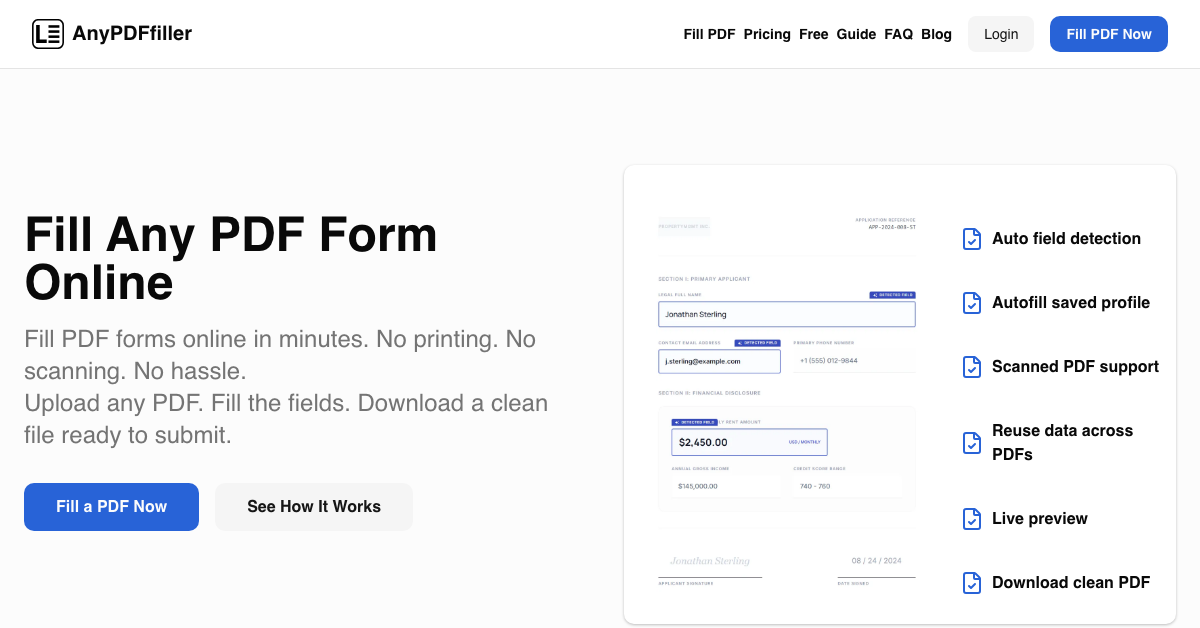
AnyPDFfiller fills PDF forms in the browser so nothing has to be printed, hand-written and scanned back in. Upload a PDF, the fields are detected automatically, and you fill them in a side-by-side view with a live preview of the finished document before download.
Output is a clean, submission-ready PDF, with no Adobe install and no scanner needed at any point.
Features
Automatic field detection the moment a PDF is uploaded
Side-by-side editing with a live preview of the finished document
Saved profile: enter your name, address and details once, then apply them to any later form in one click
OCR for scanned, flattened PDFs that carry no fillable fields
Clean, submission-ready PDF output
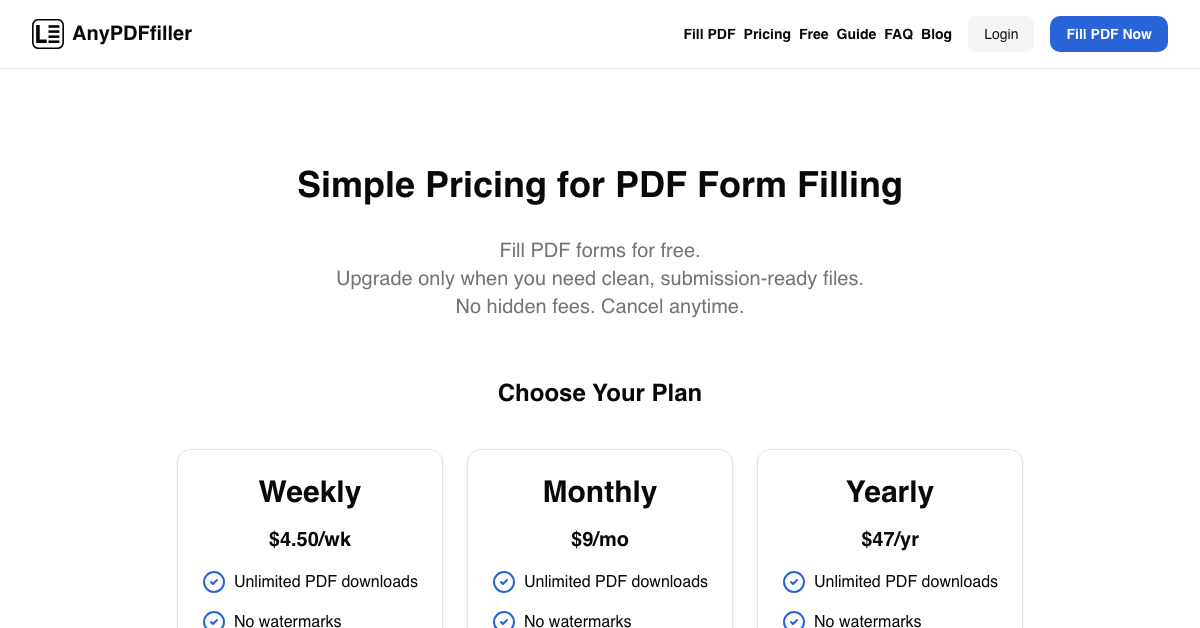
Free tier covers uploading, manual filling and preview; paid plans add unlimited clean downloads with no watermark, saved profiles, form history and scanned PDF support
Use Cases
Job applications and onboarding packs
School and enrolment forms
Visa and immigration paperwork
Any recurring form where the same personal details get retyped
Scanned or flattened PDFs that arrive with no fillable fields

Comments


The thing that kept coming up was not filling one PDF, it was filling the same details into a different PDF every few weeks. So the saved profile came first: enter your name, address and details once, then apply them to any form you upload later in one click. The second problem was forms that are not really forms, the scanned and flattened PDFs with no fillable fields, which is why OCR is in there. Happy to hear which forms still trip it up.

The saved profile feature, which lets you apply your details to any form with one click, addresses a real pain point I've had, similar to how a levelsolve https://levelsolve.com/ guide cuts straight to the answer.
Premium Products












































Sponsors
Buy

Makers
Makers
Comments
The thing that kept coming up was not filling one PDF, it was filling the same details into a different PDF every few weeks. So the saved profile came first: enter your name, address and details once, then apply them to any form you upload later in one click. The second problem was forms that are not really forms, the scanned and flattened PDFs with no fillable fields, which is why OCR is in there. Happy to hear which forms still trip it up.
The saved profile feature, which lets you apply your details to any form with one click, addresses a real pain point I've had, similar to how a levelsolve https://levelsolve.com/ guide cuts straight to the answer.
Premium Products
New to Fazier?

Find your next favorite product or submit your own. Made by @FalakDigital.
Copyright ©2026. All Rights Reserved