
AnyFileKit Image Translator
Translate the text inside any image, right on the picture
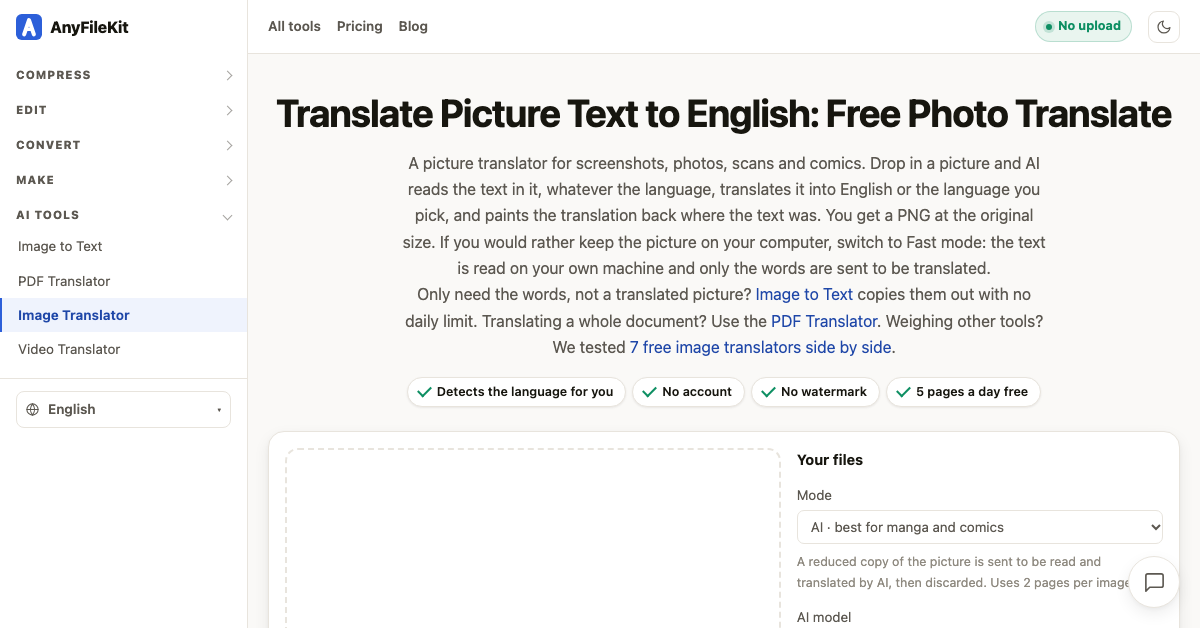
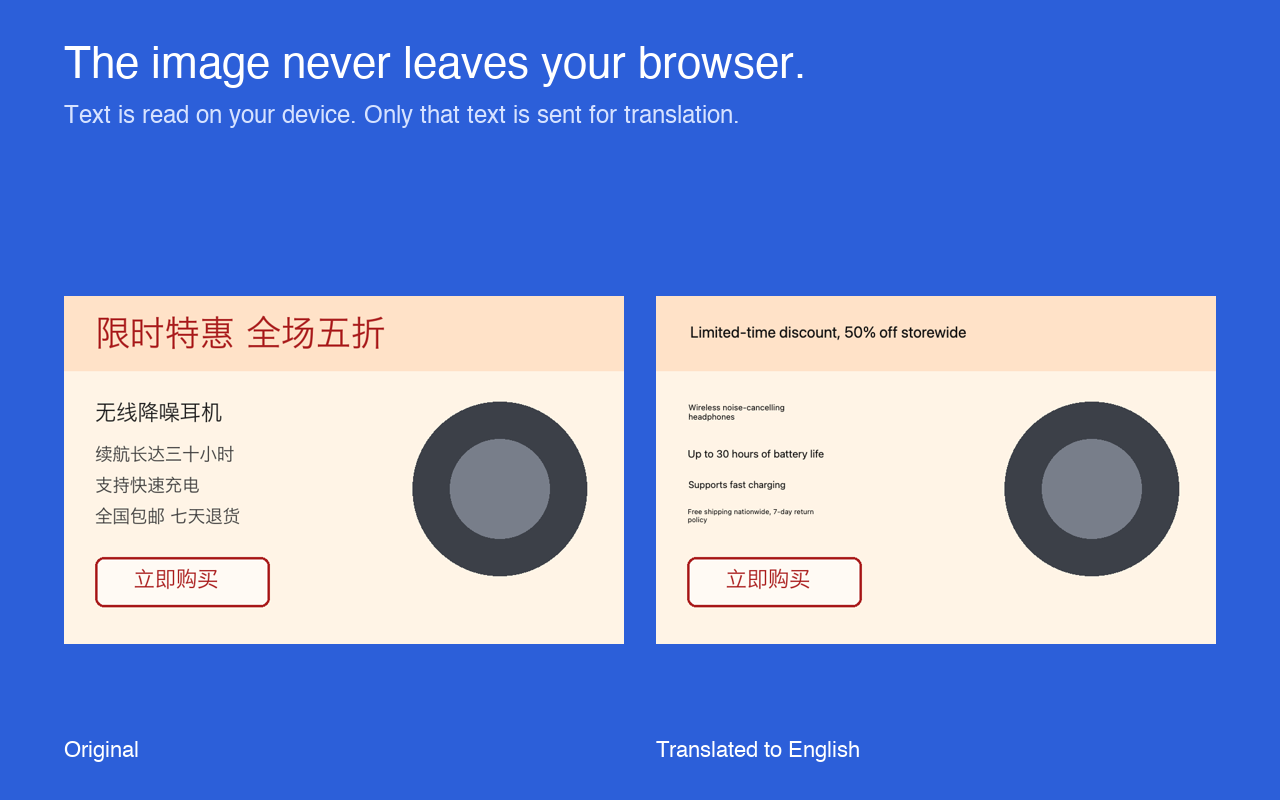
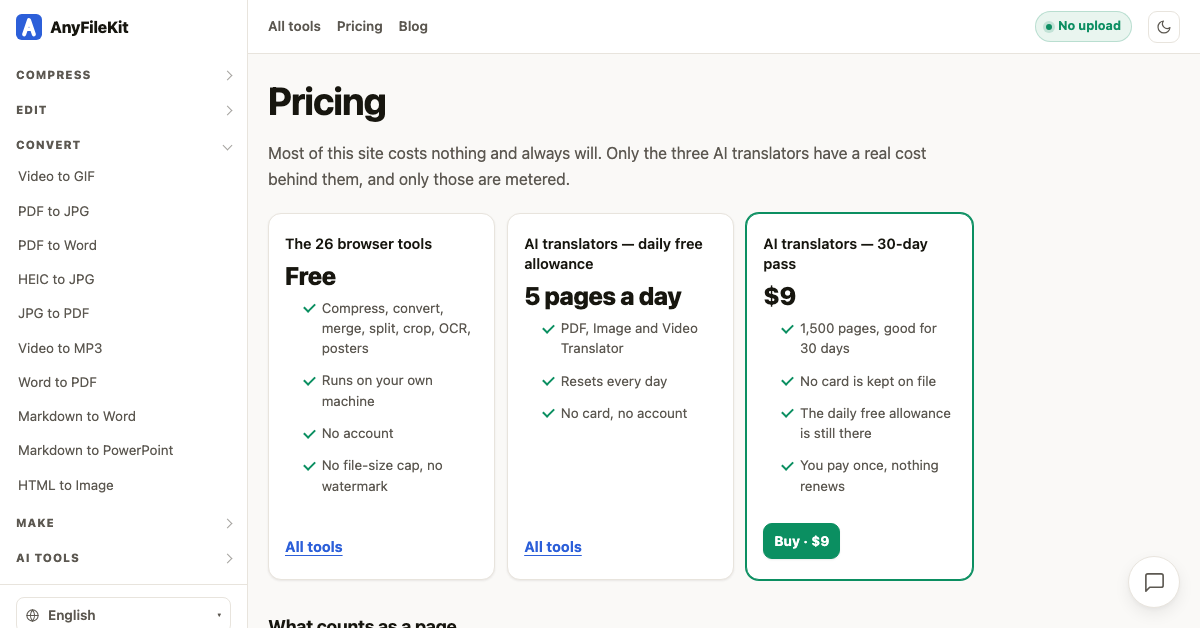
AnyFileKit Image Translator reads the text in a screenshot, photo, menu, sign or manga page and draws the translation back over the original, so the layout stays the same. Fast mode keeps the image on your device: text recognition runs in your browser. AI mode handles harder images like manga, comics and stylised text. No account is needed: you get 5 free pages a day, and a $9 pass covers 1,500 pages for 30 days.
Features
- Translation drawn back over the original image, layout kept
- Fast mode: text recognition runs in your browser, the image stays on your device
- AI mode for manga, comics and stylised text
- Chinese, Japanese, Korean, Spanish, Russian and more into English or other languages
- No account needed, 5 free pages a day
Use Cases
- Reading manga, webtoons and comics in your language
- Understanding menus, signs and labels while travelling
- Translating screenshots of apps, games and chats
- Checking product photos and packaging from overseas sellers

Comments


Hi Fazier! I built this because most image translators either give you a block of text next to the picture, or make you upload the photo to a server. I wanted the translation painted back where the text was, and an option that keeps the image on your own device. Fast mode reads the text in your browser and only sends the words; AI mode is for manga and stylised fonts. I'd love feedback on which languages or image types still come out badly.

<a href="https://fazier.com/launches/coolfontgenerator.app" target="_blank"><img src="https://fazier.com/api/v1//public/badges/launch_badges.svg?badge_type=launched&theme=light" width=120 alt="Fazier badge" /></a><a href="https://fazier.com/launches/coolfontgenerator.app" target="_blank"><img src="https://fazier.com/api/v1//public/badges/launch_badges.svg?badge_type=launched&theme=light" width=120 alt="Fazier badge" /></a>

Keeping the image on the device in Fast mode is a good call: people translate photos of letters from offices, medical forms and contracts, and they shouldn't have to upload those. For Italian bureaucratic documents, with long compound phrases and small print, how does the layout hold up when the translation is much longer than the original?
Premium Products









































Sponsors
Buy
Makers
Makers
Comments
Hi Fazier! I built this because most image translators either give you a block of text next to the picture, or make you upload the photo to a server. I wanted the translation painted back where the text was, and an option that keeps the image on your own device. Fast mode reads the text in your browser and only sends the words; AI mode is for manga and stylised fonts. I'd love feedback on which languages or image types still come out badly.
<a href="https://fazier.com/launches/coolfontgenerator.app" target="_blank"><img src="https://fazier.com/api/v1//public/badges/launch_badges.svg?badge_type=launched&theme=light" width=120 alt="Fazier badge" /></a><a href="https://fazier.com/launches/coolfontgenerator.app" target="_blank"><img src="https://fazier.com/api/v1//public/badges/launch_badges.svg?badge_type=launched&theme=light" width=120 alt="Fazier badge" /></a>
Keeping the image on the device in Fast mode is a good call: people translate photos of letters from offices, medical forms and contracts, and they shouldn't have to upload those. For Italian bureaucratic documents, with long compound phrases and small print, how does the layout hold up when the translation is much longer than the original?
Premium Products
New to Fazier?

Find your next favorite product or submit your own. Made by @FalakDigital.
Copyright ©2026. All Rights Reserved