
Anyfeat
Free file and PDF tools that run in your browser
Anyfeat is a free set of online tools that run entirely in your web browser. When you convert a photo, merge a PDF or compress a video, the file is processed on your own device and is never uploaded to a server. No account, no watermark, and it works offline after the first visit.
Features
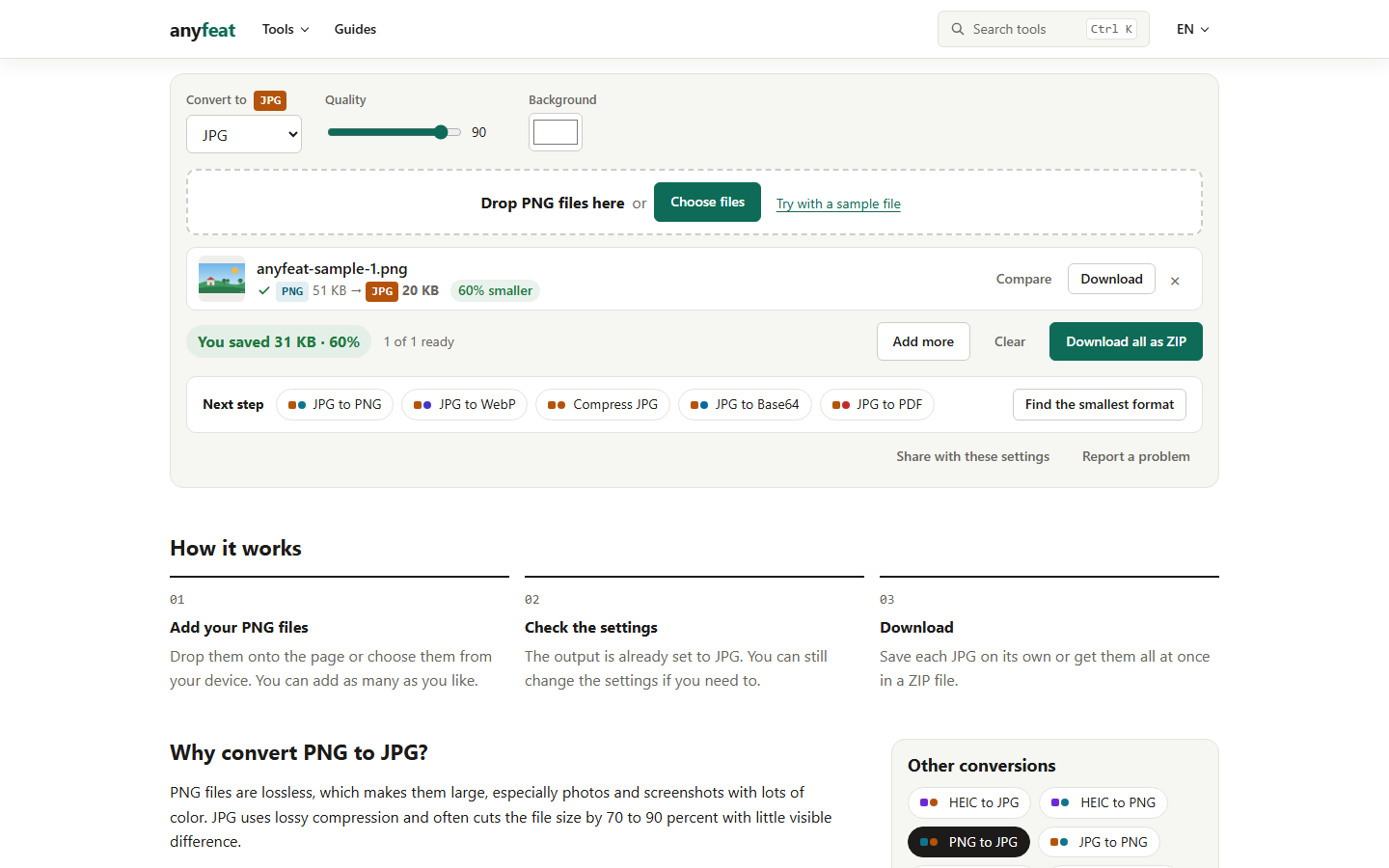
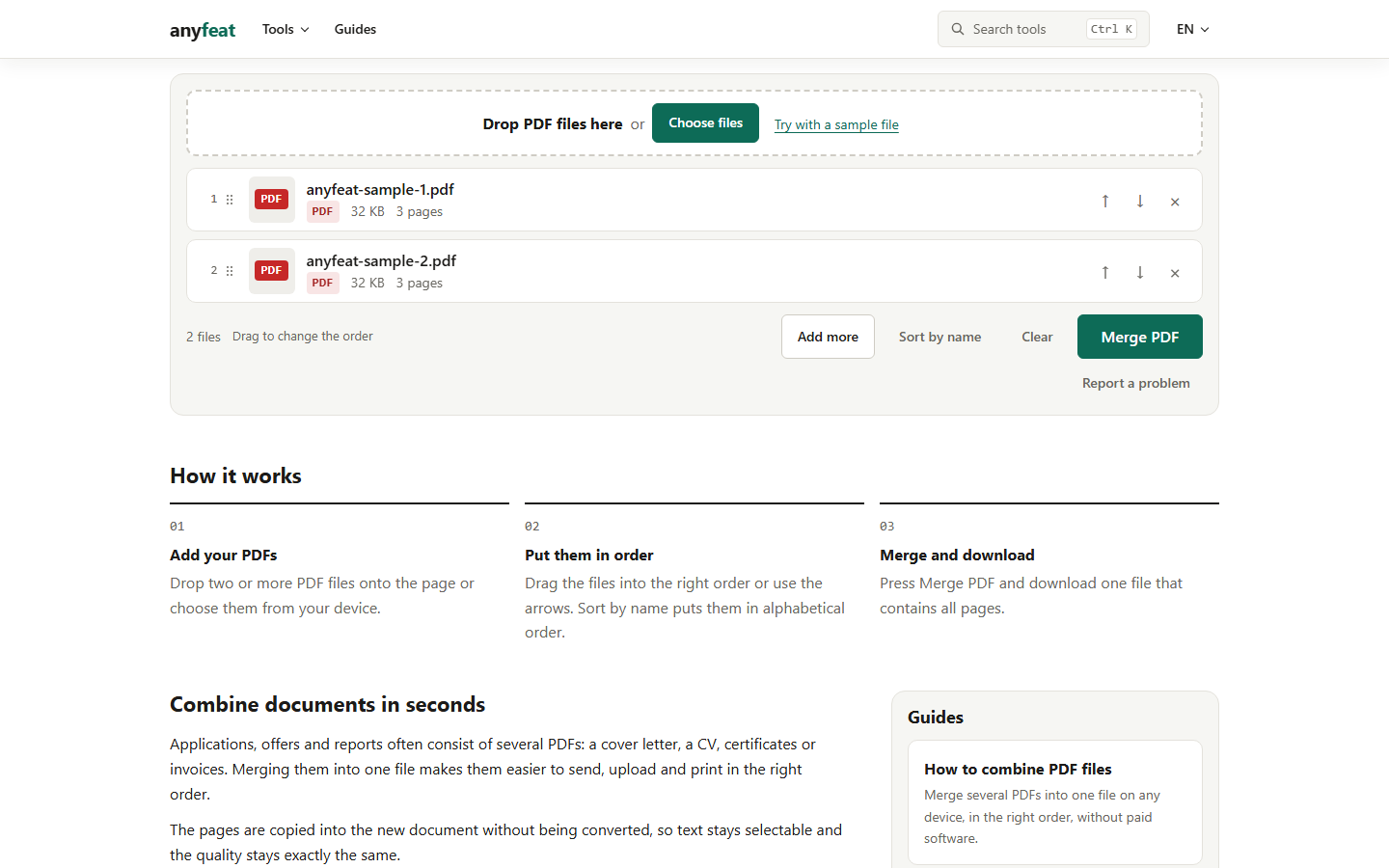
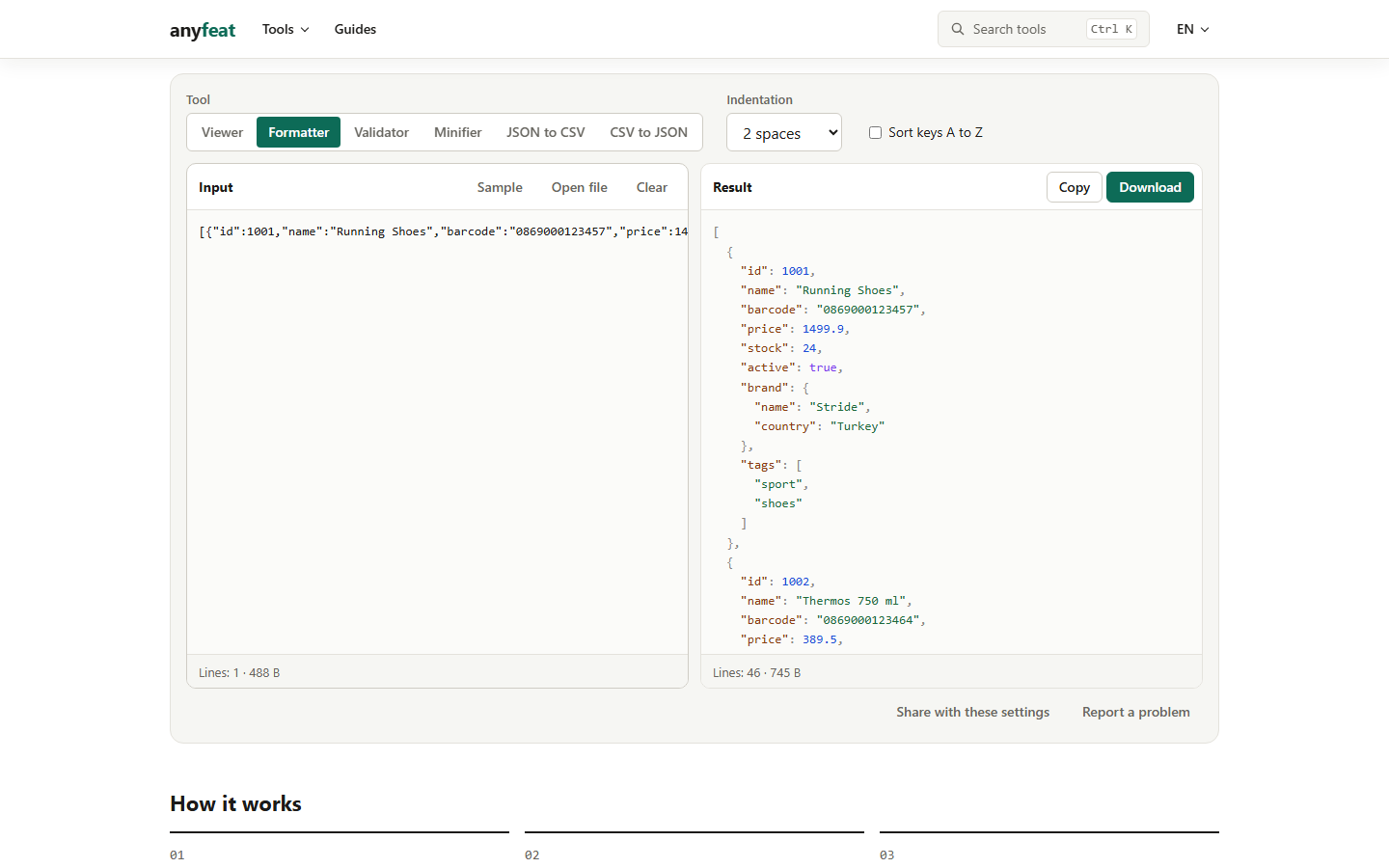
Image tools: convert HEIC, PNG, WebP and AVIF, compress to a target size, resize and crop. PDF tools: merge, split, compress, sign, page numbers, watermark. Video and audio: MOV to MP4, trim, GIFs, MP3. On-device AI: background removal, upscaling, OCR. Developer helpers: JSON, JWT, regex, hash, UUID.
Use Cases
Shrink a PDF or photo to fit an application form limit. Convert iPhone HEIC photos to JPG. Merge scanned pages into one PDF. Remove a product photo background for a shop listing. Format JSON or decode a JWT without sending secrets to a server.

Comments


Hi, I'm the maker. Most online converters ask you to upload contracts, ID scans and personal photos to a server you know nothing about. Anyfeat does the work inside your browser instead: converting a HEIC photo, merging PDFs, compressing a video or removing a background all happen on your device. That also means no upload wait, and it keeps working offline after the first visit. It's free with no account. I'd love to hear which tool you'd want next, or anything that didn't work as expected.
Compressing to a target size is the feature I wish more tools had — application forms and marketplaces always give a KB limit, not a quality percentage. The on-device AI background removal and OCR are also a strong fit here, since those are the tools people use on sensitive documents. One practical question: with offline use after the first visit, do the AI tools still work offline, or do they need to be downloaded again on a new device?

Running all of this on-device, including the OCR and background removal, is the impressive part. Most tools quietly send those jobs to a server and call it a day. Two things I am curious about, as someone who also builds browser-only tools: which set gets the most repeat use so far, the image converters or the PDF tools? And where do you feel the device ceiling first on a mid-range phone, video compression or the AI tools? The compress-to-a-target-size feature is exactly right, by the way: forms and marketplaces give a KB limit, not a quality slider.
Premium Products

















































Sponsors
Buy
Makers
Makers
Comments
Hi, I'm the maker. Most online converters ask you to upload contracts, ID scans and personal photos to a server you know nothing about. Anyfeat does the work inside your browser instead: converting a HEIC photo, merging PDFs, compressing a video or removing a background all happen on your device. That also means no upload wait, and it keeps working offline after the first visit. It's free with no account. I'd love to hear which tool you'd want next, or anything that didn't work as expected.
Compressing to a target size is the feature I wish more tools had — application forms and marketplaces always give a KB limit, not a quality percentage. The on-device AI background removal and OCR are also a strong fit here, since those are the tools people use on sensitive documents. One practical question: with offline use after the first visit, do the AI tools still work offline, or do they need to be downloaded again on a new device?
Running all of this on-device, including the OCR and background removal, is the impressive part. Most tools quietly send those jobs to a server and call it a day. Two things I am curious about, as someone who also builds browser-only tools: which set gets the most repeat use so far, the image converters or the PDF tools? And where do you feel the device ceiling first on a mid-range phone, video compression or the AI tools? The compress-to-a-target-size feature is exactly right, by the way: forms and marketplaces give a KB limit, not a quality slider.
Premium Products
New to Fazier?

Find your next favorite product or submit your own. Made by @FalakDigital.
Copyright ©2026. All Rights Reserved