
AnkiMate
Turn selected web text into Anki flashcards with AI
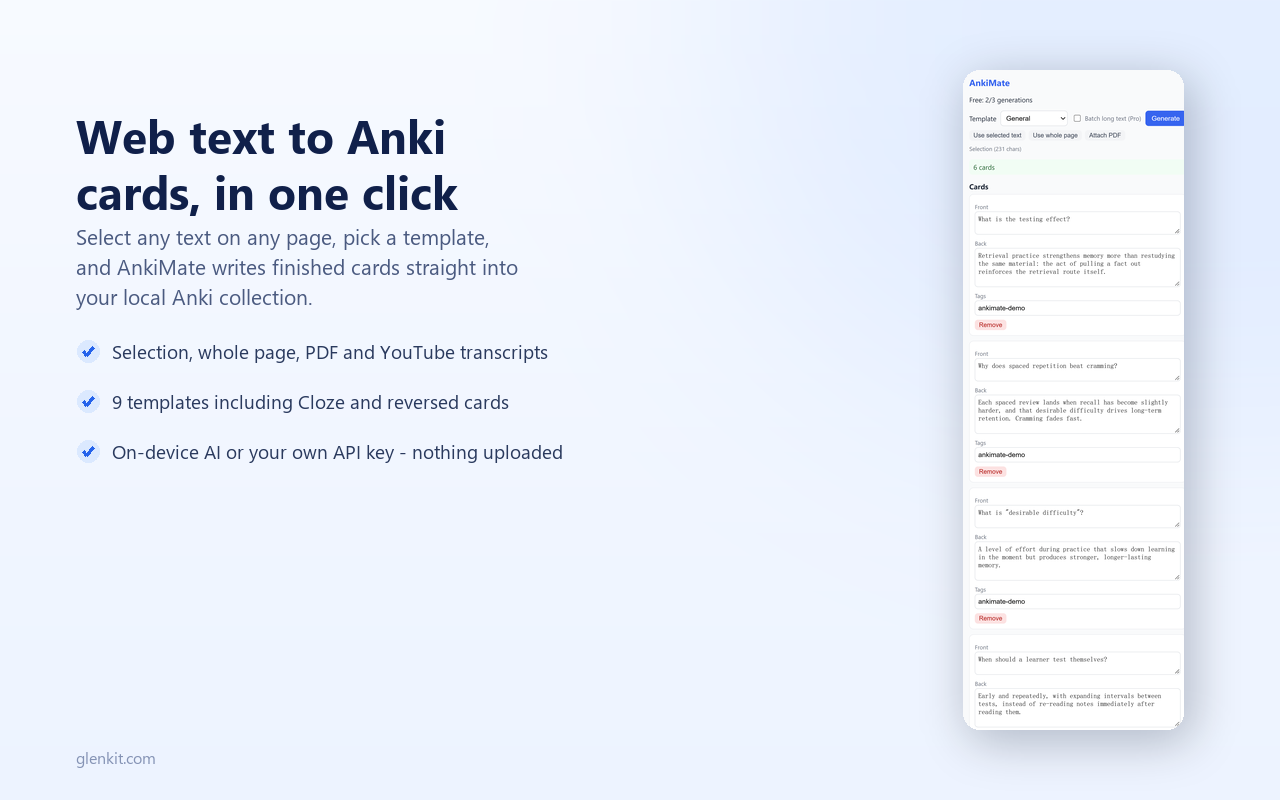
AnkiMate turns any selected text on a web page into Anki flashcards in one click. On-device AI (Chrome's built-in Gemini Nano) generates question-answer cards from what you highlight - class notes, documentation, language-learning texts, research papers - and writes them straight into a deck you choose, so you never break your study flow by copy-pasting. BYOK mode is also supported: connect your own API key (OpenAI, Anthropic, DeepSeek or any compatible endpoint) for stronger models and longer selections. Your text goes directly to the model you pick, never through a third-party server. Spaced repetition belongs in Anki; AnkiMate just removes the friction of getting new cards in. One-time purchase, no subscription. Works on Chrome and Edge. Live on both stores.
Features
- One-click card generation from any selected web text
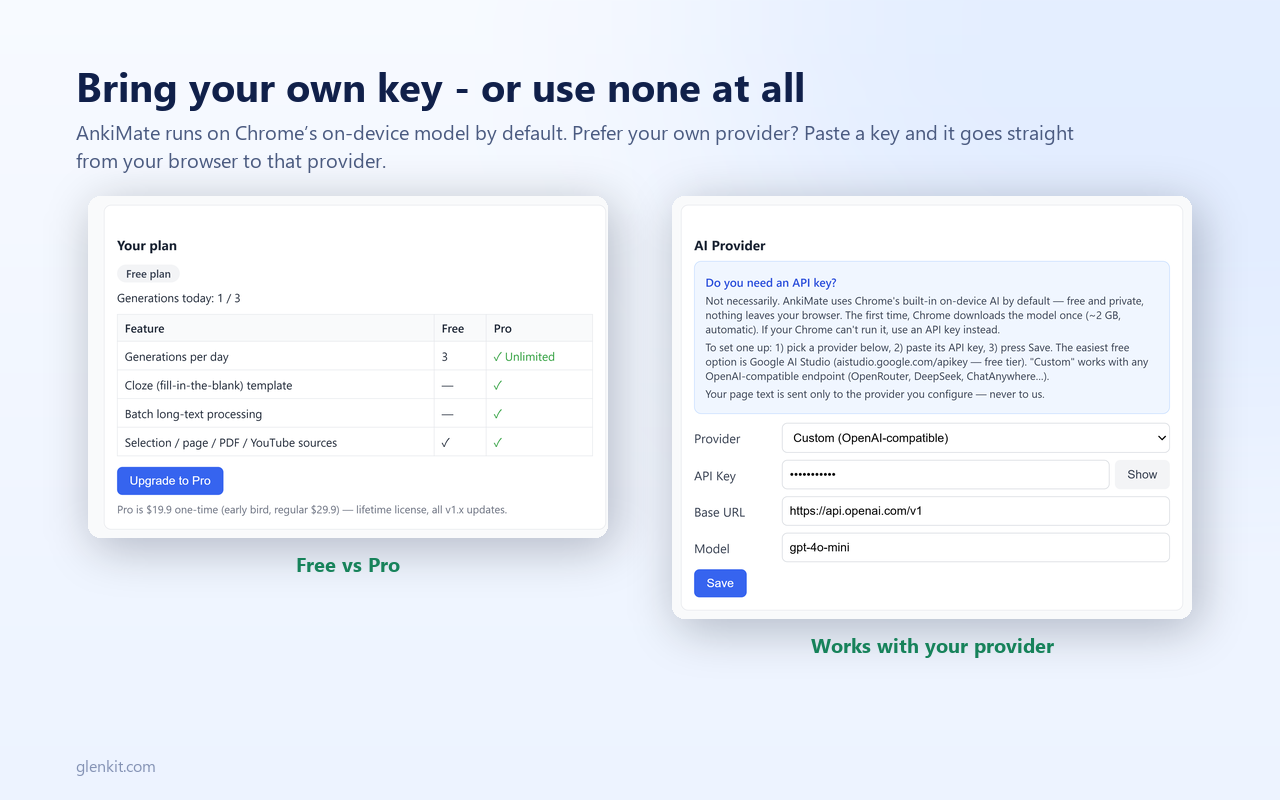
- On-device AI (Chrome's built-in Gemini Nano) - text never leaves your machine
- BYOK mode: OpenAI, Anthropic, DeepSeek or any compatible endpoint
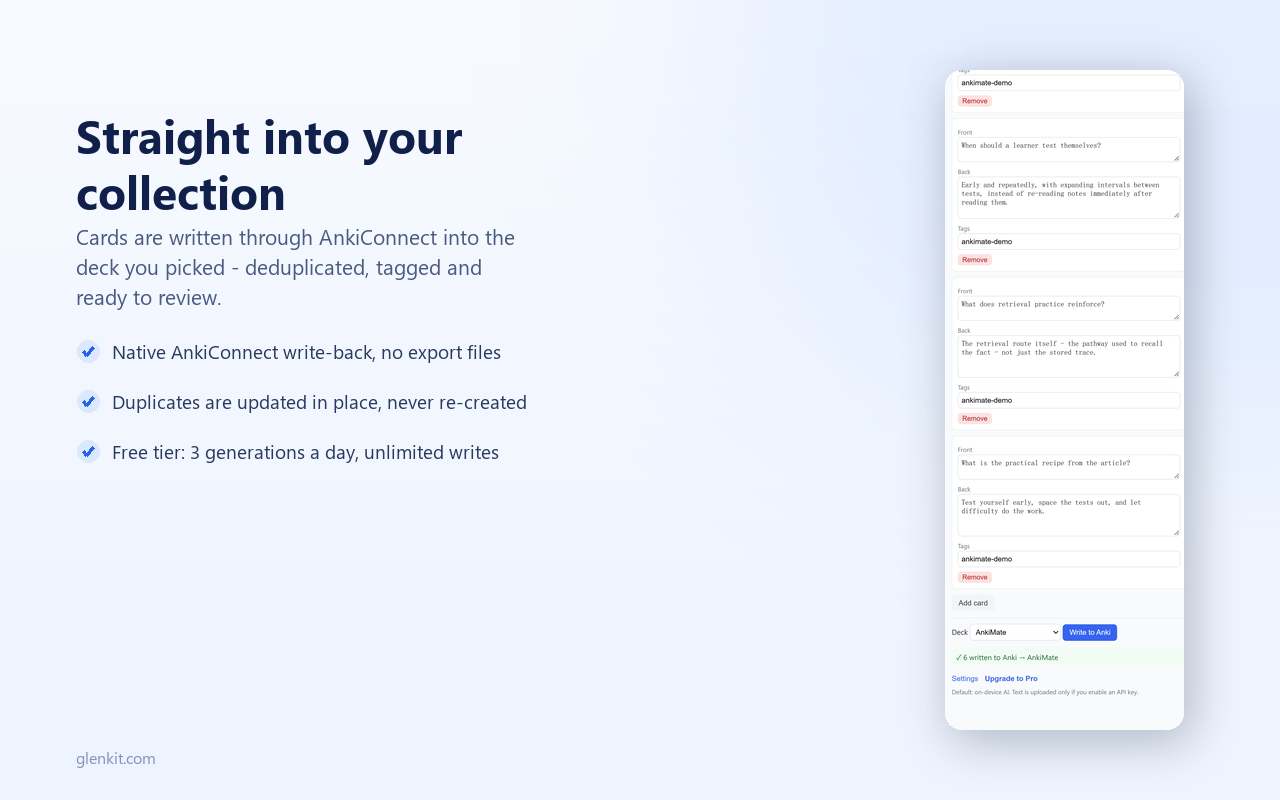
- Cards are written straight into the Anki deck you choose
- One-time purchase, no subscription
- Works on Chrome and Edge
Use Cases
- Turn class notes into Q&A cards while reviewing
- Convert technical documentation into study decks
- Build vocabulary cards from language-learning texts
- Extract review cards from research papers

Comments


I built AnkiMate because the hardest part of spaced repetition isn't reviewing - it's getting new cards in. Copy-pasting highlights from articles and docs into Anki broke my flow every time. AnkiMate turns any selected text on a page into Q&A cards in one click: on-device AI (Chrome's built-in Gemini Nano) keeps your text local, and BYOK mode lets you plug in your own key for stronger models. Cards land straight in the deck you choose. No subscription - a one-time purchase. Curious how you'd use it in your study or research workflow.





Really like the simplicity of this idea. The ability to highlight something directly on a webpage and turn it into Anki cards without breaking the study flow is genuinely useful. I especially like the on-device AI approach and the BYOK option for people who want to use their preferred model. The one-time purchase instead of another subscription is also a nice touch. Great execution! 🚀

Writing cards straight into the chosen Anki deck is the detail that matters — most flashcard tools make you export and import CSV files, which kills the study flow. The on-device Gemini Nano default is also a smart privacy call for students handling course materials. One question: how does it handle multi-paragraph selections where one card per paragraph isn't ideal — can you steer card granularity? A 'regenerate with simpler wording' option would be a nice touch for language learners too.



The listing says it works on Chrome and Edge, but the default model is Chrome's built-in Gemini Nano. What happens on Edge, or on a Chrome install where the on-device model isn't available: does it fall back to BYOK only, and is that explained before purchase? Since it's a paid one-time product, I'd want to know up front whether the no-key mode works on my machine.
Premium Products












































Sponsors
Buy

Awards
View all
Awards
View allMakers
Makers
Comments
I built AnkiMate because the hardest part of spaced repetition isn't reviewing - it's getting new cards in. Copy-pasting highlights from articles and docs into Anki broke my flow every time. AnkiMate turns any selected text on a page into Q&A cards in one click: on-device AI (Chrome's built-in Gemini Nano) keeps your text local, and BYOK mode lets you plug in your own key for stronger models. Cards land straight in the deck you choose. No subscription - a one-time purchase. Curious how you'd use it in your study or research workflow.
Really like the simplicity of this idea. The ability to highlight something directly on a webpage and turn it into Anki cards without breaking the study flow is genuinely useful. I especially like the on-device AI approach and the BYOK option for people who want to use their preferred model. The one-time purchase instead of another subscription is also a nice touch. Great execution! 🚀
Writing cards straight into the chosen Anki deck is the detail that matters — most flashcard tools make you export and import CSV files, which kills the study flow. The on-device Gemini Nano default is also a smart privacy call for students handling course materials. One question: how does it handle multi-paragraph selections where one card per paragraph isn't ideal — can you steer card granularity? A 'regenerate with simpler wording' option would be a nice touch for language learners too.
The listing says it works on Chrome and Edge, but the default model is Chrome's built-in Gemini Nano. What happens on Edge, or on a Chrome install where the on-device model isn't available: does it fall back to BYOK only, and is that explained before purchase? Since it's a paid one-time product, I'd want to know up front whether the no-key mode works on my machine.
Premium Products
New to Fazier?

Find your next favorite product or submit your own. Made by @FalakDigital.
Copyright ©2026. All Rights Reserved