Amply
Keep your Mac's battery at 80%. Know why it slips.
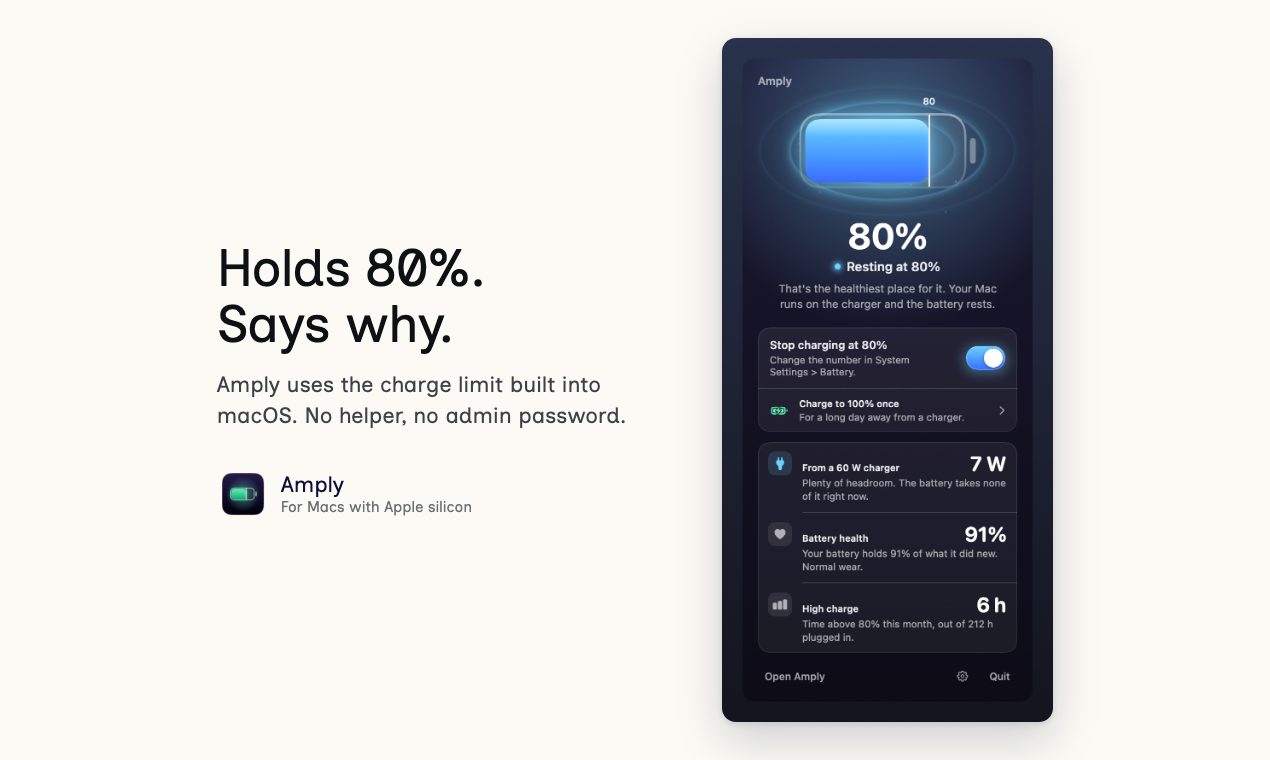
Amply is a battery app for Macs with Apple silicon. It uses the charge limit Apple built into macOS 26.4 and turns it on and off for you. There's no helper tool and no admin password, and it never writes to the chip that runs charging.
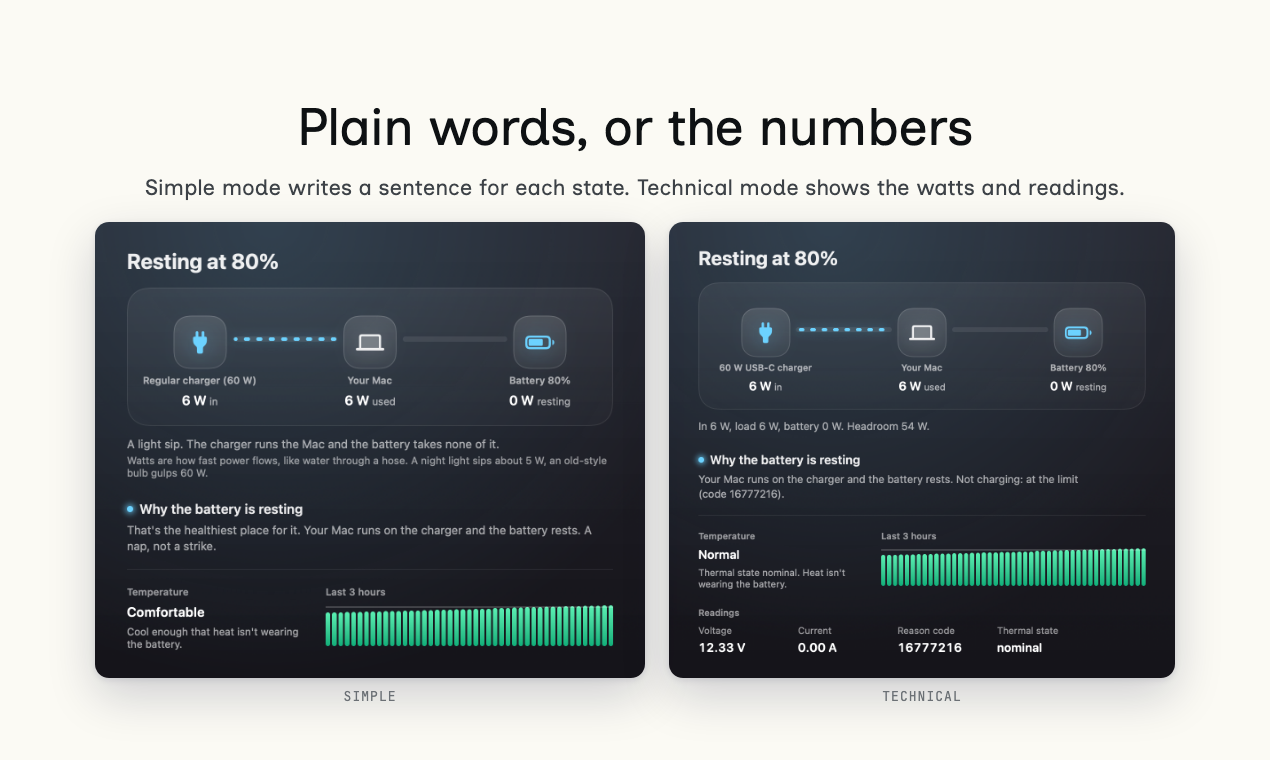
Every state comes with a plain sentence. At the limit it reads "Your Mac runs on the charger and the battery rests." If the battery charges past your limit, or someone switches the limit off, you get a notification and 3 likely causes.
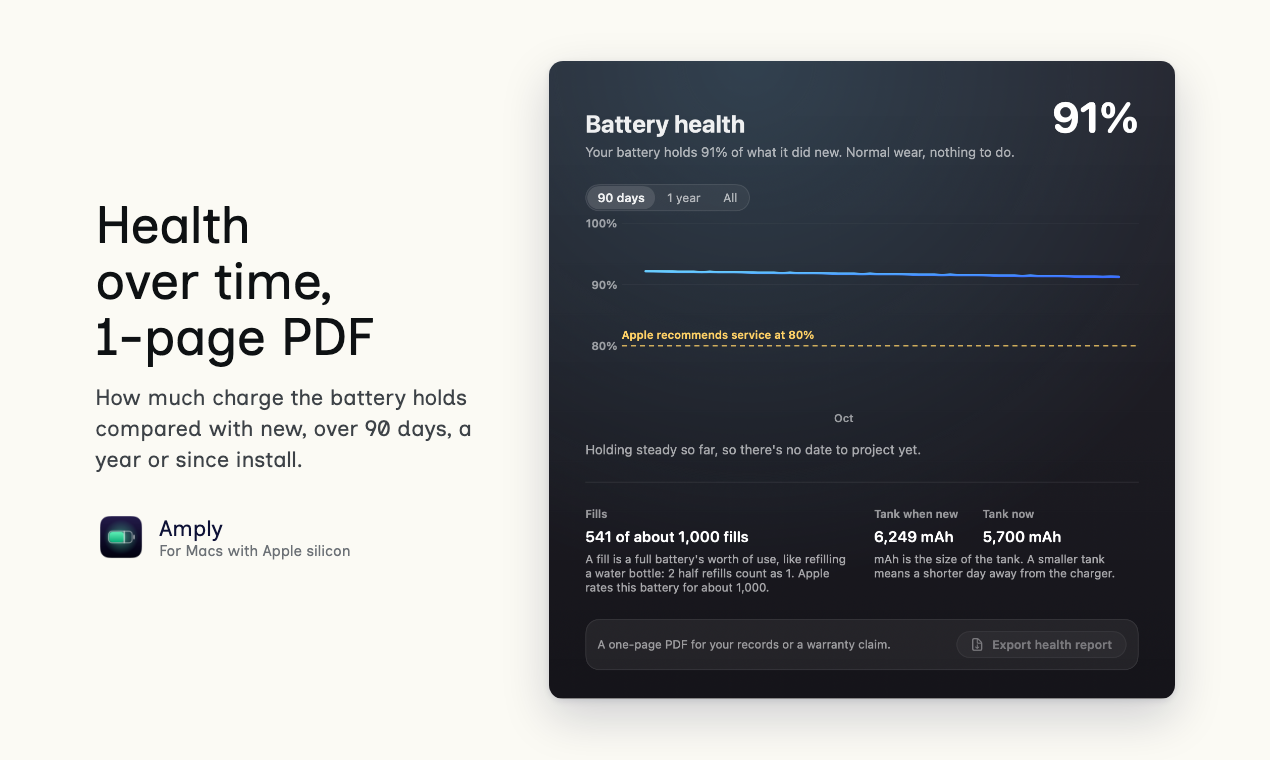
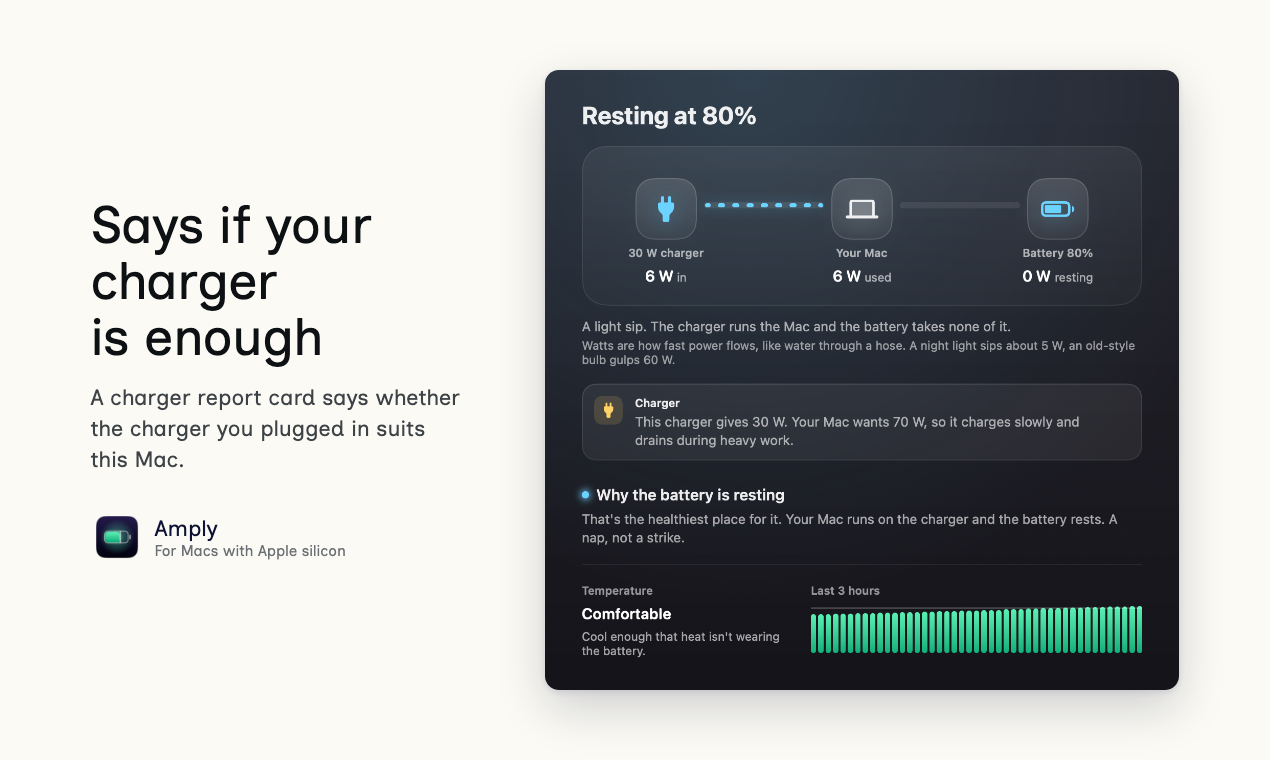
The Health tab tracks how much charge the battery holds compared with new, over 90 days, a year or since install, and exports a 1-page PDF. A charger report card says whether the charger you plugged in is enough for this Mac. Time left reads in words, such as enough for a 3-hour meeting. Charge to 100% once for a long day out, and Amply turns the limit back on afterwards.
Simple and Technical modes. English, Spanish, German, French and Japanese. Free for 14 days with every feature, no card. Then $9.50 once (50% off $19), 1 key for 3 Macs.

Features
Uses the macOS charge limit. No helper, no root, no SMC writes.
Notifies you when the limit stops holding, and lists 3 possible causes.
A plain-English line for every charging state. Technical mode shows watts and mAh.
Battery health over 90 days, a year or all time, with a 1-page PDF report.
A charger report card says whether this charger is enough for this Mac.
Time left in words you can say out loud.
Charge to 100% once, then the limit comes back on its own.
Heat alert while plugged in. Alert when the limit is switched off.
Live power view and energy use by app.
Use Cases
Keeping a MacBook that lives on a desk at 80% without checking on it.
Finding out why the Mac says it is plugged in but not charging.
Checking whether a small travel charger is enough for this Mac.
Keeping a battery health record, with a 1-page PDF for a warranty claim.

Comments

Amply started with a question we kept asking: why is this MacBook not charging right now? macOS 26.4 added a charge limit to System Settings, but it doesn't say when the limit stops holding, or why the battery is sitting at 86%. Amply turns that limit on and off, writes a plain sentence for each charging state, and sends a notification with the likely causes when the limit slips. It needs Apple silicon and macOS 26.4 or later. The trial runs 14 days with every feature and no card. We'd like to hear what your current battery tool leaves unexplained.
Premium Products




















































Sponsors
Buy

Makers
Makers
Comments
Amply started with a question we kept asking: why is this MacBook not charging right now? macOS 26.4 added a charge limit to System Settings, but it doesn't say when the limit stops holding, or why the battery is sitting at 86%. Amply turns that limit on and off, writes a plain sentence for each charging state, and sends a notification with the likely causes when the limit slips. It needs Apple silicon and macOS 26.4 or later. The trial runs 14 days with every feature and no card. We'd like to hear what your current battery tool leaves unexplained.
Premium Products
New to Fazier?

Find your next favorite product or submit your own. Made by @FalakDigital.
Copyright ©2026. All Rights Reserved