
Alias Browser
Privacy-first anti-detect browser for unlimited accounts
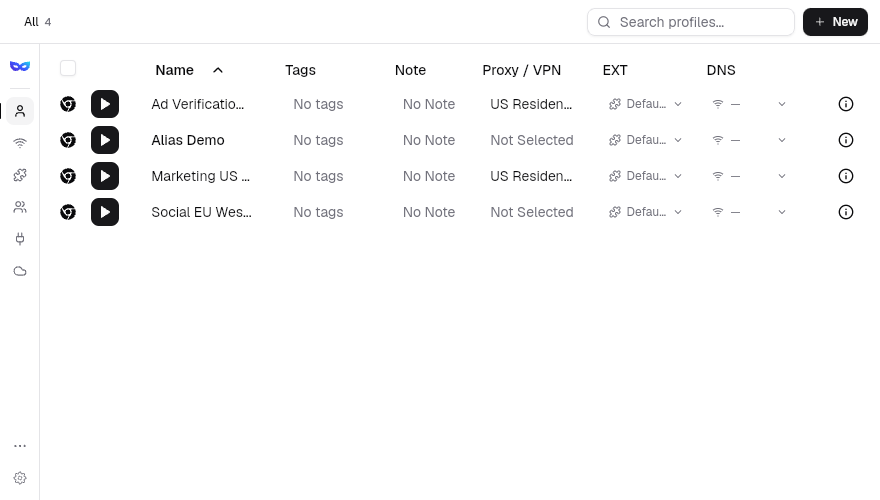
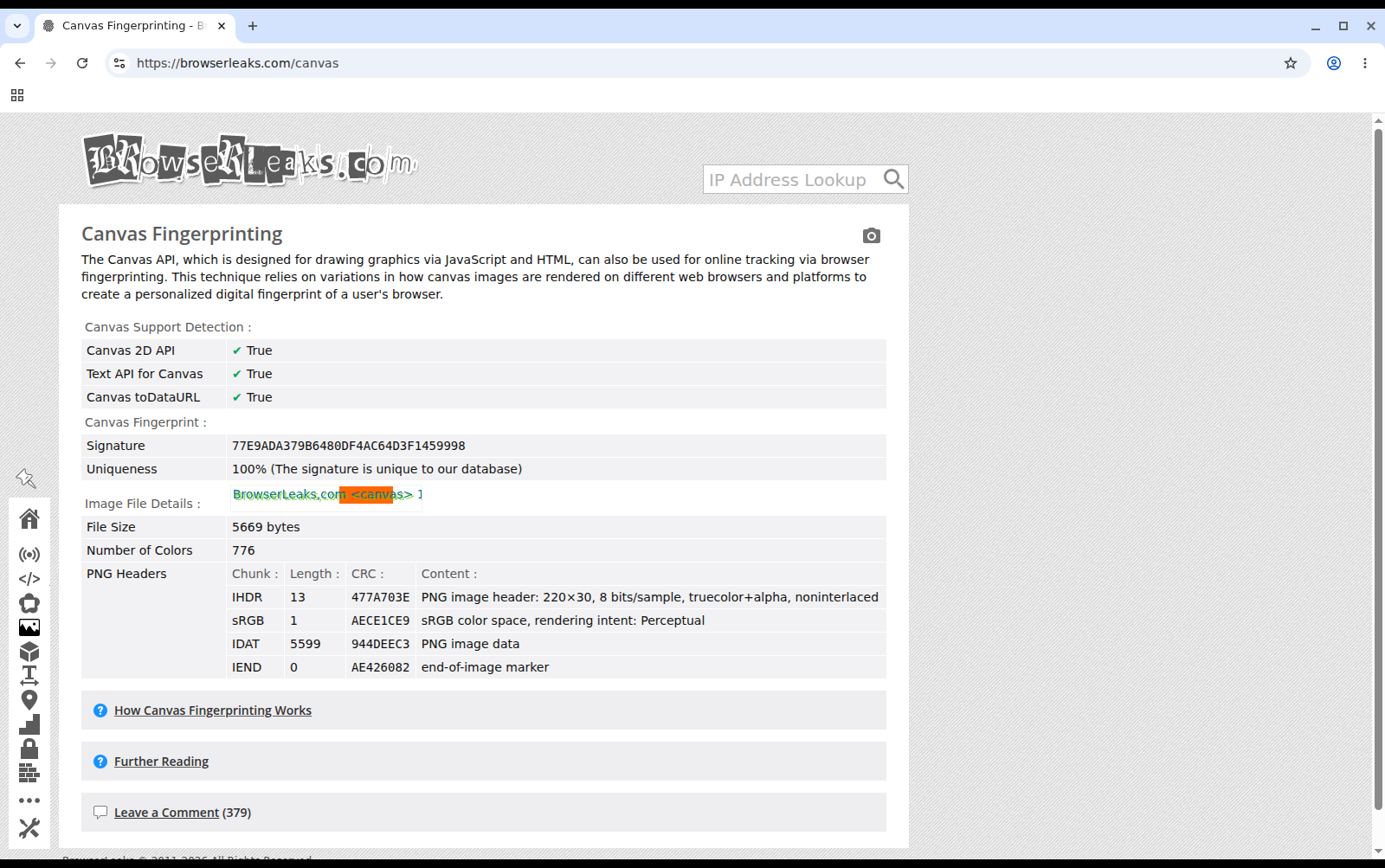
Alias Browser is a privacy-first anti-detect browser that lets you manage multiple online identities from one app. Each profile gets its own fingerprint, cookies, storage, proxy and VPN settings, making accounts appear as separate devices.

Features
• Real browser fingerprint isolation
• HTTP/S and SOCKS5 proxy support
• WireGuard VPN support
• DNS ad and tracker blocking
• Local REST API
• MCP server for AI agents
• Zero telemetry
• Optional encrypted sync
• Windows, macOS and Linux support
Use Cases
• Multi-account management
• Social media agencies
• Affiliate marketing
• E-commerce sellers
• Web scraping and automation
• Ad verification
• Privacy-focused browsing

Comments


The per-profile WireGuard integration alongside fingerprint isolation is a smart combo — most anti-detect browsers treat VPN/proxy as an afterthought. Curious how you handle DNS leak protection when switching proxies mid-session, and whether the local REST API lets you rotate exit nodes programmatically per profile.
I built Alias Browser after becoming frustrated with existing anti-detect browsers. Most solutions were expensive, cloud-dependent, or focused on reselling proxy traffic instead of giving users control. The goal with Alias Browser was simple: create a local-first, privacy-focused browser where every profile behaves like a separate device, without telemetry or vendor lock-in. Along the way, automation became increasingly important, which led to adding a local REST API and MCP server for AI agents and workflows. I'd love to hear how you're managing multiple accounts today and what features you'd like to see next. Happy to answer any questions and discuss ideas!
Resource shared in the discussion of Alias Browser: Local API scope: profiles and saved proxies The local API docs clarify the automation side of your question: scripts can list and update profiles, attach a saved proxy by ID, and start or stop a profile’s browser. The server listens only on 127.0.0.1, and scripts need to discover its current port after the app starts. One limitation worth noting: the documented proxy endpoints create, list, and delete saved proxies, but I don’t see an endpoint for rotating WireGuard exit nodes or changing a proxy during a running session. The docs also don’t describe DNS leak protection, so those details would need a separate explanation. See the Browsaro API documentation for the endpoint scope and setup requirements. https://browsaro.com/api-documentation
Premium Products









































Sponsors
Buy
Makers
Makers
Comments
The per-profile WireGuard integration alongside fingerprint isolation is a smart combo — most anti-detect browsers treat VPN/proxy as an afterthought. Curious how you handle DNS leak protection when switching proxies mid-session, and whether the local REST API lets you rotate exit nodes programmatically per profile.
I built Alias Browser after becoming frustrated with existing anti-detect browsers. Most solutions were expensive, cloud-dependent, or focused on reselling proxy traffic instead of giving users control. The goal with Alias Browser was simple: create a local-first, privacy-focused browser where every profile behaves like a separate device, without telemetry or vendor lock-in. Along the way, automation became increasingly important, which led to adding a local REST API and MCP server for AI agents and workflows. I'd love to hear how you're managing multiple accounts today and what features you'd like to see next. Happy to answer any questions and discuss ideas!
Resource shared in the discussion of Alias Browser: Local API scope: profiles and saved proxies The local API docs clarify the automation side of your question: scripts can list and update profiles, attach a saved proxy by ID, and start or stop a profile’s browser. The server listens only on 127.0.0.1, and scripts need to discover its current port after the app starts. One limitation worth noting: the documented proxy endpoints create, list, and delete saved proxies, but I don’t see an endpoint for rotating WireGuard exit nodes or changing a proxy during a running session. The docs also don’t describe DNS leak protection, so those details would need a separate explanation. See the Browsaro API documentation for the endpoint scope and setup requirements. https://browsaro.com/api-documentation
Premium Products
New to Fazier?

Find your next favorite product or submit your own. Made by @FalakDigital.
Copyright ©2026. All Rights Reserved