
AI STL Generator
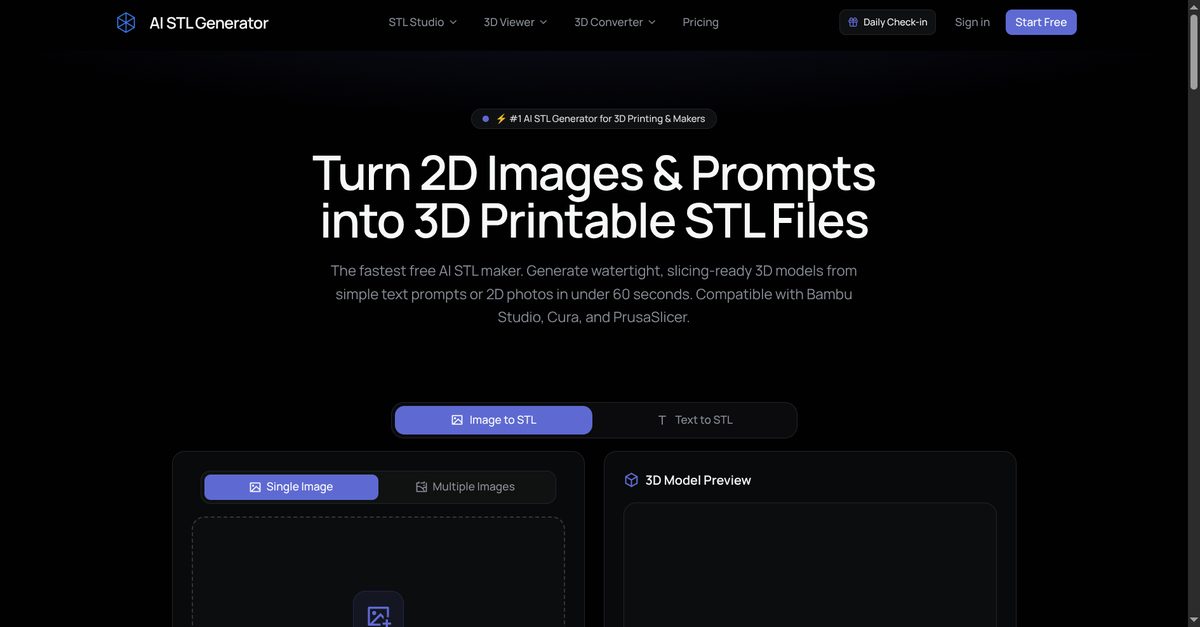
Turn Text & Images into 3D Printable STL Files
Features
Use Cases
Fazier Deal

Comments



Generating watertight meshes from 2D reference images has always been one of the toughest bottlenecks for hobbyist 3D printing and physical crafting. Does the tool support thickness threshold controls to ensure overhangs and thin walls survive standard 0.4mm nozzle slicing without failing in Cura or OrcaSlicer? Really clean interface and practical use case!
Useful that it aims for watertight STLs rather than a pretty mesh. For functional prints (jigs, brackets, spare covers) the hard part is scale: image-to-STL rarely knows whether the reference is 40 mm or 400 mm. A way to mark one known dimension on the reference photo, and an export that states units before the file hits PrusaSlicer or OrcaSlicer, would prevent a lot of reprints. 3MF to STL is handy when a slicer profile only accepts STL, but I would keep 3MF when the model has several bodies so an assembly does not collapse into one mesh.
Useful that it aims for watertight STLs rather than a pretty mesh. For functional prints such as jigs and brackets, image-to-STL rarely knows if the reference is 40 mm or 400 mm. A way to mark one known dimension on the photo, and an export that states millimetres before PrusaSlicer or OrcaSlicer, would prevent reprints. Keep 3MF when the model has several bodies so an assembly does not collapse into one mesh.



Turning a text prompt or 2D photo into a watertight STL in seconds is genuinely hard, so the focus on production-ready meshes instead of a pretty preview is the right call for anyone running Bambu, Creality or PrusaSlicer. It would be useful if the Image-to-STL flow let you mark one known dimension on the reference photo so the output comes out at the right scale, since getting the size wrong is what causes most reprints for jigs and brackets.

Congrats on the launch! 🚀 Turning text and reference images into watertight, print-ready STL files in seconds is a real time saver for anyone in 3D printing. I especially like that it works with slicers like Bambu Lab, OrcaSlicer, PrusaSlicer and Cura, plus the built-in STL viewer and 3MF to STL conversion. Having everything in one place makes the workflow so much smoother. Wishing you great success with the launch! 🙌 <a href="https://stickwarlegacies.com/">🚀</a>
Congrats on the launch! 🎉 Text and image to print-ready STL with slicer support is super useful for 3D printing makers. Love the STL Studio and 3MF conversion features too. Best of luck! 🚀https://stickwarlegacies.com/





Aiming for watertight, slicer-ready STLs instead of just pretty meshes is the right call — that's what separates a demo from something people can actually print. For functional parts like brackets or jigs, do you validate wall thickness and manifold geometry before export, or is that left to the slicer?
Text-to-STL and image-to-STL aimed at watertight files for Bambu Lab, Creality, PrusaSlicer, OrcaSlicer and Cura is a practical scope. The 3MF to STL conversion is useful, but if a 3MF has several bodies, converting to one STL can collapse an assembly. Does STL Studio keep separate bodies, and can I set a minimum wall thickness before export so a 0.4 mm nozzle does not print a shell that fails?

Premium Products






















































Fazier Deal
Sponsors
Buy

Awards
View all
Awards
View all
Comments
Generating watertight meshes from 2D reference images has always been one of the toughest bottlenecks for hobbyist 3D printing and physical crafting. Does the tool support thickness threshold controls to ensure overhangs and thin walls survive standard 0.4mm nozzle slicing without failing in Cura or OrcaSlicer? Really clean interface and practical use case!
Useful that it aims for watertight STLs rather than a pretty mesh. For functional prints (jigs, brackets, spare covers) the hard part is scale: image-to-STL rarely knows whether the reference is 40 mm or 400 mm. A way to mark one known dimension on the reference photo, and an export that states units before the file hits PrusaSlicer or OrcaSlicer, would prevent a lot of reprints. 3MF to STL is handy when a slicer profile only accepts STL, but I would keep 3MF when the model has several bodies so an assembly does not collapse into one mesh.
Useful that it aims for watertight STLs rather than a pretty mesh. For functional prints such as jigs and brackets, image-to-STL rarely knows if the reference is 40 mm or 400 mm. A way to mark one known dimension on the photo, and an export that states millimetres before PrusaSlicer or OrcaSlicer, would prevent reprints. Keep 3MF when the model has several bodies so an assembly does not collapse into one mesh.
Turning a text prompt or 2D photo into a watertight STL in seconds is genuinely hard, so the focus on production-ready meshes instead of a pretty preview is the right call for anyone running Bambu, Creality or PrusaSlicer. It would be useful if the Image-to-STL flow let you mark one known dimension on the reference photo so the output comes out at the right scale, since getting the size wrong is what causes most reprints for jigs and brackets.
Congrats on the launch! 🚀 Turning text and reference images into watertight, print-ready STL files in seconds is a real time saver for anyone in 3D printing. I especially like that it works with slicers like Bambu Lab, OrcaSlicer, PrusaSlicer and Cura, plus the built-in STL viewer and 3MF to STL conversion. Having everything in one place makes the workflow so much smoother. Wishing you great success with the launch! 🙌 <a href="https://stickwarlegacies.com/">🚀</a>
Congrats on the launch! 🎉 Text and image to print-ready STL with slicer support is super useful for 3D printing makers. Love the STL Studio and 3MF conversion features too. Best of luck! 🚀https://stickwarlegacies.com/
Aiming for watertight, slicer-ready STLs instead of just pretty meshes is the right call — that's what separates a demo from something people can actually print. For functional parts like brackets or jigs, do you validate wall thickness and manifold geometry before export, or is that left to the slicer?
Text-to-STL and image-to-STL aimed at watertight files for Bambu Lab, Creality, PrusaSlicer, OrcaSlicer and Cura is a practical scope. The 3MF to STL conversion is useful, but if a 3MF has several bodies, converting to one STL can collapse an assembly. Does STL Studio keep separate bodies, and can I set a minimum wall thickness before export so a 0.4 mm nozzle does not print a shell that fails?
Premium Products
New to Fazier?

Find your next favorite product or submit your own. Made by @FalakDigital.
Copyright ©2026. All Rights Reserved