
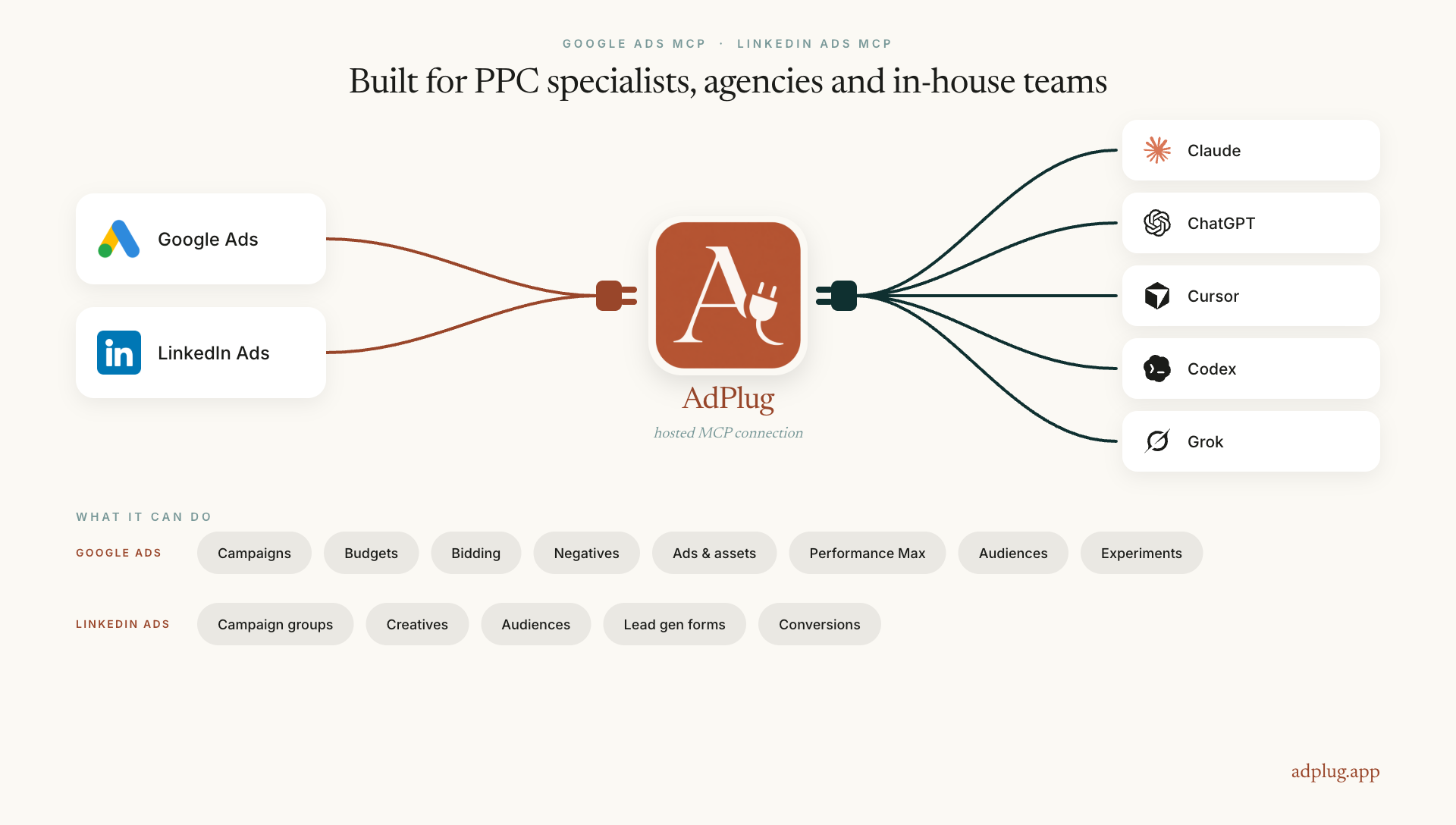
AdPlug is a hosted Google Ads MCP and LinkedIn Ads MCP. It connects your ad accounts to the AI assistant you already use.
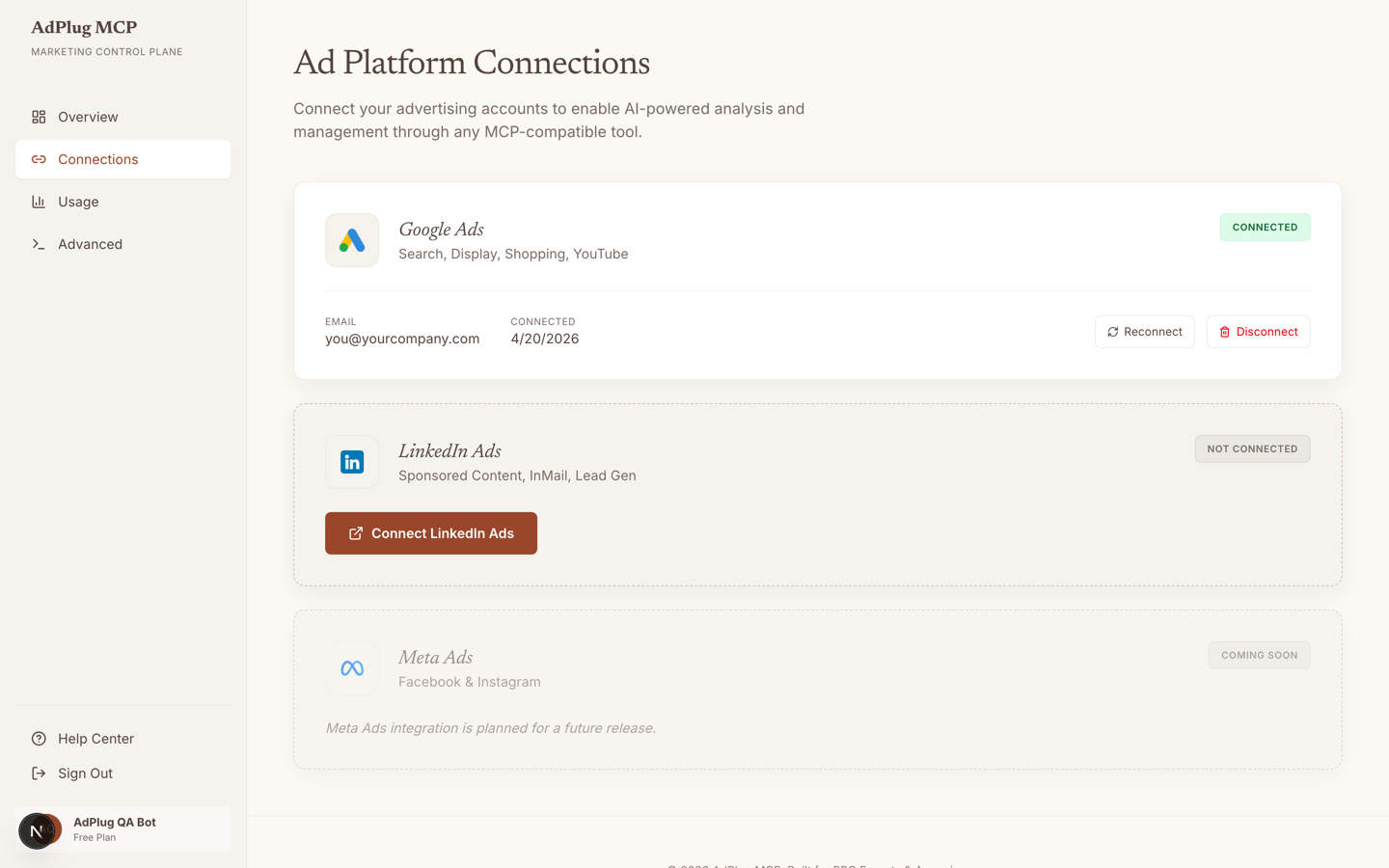
One sign-in per platform. No server to host, no API integration to build, no CSV to export. Ask a question about an account and you get an answer from live campaign data.
Works with Claude, ChatGPT, Cursor, Codex, GitHub Copilot and Antigravity, or any MCP compatible client.
Read-only by default. Write access turns on per platform, and supported changes preview before they run: you see the resource, the field, the value now and the value after, then it waits for you to confirm. Platform tokens are encrypted at rest, every tool call is logged, and disconnecting revokes access straight away.
The free plan is view-only and covers one platform, no card needed. Pro is $29 a month and unlocks edits across both.
Built by Daniel Popa, a Google Ads and LinkedIn Ads specialist with 12+ years in performance marketing and $100M+ in Google Ads spend managed personally. AdPlug is the tool he wanted while running those accounts.
Features
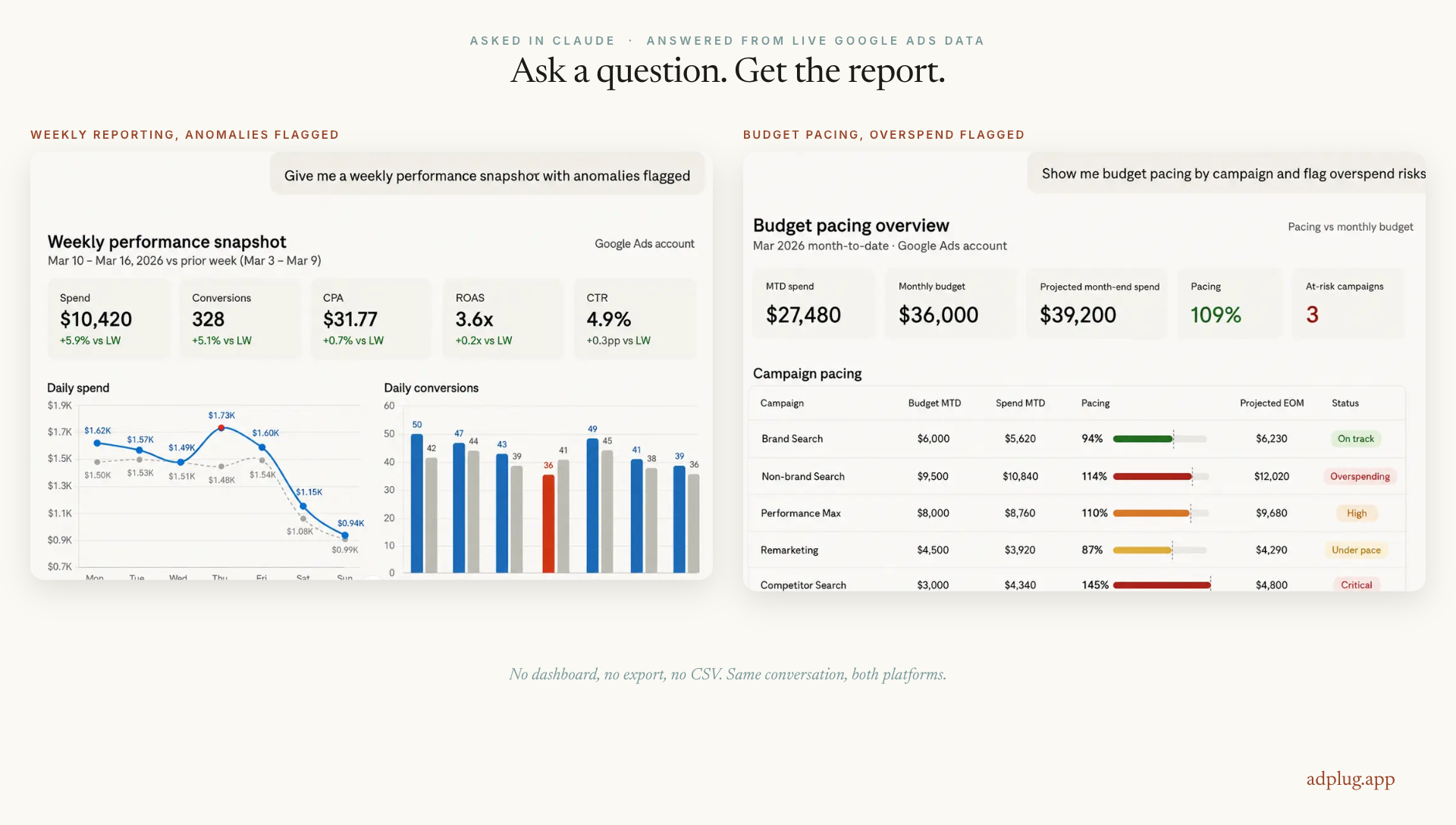
- Reporting without the export ritual: account, campaign, ad group, keyword and search term performance, daily trends and conversion breakdowns.
- One connection covers your whole MCC: a portfolio report is one question rather than eleven logins. Raw GAQL for anything the standard reports miss.
- Google Ads structure: create campaigns, ad groups and keywords. Rename, pause, enable or remove any of them.
- Google Ads budgets and bidding: change budgets, create and update portfolio bidding strategies, set ad group and keyword bids.
- Google Ads creative: responsive search ads, responsive display ads, Demand Gen ads, sitelinks, callouts, structured snippets, image, text and video assets.
- Performance Max: asset groups, audience signals and listing filters.
- Negatives at every level: negative keywords on account, campaign and ad group, plus placement, topic, audience, YouTube, mobile app and brand exclusions.
- Targeting and audiences: bulk geo and language targeting, ad schedules, device, location and demographic bid modifiers, custom audiences, Customer Match and website visitor lists.
- Conversions and experiments: conversion actions, value rules, offline uploads, and experiments you can create, schedule, promote or end.
- LinkedIn Ads: campaign groups, campaigns and creatives across nine formats, from single image and video to carousel, document and Thought Leader Ads.
- LinkedIn audiences and leads: targeting and saved audiences, company and contact list uploads, reach estimates before you commit budget, lead gen forms and their responses.
- Batch changes: up to 100 operations in a single preview and execute, so a whole build is one approval rather than a hundred.
- Safe by default: read-only until you turn write access on, per platform. Supported changes preview before they run.
- Audit and security: platform tokens encrypted at rest, a full audit trail of user, account, action, outcome and timestamp, and disconnect revokes access immediately.
- No developer setup: Google and LinkedIn sign-in. No API keys, no credentials to paste, no developer app to register.
Use Cases
- Audit an account before you touch it: "Audit this account. Structure, wasted spend, conversion tracking gaps, ad strength and missing extensions." The whole pass in one answer instead of a morning of tab-switching.
- Cut the wastage every week: "Which search terms spent more than $100 last month with no conversions?" Add them as negatives at ad group, campaign or shared-list level, with the list shown before anything changes.
- Build ads in bulk, personalised per ad group: "Write an RSA for every ad group in this campaign, using that ad group’s own keywords and landing page." Fifteen headlines and four descriptions each, then sitelinks, callouts and structured snippets to match.
- Fix pacing before the month gets away: "Which campaigns are pacing over budget with eight days left?" Then move budget off the under-performers in the same conversation.
- Change bidding with a safety net: "Move these campaigns to target CPA at $40, and show me the list before you apply it."
- Test properly instead of guessing: "Set up an experiment on this campaign’s bid strategy, then tell me when there is enough data to promote the winner."
- Clean up Performance Max: "Show me PMax asset groups with no conversions this quarter, and add brand exclusions where we are cannibalising."
- Build a LinkedIn audience and size it before spending: "Build a saved audience of heads of marketing at SaaS companies with 200 to 1000 staff, and show me the reach."
- Launch a LinkedIn campaign end to end: "Create a campaign group, three single-image ads and a lead gen form for this offer." Preview every step before it goes live.
- Answer the client question you cannot answer from the dashboard: "Which job titles and company sizes actually convert on this campaign?"
- Report across the whole book: "Spend, conversions and CPA for every client account this month, flagged where CPA moved more than 20%." One question, whole MCC.

Comments


I am a PPC veteran with more than $100M in ad spend managed personally, over 12+ years of running accounts. AdPlug started as something I built for myself. I was running client accounts and doing the same job by hand every week: pull the search terms, paste them into a sheet, filter, find the spend with nothing behind it, build the negative list, upload. Then do it again on the next account. So I wired my ad accounts into my AI assistant and stopped exporting things. I ran it that way for my own clients for more than a year. Audits, weekly reporting, pacing checks, negative lists, bulk ad builds. It sat there quietly being useful. After a year of that, keeping it to myself stopped making sense. So I productised it. Hosted, so you do not run a server. One sign-in per platform. Read-only when you connect it, because I was not going to plug my own client accounts into something that could change them before I trusted it. Write access is a switch you flip per platform, and anything it changes, it shows you first. LinkedIn Ads is in there properly, not as a footnote. Most tools in this space stop at Google and Meta, and B2B people have put up with that for too long. If you run accounts for a living, I would rather hear what is missing than what is good.
The "show me the list before you apply it" pattern is the right call for bid changes — a preview step before any write to a live account is what makes agentic ad tooling usable for agencies. Question: how does it handle the MCC-wide report when accounts have different conversion actions defined? Does it normalise, or report per account?

Premium Products


















































Sponsors
Buy
Makers
Makers
Comments
I am a PPC veteran with more than $100M in ad spend managed personally, over 12+ years of running accounts. AdPlug started as something I built for myself. I was running client accounts and doing the same job by hand every week: pull the search terms, paste them into a sheet, filter, find the spend with nothing behind it, build the negative list, upload. Then do it again on the next account. So I wired my ad accounts into my AI assistant and stopped exporting things. I ran it that way for my own clients for more than a year. Audits, weekly reporting, pacing checks, negative lists, bulk ad builds. It sat there quietly being useful. After a year of that, keeping it to myself stopped making sense. So I productised it. Hosted, so you do not run a server. One sign-in per platform. Read-only when you connect it, because I was not going to plug my own client accounts into something that could change them before I trusted it. Write access is a switch you flip per platform, and anything it changes, it shows you first. LinkedIn Ads is in there properly, not as a footnote. Most tools in this space stop at Google and Meta, and B2B people have put up with that for too long. If you run accounts for a living, I would rather hear what is missing than what is good.
The "show me the list before you apply it" pattern is the right call for bid changes — a preview step before any write to a live account is what makes agentic ad tooling usable for agencies. Question: how does it handle the MCC-wide report when accounts have different conversion actions defined? Does it normalise, or report per account?
Premium Products
New to Fazier?

Find your next favorite product or submit your own. Made by @FalakDigital.
Copyright ©2026. All Rights Reserved