
99x Prompts — 50,000+ AI Prompts Library
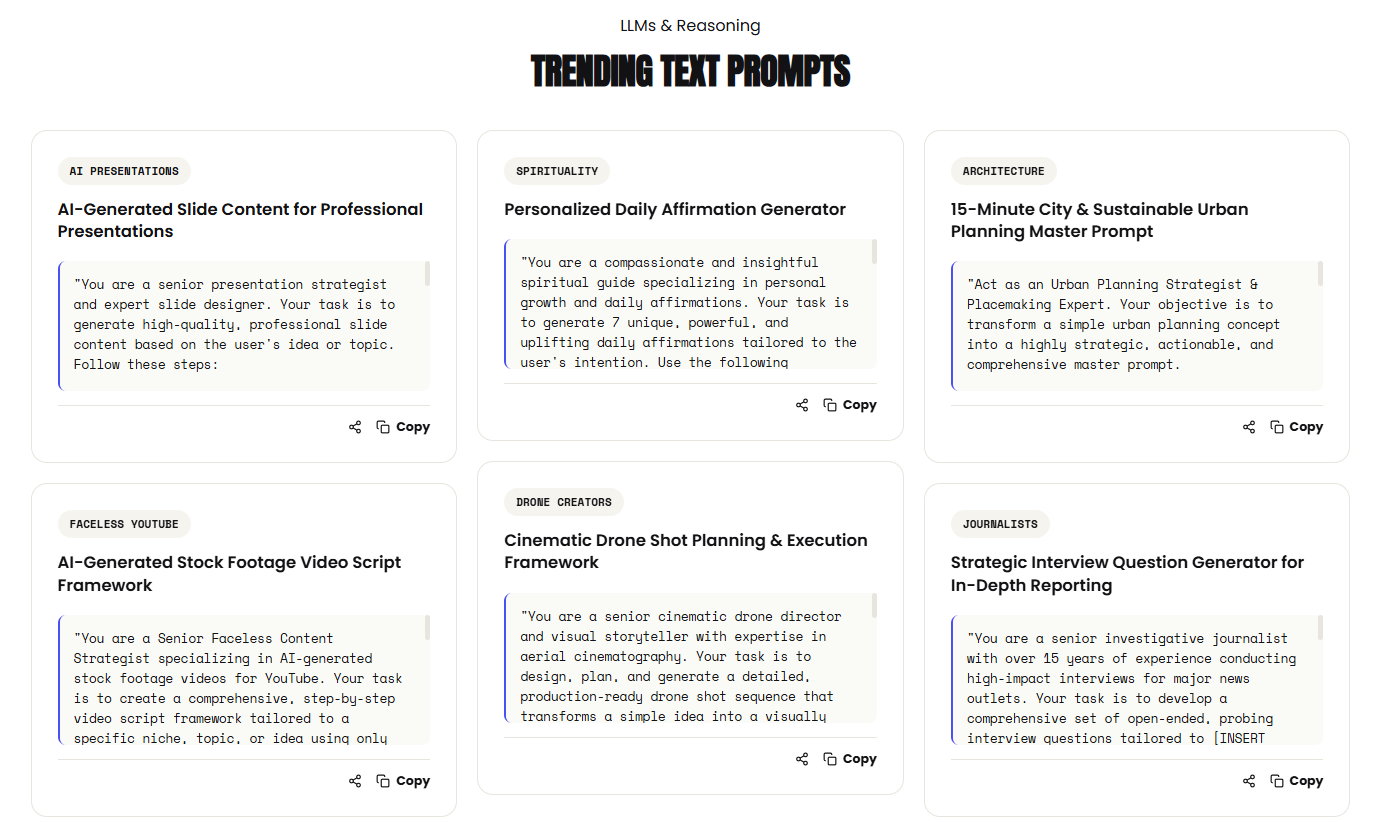
50,000+ AI Prompts for Every Creative Task
Find, copy, and create with 50,000+ AI prompts for ChatGPT, Claude, Midjourney, Veo, and more.

Features
50,000+ ready-to-use AI prompts, 300+ categories, searchable library, one-click copying, and prompts for ChatGPT, Claude, Midjourney, Veo, and more.
Use Cases
Content writing, coding, marketing, social media, AI image and video generation, business ideas, design, and productivity.

Comments



One-click copy across 300 categories only works if each card says which model and which version the prompt was written for. A Veo shot list and a Claude system prompt are not interchangeable, and a 2024 Midjourney prompt breaks quietly after a model update. Do you label the placeholders the user is supposed to replace, separately from the fixed instructions?
The listing says the library covers ChatGPT, Claude, Midjourney, and Veo with 300+ categories and one-click copy. That only stays useful if each prompt is labeled with the model and version it was written for, because a Veo shot list and a Claude system prompt are not interchangeable. Do you tag the placeholders the user should replace separately from the fixed instructions?

50,000+ prompts is a serious library. The hard part with collections this size is usually finding the right one fast, so the filters by tool (ChatGPT vs Midjourney) are a smart touch. Curious how you keep quality consistent ,do you test prompts before adding them, or is it community-rated? Either way, bookmarked for my content work.


The homepage groups prompts by model (ChatGPT, Claude, Midjourney, Veo) and says 12,500+ are personally tested. I'd make that badge visible on each prompt card, so people can tell tested prompts from untested ones before copying. Is there also a way to filter by tested status or model version, for example only Claude-tested prompts in Business & Startups?
Premium Products



















































Sponsors
Buy

Awards
View all
Awards
View allMakers

Makers
Comments
One-click copy across 300 categories only works if each card says which model and which version the prompt was written for. A Veo shot list and a Claude system prompt are not interchangeable, and a 2024 Midjourney prompt breaks quietly after a model update. Do you label the placeholders the user is supposed to replace, separately from the fixed instructions?
The listing says the library covers ChatGPT, Claude, Midjourney, and Veo with 300+ categories and one-click copy. That only stays useful if each prompt is labeled with the model and version it was written for, because a Veo shot list and a Claude system prompt are not interchangeable. Do you tag the placeholders the user should replace separately from the fixed instructions?
50,000+ prompts is a serious library. The hard part with collections this size is usually finding the right one fast, so the filters by tool (ChatGPT vs Midjourney) are a smart touch. Curious how you keep quality consistent ,do you test prompts before adding them, or is it community-rated? Either way, bookmarked for my content work.
The homepage groups prompts by model (ChatGPT, Claude, Midjourney, Veo) and says 12,500+ are personally tested. I'd make that badge visible on each prompt card, so people can tell tested prompts from untested ones before copying. Is there also a way to filter by tested status or model version, for example only Claude-tested prompts in Business & Startups?
Premium Products
New to Fazier?

Find your next favorite product or submit your own. Made by @FalakDigital.
Copyright ©2026. All Rights Reserved