
SpinShare
Fast, private, offline file converter
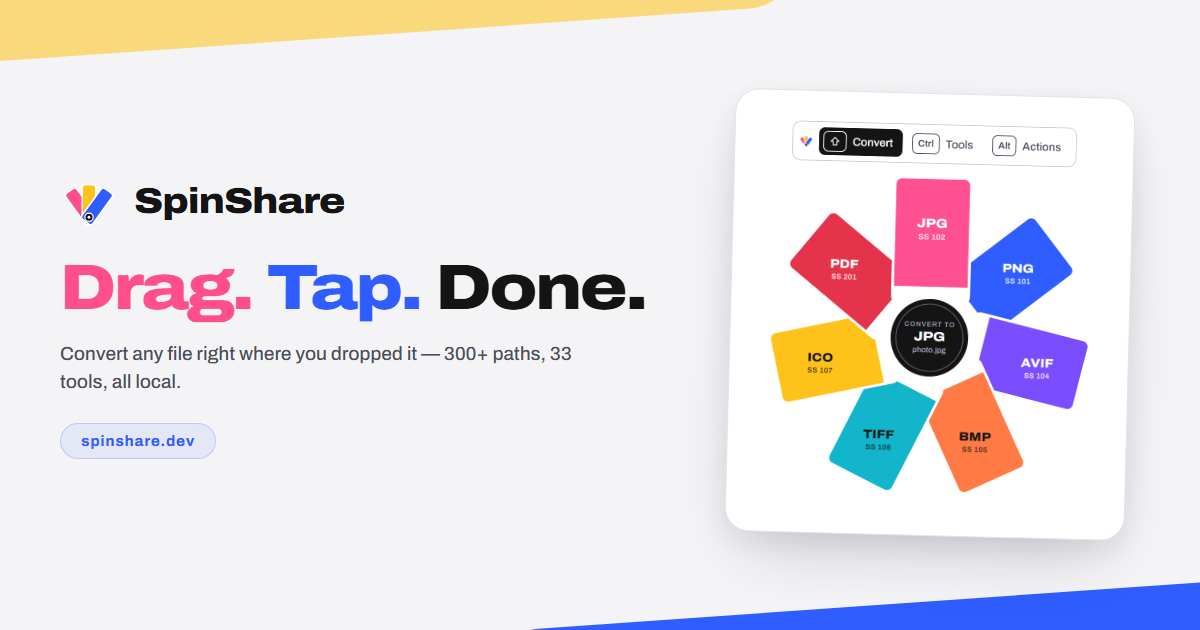
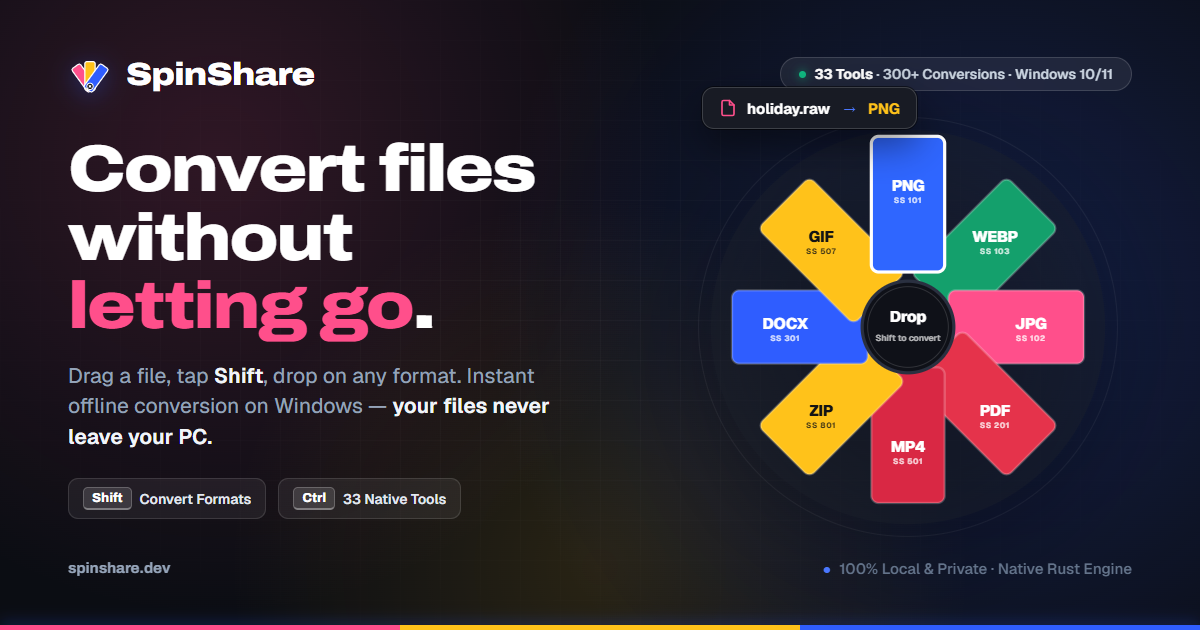
SpinShare is a fast, private file converter for Windows. Everything runs locally on your device — no uploads, no queues, no accounts. Convert video, audio, images, documents and archives: drag in, tap one key, done.
Features
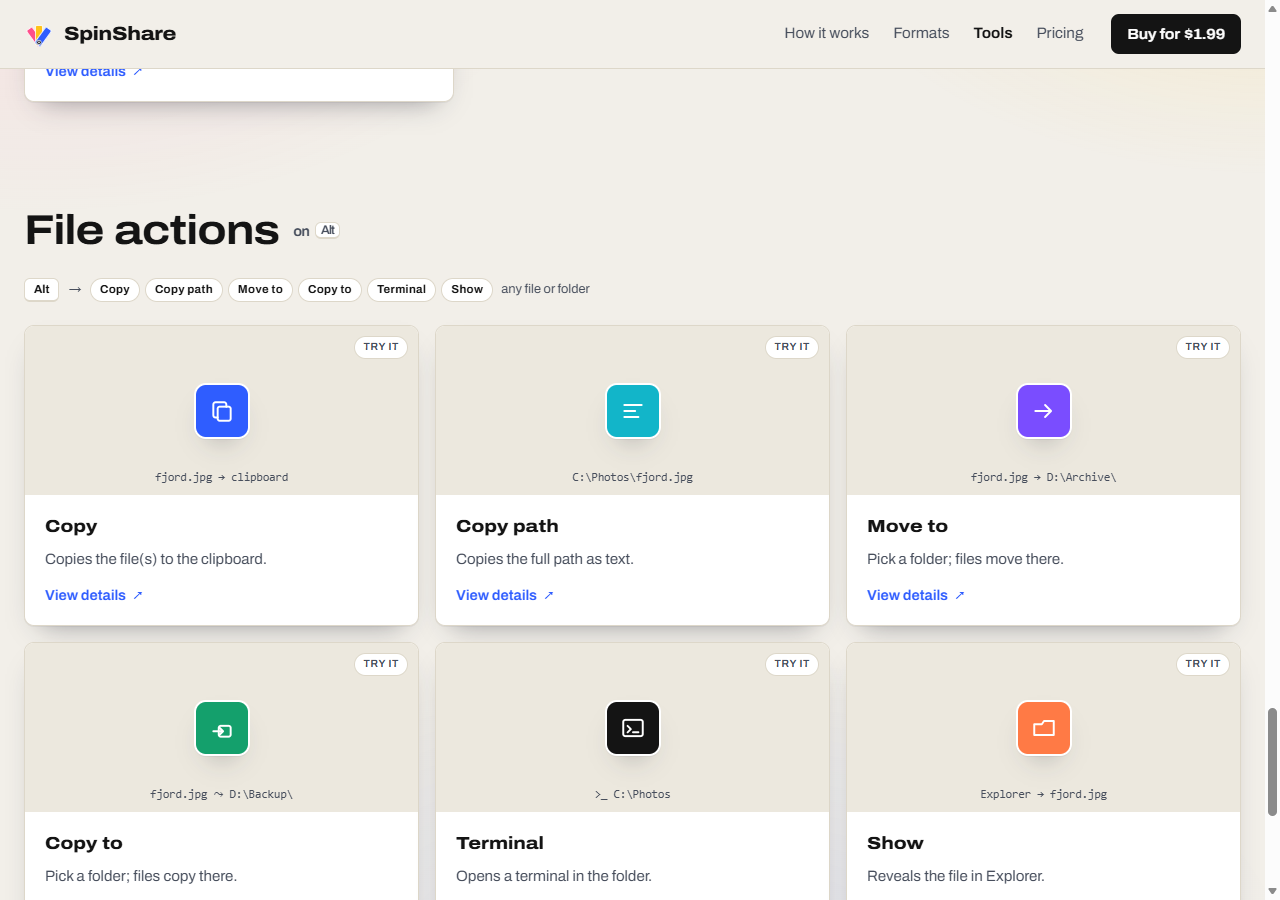
• 100% offline conversion — files never leave your device• Drag in, tap one key, done• Video, audio, image, document and archive formats• Image tools: crop, compress, redact, annotate, join• One-time lifetime license, up to 3 machines
Use Cases
• Compress a screen recording to send over chat• Convert HEIC and WEBP images to PNG or JPG instantly• Turn documents to PDF and back without uploading anything

Comments

The one-key convert is the part that would replace the handful of online tools I bounce between for a screen recording. The page lists video, audio, images, documents and archives, but not which of those are in the free build versus the lifetime license. Is the free version capped by file size or by format family, and if a convert fails, is the original file left untouched on disk?

Online converters with arbitrary file limits, ads, and upload queues are such a headache—especially when handling sensitive client documents. Having a 100% offline, local converter that triggers with a simple drag-and-key action is a huge productivity boost. The lifetime license for multiple machines is also refreshing in a world full of micro-subscriptions. Great utility, congrats on the launch!
The local redact and annotate tools are the part I would actually open first. Screenshots often have a client email or an API key in the corner, and the usual fix is an online redactor, which is the leak I am trying to avoid. Does redact burn the pixels so the original text cannot be recovered from the file, and does it work on a multi-page PDF or only on single images? I am also curious whether archive support means repacking zip or 7z locally, or only extracting them.
Offline-only conversion with no accounts is a clear advantage for people handling private documents. The page mentions image tools like redact and annotate, which is unusual for a converter. Does redaction permanently remove the underlying pixels, and how does the lifetime license handle moving between its 3 machines?

I really like the idea of keeping file conversion fast and completely private by processing everything locally. Supporting multiple file types in one simple workflow, without uploads or account registration, makes SpinShare especially appealing for anyone who regularly works with different media formats.

Running everything locally is a strong selling point, especially for people handling client files or screen recordings that they don't want on someone else's server. The one-time lifetime license is also refreshing next to subscription converters. Are batch conversions (for example a whole folder of HEIC photos) supported, or is it one file at a time?

Local-only + keyboard-first is a great combo — the privacy angle alone wins over web converters that quietly keep your files. Curious what's under the hood: are you bundling ffmpeg/ImageMagick-style engines or something custom, and how's the format matrix for the long tail (HEIC, AVIF, odd archive formats)? And since it's keyboard-driven, is there batch/folder conversion in one pass?

The local redact and annotate tools stand out to me, since blurring a screenshot before sharing it without uploading it anywhere is a real privacy win. The page says the converter handles archives, but doesn't say whether it can also create them. Can SpinShare batch-convert a whole folder with one keypress, and does it keep the original folder structure for the outputs?









The redact tool sitting right next to compress is what caught my eye. That's the step people forget before sending a screen recording or a scanned contract over chat, and doing it offline means the unredacted file never touches anyone's server. Does redaction burn the pixels into the output so nothing can be recovered from layers or metadata, and does converting a HEIC photo strip the EXIF/GPS data by default?



Running everything locally is a strong selling point, especially for people handling client files or screen recordings that they don't want on someone else's server. The one-time lifetime license is also refreshing next to subscription converters. Are batch conversions (for example a whole folder of HEIC photos) supported, or is it one file at a time?



Huge fan of the 100% offline and local conversion approach. Having files stay entirely on-device without needing cloud uploads or queue waits is a massive win for privacy, especially when handling sensitive documents. Does it support batch conversions across multiple files simultaneously, or is it geared strictly towards one file at a time?


Premium Products




















































Sponsors
Buy



Makers
Makers
Comments
The one-key convert is the part that would replace the handful of online tools I bounce between for a screen recording. The page lists video, audio, images, documents and archives, but not which of those are in the free build versus the lifetime license. Is the free version capped by file size or by format family, and if a convert fails, is the original file left untouched on disk?
Online converters with arbitrary file limits, ads, and upload queues are such a headache—especially when handling sensitive client documents. Having a 100% offline, local converter that triggers with a simple drag-and-key action is a huge productivity boost. The lifetime license for multiple machines is also refreshing in a world full of micro-subscriptions. Great utility, congrats on the launch!
The local redact and annotate tools are the part I would actually open first. Screenshots often have a client email or an API key in the corner, and the usual fix is an online redactor, which is the leak I am trying to avoid. Does redact burn the pixels so the original text cannot be recovered from the file, and does it work on a multi-page PDF or only on single images? I am also curious whether archive support means repacking zip or 7z locally, or only extracting them.
Offline-only conversion with no accounts is a clear advantage for people handling private documents. The page mentions image tools like redact and annotate, which is unusual for a converter. Does redaction permanently remove the underlying pixels, and how does the lifetime license handle moving between its 3 machines?
I really like the idea of keeping file conversion fast and completely private by processing everything locally. Supporting multiple file types in one simple workflow, without uploads or account registration, makes SpinShare especially appealing for anyone who regularly works with different media formats.
Running everything locally is a strong selling point, especially for people handling client files or screen recordings that they don't want on someone else's server. The one-time lifetime license is also refreshing next to subscription converters. Are batch conversions (for example a whole folder of HEIC photos) supported, or is it one file at a time?
Local-only + keyboard-first is a great combo — the privacy angle alone wins over web converters that quietly keep your files. Curious what's under the hood: are you bundling ffmpeg/ImageMagick-style engines or something custom, and how's the format matrix for the long tail (HEIC, AVIF, odd archive formats)? And since it's keyboard-driven, is there batch/folder conversion in one pass?
The local redact and annotate tools stand out to me, since blurring a screenshot before sharing it without uploading it anywhere is a real privacy win. The page says the converter handles archives, but doesn't say whether it can also create them. Can SpinShare batch-convert a whole folder with one keypress, and does it keep the original folder structure for the outputs?
The redact tool sitting right next to compress is what caught my eye. That's the step people forget before sending a screen recording or a scanned contract over chat, and doing it offline means the unredacted file never touches anyone's server. Does redaction burn the pixels into the output so nothing can be recovered from layers or metadata, and does converting a HEIC photo strip the EXIF/GPS data by default?
Running everything locally is a strong selling point, especially for people handling client files or screen recordings that they don't want on someone else's server. The one-time lifetime license is also refreshing next to subscription converters. Are batch conversions (for example a whole folder of HEIC photos) supported, or is it one file at a time?
Huge fan of the 100% offline and local conversion approach. Having files stay entirely on-device without needing cloud uploads or queue waits is a massive win for privacy, especially when handling sensitive documents. Does it support batch conversions across multiple files simultaneously, or is it geared strictly towards one file at a time?
Premium Products
New to Fazier?

Find your next favorite product or submit your own. Made by @FalakDigital.
Copyright ©2026. All Rights Reserved