Transcribe Video to Text
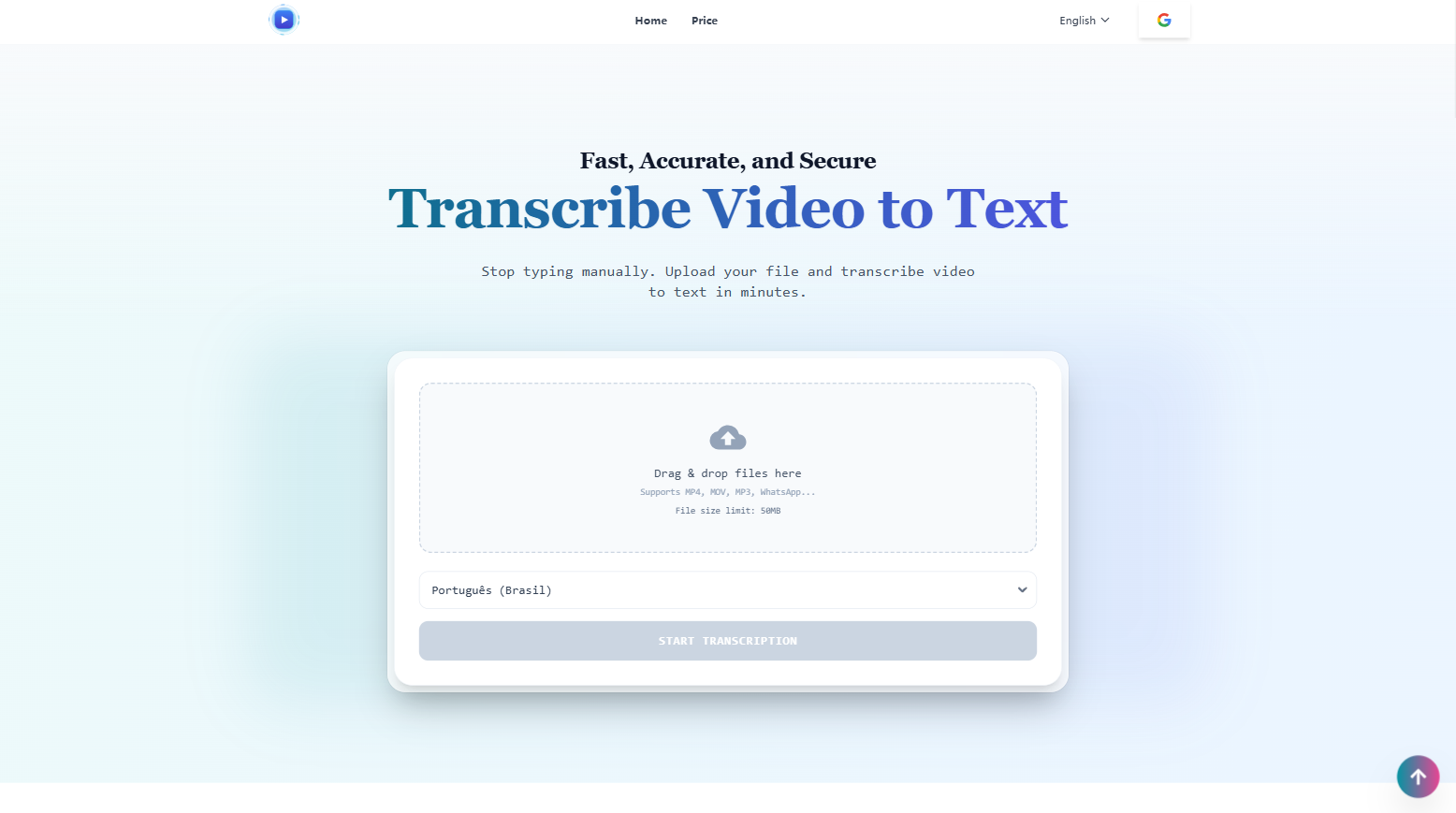
Instantly transcribe video to text with our advanced engine.
Why You Need to Transcribe Video to Text
Search Engine Optimization (SEO)
Google can’t watch videos. It reads text. By using a video to text converter to create a transcript, you make your video content searchable. When you transcribe video to text, you give search engines keywords to index, bringing more traffic.
Accessibility is Essential
Not everyone consumes content with the sound on. Captions are a necessity, not a luxury. When you transcribe video to text, you make your content inclusive and accessible to a global audience, including the hearing impaired.
Repurposing Content
A single video can become a blog post, a newsletter, or five tweets. When you transcribe video to text, you get a raw manuscript that you can edit and reuse. It is the secret weapon of efficient marketing teams.
Features
99% Accuracy
Our model understands context, accents, and technical jargon. The advanced technology does the heavy lifting to transcribe video to text with high fidelity.
Speaker Identification
A basic video to transcript converter often jumbles everything together. Our tool detects when the speaker changes and labels them . This makes it incredibly easy to transcribe video to text for meetings, podcasts, and interviews.
Smart Subtitle Segmentation
Most tools chop sentences awkwardly. Our technology understands punctuation and pauses to ensure subtitles break at natural points.
Multi-Format Export
After you transcribe video to text, download as TXT, or industry-standard SRT and VTT files for Premiere Pro or YouTube.
Use Cases
For Students and Researchers
Recording lectures is great, but finding a specific quote is painful. When you transcribe video to text, you can use 'Ctrl+F' to search your lecture notes instantly.
For Journalists and Reporters
Interview transcription is the bane of every journalist's existence. Now, you can transcribe video to text in minutes, giving you more time to focus on the story.
For Video Editors
Creating subtitles manually breaks your creative flow. Using a video to text converter automates the boring part so you can focus on editing.
For HR and Corporate Teams
Zoom meetings happen every day. Instead of assigning someone to take notes, record the meeting and transcribe video to text later for a verbatim record.
Sponsors
Buy
Comments


Hi everyone! 👋 I'm liz, the maker of TapTranscribe. I built TapTranscribe to scratch my own itch. As a content creator, I spent countless hours manually typing subtitles or dealing with "free" tools that were actually full of ads, slow, or inaccurate. The professional tools? They felt overpriced and complicated for my simple needs. I wanted a tool that just works. No friction, high accuracy, and fair pricing. 💡 What makes TapTranscribe different? Speed & Accuracy: Powered by the Deepgram Nova-3 model Bilingual Focus: Not just transcription, but translation. You can view original and translated text side-by-side (great for language learners and localization). Workflow First: I spent a lot of time polishing the Interactive Editor. You can click any word to jump to that video timestamp, double-click to edit, and export to SRT/VTT/Word instantly. Fair Play: You get 15 minutes free every month. No credit card required to start. I’m a solo developer, and I poured a lot of love into the UX details (like the dual-language player!). 🙏 My ask for you: I’d love for you to upload a video and try the editor. Does the workflow feel smooth? Is the bilingual feature useful to you? I'll be hanging out in the comments all day. Let me know what you think (even if you want to roast it)! 🚀
Premium Products










Sponsors
Buy

Comments
Hi everyone! 👋 I'm liz, the maker of TapTranscribe. I built TapTranscribe to scratch my own itch. As a content creator, I spent countless hours manually typing subtitles or dealing with "free" tools that were actually full of ads, slow, or inaccurate. The professional tools? They felt overpriced and complicated for my simple needs. I wanted a tool that just works. No friction, high accuracy, and fair pricing. 💡 What makes TapTranscribe different? Speed & Accuracy: Powered by the Deepgram Nova-3 model Bilingual Focus: Not just transcription, but translation. You can view original and translated text side-by-side (great for language learners and localization). Workflow First: I spent a lot of time polishing the Interactive Editor. You can click any word to jump to that video timestamp, double-click to edit, and export to SRT/VTT/Word instantly. Fair Play: You get 15 minutes free every month. No credit card required to start. I’m a solo developer, and I poured a lot of love into the UX details (like the dual-language player!). 🙏 My ask for you: I’d love for you to upload a video and try the editor. Does the workflow feel smooth? Is the bilingual feature useful to you? I'll be hanging out in the comments all day. Let me know what you think (even if you want to roast it)! 🚀
Premium Products
New to Fazier?

Find your next favorite product or submit your own. Made by @FalakDigital.
Copyright ©2025. All Rights Reserved