
SlideBySide
Share your slides, not your screen
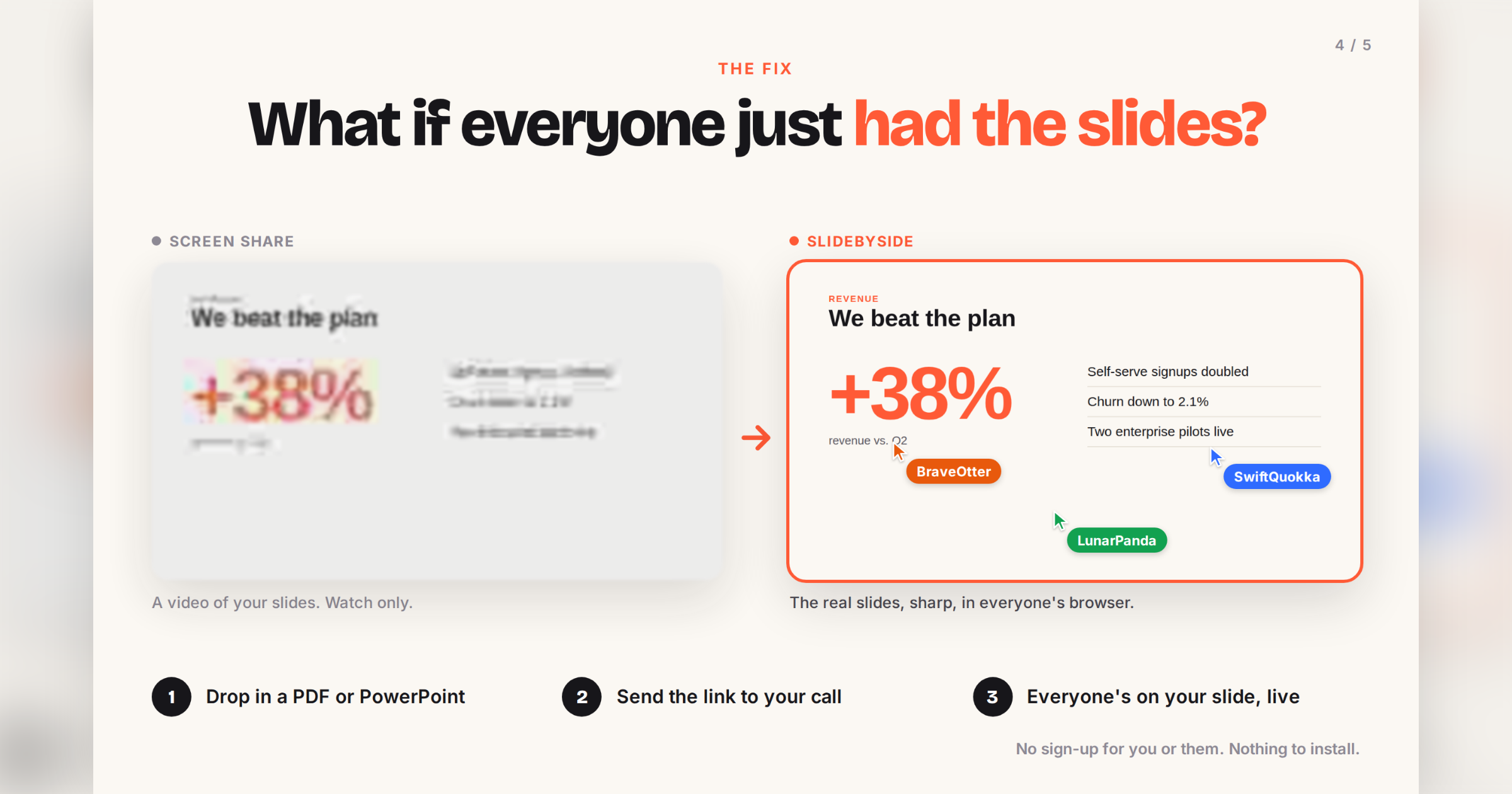
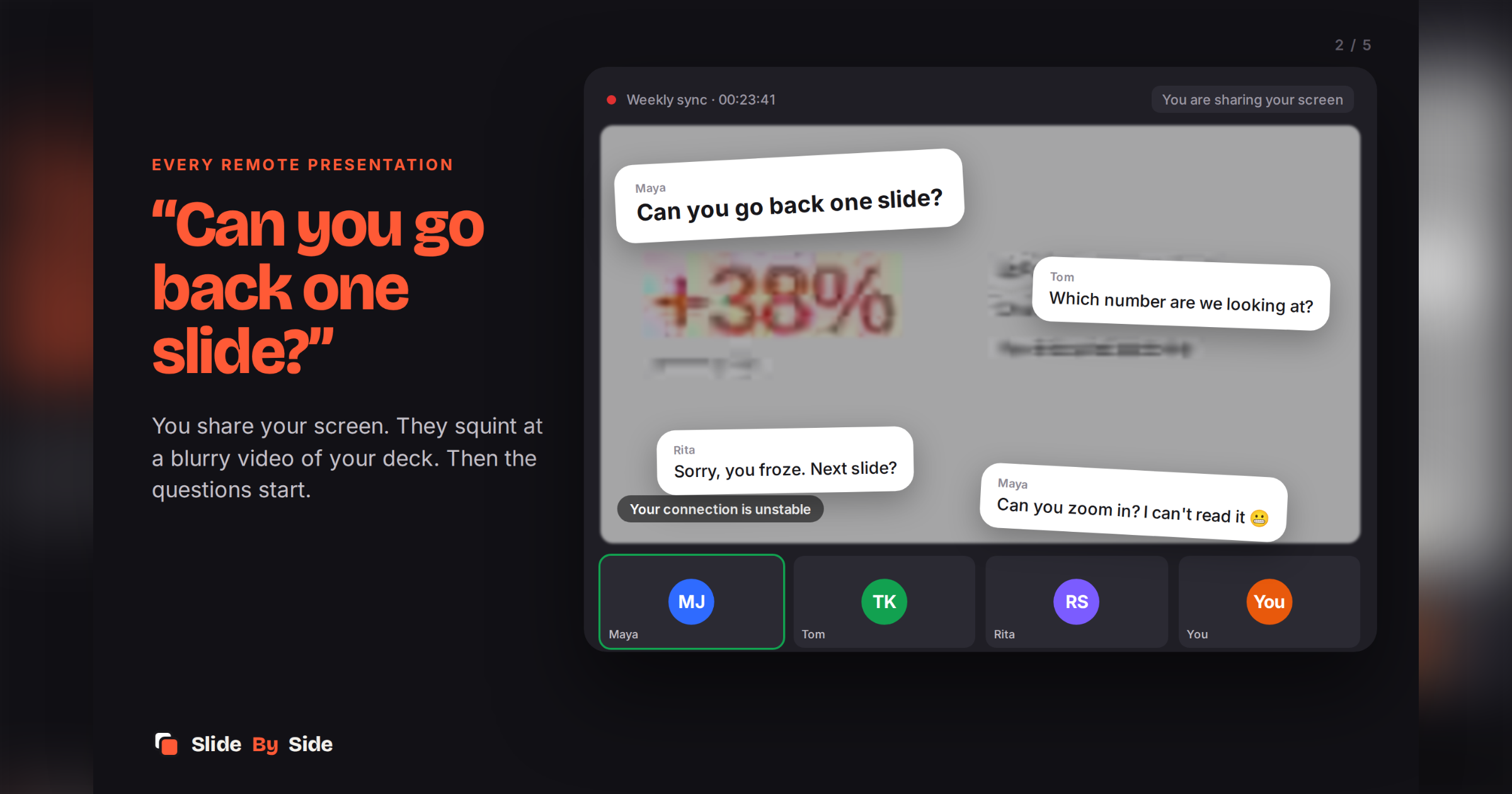
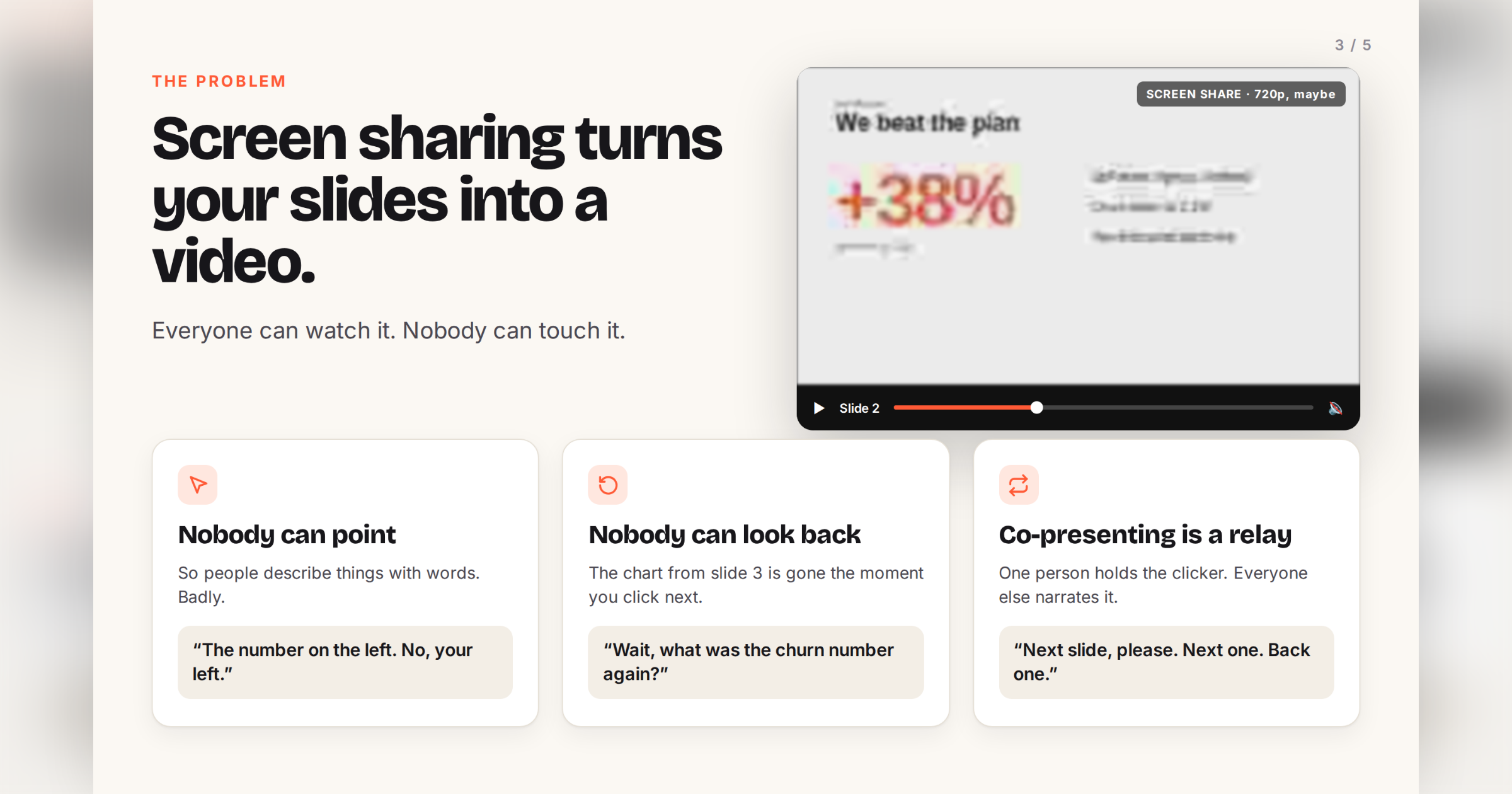
Screen sharing turns your slides into a blurry video. People can't point at anything, and someone always asks you to go back one slide.
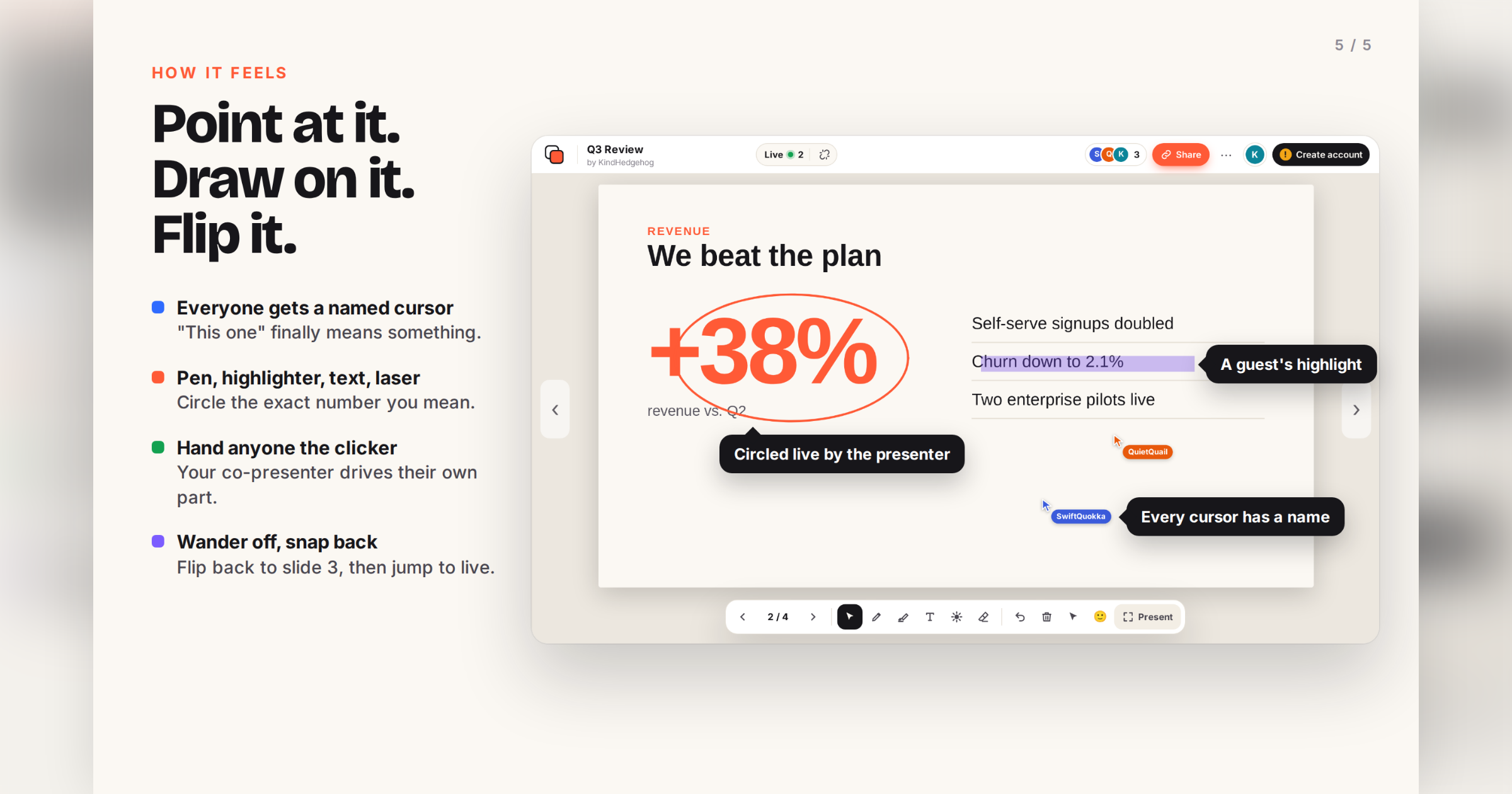
SlideBySide gives everyone the actual slides instead. Upload a PDF or PowerPoint (or pull it from Google Drive or OneDrive) and share the link. Whoever opens it follows your live slide, sees everyone's named cursor, and can draw, highlight or add text on top.
You stay in charge. Let one person drive, let everyone browse on their own and jump back to live, or lock it all down. Permissions work for the whole room or per person.
No accounts needed for anyone. No installs. No tracking. Free.
Features
- Same slide for everyone, live
- Named live cursors
- Pen, highlighter, text and fading laser
- Shared control: hand the clicker to anyone
- Browse alone, jump back to live
- Per-person permissions
- Public, shared-with-people or private decks
- Version history that keeps drawings
- Google Drive, Google Slides and OneDrive import
- No sign-up for presenter or audience
- No tracking, no ads
Use Cases
- Team reviews: a PM walks through the quarterly deck and finance circles the number they disagree with, right on the slide.
- Co-presenting: two founders pitch remotely; the second one takes control for their section without "next slide, please".
- Teaching and workshops: students follow the lecture slides on their own laptops, scroll back to the formula, and highlight what confused them.
- Design and copy feedback: share a PDF export and let reviewers draw on the exact spot.
- Hybrid rooms: people in the room watch the projector, people at home get the same slide in their browser.

Comments


Hey Fazier, Denis here 👋 Every remote meeting I've sat in has the same moment. Someone shares their screen, the deck turns into a blurry video, and a minute later someone asks "can you go back one slide?" So I built SlideBySide. You drop in a PDF or PowerPoint and send a link. Everyone who opens it gets the real slides in their own browser and follows your live slide. They can point with a named cursor, draw, highlight, or browse ahead and snap back. If you want, you can hand the clicker to a co-presenter. Nobody signs up, not you and not your audience. It's free, and there's no tracking. It made the Hacker News front page a couple of weeks ago (84 points), which was a nice surprise for a side project. Quickest way to try it: drop any PDF on the homepage, then open the link in a second window. You'll see both cursors. One thing I'd really like to know: do per-person permissions (pointer, slide control, drawing, browsing alone, download) feel useful, or like too many switches?
Premium Products






















































Sponsors
Buy

Makers
Makers
Comments
Hey Fazier, Denis here 👋 Every remote meeting I've sat in has the same moment. Someone shares their screen, the deck turns into a blurry video, and a minute later someone asks "can you go back one slide?" So I built SlideBySide. You drop in a PDF or PowerPoint and send a link. Everyone who opens it gets the real slides in their own browser and follows your live slide. They can point with a named cursor, draw, highlight, or browse ahead and snap back. If you want, you can hand the clicker to a co-presenter. Nobody signs up, not you and not your audience. It's free, and there's no tracking. It made the Hacker News front page a couple of weeks ago (84 points), which was a nice surprise for a side project. Quickest way to try it: drop any PDF on the homepage, then open the link in a second window. You'll see both cursors. One thing I'd really like to know: do per-person permissions (pointer, slide control, drawing, browsing alone, download) feel useful, or like too many switches?
Premium Products
New to Fazier?

Find your next favorite product or submit your own. Made by @FalakDigital.
Copyright ©2026. All Rights Reserved