
NovaPrompt
Optimize, generate, and organize AI prompts
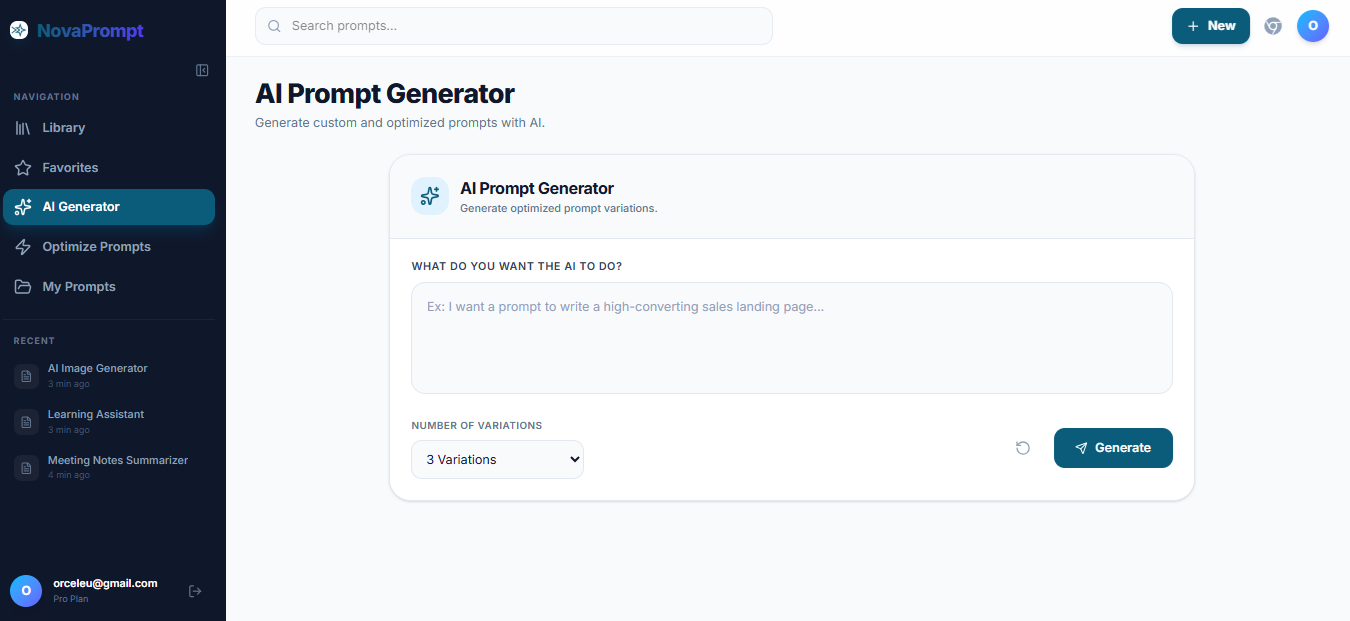
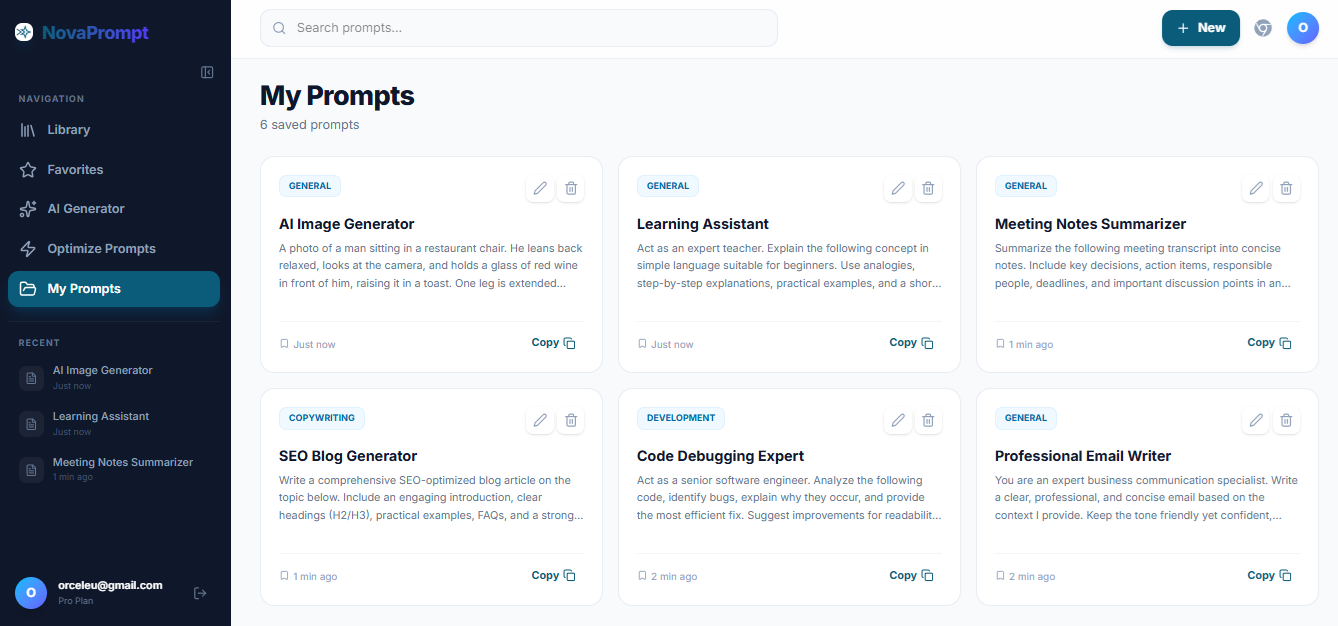
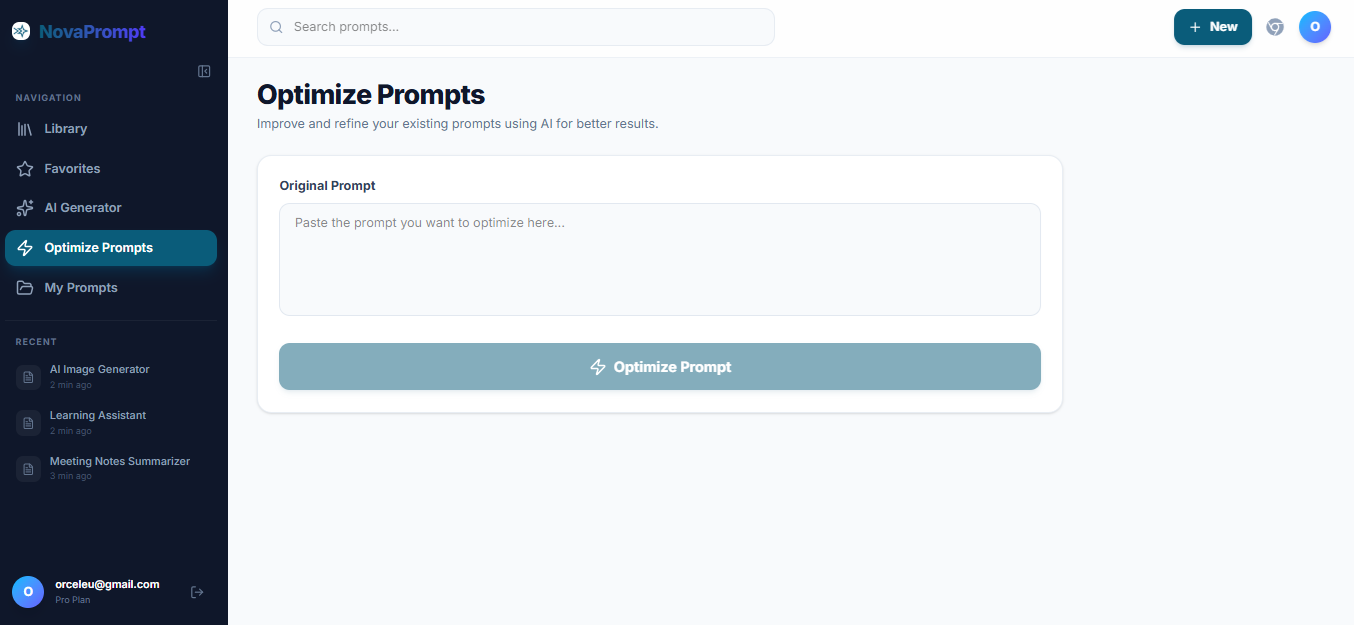
NovaPrompt helps you generate, optimize, test, and manage AI prompts in one workspace. Provide a rough idea to get a structured prompt, refine it in a built-in chat across models like ChatGPT, Claude, Gemini, and DeepSeek, then save the best versions with full history in your private library. Use the Optimizer to upgrade existing prompts, pin and organize reusable instructions, and run prompts with integrated assistants. A Chrome extension lets you search and paste prompts anywhere without switching tabs.
Features
✨ Key Features
🚀 Prompt Optimizer– Transform simple prompts into detailed, high-performing prompts for more accurate AI responses.
📚 Prompt Library– Save, organize, and instantly access your favorite prompts in one place.
⚡ Prompt Generator – Generate professional prompts for writing, coding, marketing, design, business, and more in seconds.
📊 Prompt Quality Analyzer– Evaluate your prompts and receive a quality score with actionable suggestions to improve them.
🎯 One-Click Insert – Insert prompts directly into ChatGPT, Claude, Gemini, Perplexity, and other AI platforms with a single click—no more copy and paste.

Comments

The quality analyzer with a score is the standout feature here - most prompt tools stop at generation, but giving actionable feedback on why a prompt is weak closes the loop. Curious how the score is computed: is it based on structural checks (role, constraints, examples) or on actual output quality from a judge model? Also, since one-click insert depends on each platform keeping its UI stable, how do you handle it when ChatGPT or Claude changes their layout - do you have a fallback copy mode?


The library with version history is what sold me, way better than my messy md doc of prompts I always lose track of. One-click insert into ChatGPT/Claude/Gemini is cool too. How's the Quality Analyzer actually scoring prompts though, is it checking structure or running it and judging the output? Also does the Chrome extension sync live with the library or do you gotta refresh to see new saves?

The library with version history is what sold me, way better than my messy md doc of prompts I always lose track of. One-click insert into ChatGPT/Claude/Gemini is cool too. How's the Quality Analyzer actually scoring prompts though, is it checking structure or running it and judging the output? Also does the Chrome extension sync live with the library or do you gotta refresh to see new saves?

Premium Products






























Sponsors
Buy

Awards
View all
Awards
View allMakers

Makers
Comments
The quality analyzer with a score is the standout feature here - most prompt tools stop at generation, but giving actionable feedback on why a prompt is weak closes the loop. Curious how the score is computed: is it based on structural checks (role, constraints, examples) or on actual output quality from a judge model? Also, since one-click insert depends on each platform keeping its UI stable, how do you handle it when ChatGPT or Claude changes their layout - do you have a fallback copy mode?
The library with version history is what sold me, way better than my messy md doc of prompts I always lose track of. One-click insert into ChatGPT/Claude/Gemini is cool too. How's the Quality Analyzer actually scoring prompts though, is it checking structure or running it and judging the output? Also does the Chrome extension sync live with the library or do you gotta refresh to see new saves?
The library with version history is what sold me, way better than my messy md doc of prompts I always lose track of. One-click insert into ChatGPT/Claude/Gemini is cool too. How's the Quality Analyzer actually scoring prompts though, is it checking structure or running it and judging the output? Also does the Chrome extension sync live with the library or do you gotta refresh to see new saves?
Premium Products
New to Fazier?

Find your next favorite product or submit your own. Made by @FalakDigital.
Copyright ©2025. All Rights Reserved