
MicTest
Free online mic test: meter, waveform, channel check
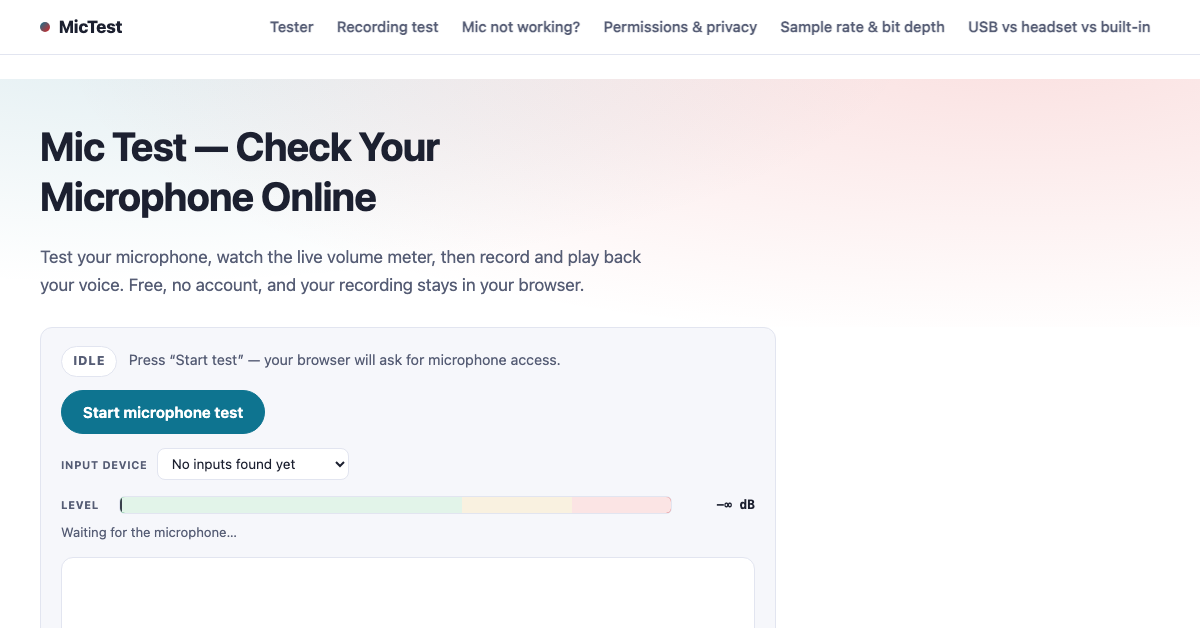
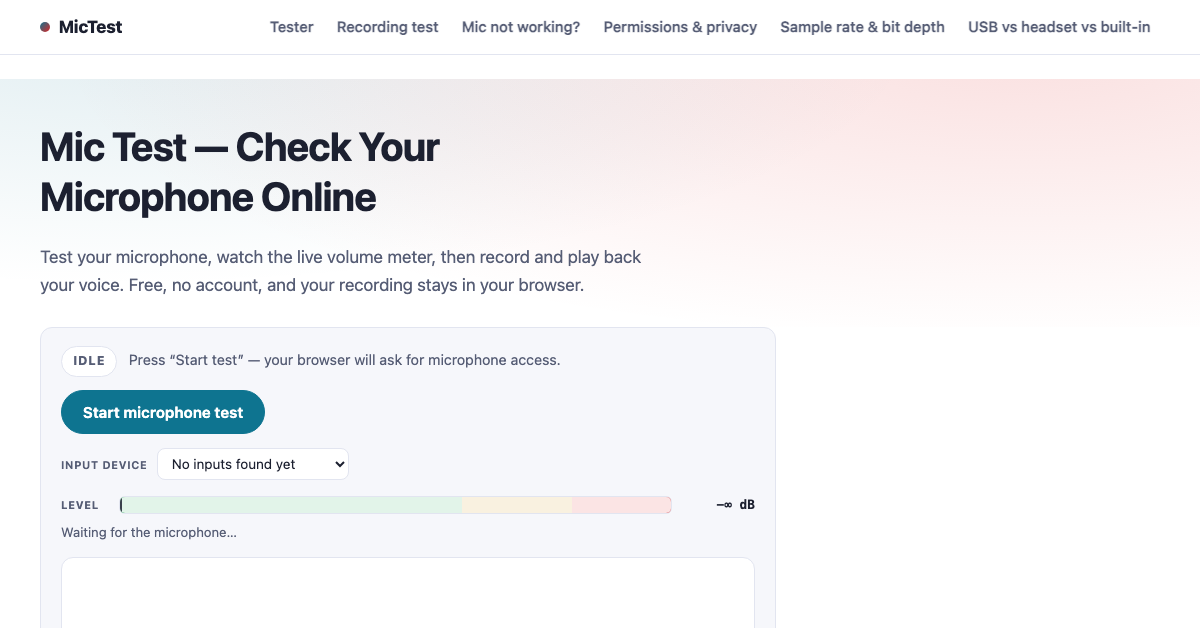
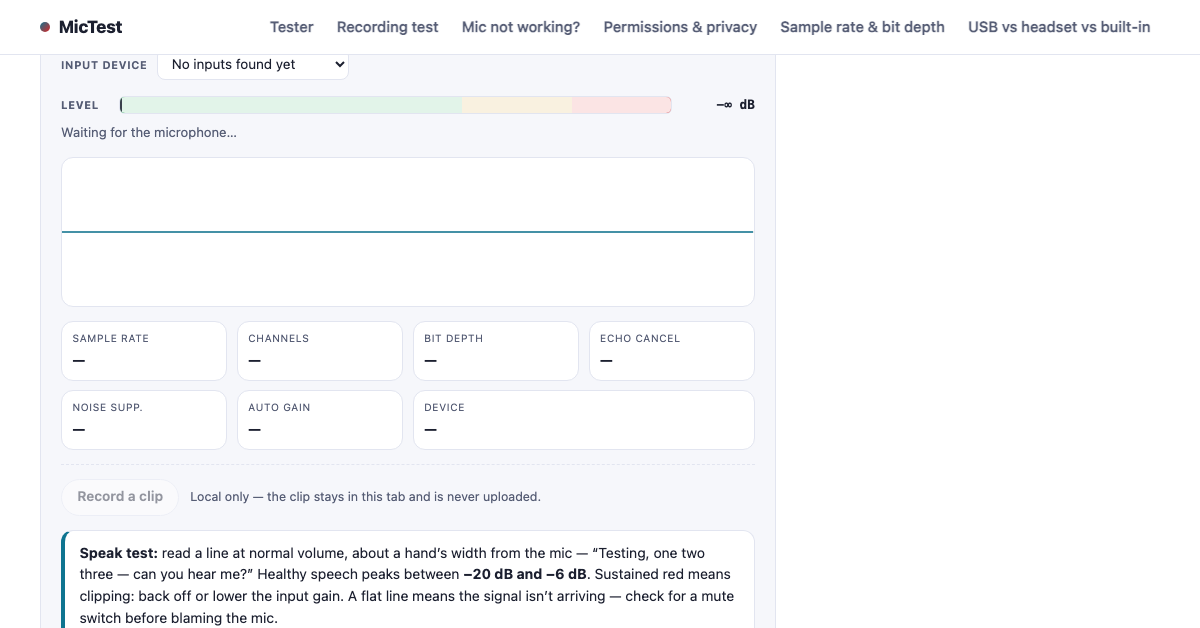
Free online microphone test in your browser: live level meter, oscilloscope waveform, stereo/mono channel readout and device picker. Record a short clip that never leaves your device. No upload, no account.
Features
- Live level meter and oscilloscope waveform
- Stereo/mono channel check
- Input device picker
- Local-only test recording
- Failure-mode diagnostics (denied / no device / busy / unplugged / muted)
- Free, no account, nothing uploaded
Use Cases
- Check your mic before a call or stream
- Verify left/right channel mapping
- Pick between built-in, USB and headset mics
- Record a quick test clip locally
- Diagnose why a mic is not working

Comments


With so many casual web utilities moving toward mandatory sign-ups and cloud telemetry, seeing a fully local, browser-based hardware testing suite is a breath of fresh air. The fact that the Web Audio API handles the meter and live waveform rendering locally without uploading a single byte of audio stream to an external server is huge for privacy. It’s incredibly fast, zero-friction, and does exactly what it promises. Upvoted!
With so many casual web utilities moving toward mandatory sign-ups and cloud telemetry, seeing a fully local, browser-based hardware testing suite is a breath of fresh air. The fact that the Web Audio API handles the meter and live waveform rendering locally without uploading a single byte of audio stream to an external server is huge for privacy. It’s incredibly fast, zero-friction, and does exactly what it promises. Upvoted!

The failure-mode diagnostics are the most useful bit here: most mic testers just show a flat meter when the browser has blocked access, so telling users whether it is denied, unplugged, busy or muted saves a lot of guessing. Does the device picker remember the last chosen mic between visits, or does it start from the default each time?

The explicit failure-mode diagnostics (denied permission, device busy, muted, unplugged) solve the biggest headache with Web Audio debugging where users just see silence and assume the app is broken. Having an oscilloscope waveform right alongside the level meter makes it effortless to detect background hum or clipping. Do you plan to add a quick frequency spectrum or FFT analysis view as well?


The failure-mode diagnostics are the most useful part here — most mic testers just show a flat meter with no clue whether the mic is denied, busy, muted or unplugged, and those all look identical. The stereo/mono channel check is also a smart inclusion, since a mis-mapped interface is a common cause of "my mic is broken" reports. Does the recording test also report the sample rate and bit depth the browser actually negotiated with the device? That would help when a USB interface falls back to a lower rate than expected.




Showing the negotiated echo cancellation / noise suppression / auto-gain flags is the detail most mic testers skip, and it explains a lot of "my mic sounds different in the test than on the call" confusion. Would you consider a toggle that reopens the stream with all three turned off? Being able to A/B the raw input against the processed one would make it obvious when auto-gain is covering for a mic that's set too quiet at the OS level. The separate panels for denied / busy / unplugged are a really nice touch too.
Premium Products




















































Sponsors
Buy

Awards
View all
Awards
View allMakers
Makers
Comments
With so many casual web utilities moving toward mandatory sign-ups and cloud telemetry, seeing a fully local, browser-based hardware testing suite is a breath of fresh air. The fact that the Web Audio API handles the meter and live waveform rendering locally without uploading a single byte of audio stream to an external server is huge for privacy. It’s incredibly fast, zero-friction, and does exactly what it promises. Upvoted!
With so many casual web utilities moving toward mandatory sign-ups and cloud telemetry, seeing a fully local, browser-based hardware testing suite is a breath of fresh air. The fact that the Web Audio API handles the meter and live waveform rendering locally without uploading a single byte of audio stream to an external server is huge for privacy. It’s incredibly fast, zero-friction, and does exactly what it promises. Upvoted!
The failure-mode diagnostics are the most useful bit here: most mic testers just show a flat meter when the browser has blocked access, so telling users whether it is denied, unplugged, busy or muted saves a lot of guessing. Does the device picker remember the last chosen mic between visits, or does it start from the default each time?
The explicit failure-mode diagnostics (denied permission, device busy, muted, unplugged) solve the biggest headache with Web Audio debugging where users just see silence and assume the app is broken. Having an oscilloscope waveform right alongside the level meter makes it effortless to detect background hum or clipping. Do you plan to add a quick frequency spectrum or FFT analysis view as well?
The failure-mode diagnostics are the most useful part here — most mic testers just show a flat meter with no clue whether the mic is denied, busy, muted or unplugged, and those all look identical. The stereo/mono channel check is also a smart inclusion, since a mis-mapped interface is a common cause of "my mic is broken" reports. Does the recording test also report the sample rate and bit depth the browser actually negotiated with the device? That would help when a USB interface falls back to a lower rate than expected.
Showing the negotiated echo cancellation / noise suppression / auto-gain flags is the detail most mic testers skip, and it explains a lot of "my mic sounds different in the test than on the call" confusion. Would you consider a toggle that reopens the stream with all three turned off? Being able to A/B the raw input against the processed one would make it obvious when auto-gain is covering for a mic that's set too quiet at the OS level. The separate panels for denied / busy / unplugged are a really nice touch too.
Premium Products
New to Fazier?

Find your next favorite product or submit your own. Made by @FalakDigital.
Copyright ©2026. All Rights Reserved