
MD To - Markdown Converter
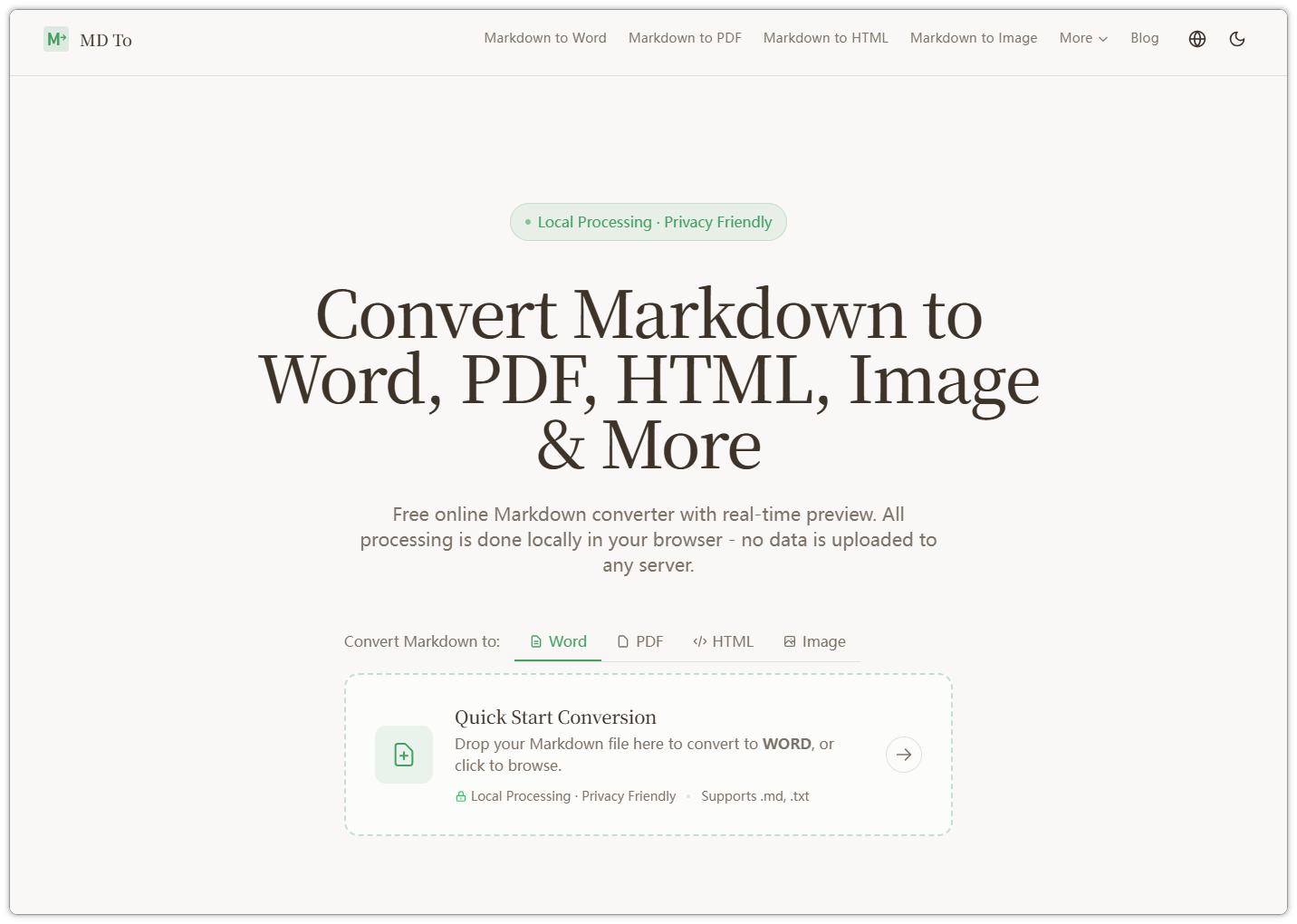
Convert Markdown to Word/PDF/HTML/Image in seconds.
MD-To.com is a lightweight yet powerful Markdown conversion tool designed for developers and writers. It provides a seamless experience to transform your Markdown files into high-quality HTML, PDFs, or stylized images with just a few clicks.
Key features include:
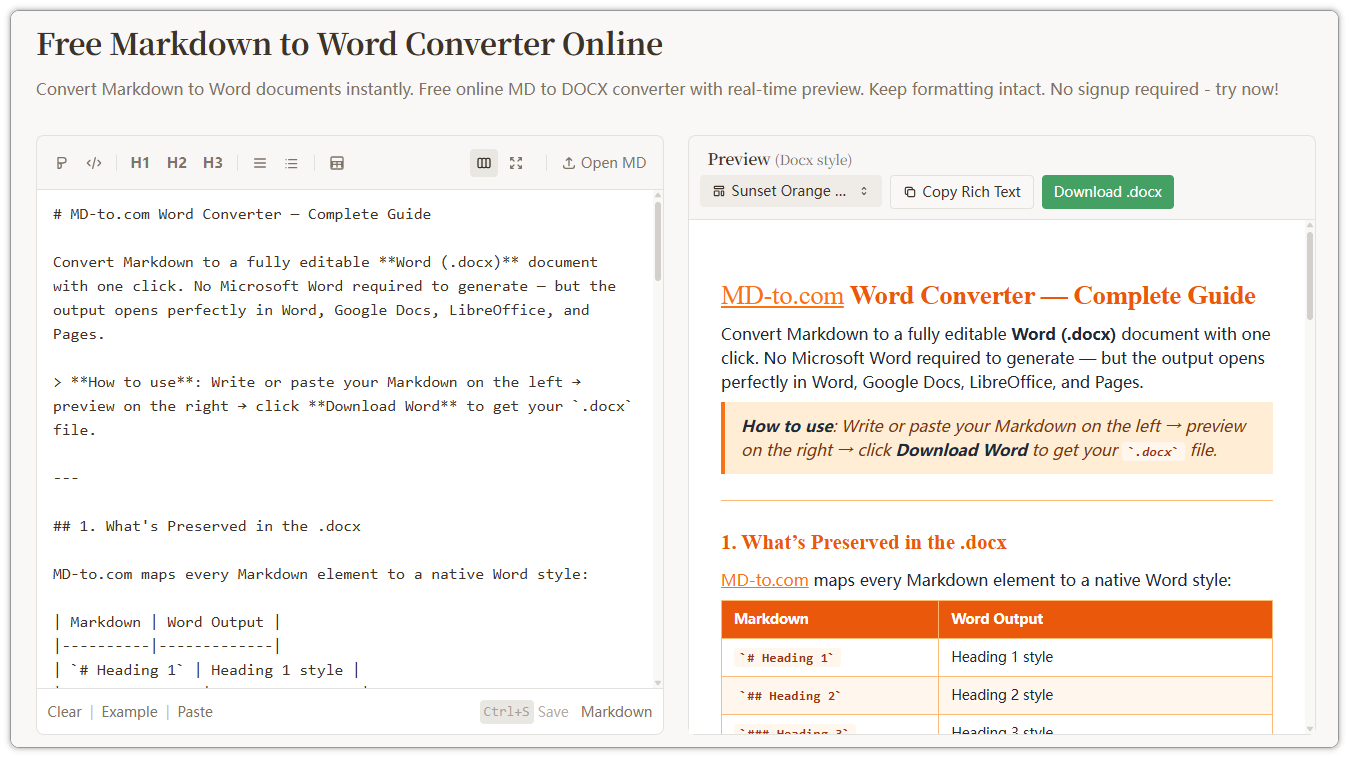
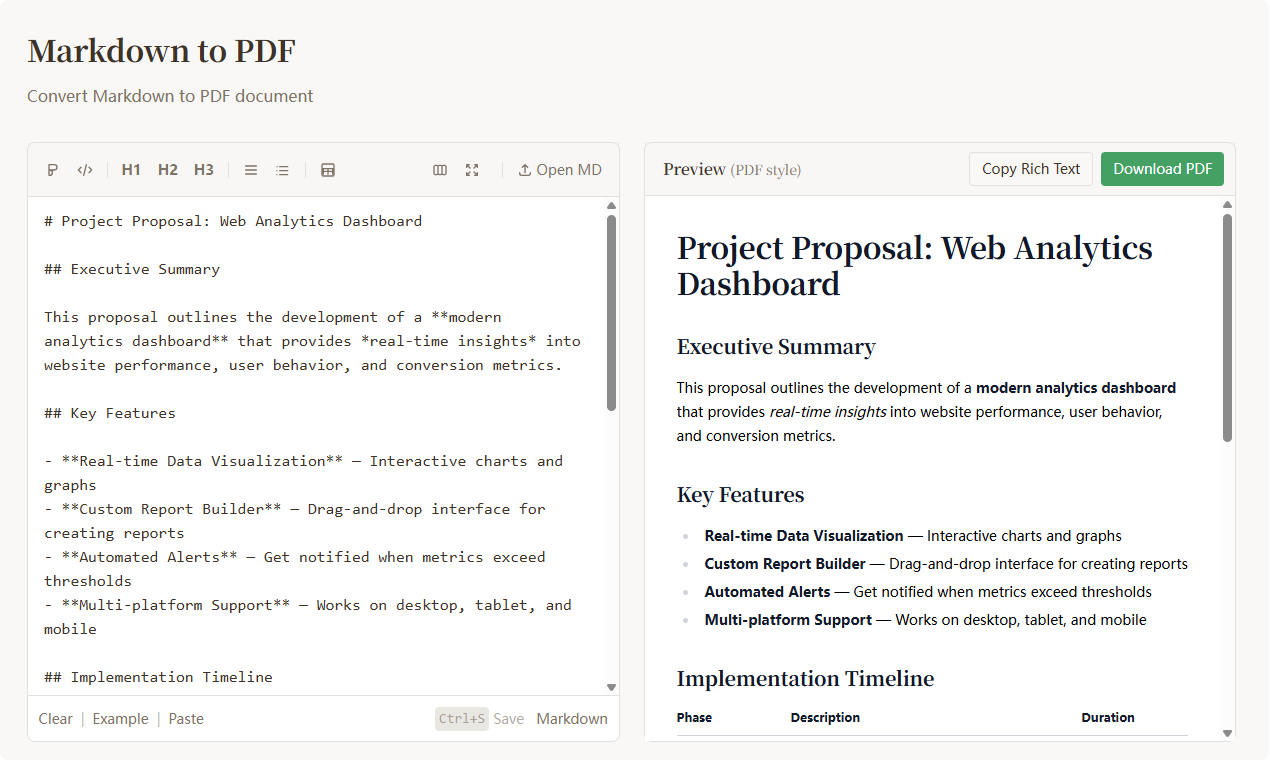
- Real-time Preview: See your changes instantly as you type.
- Multi-format Support: Effortlessly export to clean HTML, print-ready PDF, or social-media-friendly images.
- Clean UI/UX: A distraction-free environment focused on your content.
- No Setup Required: Fully browser-based, no installation needed.
Perfect for creating documentation, newsletters, or blog posts quickly and beautifully.
Features
- Markdown to Word
- Markdown to PDF
- Markdown to HTML
- Markdown to Image
- Markdown Editor
- Word to Markdown
- PDF to Markdown
- Markdown to Text
- Markdown to LaTeX
- Markdown to Confluence
- Markdown Table to Image
- Markdown Table to PDF
- HTML to Markdown
- CSV to Markdown Table
- Markdown Table to CSV
- JSON to Markdown Table
- Markdown to RSTBeta
Use Cases
1. Developer Documentation & Manuals
- The Scenario: Developers needing to share GitHub-style documentation with non-technical stakeholders or clients.
- Copy: Streamlined Documentation. Quickly transform README.md files or technical specifications into professional, print-ready PDF manuals or clean HTML pages, ensuring your documentation looks as good as your code.
2. Social Media Content Creation
- The Scenario: Creators who want to turn text-based Markdown notes into visually appealing images for social platforms.
- Copy: Social-Ready Snippets. Convert your Markdown drafts into beautifully styled images. It’s the perfect way to share newsletters, long-form thoughts, or code snippets on visually-driven platforms like X (Twitter), Instagram, or LinkedIn.
3. Frictionless Resume Building
- The Scenario: Users who prefer the "content-first" approach of Markdown for updating their CVs.
- Copy: Markdown-to-Resume. Forget the formatting headaches of traditional word processors. Write your CV in simple Markdown and export a polished, minimalist PDF that focuses entirely on your professional experience.
4. Blog & Newsletter Pre-processing
- The Scenario: Writers who draft in Markdown but need to export to platforms that require raw HTML or specific formatting.
- Copy: Cross-Platform Publishing. Draft your blog posts or newsletters in your favorite Markdown editor and use MD-TO to generate clean, semantic HTML. This ensures your layout remains consistent across various CMS platforms and email clients.

Comments


⭐⭐⭐⭐⭐ MD-To is one of those tools that quietly becomes indispensable once you start using it. What impressed me most is the frictionless experience — no signup, no setup, just paste your Markdown and export instantly. That alone already puts it ahead of many alternatives. The multi-format support is genuinely practical. Being able to convert Markdown into clean HTML, polished PDFs, or even shareable images covers a wide range of real-world use cases, from documentation to content distribution. The real-time preview is fast and reliable, making it feel more like a full editor than just a converter. And the fact that everything runs in the browser is a big plus for privacy and speed. Personally, I think the “Markdown → Image” feature is underrated — it’s perfect for turning ideas, notes, or snippets into social-ready content. If there’s one thing I’d love to see in the future, it would be themes/branding options and maybe some automation (API or integrations). That could unlock even more use cases for creators and teams. Overall, a clean, focused, and highly practical tool. Definitely worth bookmarking.

MD-To feels like one of those tools that seems simple at first, but becomes surprisingly essential once you start using it. What stands out to me: True no-friction workflow – no signup, no setup, just paste and export. That alone removes 90% of the usual tool fatigue. Local processing = huge win – knowing everything runs in-browser is a big plus for privacy-sensitive docs Multi-format output is practical – not just HTML, but PDF, Word, even images — that’s exactly what devs and content teams need in real workflows Real-time preview done right – fast feedback loop makes it feel more like an editor than a converter 💡 What I especially like is the “Markdown → image” angle — this is underrated. It’s super useful for: sharing content on social media generating docs snippets turning notes into visual assets Where it could go next (big opportunity): Add themes / branding presets (for teams & creators) API or automation hooks (Zapier / webhook / CLI) Collaborative editing or share links “Notion / Docs-style” publishing mode Overall, this is a solid dev tool with real distribution potential — especially if it leans into: 👉 creators + devs + AI content workflows Would definitely bookmark this 👍
Premium Products















Sponsors
Buy


Comments
⭐⭐⭐⭐⭐ MD-To is one of those tools that quietly becomes indispensable once you start using it. What impressed me most is the frictionless experience — no signup, no setup, just paste your Markdown and export instantly. That alone already puts it ahead of many alternatives. The multi-format support is genuinely practical. Being able to convert Markdown into clean HTML, polished PDFs, or even shareable images covers a wide range of real-world use cases, from documentation to content distribution. The real-time preview is fast and reliable, making it feel more like a full editor than just a converter. And the fact that everything runs in the browser is a big plus for privacy and speed. Personally, I think the “Markdown → Image” feature is underrated — it’s perfect for turning ideas, notes, or snippets into social-ready content. If there’s one thing I’d love to see in the future, it would be themes/branding options and maybe some automation (API or integrations). That could unlock even more use cases for creators and teams. Overall, a clean, focused, and highly practical tool. Definitely worth bookmarking.
MD-To feels like one of those tools that seems simple at first, but becomes surprisingly essential once you start using it. What stands out to me: True no-friction workflow – no signup, no setup, just paste and export. That alone removes 90% of the usual tool fatigue. Local processing = huge win – knowing everything runs in-browser is a big plus for privacy-sensitive docs Multi-format output is practical – not just HTML, but PDF, Word, even images — that’s exactly what devs and content teams need in real workflows Real-time preview done right – fast feedback loop makes it feel more like an editor than a converter 💡 What I especially like is the “Markdown → image” angle — this is underrated. It’s super useful for: sharing content on social media generating docs snippets turning notes into visual assets Where it could go next (big opportunity): Add themes / branding presets (for teams & creators) API or automation hooks (Zapier / webhook / CLI) Collaborative editing or share links “Notion / Docs-style” publishing mode Overall, this is a solid dev tool with real distribution potential — especially if it leans into: 👉 creators + devs + AI content workflows Would definitely bookmark this 👍
Premium Products
New to Fazier?

Find your next favorite product or submit your own. Made by @FalakDigital.
Copyright ©2025. All Rights Reserved