
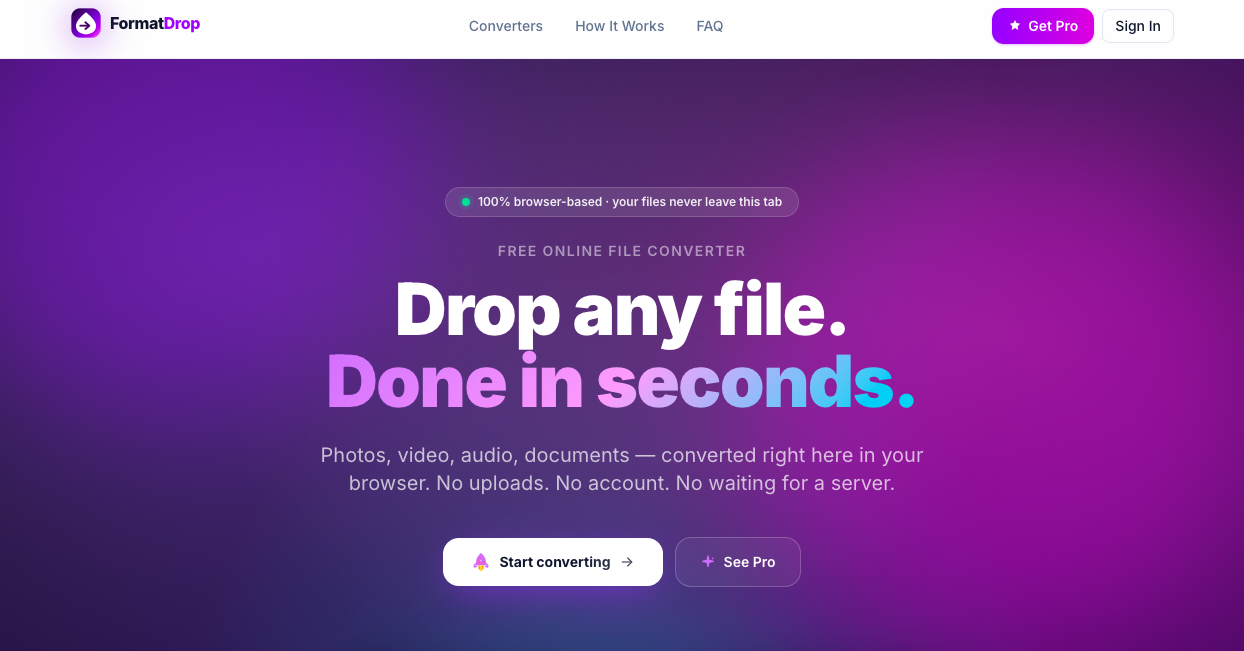
FormatDrop
Free Online File Converter — No Upload, No Account
Convert JPG, PNG, HEIC, MP4, MP3, PDF and 80+ formats instantly in your browser — no file upload, no account, no watermark.
Features
• Instant video transcription from social links
• AI-generated summaries of full videos
• No download or upload required
• No account needed for first 2 videos
• Supports 20+ languages
• Works directly in browser
• Pro plan ($10/mo) unlocks batch processing (10 videos at once)
• Multi-video combined summaries
• Up to 50 requests per day on Pro
Use Cases
• Turn YouTube videos into study notes
• Extract key insights from TikTok or Reels
• Repurpose video content into blog posts or newsletters
• Save time instead of watching long videos
• Research competitor content quickly
• Create summaries for clients or teams
• Improve accessibility with readable transcripts
• Translate spoken content into other languages

Comments


Hi! Meet FormatDrop — a privacy-first file converter that runs entirely in your browser. Your files never leave your device. No servers. No accounts. No waiting. ⸻ ⚡ What you can do • Convert images (JPG, PNG, WebP, HEIC, AVIF, GIF, SVG, BMP, TIFF) • Convert video files (MP4, MOV, AVI, MKV, WebM) • Convert audio formats (MP3, WAV, FLAC, AAC, OGG) • Convert documents (PDF, DOC and more) • Works with 80+ formats in total • Runs fully in your browser (client-side processing) ⸻ 🔒 Why people use it • Zero file uploads — everything stays on your device • No account required • No waiting in queues or server processing • Fast, local conversion • Works on any modern browser ⸻ 🚀 Whether you’re converting a photo, video, audio file, or document — FormatDrop makes it simple, fast, and private. Try it and see how file conversion should actually work.

Client-side, no-upload conversion is the right call here — for anything sensitive (IDs, contracts, raw photos) the 'files never leave your device' guarantee is a real differentiator over the usual upload-to-a-server converters. The 80+ formats with no watermark and no account is a generous free tier. One question: for the heavier video formats (MP4/MKV via what I assume is ffmpeg.wasm), how large a file can it realistically handle before the browser runs out of memory?
Running everything client-side is the right call for a file converter — nobody wants to upload sensitive documents to a random server. The 80+ format support is impressive for a browser-based tool. How does it handle larger video files? Browser-based processing can hit memory limits with big MP4 or MKV files. Would be useful to know the practical file size ceiling before performance degrades.
Premium Products

















Sponsors
Buy

Awards
View all
Awards
View allMakers
Makers
Comments
Hi! Meet FormatDrop — a privacy-first file converter that runs entirely in your browser. Your files never leave your device. No servers. No accounts. No waiting. ⸻ ⚡ What you can do • Convert images (JPG, PNG, WebP, HEIC, AVIF, GIF, SVG, BMP, TIFF) • Convert video files (MP4, MOV, AVI, MKV, WebM) • Convert audio formats (MP3, WAV, FLAC, AAC, OGG) • Convert documents (PDF, DOC and more) • Works with 80+ formats in total • Runs fully in your browser (client-side processing) ⸻ 🔒 Why people use it • Zero file uploads — everything stays on your device • No account required • No waiting in queues or server processing • Fast, local conversion • Works on any modern browser ⸻ 🚀 Whether you’re converting a photo, video, audio file, or document — FormatDrop makes it simple, fast, and private. Try it and see how file conversion should actually work.
Client-side, no-upload conversion is the right call here — for anything sensitive (IDs, contracts, raw photos) the 'files never leave your device' guarantee is a real differentiator over the usual upload-to-a-server converters. The 80+ formats with no watermark and no account is a generous free tier. One question: for the heavier video formats (MP4/MKV via what I assume is ffmpeg.wasm), how large a file can it realistically handle before the browser runs out of memory?
Running everything client-side is the right call for a file converter — nobody wants to upload sensitive documents to a random server. The 80+ format support is impressive for a browser-based tool. How does it handle larger video files? Browser-based processing can hit memory limits with big MP4 or MKV files. Would be useful to know the practical file size ceiling before performance degrades.
Premium Products
New to Fazier?

Find your next favorite product or submit your own. Made by @FalakDigital.
Copyright ©2025. All Rights Reserved