
DownloadTime
Honest download & upload time estimates — free
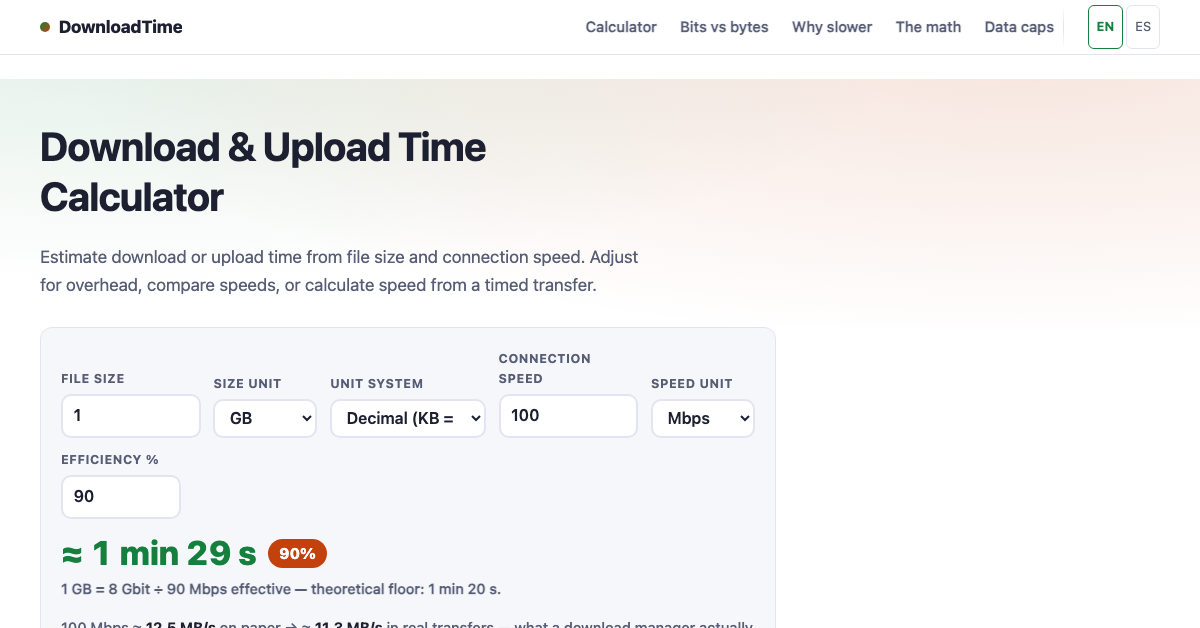
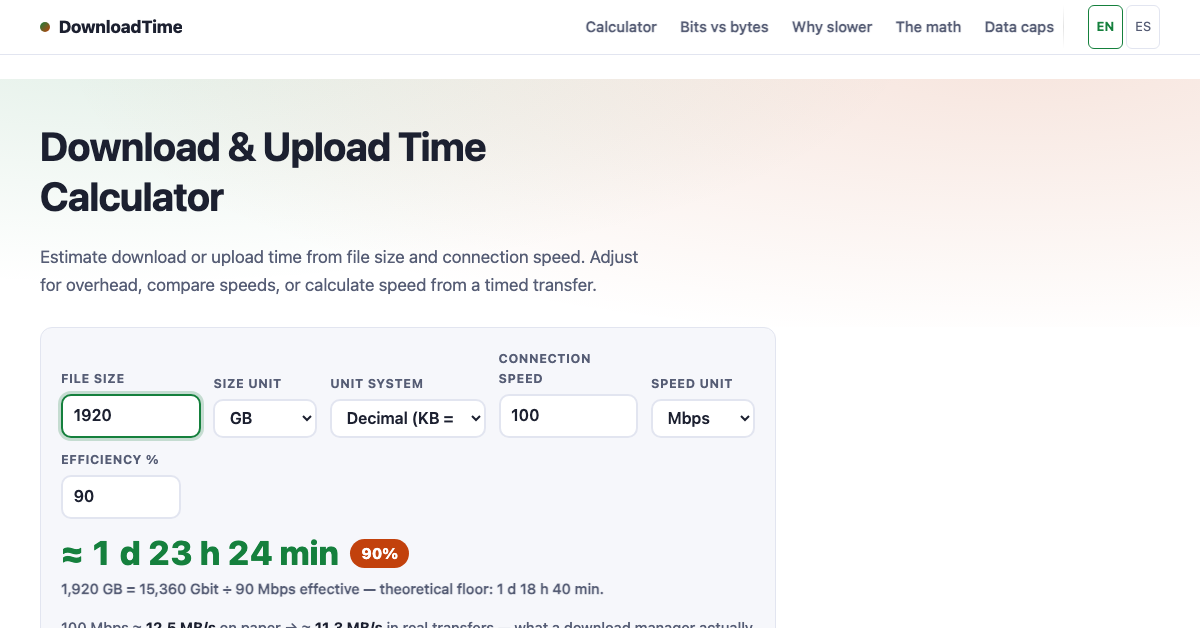
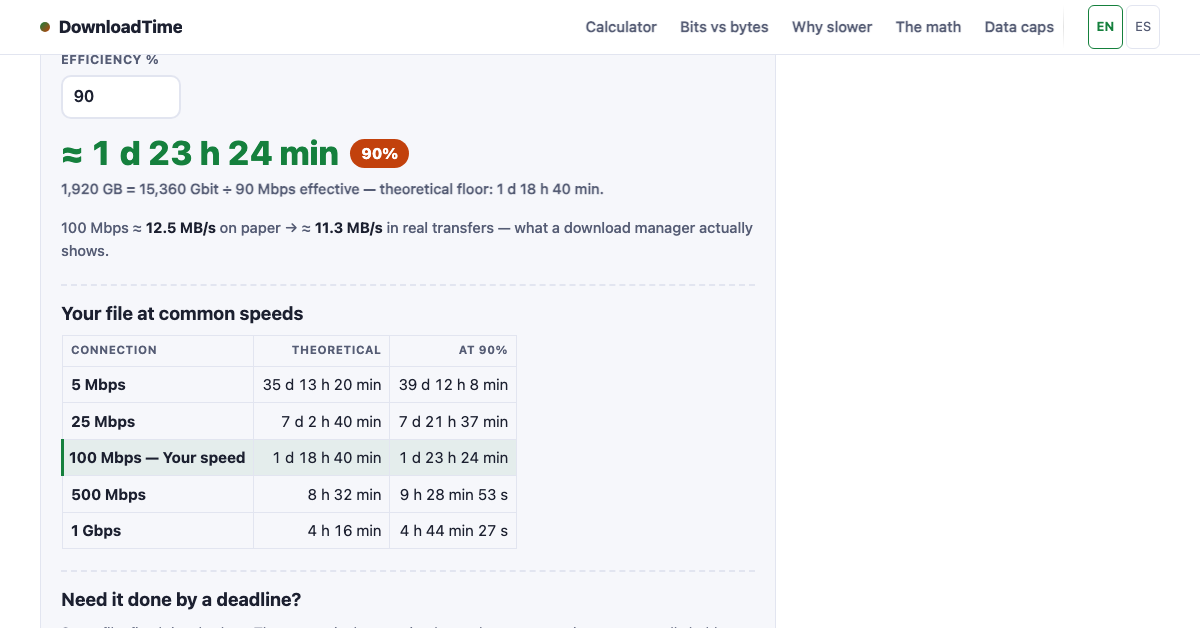
Free download and upload time calculator. File size x connection speed, adjusted by a real-world efficiency factor so the estimate is honest — not brochure math. Reverse mode answers how much fits in X minutes. English and Spanish. No signup.
Features
- File size x speed with real-world efficiency factor
- Instant h/min/s answer
- Reverse mode: how much fits in X minutes
- Bits vs bytes handled correctly
- English and Spanish
- Free, no signup, nothing uploaded
Use Cases
- Estimate how long a game or OS download will take
- Check upload time for backups and media
- Plan around data caps and slow connections
- See how much fits in a fixed window of time
- Compare advertised vs real-world speeds

Comments





The reverse mode is the standout for me — working out how much fits in a fixed window is something I actually need before starting a big upload on a capped connection. One thing I'd love: saved presets for common file sizes or speeds, so I don't have to re-enter them each time. The bits-vs-bytes handling is a nice honest touch too.
The reverse mode is the useful part, but the efficiency factor needs to be visible. If I enter a 1 GB file and a 100 Mbps line, a hidden factor like 0.7 changes the answer a lot, and without seeing that number it is hard to tell whether the estimate is conservative or just slower brochure math. A toggle that shows the raw time next to the adjusted one would make the honesty claim easier to trust. Named presets for hotel wifi and congested 4G would also help, since that is where people actually need this instead of retyping speeds.

Chitral Hive is an online shopping platform featuring traditional products from Chitral, Pakistan. Explore Chitrali caps (Pakol hats), dry fruits, Chilgoza pine nuts, walnuts, Shilajit (Salajeet), traditional woolen shawls, and regional clothing. Discover local craftsmanship, regional specialties, and traditional Chitrali products available to customers across Pakistan. Website: https://chitralhive.com/
The bits-vs-bytes handling plus an efficiency factor is the right fix for those fake "5 minutes left" estimates. Reverse mode (how much fits in X minutes) is what I'd actually use before a backup on a capped connection. Is the efficiency factor a fixed percentage, or does it change by connection type such as wifi versus mobile?


The honest framing is exactly right — advertised speeds never match real downloads, and showing the theoretical floor next to the adjusted estimate makes the difference clear. One idea: add one-click presets for common connections (home fibre, hotel Wi-Fi, 4G/5G) so people don't have to guess their efficiency percentage, and a small note on what the efficiency factor covers (overhead, congestion, server limits). Reverse mode is genuinely handy for planning around data caps.


Premium Products




















































Sponsors
Buy

Makers
Makers
Comments
The reverse mode is the standout for me — working out how much fits in a fixed window is something I actually need before starting a big upload on a capped connection. One thing I'd love: saved presets for common file sizes or speeds, so I don't have to re-enter them each time. The bits-vs-bytes handling is a nice honest touch too.
The reverse mode is the useful part, but the efficiency factor needs to be visible. If I enter a 1 GB file and a 100 Mbps line, a hidden factor like 0.7 changes the answer a lot, and without seeing that number it is hard to tell whether the estimate is conservative or just slower brochure math. A toggle that shows the raw time next to the adjusted one would make the honesty claim easier to trust. Named presets for hotel wifi and congested 4G would also help, since that is where people actually need this instead of retyping speeds.
Chitral Hive is an online shopping platform featuring traditional products from Chitral, Pakistan. Explore Chitrali caps (Pakol hats), dry fruits, Chilgoza pine nuts, walnuts, Shilajit (Salajeet), traditional woolen shawls, and regional clothing. Discover local craftsmanship, regional specialties, and traditional Chitrali products available to customers across Pakistan. Website: https://chitralhive.com/
The bits-vs-bytes handling plus an efficiency factor is the right fix for those fake "5 minutes left" estimates. Reverse mode (how much fits in X minutes) is what I'd actually use before a backup on a capped connection. Is the efficiency factor a fixed percentage, or does it change by connection type such as wifi versus mobile?
The honest framing is exactly right — advertised speeds never match real downloads, and showing the theoretical floor next to the adjusted estimate makes the difference clear. One idea: add one-click presets for common connections (home fibre, hotel Wi-Fi, 4G/5G) so people don't have to guess their efficiency percentage, and a small note on what the efficiency factor covers (overhead, congestion, server limits). Reverse mode is genuinely handy for planning around data caps.
Premium Products
New to Fazier?

Find your next favorite product or submit your own. Made by @FalakDigital.
Copyright ©2026. All Rights Reserved