
conceptviz
Turn simple text prompts into classroom-ready STEM diagrams
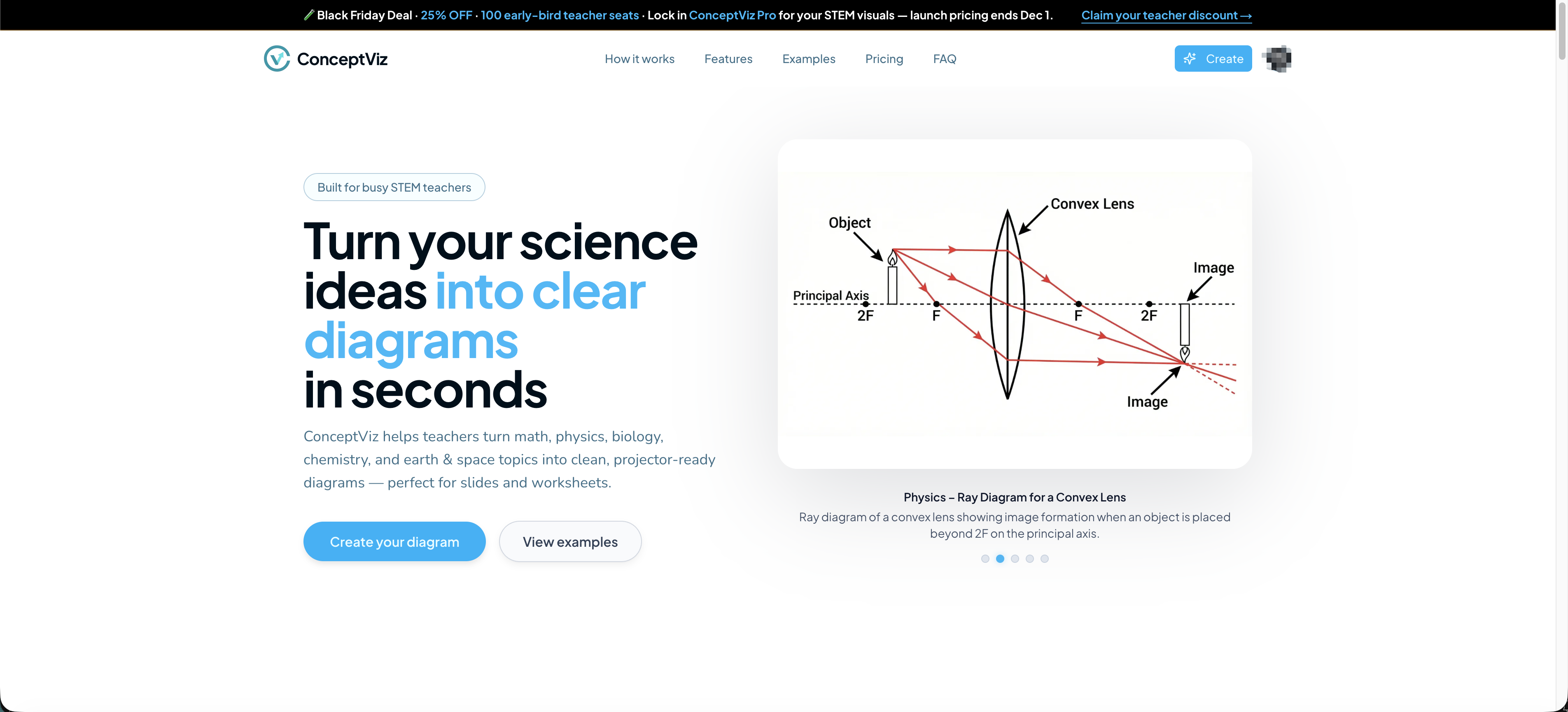
ConceptViz is an AI-powered STEM visualization assistant for teachers. Instead of spending 30–60 minutes searching Google Images, redrawing diagrams, or wrestling with PowerPoint shapes, you can type a simple description and instantly get clean, accurate illustrations tailored for your lesson.
Designed for K–12 and university educators, ConceptViz understands common science and math topics (physics, biology, chemistry, earth science, etc.) and generates diagrams in a consistent “textbook” style: clear lines, high contrast, and white backgrounds that drop straight into slides, worksheets, exams, and LMS platforms.
Under the hood, ConceptViz uses prompt-engineering and subject-aware templates to keep results aligned with curriculum goals. You can request multiple variations, change perspectives (front view, cross-section, isometric), and quickly regenerate until the diagram matches how you want to explain the concept in class.
Whether you’re preparing tomorrow’s lesson, building a full course, or creating practice materials for students, ConceptViz helps you produce better visuals in a fraction of the time — so you can focus on teaching instead of drawing.
Features
STEM-aware prompt engine – Optimized for science and math topics; understands common classroom concepts and terminology.
Teacher-friendly text prompts – Type a simple description (“ray diagram for convex lens forming real image”) and get structured, detailed prompts automatically.
Curriculum-aligned styles – Generates clean, textbook-style diagrams on white backgrounds that look consistent across lessons.
Multiple perspectives & variations – Quickly switch between cross-section, front view, isometric, zoom-in details, and more.
Grade-level control – Adapt visuals from elementary to university level with appropriate complexity.
One-click regeneration – Generate several alternative diagrams until you find the one that matches how you teach.
Slide & print ready – High-resolution outputs that work well in PowerPoint, Google Slides, PDFs, and LMS platforms.
Browser-based, no install – Runs directly in the browser; no plugins, no special hardware required.
Use Cases
Lesson slides & presentations – Quickly add accurate diagrams to daily lessons, flipped-classroom videos, or lecture decks.
Worksheets & homework – Create custom visuals for problem sets, practice sheets, and take-home assignments.
Quizzes & exams – Design clear diagrams for test questions where students need to label, analyze, or interpret visuals.
Concept explanations – Generate step-by-step visuals to explain challenging topics (optics, circuits, cell biology, etc.).
Curriculum & textbook authors – Produce consistent illustrations across chapters without hiring a dedicated illustrator.
EdTech products & course creators – Embed ConceptViz-style images into online courses, learning apps, or interactive content.

Comments


Hi everyone 👋 I built ConceptViz after hearing the same complaint from teacher friends again and again: “I spend so much time hunting for the right diagram… and usually end up redrawing it myself.” ConceptViz is my attempt to fix that. You describe the concept in plain language, and it generates clean, curriculum-friendly STEM diagrams you can drop straight into slides, worksheets, or exams. A few guiding principles behind the product: Focus on clarity over “AI art” – diagrams should look like they belong in a textbook, not in an art gallery. Make it teacher-first – simple prompts, sensible defaults, and no need to learn complex prompt tricks. Respect classroom realities – outputs must work well when printed in black-and-white or pasted into PowerPoint/Google Slides. I’d love feedback from teachers, tutors, and course creators: What subjects or topics do you most struggle to find visuals for? Which export formats or integrations would help you the most? Feel free to try it and let me know what you think

Premium Products












Sponsors
Buy
Makers
Makers
Comments
Hi everyone 👋 I built ConceptViz after hearing the same complaint from teacher friends again and again: “I spend so much time hunting for the right diagram… and usually end up redrawing it myself.” ConceptViz is my attempt to fix that. You describe the concept in plain language, and it generates clean, curriculum-friendly STEM diagrams you can drop straight into slides, worksheets, or exams. A few guiding principles behind the product: Focus on clarity over “AI art” – diagrams should look like they belong in a textbook, not in an art gallery. Make it teacher-first – simple prompts, sensible defaults, and no need to learn complex prompt tricks. Respect classroom realities – outputs must work well when printed in black-and-white or pasted into PowerPoint/Google Slides. I’d love feedback from teachers, tutors, and course creators: What subjects or topics do you most struggle to find visuals for? Which export formats or integrations would help you the most? Feel free to try it and let me know what you think
Premium Products
New to Fazier?

Find your next favorite product or submit your own. Made by @FalakDigital.
Copyright ©2025. All Rights Reserved