
Block Poster
Turn images, documents, and web visuals into printable tiled
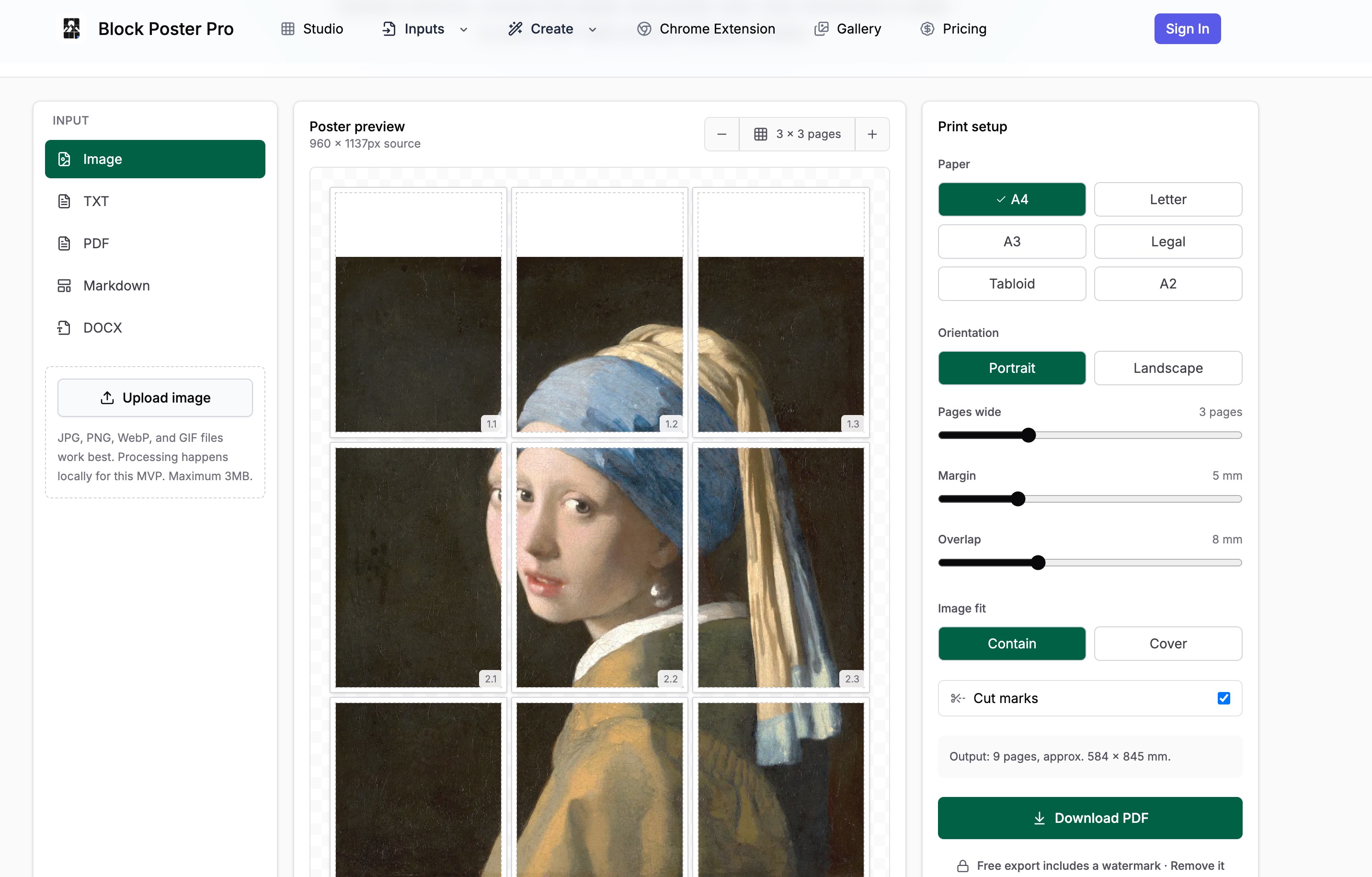
Block Poster Pro is a freemium web tool that creates wall-sized tiled poster PDFs from images, PDFs, TXT, Markdown, and DOCX files. Users can preview every printable sheet, choose paper sizes, margins, overlap, and fit mode, then export an assembly-ready PDF. A Chrome extension captures web visuals for poster creation. Free use includes watermarked exports up to 3MB; paid plans unlock watermark-free exports, larger files, batch workflows, and optional AI line-art generation.
Features
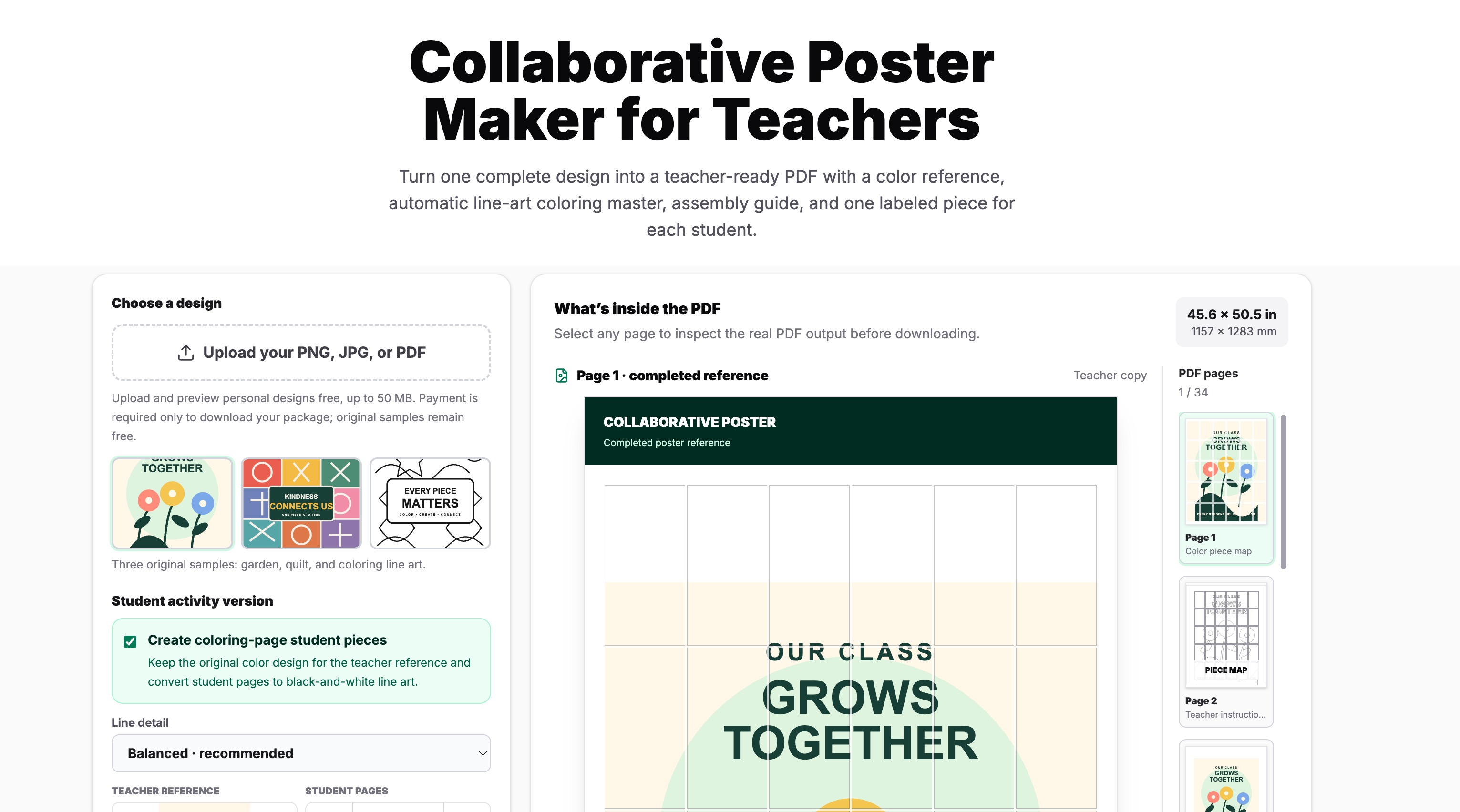
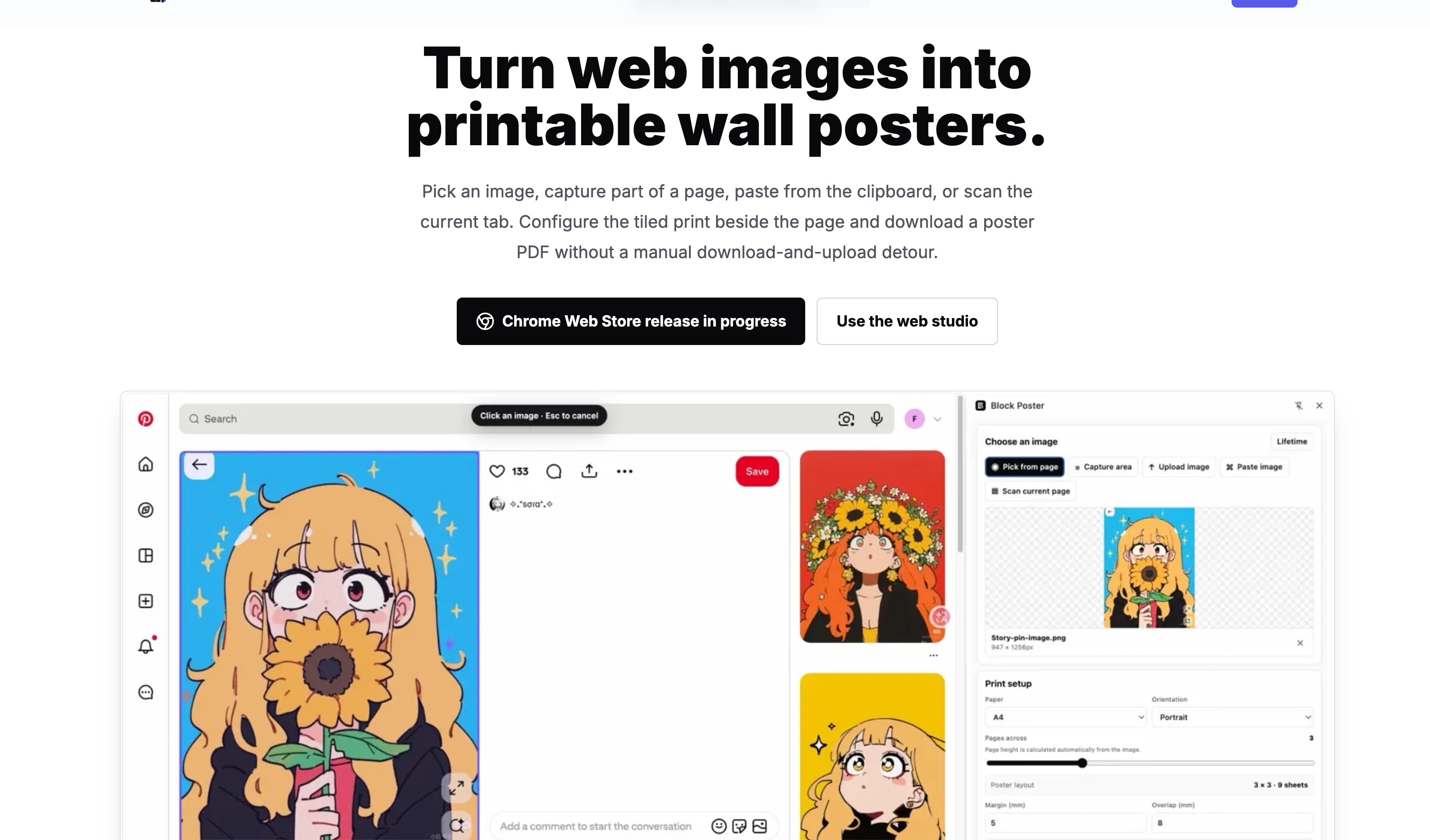
Convert images, PDF, TXT, Markdown, and DOCX into tiled poster PDFs. Choose paper sizes (A4, Letter, A3, Legal, Tabloid, A2), orientation, poster width, margins, overlap, fit mode, cut marks, and page labels. Preview every sheet before export. Create collaborative classroom poster packages for 4 to 100 students. Use the Chrome extension to capture page images, visible areas, clipboard images, or scan the current page.
Use Cases
Classroom murals and collaborative student posters. Home and office wall posters. Event signs, displays, and presentation boards. Printable artwork and coloring posters. Large-format reference sheets from Word, text, or Markdown documents. Turning useful web images into printable posters from Chrome.
Comments


Block Poster Pro was built because printing large posters shouldn't require a plotter or expensive service. The idea came from seeing teachers tape letter-size sheets together to make classroom displays. We wanted a tool that lets anyone upload an image, PDF, or document, preview every tile, and export a print-ready PDF — all in the browser. The Chrome extension came later when we realized people often want to turn useful web visuals into posters. Free users can build and inspect complete previews; paid options remove watermarks, support larger files, and add batch workflows. AI line-art features are separate and optional.
Premium Products



































Sponsors
Buy
Makers
Makers
Comments
Block Poster Pro was built because printing large posters shouldn't require a plotter or expensive service. The idea came from seeing teachers tape letter-size sheets together to make classroom displays. We wanted a tool that lets anyone upload an image, PDF, or document, preview every tile, and export a print-ready PDF — all in the browser. The Chrome extension came later when we realized people often want to turn useful web visuals into posters. Free users can build and inspect complete previews; paid options remove watermarks, support larger files, and add batch workflows. AI line-art features are separate and optional.
Premium Products
New to Fazier?

Find your next favorite product or submit your own. Made by @FalakDigital.
Copyright ©2025. All Rights Reserved